
Phone RAM Expansion (Virtual RAM): Marketing Gimmick or Useful Feature?
RAM Expansion (virtual RAM) uses internal storage to support multitasking by keeping more apps in memory, but it does not increase actual speed or replace physical RAM. It helps budget phones reduce app reloads, but performance still depends on real RAM and chipset.

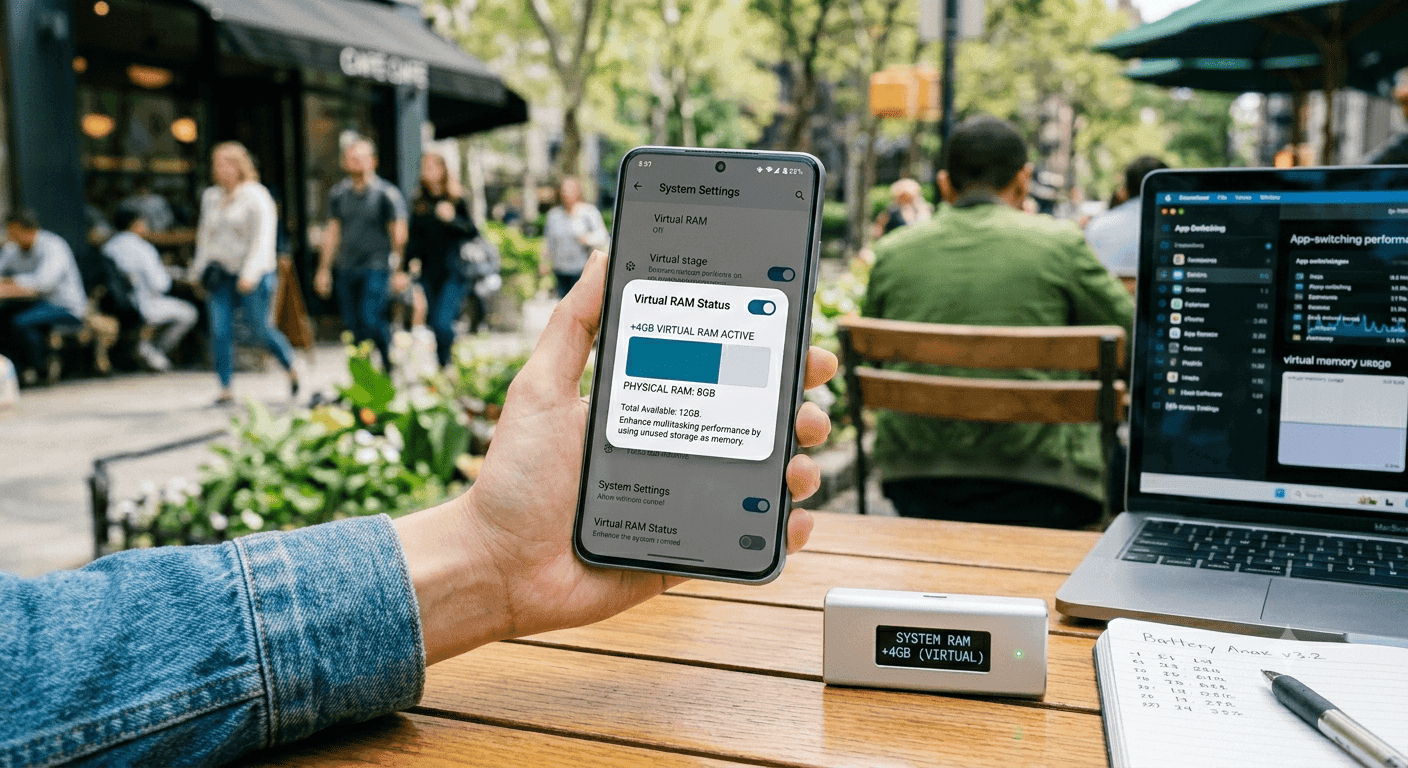
TL;DR Ram expansion, also called virtual RAM, helps phones with limited physical RAM keep more apps open in the background by borrowing internal storage, but it does not make the phone faster.
Understanding RAM Expansion and Why It Matters
When a phone is marketed as 8GB+5GB, that extra 5GB comes from internal storage, not from a hidden memory chip. That distinction matters because physical RAM and virtual RAM do different jobs, even if the marketing copy makes them sound interchangeable. In practice, RAM expansion is a way to borrow storage space and use it as temporary memory support.
It can help the phone keep more apps in the background, but it is still not the same as true RAM. A phone with 8GB+5GB is not suddenly becoming a 13GB RAM device; it is simply using storage to extend memory behavior in a limited way. That is why the label can be useful for understanding how a phone is presented, but it should not be treated as the same thing as having more physical memory.
The important point is not just the total number shown on the box, but what kind of memory the phone actually has. Virtual RAM can support performance in some situations, but it does not replace the role of real RAM. This also means the feature depends on how the phone manages storage, security, and background tasks.
How Virtual RAM Works on Android Phones?
Virtual RAM uses unused internal storage and turns it into temporary RAM for the system. Some brands describe this as RAM Plus, Dynamic Memory, Memory Fusion, or simply Virtual RAM, but the underlying idea is the same. A phone marketed as 8GB+5GB or 6GB+5GB is not add real memory chips; it borrows 5GB from storage to help keep background apps available.
That extra pool can reduce reloads when you switch between apps like WhatsApp, Chrome, Maps, Slack, and YouTube, but it does not increase the speed of active tasks. If you have ever reopened a heavy app and watched it reload from scratch, you already understand the problem this feature tries to reduce. The feature is most useful when you care about staying in a session, not when you expect a speed boost.
If you work in Slack, switch to YouTube, then return to a browser tab, the phone has a better chance of preserving that state. That is the practical value of ram expansion. It helps with multitasking, but it does not change the phone’s core processing power.
Brand Names and Marketing Terms to Watch For
Different brands use different labels, and that creates a lot of confusion for buyers searching for the parts' meaning in Hindi. The naming changes, but the function stays close enough that you should judge the feature by the hardware behind it, not by the slogan on the box. That is why the same idea can look premium on one phone and routine on another.
Dynamic Memory is Realme’s term for the same storage-backed memory pool. Memory Fusion and similar labels are just brand names for the same mechanism. Virtual RAM is the cleanest generic term when you want to compare phones directly.
The label matters less than the actual hardware configuration. A phone with more physical RAM will usually feel more responsive than a phone that leans heavily on storage-backed memory. If two models look similar on paper, the one with stronger real RAM is usually the safer pick.
Impact on Device Storage and Long-Term Use
The trade-off is storage wear. Because virtual RAM relies on read and write cycles, it can stress the lifespan of internal storage over time. That does not mean the phone will fail quickly, but it does mean the feature is not free in a hardware sense.
If you already keep lots of photos, offline video, and large game files on the device, giving up more storage space for the feature can be a bad trade. This is where people often misunderstand the feature. They see free storage and assume it should always be used for extra memory, but that ignores the fact that storage and RAM are not equally fast.
A phone that already has enough physical RAM does not gain much from this feature, while a phone with 4GB or 6GB can benefit more when apps are constantly running in the background. If your daily routine is WhatsApp, Chrome, and Maps, a modest virtual RAM pool can help. If your phone already has enough physical RAM, skip the hype and keep the storage free.
Choosing Phones with Effective RAM Expansion
The first thing to check is physical RAM, because that is still the part that determines real speed. This feature helps older and budget phones more than flagship devices because those lower-end models are more likely to run out of memory during normal use. In that situation, RAM expansion can reduce app reloads and make multitasking feel smoother.
You should also look at how much storage the phone has before you turn the feature on. If the device already stores photos, offline video, and game files, giving away more space may not be worth it. A phone with 8GB of real RAM and enough storage usually has less reason to rely on this feature than a 4GB or 6GB model.
For most buyers, the best approach is simple. Choose the phone with the stronger physical RAM first, then treat virtual RAM as a secondary bonus. That keeps the decision grounded in real performance instead of marketing numbers.
Is RAM Expansion Worth It in 2026?
RAM expansion is worth considering in 2026 if you use a budget or midrange phone and want fewer app reloads during everyday multitasking. It is especially useful when a phone has 4GB or 6GB of physical RAM, because that is where storage-backed memory can make the biggest difference. It is not a substitute for real RAM, and it will not turn a slow phone into a fast one.
If you are buying a phone for light use, the feature can be a helpful extra. If you already have enough physical RAM, the benefit is smaller, and the storage trade-off matters more. In that case, the smarter move is to prioritize actual memory and leave more internal storage available.
The clearest approach is to compare the actual RAM first, then decide whether the extra virtual pool is worth the storage it consumes. For most people, RAM expansion is a useful backup feature, not a reason to choose one phone over another. If the rest of the hardware is strong, it can be a nice bonus, but it should never be the main selling point.
Frequently Asked Questions
Q. What is ram expansion in simple terms?
Ram expansion means the phone uses part of its internal storage as temporary memory when actual RAM starts filling up. A common example is a phone marketed as 8GB+5GB, where the extra 5GB comes from storage instead of a real memory chip. It can help keep apps open in the background, but it does not make the phone faster.
Q. Does virtual RAM improve speed?
Virtual RAM helps with multitasking, not raw speed. It can reduce reloads when you switch between apps like WhatsApp, Chrome, Maps, Slack, and YouTube. It does not increase the speed of active tasks, so the phone still depends on its real RAM and processor for performance.
Q. Which phones benefit most from RAM expansion?
Phones with 4GB or 6GB of physical RAM usually benefit the most because they are more likely to run out of memory during normal use. Budget and older phones see the clearest improvement when apps keep getting pushed out of memory. Phones with enough physical RAM already gain less from the feature.
Q. What is the main trade-off of using virtual RAM?
The main trade-off is storage wear and reduced free space. Virtual RAM depends on read and write cycles, which can stress internal storage over time. If you already keep photos, offline video, and large game files on the device, using more storage for memory support may not be worth it.
Q. Is 8GB+5GB the same as 13GB RAM?
No, it is not the same as having 13GB of real RAM. The extra 5GB comes from internal storage, so it serves only as temporary. The phone still has 8GB of physical RAM, and that is the part that matters most for speed.
Q. Should I turn RAM expansion on all the time?
You should turn it on if your phone has limited physical RAM and you often switch between apps. It can help preserve app state when you move from WhatsApp to YouTube and back to a browser tab. If your phone already has enough real RAM, the benefit is smaller, and keeping storage free may be the better choice.






