
Perplexity Browser vs Google Chrome Guide
Perplexity Comet and Google Chrome serve different needs in 2026. Comet excels with AI-powered automation and research workflows, while Chrome remains the more reliable choice for everyday browsing, speed, compatibility, and seamless integration with Google services.

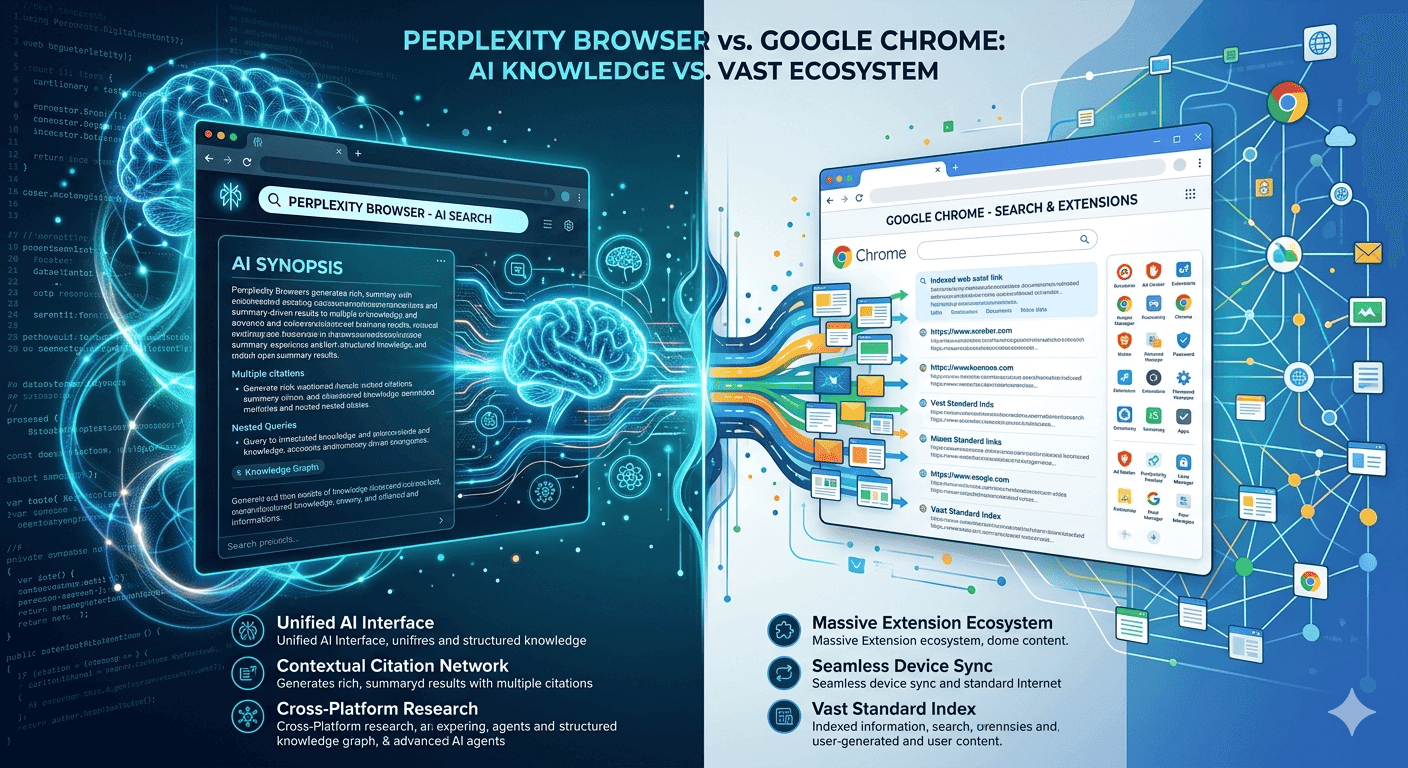
TL;DR Perplexity Browser vs Google Chrome comes down to AI-native automation versus everyday reliability. Comet is better for research-heavy workflows, while Chrome is the safer default because it is more established, broadly available, and easier to trust.
Overview of Perplexity, Chrome, and Edge Browsers
Perplexity Comet, Google Chrome, and Microsoft Edge each approach browsing from a different starting point. Comet is an AI-native browser built on Chromium, so it keeps familiar site compatibility while letting the browser act more like an assistant. Chrome is the classic speed-and-stability option with deep integration into Google's ecosystem, and Edge sits between them by adding AI features without forcing a major habit change.
For any company comparing Perplexity Browser vs Google Chrome, the real question is whether you want a browser that only shows the web or one that helps process information while you work. That difference matters in ChatGPT-style research, in Google Docs drafting, and in business workflows where open tabs pile up fast. In an LLM-driven workflow, Comet is designed to feel more like a helper than a passive window.
Comet is currently in beta and available on an invite-only basis or for Perplexity's Max-tier subscribers, which makes it feel more experimental than Chrome or Edge. It is available on Windows and macOS, but it is also available as a mobile app, so desktop users get the most complete experience for now. That limited rollout tells you a lot about its position. Comet is aimed at people who spend time in research, planning, and knowledge work rather than people who only want a simple default browser.
What Each Browser Prioritizes?
Comet prioritizes automation and context awareness, which makes it feel different from a standard browser. Chrome prioritizes speed, stability, and integration, which keeps it dependable for everyday browsing. Edge prioritizes convenience for people who want AI in a familiar browser without making a disruptive switch.
Why Availability Matters?
The platform story matters because browser choice is often about continuity. Chrome and Edge are broadly available across desktop and mobile, while Comet is still desktop-first and currently in beta. If your workflow depends on moving between phone and laptop, Chrome still has the safer reach.
- Comet is best understood as an AI-native desktop browser for productivity.
- Chrome is the broadest mainstream option for everyday browsing and Google-first users.
- Edge is the easiest way to test AI features without changing browser habits too much.
In practical terms, Comet is the most ambitious product, Chrome is the most established, and Edge is the most incremental. That distinction matters because the best browser is not always the one with the most features, it is the one that fits your workflow already.
AI Capabilities and Intelligent Automation Comparison
Perplexity Comet's AI assistant is the main reason it stands out. It can summarize content, compare tabs, book meetings, manage schedules, and help with long emails and documents, which makes it more than a search helper. The browser is also designed to perform actions in real time, such as navigating web pages, and it can execute complex workflows autonomously.
That combination pushes Comet toward agentic AI, where the browser does not just answer questions but helps carry out the work. If you use ChatGPT, OpenAI tools, or Perplexity AI for research, Comet feels like the browser version of that habit. It is built for people who ask the browser to do something, not just find something.
Chrome's Gemini sidebar is useful, but it is more limited in scope. It offers AI-powered summaries and search, which helps when you want quick context on a page without leaving the tab you are already in. Edge's Co-Pilot mode takes a similar middle path, giving you AI in the browser without switching to a new browser.
For people who use Google Docs, Notion, email, and browser-based dashboards all day, Comet offers the deepest automation. For people who mainly want a smarter sidebar, Chrome and Edge are easier to trust day to day.
Perplexity Comet AI Depth
Comet is strongest when the task spans multiple sources and multiple steps. If you are comparing research tabs, checking facts, and then turning that information into a meeting or email, Comet can keep the workflow connected. It is especially useful for knowledge workers and companies that need the browser to reason through tasks while browsing.
The trade-off is that more ambitious automation can make mistakes. Comet is reported to have occasional AI hallucinations in complex tasks, so users still need to verify important outputs. That is why it works best as a productivity accelerator, not a replacement for judgment.
Chrome and Edge AI Layers
Chrome's Gemini sidebar works well when you are reading a report, scanning a long article, or trying to get a quick explanation of a page. Edge's Co-Pilot mode is similar in spirit, but it is more about convenience than deep task execution. Both browsers keep the AI layer lighter, which helps preserve a familiar browsing flow.
- Comet can summarize, compare tabs, and book meetings from the browser itself.
- Chrome focuses on AI-powered summaries and search through Gemini.
- Edge gives you AI help while keeping the browser experience familiar.
User Experience and Productivity Enhancements Compared
Perplexity Comet is designed to provide a clean and uncluttered browsing experience, and that design choice shapes everything else. Instead of asking users to manage every open tab manually, it is focused on automation and context awareness, which helps reduce tab overload with intelligent workflows. The browser is less about clicking through endless pages and more about thinking out loud with the browser as a partner.
That makes it especially appealing for people who spend their day moving between research, communication, and planning. If you live in Gmail, Notion, and Google Calendar, the browser can keep the context in one place instead of making you bounce between windows. For a tech analyst or a business team member, that difference shows up in less friction when you move from reading to acting.
Chrome takes the opposite route by being polished and predictable. It is optimized for speed and stability, so the browser fades into the background and simply gets out of the way. For people who work inside Google services, that reliability is a major advantage because the browser behaves in a way they already understand.
Edge sits in the middle by preserving a familiar Chromium-based layout while adding Co-Pilot. The result is a browser that feels conventional, but with a little AI help when you want it.
Comet in Real Workflows
Comet is most useful when you need the browser to manage context across several tasks. If you are working in Notion, Gmail, and Google Calendar at the same time, its AI can help summarize long emails, provide daily briefings using calendar data, and remind you about upcoming events. That can save real time because the browser is helping connect information rather than making you do all the linking yourself.
Comet also supports popular extensions and bookmarks while introducing intelligent tools, which lowers the cost of switching. You do not have to abandon the browser habits you already have. Instead, you add an AI layer on top of a Chromium foundation that still feels familiar.
Chrome for Routine Browsing
Chrome remains the better fit for people who want a dependable browser for everyday tasks. If your day is mostly banking, reading news, opening documents, and using browser-based apps, Chrome's speed and stability are hard to beat. The browser is also deeply integrated with Google's ecosystem, which makes it especially convenient for people who already rely on Google Search and Workspace.
- Comet reduces tab overload by turning the browser into a guided workspace.
- Chrome keeps productivity simple by staying fast, stable, and familiar.
- Edge gives you AI help without making browsing feel experimental.
The productivity difference is not about raw capability alone. It is about whether you want the browser to help organize your work or simply let you move through it quickly. Comet leans toward active assistance, Chrome leans toward dependable execution, and Edge offers a cautious compromise.
Technical Specifications and Feature Set Comparison
Perplexity Comet is built on the Chromium framework, and that matters because it gives the browser a strong compatibility base. On top of that foundation, Comet adds a built-in AI sidebar that acts as a personal assistant. It can summarize articles, draft emails, manage schedules, perform multi-step tasks, book meetings, send emails, and even make online purchases.
That is a much broader feature set than a normal browser sidebar, and it is what makes Comet feel like an AI browser rather than a standard web browser with add-ons. Chrome is also rooted in the Chromium family, but its feature set is optimized for speed, stability, and seamless integration with Google services. Its Gemini sidebar adds AI-powered summaries and search, but Chrome does not try to become an autonomous task runner.
Edge follows the same Chromium path and adds Co-Pilot mode, which is designed to give users an AI-in-your-browser experience without switching to a new browser. The technical split is clear: Comet is the most automation-heavy, Chrome is the most mature, and Edge is the most conservative AI layer.
| Feature | Perplexity Comet | Google Chrome | Microsoft Edge |
|---|---|---|---|
| Browser base | Built on Chromium | Chromium-based | Chromium-based |
| AI assistant | Built-in personal assistant | Gemini sidebar | Copilot mode |
| Multi-step tasks | Yes | Limited | Limited |
| Real-time web actions | Yes | Limited | Limited |
| Book meetings | Yes | Limited | Limited |
| Extensions | Popular extensions supported | Extensive support | Support available |
| Platform availability | Windows and macOS | Desktop and mobile | Desktop and mobile |
| Core emphasis | Automation and context awareness | Speed and stability | Familiar AI browsing |
Chromium Foundation and Compatibility
Comet's Chromium base is important because it reduces compatibility risk. A browser cannot be useful if it breaks the websites, extensions, or sign-in flows people already depend on, so starting from Chromium is the right move. Chrome and Edge benefit from the same family of rendering behaviour, which is why they feel familiar to most people.
AI Feature Depth
Comet's AI assistant is the only one here built to handle tasks as part of the browsing flow. It can summarize content, compare tabs, and book meetings, while also navigating pages in real time. Chrome's Gemini sidebar is useful for summaries and search, but it stays closer to the page and avoids deeper automation.
Feature Set for Daily Work
In practical terms, Comet is the browser for people who want to delegate browser work. Chrome is the browser for people who want a stable, highly compatible environment with lighter AI help. Edge is the browser for people who want a familiar interface with Co-Pilot layered in.
- Comet offers the deepest automation and the most ambitious AI feature set.
- Chrome offers the broadest mature ecosystem and the strongest Google integration.
- Edge offers a familiar browser with AI layered on top.
Pricing and Market Share Analysis
Perplexity's Comet browser is now free for all users, after previously being limited to subscribers. That makes the browser easier to try, especially for people who want to test AI browsing without paying upfront. Chrome and Edge are also free, so the market is not about license fees anymore, it is about which browser saves effort and fits the user's workflow best.
In the Perplexity Browser vs Google Chrome comparison, price is no longer the barrier that decides the winner. That scale matters because websites, enterprise systems, and support teams often assume Chrome compatibility first. Comet does not yet have the same reach because it is still a newer beta product with limited platform availability.
It runs on Windows and macOS, is available as a mobile app, and was initially invite-only or tied to Perplexity's Max-tier subscribers. That means its adoption depends less on brand recognition and more on whether people feel the AI assistant actually saves effort in real workflows. The browser is free now, but the real cost is still the habit change.
If your team already lives in Google Workspace or Microsoft 365, the browser that fits those systems cleanly will usually win. Chrome's advantage is that it already fits into existing workflows, especially for people who rely on Google services every day.
What Free Actually Means?
Free pricing removes one objection, but it does not erase switching costs. People still have to decide whether Comet's automation is worth changing habits. That is why the free model helps adoption, but it does not automatically make the browser the right choice.
Market Share and Reach
Market share is a strong signal of trust and familiarity. Chrome's dominance in India and worldwide shows that people value stability and ecosystem integration. Edge's smaller share suggests it is still a secondary choice for many people, even though Co-Pilot gives it a clearer AI story.
- Chrome leads on market presence and everyday familiarity.
- Edge competes by bundling AI into a mainstream browser.
- Comet competes by offering a more ambitious AI-native workflow.
The practical takeaway is that Comet's value is measured in workflow automation, not in market dominance. If it saves enough effort across research, summarization, and task handling, free access makes it easy to test. If you mainly want a browser that already has the widest support and the strongest ecosystem fit, Chrome remains the safer bet.
Perplexity Browser vs Google Chrome vs Firefox for AI Browsing
Perplexity Browser vs Google Chrome vs Firefox is a useful way to frame the decision if you care about AI, privacy, and compatibility. Comet is the most aggressive AI browser, Chrome is the most dominant mainstream browser, and Firefox remains the privacy-first alternative many people keep for separate work. That makes the comparison less about one winner and more about which browser matches the way you handle data.
Comet is the one who tries to act on your behalf. Chrome is the one that keeps Google search, Gmail, Drive, and Docs friction low. Firefox is the one people often keep for a separate source of truth, especially when they want a cleaner browsing profile for research or testing.
If you use ChatGPT, OpenAI, Gemini AI, or Claude-style tools for work, Comet feels closest to an AI chatbot that lives inside the browser. If you mostly want a search engine with a few AI helpers, Chrome is still the more familiar route. If you want to compare products across open tabs without handing over too much control, Firefox stays relevant as the cautious option.
Where Firefox Fits
Firefox makes sense when you want a browser that is not tied as tightly to Google's ecosystem. It is useful for people who separate personal browsing from business browsing, or who want a second browser for research data and testing. That separation can help when you need one browser for sign-ins and another for clean session work.
Comet vs Chrome vs Firefox in Practice
Comet is the strongest option for workflow automation and agent mode tasks. Chrome is the strongest option for speed, compatibility, and Google integration. Firefox is the strongest option when you want a non-Chromium browser alongside the others.
- Comet is the best fit for AI-first research and task handling.
- Chrome is the best fit for Google-heavy daily work.
- Firefox is the best fit for users who want a separate, privacy-minded browser.
If your work depends on open tabs, browser extensions, and quick switching between documents, Chrome and Firefox are safer. If your work depends on asking the browser to summarize, compare, and act, Comet is the one doing something genuinely different.
Choosing the Right Browser for Your Workflow
Choosing between Perplexity Comet and Chrome comes down to whether you want a browser that helps you work or a browser that simply stays reliable. Perplexity Browser vs Google Chrome is really a choice between AI-native automation and mature everyday browsing. Comet is built on Chromium and adds a built-in AI assistant that can summarize content, compare tabs, book meetings, manage schedules, and perform multi-step tasks, while Chrome focuses on speed, stability, and deep Google integration.
Comet is also free now, but it remains in beta and is still limited to Windows and macOS, which makes Chrome the more practical option for people who need broad platform reach and a mature browser ecosystem. Edge stays in the background as the practical middle ground for people who want AI without a major shift. It remains a sensible compromise if you want to test AI features without leaving a familiar browser family.
If you want a browser that actively assists with tasks, Comet is the more hands-on option. If you prefer a browser that works quietly and reliably, Chrome is the simpler fit. If you want a cautious AI upgrade without a major switch, Edge gives you that middle ground.
Is Perplexity Comet Worth Switching To in 2026?
Perplexity Comet is worth considering if your daily work depends on research, summarization, and multi-step browser tasks. Its free access, Chromium base, and built-in AI assistant make it appealing for people who want the browser to do more than display pages. The main limitations are still clear, though, because it is in beta and has a smaller platform footprint than Chrome.
Chrome remains the better recommendation for most people who want a browser that is fast, stable, and already deeply connected to Google services. It is the safer choice for routine browsing, banking, documents, and teams that need broad compatibility. Edge is the middle option if you want AI features without moving to a more experimental browser.
If you spend most of your day in research, planning, and browser-based work, Comet is the one to test first. If you want the least friction and the widest support, Chrome is still the default to beat. If you want a cautious step toward AI browsing, Edge is the easiest compromise to try.
Frequently Asked Questions
Q. Is Perplexity Comet better than Google Chrome for AI tasks?
Perplexity Comet is better for AI tasks because it can summarize content, compare tabs, book meetings, and manage schedules from the browser itself. Chrome's Gemini sidebar is more limited and focuses on summaries and search. Comet is also built on Chromium, so it keeps compatibility while adding deeper automation.
Q. Is Comet free to use now?
Yes, Comet is now free for all users after previously being limited to subscribers. That makes it easier to test without paying upfront. It is still in beta, though, so the free access does not change its experimental status.
Q. What platforms support Comet?
Comet is available on Windows and macOS, and it is also available as a mobile app. Even so, the browser is still desktop-first in practice because its most complete experience is on desktop. Chrome and Edge have broader desktop and mobile reach.
Q. Why do many users still choose Chrome over Comet?
Many users still choose Chrome because it is faster, more stable, and more established. Chrome also has deep integration with Google services, which matters for people who use Google Search, Gmail, Drive, and Docs every day. Comet is more ambitious, but Chrome is still the safer everyday browser.
Q. Where does Microsoft Edge fit in this comparison?
Microsoft Edge fits as the middle option between Comet and Chrome. It adds Copilot mode for AI help while keeping a familiar Chromium-based browser experience. That makes it a practical choice for people who want AI features without switching to a more experimental browser.
Q. Is Firefox still relevant if I want AI browsing?
Yes, Firefox is still relevant because it gives you a non-Chromium option for privacy-minded or separate browsing. It works well as a second browser for research, testing, or clean session work. In this comparison, Firefox is the cautious alternative, while Comet is the most automation-focused option.






