
PCIe Gen 5 SSDs: Best Models, Prices, Speed
PCIe Gen 5 SSDs deliver the fastest consumer NVMe speeds available today, with models like the Samsung 9100 PRO reaching up to 14,800MB/s. Discover the best Gen 5 SSDs for gaming, content creation, storage capacity, cooling, and overall value in 2026.

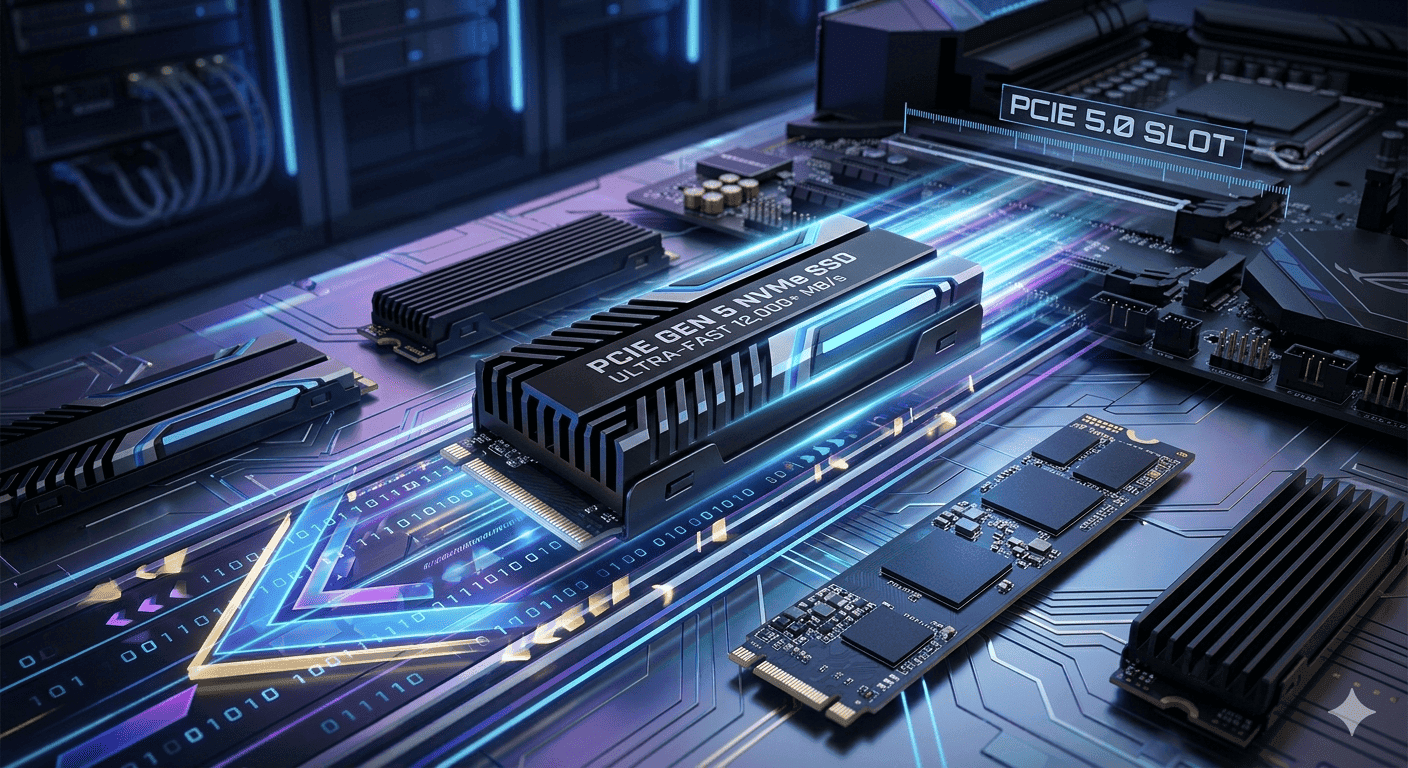
TL;DR PCIe Gen 5 SSDs are the fastest consumer NVMe option right now, and the best pick depends on price, cooling, and whether your system can actually use the bandwidth. The Crucial P510 starts at ₹17,191, while the Samsung 9100 PRO reaches up to 14,800MB/s read speeds.
Why PCIe Gen 5 SSDs Matter
PCIe Gen 5 SSDs sit at the top of consumer storage because the interface supports theoretical speeds up to 32,000MB/s. In practice, current drives are nowhere near that ceiling, but they still push far beyond Gen 4 hardware. That matters when you are starting a game, opening a 4K project, or moving a 2TB folder in Windows.
These drives can reach sequential write speeds up to 14,000MB/s, and the Samsung 9100 PRO hits sequential read speeds up to 14,800MB/s. For anyone editing in Adobe Premiere Pro, scrubbing timelines in DaVinci Resolve, or loading assets in Unreal Engine, that extra headroom cuts waiting time in a way you can actually feel.
There is also a practical reason these drives keep getting attention. The category is still expensive, but a Gen 5 drive is roughly double the cost of a Gen 4 drive in equivalent capacity. That is why sale pricing matters so much, especially if you are comparing 1TB and 2TB capacities for a new build or reading a 2TB SSD review before you buy.
For an editor, the appeal is simple, faster transfers, less waiting, and more room for demanding projects. In other words, Gen 5 is about real-world responsiveness, not just benchmark numbers.
Core Technology Behind Gen 5
All current PCIe 5.0 SSDs use the Phison E26 controller and Micron’s 232-layer TLC NAND. That shared hardware explains why many models behave similarly on paper, even when the brand name changes. In a PCIe SSD review, controller tuning and cooling often matter more than the logo on the label.
The platform side is straightforward. PCIe 5.0 SSDs are compatible with AMD’s AM5 platform and some Intel motherboards supporting 12th-gen Intel CPUs and beyond. If you are building a desktop around a recent Ryzen chip or a newer Intel board, the drive can actually use the bandwidth it was designed for.
That makes the real-world experience more consistent when the system is set up correctly. In other words, the controller, the NAND, and the platform support all shape how these drives perform, not just the brand name on the box.
Comparing Top PCIe Gen 5 SSD Models
The leading hardware is not interchangeable. A quick comparison is more useful than staring at one benchmark number.
| Model | Sequential Read | Sequential Write | Capacity | Power |
|---|---|---|---|---|
| Samsung 9100 PRO | Up to 14,800MB/s | Not listed here | Not listed here | Not listed here |
| Crucial T700 | Up to 14,900MB/s | Up to 11,800MB/s | Not listed here | Not listed here |
| MP700 | Up to 10,000MB/s | Not listed here | Not listed here | Not listed here |
| MSI Spatium M570 | Up to 10,000MB/s | Up to 10,000MB/s | Not listed here | Not listed here |
| WD_BLACK SN8100 | Not listed here | Not listed here | Up to 8TB | 7.5W or under |
Where the numbers matter
The difference between 10,000MB/s and 14,800MB/s is not academic. It matters if you spend time in Premiere Pro or Unreal Engine. It changes how fast assets open, how quickly caches fill, and how long big projects sit waiting.
Even among NVMe SSDs, a second of delay can add up. The Crucial P510 1TB NVMe Gen5 SSD is priced at ₹17,191, the SAMSUNG 990 EVO Plus 1TB M.2 NVMe SSD is priced at ₹22,399, the Corsair MP700 PRO 1TB M.2 NVMe 2.0 Gen5 SSD is priced at ₹27,320, and the WD Black SN8100 1TB NVMe Gen5 SSD is priced at ₹36,900. That spread shows how quickly costs rise as you move up the ladder.
The cheapest starting point is the Crucial P510, and it is the easiest way to test Gen 5 without spending too much. If you want 2TB or 4TB later, remember that capacities climb fast in cost, especially on Gen 5 hardware.
Sale tiers and capacity choices
- The Crucial P510 gives you the lowest starting price in this group, which matters if you are building around a budget motherboard and still want PCIe 5.0.
- The SAMSUNG 990 EVO Plus sits in the middle, so it makes more sense when you want a sale price that does not jump straight to premium territory.
- The WD Black SN8100 starts at the top of the range, and that price only makes sense if you will actually use the capacity and lower power profile.
If you only need a boot drive for Windows and a few apps, starting with Gen 5 is harder to justify. If you keep a 2TB game library or move raw footage every day, the premium is easier to defend. In that case, the extra bytes and the higher sale tier can be easier to justify.
Real-World Benefits and Workloads
PCIe 5.0 SSDs can reduce install, launch, updates, game recording, game saves, and level load times in today’s games compared with Gen 4.0. That is useful in Steam, Battle.net, and large open-world titles where data constantly streams in the background. It is also why creators notice the jump in Adobe Premiere Pro and DaVinci Resolve before office users do.
The biggest gains show up when you work with large files and repeated writes. A drive with strong sequential write performance helps when you are exporting video, building caches, or copying a 2TB archive between project folders. For that kind of editor choice, a PCIe NVMe drive can be the better fit.
A drive with better read speed is more useful for loading assets quickly in Unreal Engine or opening large Photoshop documents. That is why the fastest numbers matter most when your workload constantly pulls in big files.
Cooling and the heatsink problem
PCIe 5.0 is faster, but it generates significantly more heat and often needs active cooling. That is where the heatsink matters more than many buyers expect.
This is where laptop buyers have to be careful. A PCIe Gen 5 SSD laptop setup is still limited by thermals, so compact systems often cannot sustain peak speeds for long. Desktop boards with a proper heatsink and airflow are the safer place to use these drives, especially if you are editing video or recording gameplay.
Common Mistakes and Expert Notes
The biggest mistake is assuming the drive alone guarantees top performance. It does not. The motherboard, controller, NAND, and heatsink all shape the result, and that is why two builds can feel different even when the headline numbers look close.
Another mistake is ignoring the platform. A Gen 5 drive will still work on older systems, but the host can limit it, so the full speed is not guaranteed. That is why the question of whether a PCIe Gen 5 SSD is backwards compatible matters, and the answer is yes, with platform limits.
A drive without a heatsink can also behave differently depending on the system and workload. Sustained performance matters more than the first burst of speed.
What matters in testing
- Sequential read and write numbers matter most for large transfers, exports, and game installs.
- Random IOPS matter more when you are opening many small files or jumping between apps.
- Heatsink quality matters because sustained performance is what you feel after the first minute.
- Capacities matter because 1TB fills fast once games, caches, and media files start piling up.
The Crucial T700 is a strong example of why testing matters. It has sequential write speeds up to 11,800MB/s, and some sources cite read speeds up to 14,900MB/s. That makes it one of the fastest parts on paper, but it still needs the right cooling state to hold those numbers in real use, especially without a heatsink.
Market outlook and what to buy now
Growth helps explain why prices remain high and why sale timing matters. It also explains why more models are available without the same kind of launch-day hype older storage categories had.
That makes the current market easier to shop, but it does not make every drive a good fit. The best choice still depends on whether you want a lower entry price, a stronger creator drive, or a larger-capacity model for long-term storage.
Frequently Asked Questions
Q. What is PCIe Gen 5 in real use?
PCIe Gen 5 is the latest mainstream PCIe storage standard, and it gives a PCIe NVMe drive far more room for high sequential reads and writes. That helps with operating system launches, game installs, and large transfer jobs in tools like Steam, Adobe Lightroom, and Blender. It also explains why the fastest PCIe SSD claims are tied so closely to cooling and motherboard support.
Q. Are these drives worth it for most people?
They are worth it if you move large files, edit video, or want the fastest PCIe SSD for a high-end desktop. They are harder to justify for basic office use because a Gen 4 drive already feels fast in everyday apps. The price gap also matters, since Gen 5 hardware is roughly double the cost of Gen 4 in equivalent capacity.
Q. Is PCIe Gen 5 SSD backwards compatible?
Yes, these drives are backwards compatible with older platforms, but the host system can cap performance. If your board or CPU does not support the interface fully, you will not see the full PCIe Gen 5 SSD speed. That is why AM5 and some Intel 12th-gen-and-newer boards matter so much.
Q. Which model has the best read speed?
The Crucial T700 and Samsung 9100 PRO are the standout read-speed options here. The Crucial T700 reaches up to 14,900MB/s in one cited result, while the Samsung 9100 PRO reaches up to 14,800MB/s. Those numbers make them the strongest choices for workloads that depend on fast loading and asset access.
Q. Which PCIe Gen 5 SSD should laptop users consider?
Most PCIe Gen 5 SSD laptop setups are limited by heat, so they need careful cooling support. A compact laptop chassis usually cannot hold peak speeds as easily as a desktop with a proper heatsink. That makes desktop builds the safer place for sustained Gen 5 performance.
Q. What is the cheapest starting point in this group?
The Crucial P510 1TB NVMe Gen5 SSD is the cheapest starting point at ₹17,191. It is the best entry if you want to test Gen 5 without jumping straight to the premium sale tier. It also gives you a lower-risk way to see whether your system can benefit from the interface.
Which PCIe Gen 5 SSD Fits Your Build
Choose Crucial P510 1TB NVMe Gen5 SSD if you want the lowest starting price and a simple way to get into PCIe Gen 5. Choose SAMSUNG 990 EVO Plus 1TB M.2 NVMe SSD if you want a mid-range sale option that keeps the budget under control. Choose WD Black SN8100 1TB NVMe Gen5 SSD if capacity and low power matter more than the starting price.
Skip Crucial P510 if you need the fastest PCIe Gen 5 SSD for heavy exports. Skip SAMSUNG 990 EVO Plus if you want the absolute highest read numbers. Skip WD Black SN8100 if you do not need 8TB or if your build cannot support the heatsink and thermal demands.
For most people building a fast desktop, the Crucial P510 is the smartest starting point because it keeps the sale cost in check while still giving you Gen 5 speed. If you need the best PCIe Gen 5 SSD for a creator rig, the Crucial T700 and Samsung 9100 PRO are the more serious choices. A 2TB SSD may make more sense if you want extra room without changing the overall build plan.
Is PCIe Gen 5 SSD Worth Buying Right Now?
PCIe Gen 5 SSDs are the fastest consumer NVMe option right now, but the best choice depends on whether you want the lowest entry price, the highest read speed, or the biggest capacity. The Crucial P510 starts at ₹17,191, which makes it the easiest way to test Gen 5 without overspending, while the Samsung 9100 PRO reaches up to 14,800MB/s read speeds for users who care most about top-end performance.
The WD_BLACK SN8100 stands out with up to 8TB and 7.5W or under, so it is the better fit when storage size and power draw matter more than raw speed. If you are building a creator desktop, the Crucial T700 and Samsung 9100 PRO make more sense because their read and write numbers line up better with heavy project work.
If you are ready to buy, match the drive to your workload, cooling, and budget before you commit. That is the clearest way to decide whether Gen 5 is worth the premium for your build.
Ready to upgrade your tech?
Browse our collection of quality refurbished products at unbeatable prices.






