
Mini-LED vs OLED: Best Laptop Display Guide
Mini-LED vs OLED for brightness, black levels, color accuracy, viewing angles, burn-in risk, and value.

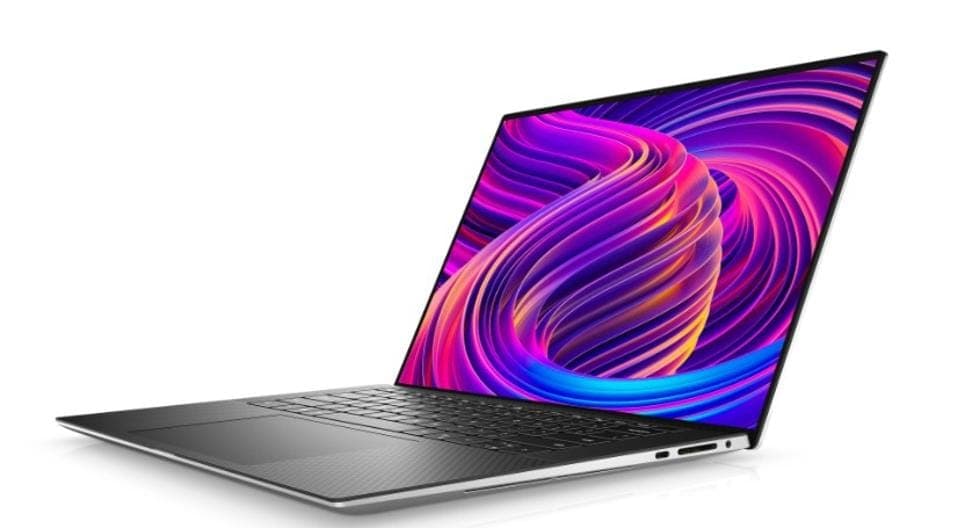
TL;DR Mini-LED vs OLED comes down to practicality versus picture quality, with Mini-LED usually winning for bright rooms, long work sessions, and lower long-term risk, while OLED is the better pick for perfect blacks, richer contrast, and wider viewing angles.
Mini-LED vs OLED: Quick Overview and Key Differences
Mini-LED vs OLED is a comparison between two different ways of making a laptop screen look good. Mini-LED uses thousands of tiny LED lights for backlighting and divides them into local dimming zones so the screen can control light more precisely. OLED works differently because each pixel creates its own light and can switch off completely, which is why it can produce perfect blacks.
That design difference shapes the whole viewing experience. Mini-LED can reach peak brightness levels over 1,000 nits, which helps in glare-heavy environments. OLED is known for exceptional color accuracy and deep blacks, especially when the room lighting is controlled.
If you want the short answer, Mini-LED is the practical all-rounder and OLED is the picture-quality specialist. Mini-LED is the better fit for bright rooms, office apps, and mixed use. OLED is the cleaner choice when the screen is the main reason you are buying the laptop.
How Mini-LED Works
Mini-LED is still a backlit display, but the backlight is far more refined than older LED designs. By using thousands of tiny LEDs and local dimming zones, it can brighten or darken specific areas of the panel instead of lighting the whole screen evenly all the time. That is why Mini-LED discussions often favor it over traditional LED tech, because the control is much finer.
For the user, that means a laptop can keep text readable, highlights punchy, and shadows more controlled than a conventional backlight would allow. It is especially useful in mixed content like spreadsheets, web pages, timelines, and games with both bright and dark scenes. Mini-LED also improves black expression through precise light control with local dimming technology.
How OLED Works
OLED is the more dramatic technology because every pixel emits its own light. When a pixel needs to be black, it simply turns off, and that is what gives OLED its perfect blacks and deep contrast. In real use, OLED is often the more beautiful panel for films, photo work, and games that rely on shadow detail.
It also tends to feel more even because the lighting is not coming from a separate backlight. OLED displays are known for their exceptional color accuracy and deep blacks. That makes them especially appealing when you want the screen to feel immersive rather than just bright.
Brightness and Viewing Experience in Different Lighting
Mini-LED has the clearest advantage when the room gets bright. Some Mini-LED panels can shine over 1,000 nits, and that extra headroom helps the display stay readable when sunlight, office lighting, or reflections start competing with the image. In a Mini-LED vs OLED bright room comparison, Mini-LED usually looks more usable because the screen can push harder against glare.
OLED takes a different approach. It does not depend on brute-force brightness to look good, so it often appears more vivid in darker environments where contrast matters more than sheer output. The image feels deeper because the black areas stay truly black instead of lifting toward gray. That is the core of the decision for anyone using a laptop in a living room, office, or near a window.
For office work, browsing, spreadsheets, and presentations, Mini-LED technology also uses precise light control with local dimming zones, which helps reduce the washed-out look you get from weaker backlights. In darker rooms, OLED’s perfect blacks and rich contrast create a more immersive image. Mini-LED can provide a more vibrant picture in bright conditions, while OLED is the cleaner choice when the lights go down.
Bright Room Performance
That matters for office work, browsing, spreadsheets, and presentations, where the content has to remain readable even when the room is not ideal. Mini-LED technology also uses precise light control with local dimming zones, which helps reduce the washed-out look you get from weaker backlights. OLED can still perform well in moderate light, but it is more dependent on the environment to show its strengths.
Dark Room Performance
OLED is ideal for dark-room viewing because of its ability to produce deep blacks. That makes subtitles, shadows, and letterbox bars look cleaner and more natural. It also gives films and games a more cinematic feel, especially when the content depends on contrast.
Mini-LED still does well in darker settings, but it cannot fully match OLED’s black levels because it relies on a backlight. Local dimming helps, and the image can still look rich, but the panel structure creates a different result. If you spend a lot of time watching in a dim room, OLED usually feels more convincing.
Color Accuracy, Viewing Angles, and Real-World Image Quality
Mini-LED vs OLED color accuracy is one of the most important parts of the comparison for anyone editing photos or watching high-quality video. OLED is usually the more consistent panel for color-critical work because it keeps colors stable across the screen. Mini-LED can look excellent, but its result depends more on the quality of the backlight, the dimming implementation, and the model.
The viewing angle story is similar. Mini-LED vs OLED viewing angle usually favors OLED because the image stays more uniform when you shift to the side. That matters on a laptop when you are not sitting dead-center, or when someone else leans in to look at the screen.
For creative work in Photoshop, Lightroom, or DaVinci Resolve, OLED often gives the cleaner experience. If you care about a vivid screen that still looks believable, both technologies deliver, but they do it differently. The main trade-off is simple, OLED can look more natural in a dark room because the contrast ratio is effectively higher.
Color and Contrast in Practice
That combination makes gradients look smoother and dark scenes look more convincing. It is especially useful in Premiere Pro timelines, movie playback, and games with a lot of shadow detail. That split explains why Mini-LED can feel more immediate in bright rooms, while OLED displays feel more refined in controlled light.
If you care about a vivid screen that still looks believable, both technologies deliver, but they do it differently. The main trade-off is simple. OLED can look more natural in a dark room because the contrast ratio is effectively higher.
Viewing Angles and Uniformity
OLED technology is known for its wide viewing angles and consistent color accuracy. That means the screen looks similar even if you are not sitting perfectly square to it. It is useful on a couch, in a meeting, or when a second person checks the screen.
In a side-by-side Mini-LED vs OLED monitor setup, OLED usually keeps the edges cleaner and the colors steadier. That is one reason OLED feels more premium during photo review and streaming. Mini-LED still looks strong, but it is more sensitive to the exact model and its dimming behavior.
Image Quality Scenarios
- Mini-LED is the stronger choice for a bright office with Google Docs, Slack, and Chrome open all day.
- OLED is the cleaner choice for Netflix, HDR video, and color grading in DaVinci Resolve.
- Mini-LED feels more stable for spreadsheets, where the screen has to stay readable under overhead lighting.
- OLED looks more consistent when you lean back and watch from the side.
If your work lives in Adobe Lightroom or Photoshop, OLED usually gives the more trustworthy image. If your day is mostly browser tabs, Teams calls, and documents, Mini-LED is the more practical display technology.
Durability, Burn-In Risks, and Cost Efficiency
That matters on a laptop, where static elements like taskbars, browser tabs, timelines, and code editors can stay on screen for hours. If your routine includes the same interface all day, OLED asks for more care than Mini-LED. Mini-LED has the safer long-term story.
It does not make Mini-LED indestructible, but it does make it easier to live with if you want a display that can handle repetitive work without constant worry. For buyers who keep laptops for years, that difference can matter as much as the picture quality itself. The ability to use the same machine for work and entertainment without thinking about burn-in is a real advantage.
The same logic applies to other displays that stay on for long stretches. Mini-LED is also the more cost-effective option compared with OLED, and that helps explain why it has become more common in premium laptops.
Burn-In and Long-Term Use
Burn-in is the main reason many buyers still hesitate before choosing OLED. If you spend long hours in Excel, Slack, VS Code, or a browser-heavy workflow, static content can become a real concern over time. Mini-LED avoids that particular issue because it does not rely on the same pixel-aging behavior.
That difference matters most for people who keep laptops for years. A display that looks slightly less dramatic but ages more gracefully is often the smarter investment. If you want a machine that can handle work and entertainment with fewer maintenance concerns, Mini-LED is the lower-risk option.
Cost Efficiency and Market Value
Mini-LED is also the more cost-effective option compared with OLED. Historically, OLED has carried a price premium of around 30,40% over Mini-LED, which is a meaningful gap when you are buying a premium laptop. That premium can affect the rest of the configuration too, because display cost competes with CPU, RAM, and storage.
Mini-LED also benefits from more favorable yield rates of 85,95%, which helps improve cost efficiency at scale. That is part of why Mini-LED has become more common in premium laptops and other displays. The market is rewarding a display that offers strong brightness and good contrast without the same cost burden as OLED.
Ownership Trade-Offs
OLED gives you richer blacks and more visual drama, but it asks more of you over time. Mini-LED gives you longer lifespan confidence and lower burn-in anxiety. If you use static apps all day, Mini-LED is the safer ownership choice.
For buyers who want a display that feels premium without becoming a maintenance concern, Mini-LED is the more efficient choice. OLED is still attractive, but you are paying more for the visual payoff and accepting more long-term risk. That trade-off is central to the Mini-LED vs OLED decision.
Pricing and Value for Different Laptop Buyers
OLED can justify its premium when the display is the main feature you care about. If the display is the feature you will notice most, OLED can justify the higher cost. Mini-LED’s value comes from balance, which matters because a laptop is used in many different contexts, not just for watching content in a dark room.
Mini-LED is often easier to justify when you care about brightness, mixed lighting, and long work sessions. It is also the more practical choice when you want strong display quality without paying extra for the deepest blacks. For many buyers, that is the better trade because the rest of the laptop still matters.
What the Premium Buys
If your budget is limited, Mini-LED is usually the safer choice because it gives you more practical performance per rupee. It is especially sensible when your workload includes office apps, browsers, and long sessions in mixed lighting. OLED makes more sense when you are intentionally paying extra for the display experience.
That premium is not just about looks. It also affects how much of your budget goes to the rest of the laptop, which can mean less room for storage or memory. For buyers comparing two otherwise similar models, the display choice can be the deciding factor.
Budget and Use-Case Fit
Mini-LED is the more balanced purchase for everyday buyers. OLED is the more specialized option for people who care most about image quality. If you mostly use mobile apps through emulators, browse the web, and edit documents, Mini-LED usually gives the cleaner value story.
If you spend more time in Lightroom, Premiere Pro, or movies, OLED earns its premium more easily. That is why the best choice is not the same for every buyer. The right answer depends on whether you want practical brightness or a more dramatic experience.
Value Comparison Table
| Tier | Mini-LED | OLED |
|---|---|---|
| Entry value | Better cost efficiency | Usually harder to justify |
| Mid-range | Strong balance of features and price | Better if display quality is the priority |
| Premium | Often the smarter spend | Worth it when image quality matters most |
| Long-term ownership | Better durability value | Higher visual payoff, higher risk |
Choosing Between Mini-LED and OLED Displays
Mini-LED uses thousands of tiny LEDs with local dimming zones, which lets it deliver higher brightness and strong contrast in mixed lighting. OLED turns off individual pixels, which gives it perfect blacks and the most convincing dark-scene image. That is why the Mini-LED vs OLED decision is less about a universal winner and more about which strengths you will actually notice every day.
Mini-LED handles glare more effectively, stays readable at higher brightness, and is easier to live with for office work, browsing, and presentations. OLED makes more sense if your laptop is mainly for entertainment or creative work in controlled lighting. In a Mini-LED vs OLED black levels comparison, OLED is the clear winner because it can produce true black and very rich contrast.
That is why it feels so good for movies, dark games, photo editing, and color-critical work. If you want the most balanced laptop display, Mini-LED is the safer recommendation. If you want the most striking image quality and you can manage the trade-offs, OLED is the stronger specialist.
Deal-Breakers To Avoid
- Skip Mini-LED if you want absolute blacks above all else.
- Skip Mini-LED if your main goal is the most dramatic dark-room image.
- Skip OLED if you leave static UI elements on screen for hours every day.
- Skip OLED if you need the brightest possible screen for glare-heavy environments.
Frequently Asked Questions
Q. What are the main benefits of Mini-LED over OLED for laptop displays?
Mini-LED panels can reach peak brightness levels over 1,000 nits, which makes them easier to use in bright rooms and under glare. They also use local dimming zones, which improves contrast without the same pixel-aging concerns as OLED. If you want a laptop for long workdays, travel, or mixed lighting, Mini-LED is usually the more practical choice.
Q. Is burn-in a significant concern for OLED laptop screens?
Yes, burn-in is a real concern on OLED laptop screens, especially if you keep static elements visible for long periods. Mini-LED avoids that risk because its backlight structure ages differently. If your laptop is mainly for office work or long-term ownership, Mini-LED is the safer option.
Q. Do Mini-LED and OLED displays compare in terms of eye strain during long usage?
Mini-LED is often easier to live with in bright rooms because its higher brightness keeps text readable without straining to see through glare. OLED can feel more comfortable in dark-room use because its perfect blacks reduce the washed-out look common in backlit displays. Neither technology automatically prevents eye strain, though, because brightness settings and ambient light matter a lot.
Q. Are Mini-LED laptop displays better for gaming than OLED?
Mini-LED can get much brighter for better HDR, and that helps highlights pop in games with a lot of daylight or reflective surfaces. If you game mostly after dark, OLED is excellent. If you play in changing light, Mini-LED is more flexible.
Q. What is the typical price difference between Mini-LED and OLED laptops?
OLED laptops usually cost more because OLED has historically carried a price premium of around 30,40% over Mini-LED. That premium can affect the final laptop price enough to change your CPU, RAM, or storage choices. Mini-LED is generally the more cost-effective option, especially if you want strong display quality without paying extra for the deepest blacks.
Q. Can Mini-LED displays achieve the same black levels as OLED?
No, Mini-LED cannot fully match OLED’s black levels because OLED can turn off individual pixels completely. Mini-LED improves black expression through local dimming, but it still relies on a backlight, so absolute blacks are not the same. That difference is easiest to see in dark scenes, subtitles, and black backgrounds.
Which Laptop Display Fits Your Needs Best
Mini-LED is the more practical option when you want a display that handles everyday use without much tradeoff. It offers strong brightness, solid contrast, and fewer durability concerns, which makes it easier to recommend for most laptop buyers. OLED is the better fit if you watch films or play games mostly in a dark room, want the deepest black levels, or edit photos and video in a controlled environment.
In those settings, the screen becomes the part of the laptop you notice most, so its strengths matter more. The best answer depends on where you use the laptop most often and how much you care about long-term ownership. That is why Mini-LED is usually the safer recommendation for most buyers.
If you want the most balanced display for work, travel, and mixed lighting, choose Mini-LED. If you want the most striking image quality and you can accept the burn-in trade-off, choose OLED. Review the laptop’s use case first, then pick the panel that matches it instead of chasing the spec sheet alone.






