
Matte vs Glossy Laptop Displays: Which Is Better for Indian Conditions?
Matte laptop screens are usually the better choice for Indian workplaces because they reduce glare, improve readability, and stay comfortable during long work sessions. Glossy screens offer richer colors and deeper contrast but struggle more with reflections in bright environments.

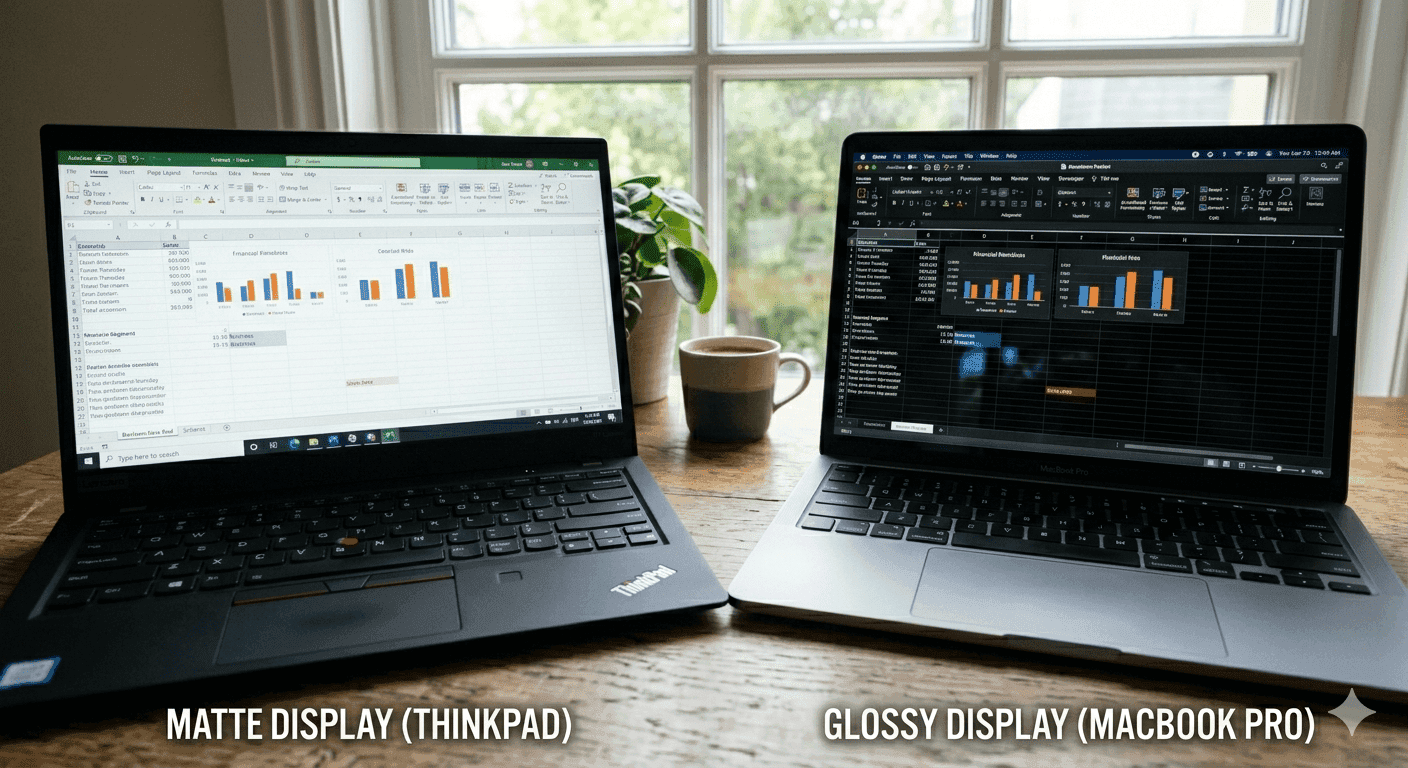
TL;DR Matte is usually the better choice for Indian workplaces because it cuts glare, stays readable in mixed lighting, and feels more comfortable during long office sessions.
Matte vs Glossy Laptop Screen Reddit Guide for Indian Workplaces
When people read matte vs glossy laptop screen Reddit threads, they usually want a quick answer. The real answer depends on the room, the task, and the amount of light around the laptop. In the Indian workplace, screens are rarely used in a perfectly controlled setup. You may have overhead LEDs, sunlight from a side window, a glass partition behind you, or a coworker leaning in to review a file. That is where the finish matters, because a matte screen and a glossy screen behave very differently once light hits them.
Why the Finish Matters
A matte panel is built to reduce reflections, while a glossy panel is built to maximize visual punch. For Indian buyers, that makes the screen finish a real decision rather than a cosmetic one. The most important trade-off shows up quickly in daily use. Matte screens block more light than glossy screens, so they trade some image illumination for usability in bright spaces. If you spend the day in Excel, Outlook, or a browser full of tabs, that trade-off usually helps more than it hurts.
A glossy panel can look excellent in a dark demo room, but office lighting changes the picture fast. Reflections from windows and ceiling lights can turn a clean document into a mirror. That is why matte or glossy laptop screen choices should start with your desk, not the marketing copy. If your laptop lives in Google Docs, Slack, and Zoom, the finish affects comfort every hour.
What People Notice First?
The first thing most people notice is not colour. It is whether they can keep working without moving the lid every five minutes. The strongest argument for matte is simple, it reduces glare. The strongest argument for glossy is also simple: it looks richer. That is the core of matte vs glossy laptop screen Reddit discussions, and it is not wrong.
The problem is that many people judge the screen in a quiet room and then use it under office lights for eight hours. If you edit spreadsheets, write in Notion, or jump between Chrome and Teams, matte usually feels less tiring. If you mostly watch movies or review photos at home, glossy can look more exciting. For a ticket below the usual spec-sheet noise, the finish is often the detail that matters most.
Display Quality Comparison: Colour and Reflection
The biggest visual difference between matte and glossy screens is how they handle colour and light. Glossy screens showcase deeper darks, brighter whites, and richer colours than matte screens, and that extra pop helps with design previews, photos, and video. In a dark room or a showroom, a glossy panel often looks more dramatic right away. That strength comes with a downside, because glossy coating materials can cause eye strain due to glare and reflections when light sources hit the panel directly.
Matte screens take the opposite approach. They block more light than glossy screens, which means the image does not look as illuminated, but the panel stays easier to read when the ambient light is strong or changing. Matte monitors employ plastic surfaces made of different polymers that undergo an etching process to reduce reflectivity. That surface treatment is what gives them their less mirror-like behaviour. Nano Matte Panels are designed to minimize reflections while preserving sharpness and clarity.
They do not turn a glossy screen into a matte one, but they can narrow the gap in comfort. If you have been blocked by glare during a ticket review or needed security to continue working without constant repositioning, that difference matters. The key point is that display quality is not just how much a screen impresses you in a store. A glossy panel can look amazing when the room is dark, and the content is colourful, but that same panel can become frustrating when reflections take over.
Colour trade-off in real use
Richer colours and deeper contrast make creative work look closer to the final output. Matte screens can appear less sharp and less vibrant by comparison. That does not make them bad; it just means they prioritize readable content over visual drama. For office work in Word, Excel, and browser-based dashboards, that trade-off is usually sensible. You are reading text, not grading colour.
Reflection is the real problem
Reflections are not a minor annoyance. They can make a bright screen harder to read than a dim one. In those conditions, the extra colour pop is easy to lose. Matte finishes are more forgiving because they scatter incoming light. You get less mirror effect, and the screen stays usable without constant repositioning.
Matte may look a little less punchy, yet it often preserves the actual content better in bright Indian offices.
| Feature | Matte Screen | Glossy Screen |
|---|---|---|
| Color richness | Softer and less vivid | Deeper and richer |
| Dark tones | Less dramatic | Deeper and stronger |
| White levels | More muted | Brighter and cleaner looking |
| Reflection handling | Strong resistance | Reflections are more visible |
| Light blocking | Blocks more light | Lets more image illumination through |
| Sharpness feel | Can appear less sharp | Often looks crisper |
| Bright-room comfort | Better | Worse |
| Best setting | Offices and mixed lighting | Controlled indoor viewing |
- Glossy helps when you care about colour depth.
- Matte helps when you care about consistent readability.
- Nano Matte Panels sit closer to the middle, but they still lean toward comfort.
- The best finish depends on whether you work under controlled or changing light.
Practicality in Offices
In Indian offices, the user experience difference between matte and glossy screens becomes obvious after a few hours, not a few seconds. Matte screens maintain a more pleasant viewing experience because they reduce glare, and matte monitors are recommended for office environments for exactly that reason. If your desk is near a window, under a bright tube light, or in a glass-walled cabin, the matte finish helps keep the screen readable without constant adjustments.
That matters most in Outlook, Excel, and Slack, where you are scanning text all day. The physical reason is simple, matte screens have a thin anti-glare coating on the surface that scatters light, resulting in no mirror effect and reduced glare. Glossy screens can reflect light sources, causing glare that can lead to eye strain. For security and network security work, where you may be reviewing logs, dashboards, or alerts, a readable screen matters even more.
Glossy screens are harder to defend in office use because the reflections are unpredictable. One minute, the panel looks sharp, and the next, it looks like a faint mirror. If you need to file a ticket below after noticing reflections during long work sessions, a matte panel is usually the easier choice.
Work sessions that expose the difference
If you spend hours in CRM dashboards, project trackers, or finance sheets, Matte is easier on the eyes. You do not need to keep shifting your posture to dodge a reflection. That is especially true if you are blocked by network issues during a video call and need to keep staring at a shared document. A matte panel makes the interruption less annoying because the screen stays readable while you wait for the connection to continue.
Comfort over a full day
That is not a small difference if you spend six to eight hours on a laptop. Anti-glare protectors reduce squinting and visual fatigue by up to 40% in bright spaces. That lines up with what many office users feel after a long afternoon. For teams working with token-based tools or long document sessions, matte screens help keep attention on the work instead of the reflections.
- Matte reduces the need to tilt your laptop constantly.
- Glossy can look great for a few minutes, then become tiring.
- Anti-glare surfaces help most in bright cabins and open offices.
- Long document sessions are easier on matte.
Who Should Pick Matte or Glossy Laptop Screen
The right choice depends on how you use the laptop, not just how the screen looks in a store. If your day is full of documents, calls, and browser work, Matte is the practical choice. If you spend more time with media, colour-rich visuals, or personal entertainment, glossy has a real appeal. The colours look fuller, and the contrast feels more cinematic.
Over 70% of stylus users prefer matte over glossy, which makes sense because pen input and sketching are easier when reflections stay under control. That same logic applies to note-taking in OneNote, drawing in Krita, or marking up PDFs. If you think you have found the right fit, it usually comes down to whether you want a screen that stays easy to read or one that looks richer in darker settings. A mistake file can also help you track what works and what does not.
Best fit for matte
Matte is the better pick for office workers, students, and any developer who uses a laptop in mixed lighting. It keeps text readable and reduces the urge to keep adjusting the screen. It also suits people who work near windows or under strong ceiling lights. If you spend most of your time in Chrome, Word, and Zoom, matte usually feels more sensible.
Best fit for glossy
Glossy makes more sense for home use, especially if you watch Netflix, edit photos, or play games in a dim room. The extra contrast gives movies and visuals more depth. A mistake file can be useful here too if you want to compare the screen feels in different settings.
| User type | Matte is better | Glossy is better |
|---|---|---|
| Office work | Yes | No |
| Bright room use | Yes | No |
| Photo and video viewing | No | Yes |
| Long reading sessions | Yes | No |
| Home entertainment | Sometimes | Yes |
| Stylus note-taking | Yes | Sometimes |
Common Mistakes Buyers Make
The biggest mistake is judging the screen for ten seconds in a shop and ignoring the real environment. Another mistake is assuming matte always looks dull. It does look less vivid, but that is the price of reducing glare and keeping the image usable. People also forget that fingerprints show up differently.
Matte displays do not grab fingerprints as readily as glossy screens, so they stay cleaner during daily use. A useful way to think about the choice is this: if reflections make the screen harder to use, the display is the wrong fit. What looks fine in a quick test may fail in the conditions that matter most. A glossy panel can look great in the store, but the right fit depends on where you work.
What to think about before choosing?
Think about where the laptop sits most of the day. If it lives on a desk near a window, matte is the safer choice. Think about the software you use most. Excel, Notion, and Slack reward readability, while Lightroom and Netflix reward richer colour. Think about how long you stare at the screen. The longer the session, the more glare matters.
- Bright rooms expose glossy reflections quickly.
- Long office sessions favour matte comfort.
- Media-heavy use makes the glossy look more appealing.
- Fingerprints are less annoying on matte surfaces.
The small details that matter
A matte finish is not just about comfort. It also helps keep the screen looking consistent when the lighting changes during the day. That matters in video calls on Google Meet, where your attention should stay on faces and slides, not on your own reflection. It also helps when you switch between a dark-mode app and a white spreadsheet.
Frequently Asked Questions
Q. Is a matte or glossy laptop screen better for office use?
Matte is better for office use because it reduces glare and stays readable under bright lights. If you spend your day in Excel, Outlook, or Slack, matte usually feels less tiring. The article also notes that anti-glare surfaces can reduce squinting and visual fatigue by up to 40% in bright spaces.
Q. Why do glossy screens look better in photos and videos?
Glossy screens show deeper darks, brighter whites, and richer colours than matte screens. That makes movies, photo previews, and games look more vivid in controlled lighting. The trade-off is that reflections can become much more visible when light hits the panel directly.
Q. Do matte screens hurt sharpness?
Matte screens can appear less sharp than glossy screens, especially on text-heavy pages. The trade-off is that they are easier to read in bright rooms because they scatter reflections. The article also mentions Nano Matte Panels, which are designed to minimize reflections while preserving sharpness and clarity.
Q. Are matte screens better for long use?
Matte screens are better for long use because they reduce glare and eye strain. If you spend six to eight hours on Word, Chrome, or a CRM dashboard, the screen usually feels calmer. That is one reason matte is recommended for office environments.
Q. Do matte screens show fewer fingerprints?
Matte screens do not grab fingerprints as readily as glossy screens. That helps if you carry the laptop around all day and keep opening it between meetings. It also keeps the display looking more consistent during a busy workday.
Q. Which finish is better for stylus users?
Matte is the better choice for stylus users because over 70% prefer it over glossy. It gives you a more controlled surface for note-taking, sketching, and PDF markup. That preference also fits users who want less reflection while writing or drawing.
Best Finish for Indian Buyers
For most people comparing matte vs glossy laptop screen reddit opinions, matte is the smarter choice for Indian workplaces. It handles glare better, stays comfortable in mixed lighting, and works more reliably for long sessions in Excel, Chrome, and Teams. If you want the safer all-round choice, matte is the finish that makes the most sense.
Choose matte if you work in offices, classrooms, or anywhere with changing light. Choose glossy if your laptop is mainly for movies, photos, or gaming in a controlled room. Skip matte if you want the most vivid colours for creative work or entertainment. Skip glossy if you sit near windows, use your laptop for long reading sessions, or hate seeing reflections in every bright room.
For most Indian office buyers, Matte wins because it solves a real daily problem instead of just looking nicer in a demo. In that sense, it is less about style and more about usability, and the article’s own data supports that choice. Anti-glare protectors reduce squinting and visual fatigue by up to 40% in bright spaces, while over 70% of stylus users prefer matte. If you are deciding today, pick matte for work and mixed lighting, and only choose glossy when a richer color pop matters more than reflection control.






