
Liquid Metal vs Traditional Thermal Paste in Laptops
Liquid metal offers major laptop cooling gains (up to 17°C) but is risky and harder to maintain, while thermal paste is safer, lasts longer, and suits most users. Choose based on performance needs, safety, and maintenance tolerance.

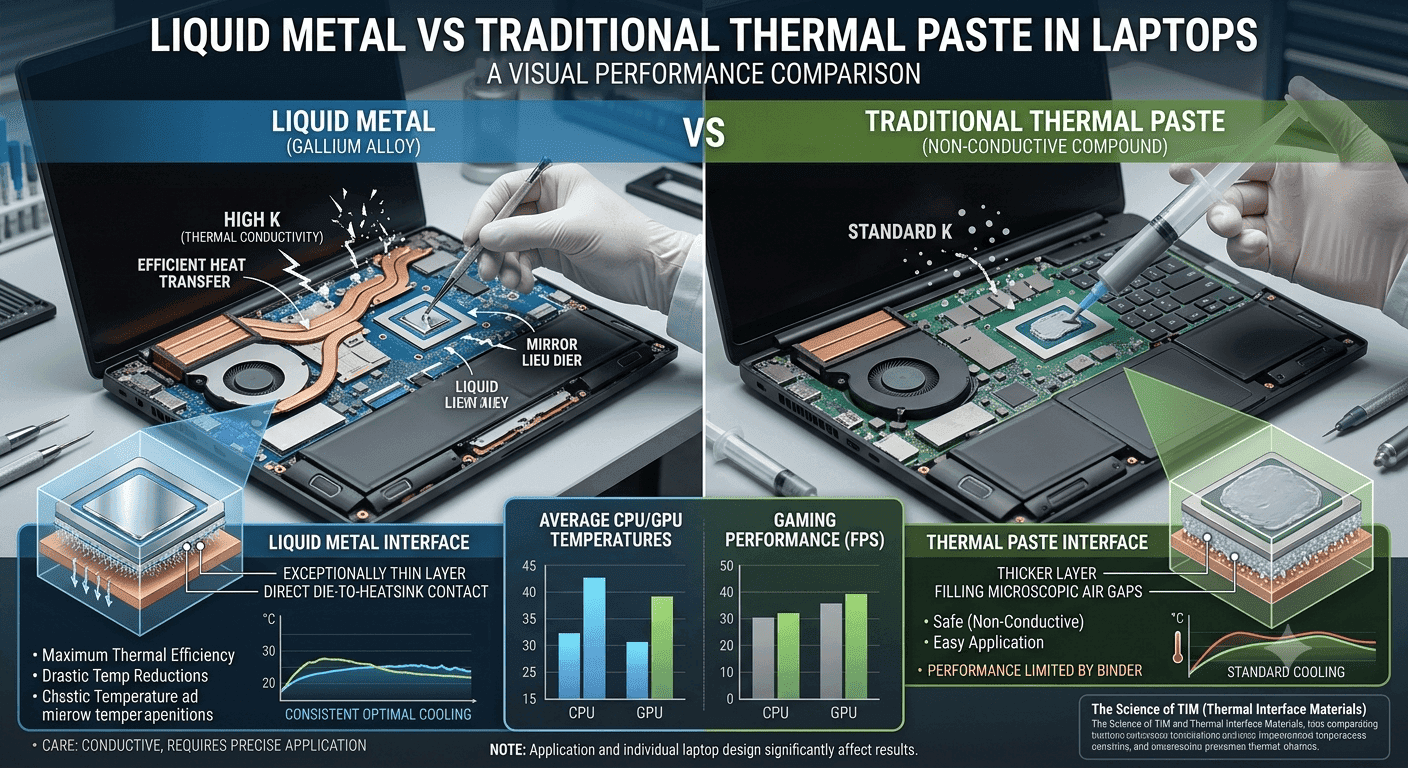
TL;DR Liquid metal delivers the biggest laptop cooling gains, with CPU temperature drops of up to 17°C and heavy-load reductions of 10 to 20°C, but thermal paste is safer, easier to apply, and lasts 3 to 5 years.
How Liquid Metal and Thermal Paste Work in Laptops?
Thermal interface materials do one job, but they do it in very different ways. They fill microscopic gaps between the CPU and the cooler so heat can move into the heat spreader instead of getting trapped at the contact point. Liquid metal TIMs are primarily metal alloys made from gallium, indium, and tin, while traditional thermal paste is usually silicone based or zinc oxide based.
That chemistry matters because the material has to stay thin, spread evenly, and conduct heat without creating a mess inside a laptop. A laptop makes this decision harder than a desktop because the cooling hardware is compact and the heat spreader has less room to work with. If the interface material is weak, the CPU cooler has to fight harder to move heat out of a tiny chassis.
Liquid metal is a metal TIM, not a paste in the usual sense, and that is why it behaves differently during application. Traditional thermal paste relies on a thicker compound that is easier to spread and easier to clean, which is why it remains the default choice for many users. These features matter most when comparing performance, ease of use, and safety.
For users considering delidding, the trade-off is even more important, since the material choice affects both heat transfer and risk.
Where Each Material Fits Best?
Traditional thermal paste is used when you want a safer interface material with fewer surprises during installation. It is the better fit for most laptop owners who just want reliable cooling without a complicated maintenance routine. In that sense, it acts as a more forgiving layer between the heat spreader and the cooler.
The heat spreader and CPU cooler design matter just as much as the material itself. A good interface cannot rescue a badly designed cooling stack, but a weak one can make a decent cooler look worse than it is. That is why the choice is less about chasing the highest number and more about matching the material to the system.
The most important idea is simple: liquid metal is a performance-first choice, while thermal paste is a safety-first choice. If you are replacing paste on a laptop that you use for Excel, Chrome, and Zoom, the conservative option usually makes more sense.
Performance Comparison: Temperature and Conductivity
In laptop use, liquid metal can reduce temperatures by up to 17°C compared with traditional thermal paste, and under heavy loads the drop can reach 10 to 20°C. Other reported comparisons place the gain in the 5 to 10°C range, which is still large enough to change how long a laptop stays at full speed. That is not a cosmetic difference, because a few degrees can determine whether the CPU keeps boosting or starts backing off.
The reason is thermal conductivity. Liquid metal thermal paste has a thermal conductivity of 12.5 W/mK, which helps explain why it moves heat away from the die more aggressively than ordinary paste. In a laptop, that can translate into lower fan noise, fewer spikes into the 90s, and more stable sustained performance in demanding workloads.
The liquid metal versus thermal paste temperature gap is most obvious when the system stays under pressure for a long time.
What The Numbers Mean In Practice?
A light workload in Google Chrome or Microsoft Word will not expose the full gap, because the CPU is not generating much heat. The difference becomes obvious when you run Cinebench, encode video in Premiere Pro, or keep a game like Cyberpunk 2077 under load for an hour. That is when liquid metal can help a laptop avoid thermal throttling, while standard thermal paste may leave more heat sitting at the interface.
Temperature And Conductivity Comparison
| Metric | Liquid Metal | Traditional Thermal Paste |
|---|---|---|
| Typical CPU temperature reduction | Up to 17°C | Lower, but here |
| Heavy-load temperature reduction | 10 to 20°C | Lower, but here |
| Common improvement range | 5 to 10°C | Lower, but here |
| Thermal conductivity | 12.5 W/mK | Lower than liquid metal |
| Best use case | Maximum CPU cooling | Safer everyday cooling |
Where The Gap Matters Most?
- Gaming laptops benefit when the CPU and GPU share a cramped thermal path and every degree affects fan behaviour.
- Overclocking benefits even more, because extra voltage creates more heat and pushes the cooling system harder.
- Content creation workloads in Adobe Premiere Pro, After Effects, and Blender often run long enough for thermal limits to matter.
The practical takeaway is blunt: liquid metal versus thermal paste is not a close contest if you only care about raw cooling. But the performance gap only matters if the rest of the laptop can handle the material safely and if you are willing to accept the risks that come with it. That is where the next section gets more important than the temperature charts.
Risks and Maintenance Differences
Liquid metal is electrically conductive, so a spill can cause short circuits if it reaches the wrong component. It also should not be used with aluminium heat spreaders or cooler bases because chemical reactions can damage the metal. That makes compatibility checks mandatory before application, and it is why many users should stop at traditional thermal paste.
Maintenance is another major split. Liquid metal TIMs require reapplication every 1 to 2 years because the material can migrate over time. High-quality thermal paste lasts 3 to 5 years before it needs replacement, which means fewer openings, fewer chances to damage clips, and fewer chances to disturb the cooler mount.
In a laptop, every extra teardown increases the risk of stripped screws, torn pads, or uneven pressure on the CPU cooler.
Cleaning And Material Behaviour
Liquid metal can diffuse into copper heatsinks, which means the first application may not be the last one you need. It can also damage the heatsink during cleaning, especially if you try to remove residue aggressively. Traditional thermal paste is much easier to clean and reapply, and that matters when you are servicing a machine with tight tolerances and fragile mounting hardware.
The safer material is not just easier to live with, it is easier to recover from when something goes wrong.
Key Risks And Maintenance Differences
- Liquid metal is electrically conductive, so sloppy application can turn a cooling job into a board repair.
- Liquid metal should never touch aluminium cooler bases or heat spreaders because the reaction can corrode the surface.
- Liquid metal can migrate into copper heatsinks and may need a second application after it settles.
- Thermal paste lasts longer, so you spend less time reopening the laptop and less time worrying about mounting pressure.
- Cleaning liquid metal is harder and riskier, while thermal paste usually comes off with far less drama.
The hidden cost here is not just replacement paste, it is service complexity. A laptop that gets opened every year for liquid metal maintenance is a laptop that has more opportunities for accidental damage than one that stays sealed for 3 to 5 years. If you are servicing a machine that also handles work in Photoshop, Zoom, or AutoCAD, downtime and repair risk matter just as much as cooling performance.
Who Should Use Liquid Metal and Who Should Stick With Thermal Paste?
Liquid metal TIMs are recommended for advanced users because the application risks are real, not theoretical. Conventional thermal paste is generally safer and easier to apply, which is why it remains the default choice for most laptop owners. That split lines up with how people actually use their machines: enthusiasts and over-clockers chase every degree they can get, while home users usually want dependable cooling without a stressful teardown.
If your goal is to maximize cooling performance, liquid metal belongs in the conversation. If your goal is to avoid mistakes, thermal paste is the sensible pick. The user profile matters more than the brand name on the tube.
Liquid metal is often discussed for extreme overclocking, not for home use, because the benefit only justifies the risk when you are pushing hardware hard. A gamer who spends hours in AAA titles or a creator who leaves Blender renders running overnight may value the extra thermal headroom. A student using Chrome, Notion, and Google Docs usually gets more value from a safer material that is easy to service later.
Compatibility And Safety Considerations
Liquid metal can be used effectively with nickel-plated coolers to reduce corrosion risk, which is one reason advanced builders pay attention to cooler material. If you are considering a laptop mod, the safest path is to verify the cooler surface, the heat spreader material, and the mounting pressure before application. The material choice should follow the hardware, not the other way around.
Who Each Material Fits Best?
- Liquid metal fits enthusiasts who already understand application steps and are willing to inspect the result after installation.
- Liquid metal fits over-clockers who need every bit of CPU cooling to sustain higher clocks in long sessions.
- Thermal paste fits home users who want a lower-risk upgrade with fewer compatibility traps.
- Thermal paste fits anyone who plans to keep the laptop closed for years instead of servicing it regularly.
- Thermal paste also fits people who are uncomfortable with conductive materials near the motherboard.
There is a common mistake in liquid metal versus thermal paste Reddit discussions: people focus on the temperature win and ignore the hardware context. A desktop with easy access and a robust cooler is not the same as a thin laptop with tight clearances and a fragile heatsink mount. That is why the same material can feel reasonable in one system and reckless in another.
For a gaming laptop with nickel-plated contact surfaces and an experienced owner, liquid metal can make sense. For a work laptop that needs to survive years of travel, thermal paste is usually the smarter answer. The practical recommendation is simple. Choose thermal paste when you want a cleaner install, less risk, and a longer service interval. That is the difference between a specialist solution and a default one, and most laptop owners should stay with the default.
Price and Value Analysis
The price gap between liquid metal products is wide, and that changes the value equation fast. Nsinc Liquid Metal Based Thermal Paste costs for 10 g, while Thermal Grizzly Conductonaut Liquid Metal Paste costs ₹1,469 for 1 g. That is not a small premium; it is a completely different buying tier.
When you compare liquid metal versus thermal paste price, you are not just comparing materials, you are comparing how much risk and performance you are willing to pay for. The cheapest option is not automatically the smartest one, but the premium option is not automatically the best value either. A lower liquid metal price can be attractive for experimentation, yet quality and application behavior still matter because the material is conductive and sensitive to misuse.
The expensive option makes more sense if you want a known premium product for a high-value laptop or a machine that sees long, heavy workloads. In that context, value depends less on the sticker price and more on whether the product fits the job.
What To Think About Cost Effectiveness?
- Nsinc makes sense if you want a low entry cost and are comfortable treating the purchase as an experiment.
- Thermal Grizzly Conductonaut makes sense if you want a premium liquid metal option for a high-stakes application.
- The lower upfront price does not remove the need for careful application, because the material risks stay the same.
- If you want a modest, practical upgrade with less drama, thermal paste keeps ownership simple.
Choosing the Right Thermal Interface Material for Your Laptop
Start with the basics
The right choice comes down to four things: how much power and cooling you need, how skilled you are with application, how often you want to service the laptop, and how much risk you can tolerate. Liquid metal TIMs are recommended for advanced users because the application risks are real, while conventional thermal paste is generally safer and easier to apply. That makes the decision less about which material is theoretically better and more about which one fits your hardware and habits.
When liquid metal makes sense
- You are tuning a gaming laptop, a creator laptop, or a machine that spends long periods under heavy load.
- You understand the application process and can work carefully around conductive materials.
- Your cooler surface is compatible, preferably nickel-plated, and you have confirmed there is no aluminium contact path.
- You are willing to reopen the laptop every 1 to 2 years for maintenance.
- You care more about maximum CPU cooling than about easy service later.
- You are trying to squeeze every last degree out of an overclocked machine.
- You already know the cooler is compatible with liquid metal and the contact surfaces are safe.
- You are willing to accept more risk in exchange for better thermal headroom.
When thermal paste is the better fit?
- You want a safer install with less chance of electrical damage.
- You would rather replace the TIM every 3 to 5 years instead of opening the laptop frequently.
- You do not want to worry about corrosion, diffusion, or clean-up complexity.
- You prefer a material that is easier to apply on a compact heat spreader and cooler base.
- The laptop uses aluminium heat spreaders or cooler bases.
- You are uncomfortable with electrical conductivity near the motherboard.
- You do not want a maintenance cycle that comes back every 1 to 2 years.
- You are not prepared for careful cleaning and possible heatsink damage during service.
The real-world difference is that liquid metal solves a performance problem, while thermal paste solves a reliability problem. That is why the hardware temperature difference matters most for enthusiasts, not for average owners. A laptop running Blender overnight or gaming at high settings can justify the extra effort. A laptop used for email, spreadsheets, and meetings usually cannot.
The safer material is not boring, it is simply a better fit for more people. The reason is not vague preference, it is the combination of safety, maintenance, compatibility, and application complexity. For everyone else, thermal paste is the smarter default.
Performance and Risk
Beyond the basic performance-versus-safety split, the build decision in laptops is really about how much thermal headroom you need and how much risk your chassis can tolerate. Liquid metal TIMs are made from metal alloys such as gallium, indium, and tin, which is why they can move heat so efficiently compared with ordinary paste. Reports from users and reviewers commonly cite a temperature difference of 5 to 10°C, with some laptop setups seeing reductions of up to 17°C under load.
Those gains matter most when the laptop is trying to hold high wattage for long periods, not just during short benchmark runs. Liquid metal is electrically conductive, so a small spill can create a short circuit if it reaches nearby components, which is why application must be precise and controlled. It also should not be used with aluminium heat spreaders or cooler bases because of chemical reactions, and it can diffuse into copper heatsinks over time, sometimes requiring a second application.
Maintenance and Compatibility
Cleaning can be risky too, since the material can damage the heatsink if removed carelessly. For that reason, liquid metal is typically recommended for advanced users, enthusiasts, and over-clockers who are comfortable opening the laptop, masking off components, and checking the mount after installation. Traditional paste is less exciting, but it is far more forgiving.
A high-quality paste can last 3 to 5 years before needing replacement, while liquid metal TIMs often need reapplication every 1 to 2 years because of their long-term migration behaviour. That maintenance gap matters a lot in laptops, where disassembly is more involved than on a desktop. A practical question is whether you want maximum performance or a simpler setup that is easier to maintain.
Real-World Use and Pricing
Imagine a creator running Adobe Premiere Pro, DaVinci Resolve, and HandBrake on a gaming laptop with a high-wattage CPU. With thermal paste, the machine may still perform well, but it may hit thermal limits sooner during a long export or a 4K transcode, causing clocks to drop. That is why discussions on these components Reddit often focus on sustained workloads rather than peak benchmark numbers, because the real-world benefit shows up during long sessions in software like Blender, Cinebench, and Adobe Premiere Pro.
Price also changes the conversation. Nsinc Liquid Metal Based Thermal Paste is the cheaper option, while Thermal Grizzly Conductonaut Liquid Metal Paste at ₹1,469 is positioned as the premium choice. That gap reflects not only brand positioning but also the fact that liquid metal products are usually bought by users chasing maximum thermal performance.
There is also a middle ground that many laptop owners overlook. Some people only need a modest improvement in their build temperatures, not the absolute maximum reduction. For those users, a high-quality conventional paste can deliver stable results with less worry, and it is generally safer for first-time installers.
Liquid metal can be used effectively with nickel-plated coolers to reduce corrosion risk, but that still does not eliminate the need for careful masking and inspection. The clearest summary is that the system is not a universal upgrade path, but a choice based on hardware, skill, and maintenance tolerance. Liquid metal can reduce laptop temperatures by 10 to 20°C under heavy loads in some setups, and that can be transformative for demanding users.
Conventional paste, however, is safer, easier to apply, and more durable for everyday ownership. If you want maximum cooling and are prepared for the risks, liquid metal makes sense; if you want a dependable thermal solution with fewer surprises, traditional paste is still the smarter default.
Frequently Asked Questions
Q. Is liquid metal safe to use in laptops?
Liquid metal is safe in laptops only when it is applied carefully and the hardware is compatible, while traditional thermal paste is the safer default. The material is electrically conductive, so a spill can short nearby components, and it should never touch aluminium heat spreaders or cooler bases. That is a much narrower safety margin than standard paste, which is easier to apply and easier to clean. If you want the least risky option for a laptop, thermal paste is the better choice.
Q. How often should I reapply liquid metal versus traditional thermal paste?
Liquid metal usually needs reapplication every 1 to 2 years, while high-quality thermal paste can last 3 to 5 years. That difference matters because laptop service is not just about swapping material, it is about opening the chassis, handling clips, and avoiding damage during reassembly. Liquid metal can also diffuse into copper heatsinks, which makes follow-up work more likely. If you want fewer maintenance cycles, thermal paste is the easier long-term option.
Q. Can liquid metal be used on aluminum heat spreaders?
No, liquid metal should not be used with aluminium heat spreaders or cooler bases. The material can react chemically with aluminium and cause damage, which makes the compatibility check non-negotiable. Nickel-plated coolers are the safer pairing when liquid metal is used, because they help reduce corrosion risk. If your laptop has aluminuim in the contact path, thermal paste is the correct material.
Q. Which option is better for gaming laptops?
Liquid metal can reduce laptop CPU temperatures by up to 17°C and by 10 to 20°C under heavy loads, which helps in long gaming sessions. The trade-off is that it is conductive, harder to service, and more sensitive to cooler materials. For most gaming laptops, thermal paste is the safer default unless you are comfortable with the extra risk. That makes the choice depend on whether you value maximum cooling or easier ownership.
Q. Is there a significant temperature difference compared with Arctic Silver thermal paste?
Yes, liquid metal usually runs significantly cooler than traditional paste such as Arctic Silver, because the material has much higher thermal conductivity and can cut CPU temperatures by up to 17°C in laptops. The exact gap depends on the cooler, the mounting pressure, and the workload, but the difference is large enough to affect throttling in sustained loads. That said, the better result comes with more risk and more maintenance. If you want the safer setup, standard paste remains the practical choice.
Q. Can liquid metal improve PS5 cooling performance compared with traditional paste?
Yes, liquid metal can improve PS5 cooling performance compared with traditional paste, but the same risks still apply. The material is conductive, so it needs careful application, and it should not be used where aluminium contact is involved. The temperature advantage that helps laptops also matters in a console that runs hot under sustained load. That makes careful compatibility checks just as important as the cooling gain.
Is Liquid Metal Worth It for Most Laptop Owners?
Liquid metal is worth it when your laptop runs hot under long, demanding workloads and you are comfortable with careful installation. It can lower temperatures by up to 17°C, and heavy-load gains of 10 to 20°C can help a gaming or creator laptop hold performance longer. Those numbers matter most when the machine stays under pressure for extended sessions.
Thermal paste is the better choice for most laptop owners because it is easier to apply, less risky, and more durable over time. A high-quality paste can last 3 to 5 years, which reduces maintenance and lowers the chance of damage during repeated teardowns. If your laptop is mainly for work, school, or everyday use, the safer option usually gives you the best overall experience.
The best next step is to match the material to the machine, not to the marketing. Choose liquid metal only if you need maximum cooling and can manage the risk, compatibility checks, and maintenance cycle. Choose thermal paste if you want a dependable thermal solution that keeps ownership simple and predictable.






