
Laptops for Creators: Best Picks in India
Explore the best laptops for content creators with powerful GPUs, OLED displays, creator-focused performance, strong battery life, and options for editing, rendering, streaming, and multitasking.

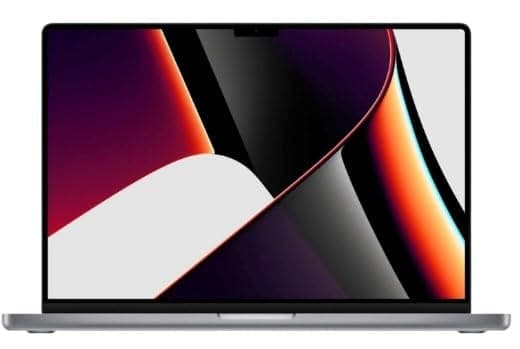
TL;DR The Apple MacBook Pro 14 (2024) is the strongest pick for laptops for creators because RTINGS.com rates it the best laptop for editing videos, and it starts at ₹1,80,405. If your work lives in Final Cut Pro or Premiere Pro, the MacBook Pro is the clear winner. The ASUS Vivobook 16X is the value choice at ₹56,990 and still covers editing needs well enough for the price. The Lenovo ThinkPad P14s Gen 6 is the better fit if you want a featherlight machine for travel and client work.
Why Laptops Matter for Content Creators
The Apple MacBook Pro 14 (2024) is rated as the best laptop for editing videos by RTINGS.com, and that is exactly why laptops for creators sit in a different class from ordinary office machines. Video editing, thumbnail work, and motion graphics punish weak hardware fast. A slow timeline in DaVinci Resolve wastes time on every scrub, cut, and export.
That is why performance, display quality, and battery life matter more here than on a basic home product. Creators in India also face a wide price spread, from the ASUS Vivobook 16X to premium systems like the Lenovo ThinkPad P14s Gen 6 and the ASUS Zenbook line. The Vivobook is designed for both creator and gaming purposes, so it works well if you edit in Adobe Premiere Pro and then jump into OBS Studio or casual gaming later.
Lenovo takes a different route with the ThinkPad P14s Gen 6. It is featherlight and built around AI efficiency. That makes it a practical tool for people who carry a machine between home, studio, and client meetings.
For buyers comparing a Zenbook with a ThinkPad or Vivobook, the right choice depends on how often the laptop moves with you.
What Creator Workloads Demand
A creative machine has to handle more than one task at once. You might have Photoshop open for thumbnails, Chrome tabs for script research, OBS Studio for recording, and Premiere Pro rendering in the background. That is where graphics, RAM, and a strong processor start to matter.
On the other end, the ASUS ROG Zephyrus G14 and MSI Stealth GS66 move into heavier production work with more headroom for demanding projects. That spread is the point. Not every YouTuber needs the same machine, but every serious creator needs a laptop that keeps up when the pipeline gets messy.
Common Creator Laptop Profiles
- The MacBook Pro suits editors who spend serious time in Final Cut Pro or Adobe Premiere Pro.
- The ASUS Vivobook fits creators who want one device for editing, casual gaming, and daily work.
- The Lenovo ThinkPad works for mobile professionals who value a featherlight chassis.
- The ASUS ROG and MSI models suit heavier workloads in DaVinci Resolve, After Effects, and GPU-assisted rendering.
A lot of buyers get this wrong by shopping on brand alone. A flashy gaming machine can be excellent for graphics-heavy editing, while a thin business model can be better for travel and meetings. If your workflow lives in Premiere Pro, Photoshop, or OBS Studio, the right product is the one that removes friction from those apps.
When Choosing a Creator Laptop
The ASUS Vivobook 16X uses an Intel Core i7-12700H processor, and that is the baseline I expect for serious editing work. In laptops for creators, the processor decides how quickly you scrub footage, export timelines, and keep background apps alive while the main project stays open.
The mistake many buyers make is choosing price over value. A cheap machine can look attractive on a listing page, but if it slows down in Premiere Pro, the real cost shows up in lost time. Another mistake is ignoring future-proof features, which matters a lot if your projects get larger over time.
An ultra capable laptop is not just about speed today; it should still feel useful as your workload grows. That is why it helps to think beyond the first purchase and look at how well the machine can handle heavier editing later.
Processor and GPU
The ASUS ROG Zephyrus G14 GA402XV-N2034WS includes an 8 GB NVIDIA GeForce RTX 4060 GPU, which is the kind of hardware that helps when your work leans into effects, rendering, and GPU-accelerated tasks. The MSI Stealth GS66 12UGS-038IN is powered by an Intel Core i7 (12th Gen) processor with a clock speed of 4.7 GHz, so it sits in the performance zone that creators often want for heavier multitasking.
If you use DaVinci Resolve, Blender, or Adobe After Effects, the RTX GPU is not a luxury. It changes how fast the machine handles visual work. A lot of buyers overfocus on CPU names and ignore the graphics side. That is a mistake, because GeForce RTX GPU hardware can cut through effects and exports that feel painful on integrated graphics.
If your YouTube channel includes color grading, 4K footage, or motion overlays, the RTX class matters as much as the processor.
Display Quality
The Lenovo Legion 5 15IAX10 has a 15.10-inch OLED display with a resolution of 2560 x 1600 pixels. That combination matters for creators who care about framing and color. OLED panels give richer contrast, which helps when you are checking dark scenes, subtitles, and UI overlays in video editing.
The ASUS ROG Strix Scar 15 G533ZW-LN136WS has a 15.6-inch display with a resolution of 2560 x 1440 pixels, while the ASUS ROG Zephyrus G14 GA402XV-N2034WS uses a 14-inch display with a resolution of 2560 x 1600 pixels. A nanoedge display also helps by keeping borders slim, so the panel feels more open when you are working in Premiere Pro or Lightroom.
Display size is not just about comfort. It changes how much of your timeline, toolbars, and preview window you can see at once. If you spend long sessions in Photoshop or Premiere Pro, a high-resolution panel keeps text and UI elements cleaner.
Memory and Storage
The MSI Stealth GS66 12UGS-038IN has 32 GB of DDR5 RAM, and that is the kind of memory headroom that matters when you keep multiple apps open. RAM is what stops your system from choking when you have a browser, editing software, and a file manager all active together.
For YouTube creators, that means smoother switching between script notes, assets, and editing timelines. Storage is equally important because raw footage, project files, and exported renders eat space quickly. If you work with large camera files, the internal SSD still needs to stay fast enough to keep the project responsive.
The real mistake is buying a machine that looks fast on paper but runs out of memory or storage the moment your project folder gets serious.
Portability and Battery Life
The Lenovo ThinkPad P14s Gen 6 is featherlight and built for AI efficiency. That makes it a strong choice if you move between desks, studios, and client locations. The ASUS ROG Zephyrus G14 GA402XV-N2034WS has a battery capacity of 76 WHrs, so it gives you more breathing room away from the wall than a typical performance machine.
If you edit in cafés, on set, or in co-working spaces, portability and battery life stop being nice-to-haves. You may not render a full project on battery, but you will absolutely review clips, write scripts, and assemble rough cuts away from a charger.
That is why mobile creators should think about battery life, weight, and touch support together instead of chasing raw specs alone. A lighter slim chassis also matters when your bag already carries a camera, charger, and drive.
- Choose higher-end GPU hardware if your workflow includes DaVinci Resolve, Blender, or After Effects.
- Choose more RAM if you keep Chrome, Photoshop, and editing software open together.
- Choose OLED if you care about contrast while checking dark scenes and color work.
- Choose a lighter chassis if you travel with your machine for shoots, meetings, or client edits.
Creators with Detailed Specs and Tradeoffs
The Apple MacBook Pro 14 (2024) is the strongest pure editing choice in this group because RTINGS.com rates it as the best laptop for editing videos. Apple MacBook Pro (14-inch, M4, 2024) features a 10-core CPU and 16-core GPU. That combination helps when you are cutting footage in Final Cut Pro or Adobe Premiere Pro.
The tradeoff is simple: you are buying a focused creator product, not a gaming-first design. That focus is why many editors trust it for long sessions. It is also why the MacBook Pro feels like the laptop best suited for people who want editing to feel smooth instead of merely possible.
Apple MacBook Pro 14 (2024)
The MacBook Pro 14 is the cleanest pick if your work revolves around editing, color checking, and client review. Its 14-inch format is compact enough for travel. The performance profile is aimed squarely at creator workloads rather than casual use.
If your daily routine includes exporting YouTube videos, trimming interviews, and polishing audio in Logic Pro or Premiere Pro, this is the machine that removes the most friction. You pay for that focus. You also get a tool that feels built around editing rather than adapted to it.
ASUS Vivobook 16X
The ASUS Vivobook 16X uses an Intel Core i7-12700H processor and includes a fingerprint sensor. That adds convenience when you unlock the machine repeatedly during a long editing day. This is one of the better affordable laptops for content creators because it gives you creator-class basics without forcing you into premium pricing.
If you edit in CapCut, Premiere Pro, and Canva, the Vivobook is the kind of product that keeps the budget under control. It is also a sensible series choice for buyers who want creator and gaming flexibility in one order.
Lenovo ThinkPad P14s Gen 6
The Lenovo ThinkPad P14s Gen 6 takes a different route by focusing on being featherlight with AI efficiency. That matters if you carry your machine across campus, offices, or shoots. Weight becomes a real constraint after a full day of travel.
The ThinkPad line is also known for a business-first approach. That suits creators who spend as much time on calls, scripts, and client feedback as they do on timelines. It is not the loudest model here, but it is one of the most sensible if mobility comes before everything else.
MSI Stealth GS66 and ASUS ROG Zephyrus G14
The ASUS ROG Zephyrus G14 GA402XV-N2034WS brings an 8 GB NVIDIA GeForce RTX 4060 GPU, an AMD Ryzen 9 7940HS processor, and a 14-inch 2560 x 1600 display. That makes it a serious option for creators who also want gaming-grade graphics power.
If you use Blender, After Effects, or Resolve, both machines sit in the category where raw performance starts to matter more than compact simplicity. The MSI Stealth GS66 12UGS-038IN also brings 32 GB DDR5 RAM and 1 TB SSD storage. That helps when your production files get large.
- The MacBook Pro is the safest choice for editors who care more about timeline smoothness than gaming features.
- The Vivobook 16X is the practical pick for budget-conscious creators who still need a proper creator machine.
- The ThinkPad P14s is the travel-friendly option for people who work between meetings and editing sessions.
Pricing Tiers and Value Comparison for Creator Laptops
The Apple MacBook Pro M5 chip starts at ₹1,80,405, which puts it in a premium but still reachable range for serious creators. MSI Stealth GS66 12UGS-038IN sits at ₹2,25,000, while the Lenovo ThinkPad P14s Gen 6 reaches ₹2,28,490, so both are firmly premium-priced. The ASUS Vivobook 16X is the clear budget outlier at ₹56,990.
That gap matters because price only helps if the machine actually fits your work, and a creator who edits every week needs value, not just a low bill.
What the Price Gap Really Means
Budget, Mid-Range, and Premium Choices
The ASUS Vivobook 16X is the strongest design product for buyers who want a lower entry price and still need creator-friendly hardware. The MacBook Pro M5 chip is for people who value editing stability more than gaming features or Windows flexibility.
The MSI Stealth GS66 and ThinkPad P14s make sense when your work already includes heavier multitasking, travel, or client-facing production. That is where long-term upgrade support matters most. A creator who edits weekly in Premiere Pro can outgrow a weak machine faster than a casual user.
- Buy the Vivobook 16X if you want the lowest entry price and still need creator-friendly hardware.
- Buy the MacBook Pro M5 if editing quality matters more than gaming features or Windows flexibility.
- Buy the MSI Stealth GS66 if you need a powerful Windows machine for heavier multitasking.
- Buy the ThinkPad P14s if portability and business-class mobility justify the premium.
For many YouTube creators, the right answer is the machine that lets you edit, export, and publish without forcing a replacement in a year or two.
Common Mistakes to Avoid When Buying Creator Laptops
Choosing price over value is one of the most common mistakes when buying a machine for content creation. Another common mistake is not considering long-term upgrade support features. If you buy only for today’s light workloads, you may end up replacing the system earlier than planned when your projects get larger.
That is especially true for graphic design, product design, and animation game design work that grows from simple edits into heavier layers and effects. A lot of buyers also ignore portability until after the purchase. That is a problem if you work from cafés, client offices, or shooting locations, because a heavy machine becomes annoying long before it becomes obsolete.
What Buyers Usually Miss
- They chase the lowest price and ignore how the machine behaves in real editing software.
- They overlook battery life and portability, then regret it when they start editing away from a desk.
- They assume marketing claims about performance will match real exports in Premiere Pro or DaVinci Resolve.
- They buy on brand hype instead of checking whether the machine fits their actual workflow.
If your channel depends on screen recording in OBS Studio, rough cuts in Premiere Pro, and thumbnail work in Photoshop, you need a machine that can keep multiple tasks open without stalling. If you mostly edit short clips in CapCut or do lighter social content, you can save money without jumping into the highest tier.
The point is to buy for the workload you really have, not the one you imagine having later. The right creator machine should fit your editing habit, your travel pattern, and the software stack you actually open every week.
Creator Workload Fit
Laptops for creators are built around a simple truth: your machine has to keep pace with the software, not the other way around. A creator who works in Premiere Pro, Photoshop, OBS Studio, or DaVinci Resolve needs more than a basic Windows notebook, because editing, graphics, and multitasking expose weak hardware quickly.
The current field in India covers very different types of users. The Apple MacBook Pro 14 (2024) is the cleanest answer for editors who care most about video work. The ASUS Vivobook 16X is the most approachable option for people who want creator features at a lower price.
The Lenovo ThinkPad P14s Gen 6 serves mobile professionals who want a featherlight chassis, while the MSI Stealth GS66 and ASUS ROG Zephyrus G14 target heavier workloads where graphics and memory headroom matter more.
Choosing the Right Fit
That spread is useful because it means you do not need to overspend just to get a machine that feels serious. The ASUS Vivobook 16X is designed for both creator and gaming purposes, and the ASUS ROG Zephyrus G14 brings NVIDIA GeForce RTX graphics into a compact 14-inch frame.
On the other side, the ThinkPad P14s proves that portability and AI efficiency can matter just as much as raw muscle. If your work is mostly YouTube scripting, editing, and publishing, you should think in terms of workload fit, not just brand reputation.
For most Indian creators, the real decision comes down to what kind of friction you want to remove. If you want the lowest entry cost, the Vivobook is the obvious start. If you want the strongest editing reputation, the MacBook Pro is hard to beat. If you want a machine that can travel well and still feel premium, the ThinkPad is the practical choice. And if your work leans into rendering, effects, or gaming-adjacent content, the ASUS ROG and MSI options are the ones that actually justify their performance-first stance.
That is why the best laptops for content creators are rarely the same as the best general-purpose machines.
- The MacBook Pro is best when editing quality is your main concern.
- The Vivobook 16X is the most sensible entry point for budget-conscious creators.
- The ThinkPad P14s is the portable premium choice for people who move constantly.
- The Zephyrus G14 and MSI Stealth GS66 are better for heavier graphics work and larger projects.
Final Thoughts
The gap between these creator machines is not subtle. The Apple MacBook Pro 14 (2024) is the best pure editing machine here, while the ASUS Vivobook 16X is the sharpest budget buy at ₹56,990. The Lenovo ThinkPad P14s Gen 6 is the premium portability pick, and the MSI Stealth GS66 and ASUS ROG Zephyrus G14 are stronger when graphics and heavier multitasking matter more.
If you work in Premiere Pro, Final Cut Pro, Photoshop, or DaVinci Resolve, those differences show up in real time. They are not just on a spec sheet. For laptops for creators, the right choice is the one that matches your software, your travel pattern, and how fast you need results.
If you want the strongest editing reputation, the MacBook Pro 14 (2024) is the best answer in this guide. If you want a lower-cost starting point, the ASUS Vivobook 16X at ₹56,990 is the practical alternative. Choose the machine that fits your workflow now, then buy it before your current laptop slows your edits down.
Frequently Asked Questions
What is the best laptop for video editing under ₹1,00,000 in India?
The ASUS Vivobook 16X is the strongest option under ₹1,00,000 from this list because it costs ₹56,990 and is built for both creator and gaming purposes. It uses an Intel Core i7-12700H processor, which gives it enough headroom for editing in Premiere Pro, Photoshop, and CapCut without jumping into premium pricing. If your work is mostly YouTube cuts, thumbnails, and lighter 4K projects, it is the most sensible starting point.
How important is GPU power for YouTube content creators?
GPU power matters most when your workflow includes effects, grading, or more complex exports. The ASUS ROG Zephyrus G14 GA402XV-N2034WS brings an 8 GB NVIDIA GeForce RTX 4060 GPU, while the MSI Stealth GS66 12UGS-038IN adds 32 GB of DDR5 RAM and 1 TB SSD storage for heavier projects.
For CapCut, basic Premiere Pro edits, and lighter uploads, the ASUS Vivobook 16X can still work. As soon as you add effects or color grading, GPU headroom becomes important.
Can lightweight machines like the Lenovo ThinkPad P14s handle heavy editing tasks?
The Lenovo ThinkPad P14s Gen 6 is built for featherlight portability and AI efficiency, so it is the right fit when you edit while traveling rather than when you need the most aggressive rendering power. At ₹2,28,490, it sits in the premium range alongside the MSI Stealth GS66 12UGS-038IN at ₹2,25,000, but its value is mobility rather than raw GPU muscle.
For client meetings, campus work, and editing between locations, it is a strong creator machine.
Which machine offers the best battery life for creators on the go?
The ASUS ROG Zephyrus G14 GA402XV-N2034WS is the clearest battery-focused option in this guide because it includes a 76 WHrs battery and still brings an AMD Ryzen 9 7940HS processor plus an 8 GB NVIDIA GeForce RTX 4060 GPU. For creators who work away from a charger, those are the most relevant specs in the list.
Is the ASUS Vivobook 16X suitable for both gaming and content creation?
Yes, the ASUS Vivobook 16X is suitable for both gaming and content creation because it is designed for creator and gaming purposes. It uses an Intel Core i7-12700H processor and costs ₹56,990, which makes it a practical value pick rather than a premium splurge.
That combination works well if you edit in Premiere Pro, make thumbnails in Photoshop, and still want casual gaming after work. If you need heavier AAA gaming or advanced GPU rendering, step up to an ASUS ROG or MSI model.
Does the Apple MacBook Pro M5 chip compare to Intel Core i9 machines?
The Apple MacBook Pro M5 chip is priced at ₹1,80,405 and sits in a different class from the Intel Core i9 machines in this guide. If your main job is editing, the MacBook Pro stays the cleaner pick.
What long-term upgrade support features should I look for in a creator machine?
In this guide, the MSI Stealth GS66 stands out with 32 GB of DDR5 RAM and 1 TB SSD storage, while the ASUS ROG Zephyrus G14 brings RTX 4060 graphics and a 76 WHrs battery for more demanding work. Those are the kinds of specs that age better when your editing style becomes more ambitious.
If you expect to scale up into heavier Premiere Pro or DaVinci Resolve projects, do not buy only for today’s basic workload.
Which laptops are the top laptops for content creators overall?
The Apple MacBook Pro 14 (2024), ASUS Vivobook 16X, Lenovo ThinkPad P14s Gen 6, MSI Stealth GS66 12UGS-038IN, and ASUS ROG Zephyrus G14 are the top laptops for content creators in this set because each one solves a different problem. The MacBook Pro is the strongest editor, the Vivobook is the budget pick, the ThinkPad is the travel-friendly option, the MSI Stealth GS66 adds 32 GB DDR5 RAM and 1 TB SSD storage, and the ASUS ROG Zephyrus G14 brings RTX 4060 graphics with a 76 WHrs battery.






