
Laptop GPU Ranking Guide: TGP Explained
Laptop GPU ranking guide for RTX TGP, memory, cores, and value tiers, with clear buying advice for gaming and creative work.

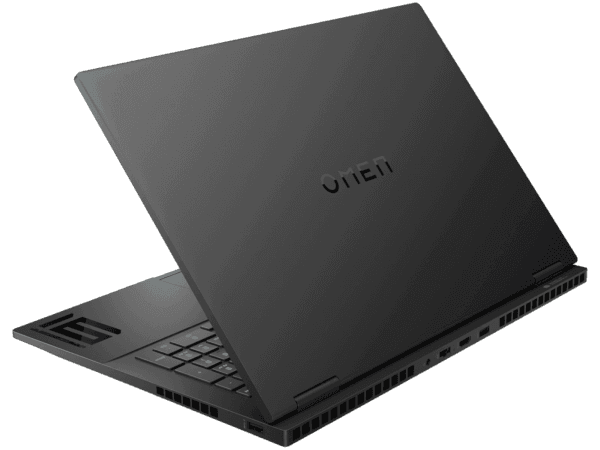
TL;DR This laptop GPU ranking puts the NVIDIA GeForce RTX 5090 Laptop GPU at the top for raw headroom, but the RTX 4080 Laptop GPU is the smarter value check for most buyers.
Understanding Laptop GPUs and Their Importance
The laptop GPU ranking starts with a simple truth: the badge on the lid does not tell you how hard the chip can run. The NVIDIA GeForce RTX 5090 Laptop GPU is built for high-end gaming and creative work, but that only matters if the laptop can feed it enough power. In Adobe Premiere Pro, Blender, or DaVinci Resolve, the GPU is doing far more than drawing frames. It is handling timelines, renders, and parallel tasks that can slow a weaker machine to a crawl.
That is where laptop GPU meaning becomes useful. It is not just about games, and it is not just about a spec sheet. The GPU also affects Photoshop layers, Figma canvases, and AI-assisted tools that lean on the graphics engine. If you have ever watched a big 3D scene stutter in Blender or a Premiere Pro timeline lag under effects, you already know why the ranking matters.
On reddit, buyers often focus on the wrong headline number instead of the full picture. Laptop GPU TGP is the number most buyers should check first. TGP, or Total Graphics Power, tells you how much electrical headroom the GPU gets inside the chassis. A high-end chip with a weak power budget can feel slower than a cheaper part in a better-cooled body.
That is why gaming laptops with the same GeForce RTX label can behave very differently, including models with a GeForce RTX Ti badge. The cache also plays a role in how smoothly the GPU handles repeated tasks, especially when workloads keep cycling through the same data. In practice, that can affect how responsive the system feels during creative work and gaming alike.
Why boost clock is only part of the story
Boost clock matters because it shows how fast the GPU can run when temperature and power allow it. The NVIDIA GeForce RTX 5090 Laptop GPU has a boost clock of 1597 to 2160 MHz, while the RTX 4070 Laptop GPU reaches 1230 to 2175 MHz and the RTX 4050 Laptop GPU reaches 1605 to 2370 MHz. Those numbers are useful, but they do not tell you how long the chip can stay there.
If you work in After Effects, a bursty boost clock can help during short previews. If you spend hours in a long render queue, sustained power matters more. That is why the laptop GPU ranking should always include the cooling system, the TGP, and the actual benchmark output, not just the peak clock.
Why CUDA cores and memory change the result
CUDA cores handle parallel work, and NVIDIA uses them heavily in both games and creative apps. The RTX 5090 Laptop GPU has 10496 CUDA cores, the RTX 4070 has 4608, and the RTX 4050 has 2560. That gap is not cosmetic. It changes how quickly the chip can chew through effects, textures, and compute-heavy tasks.
Memory is the other half of the story. The RTX 5090 Laptop GPU has 24 GB of GDDR7 memory, the RTX 4070 Laptop GPU has 8 GB of GDDR6 memory, and the RTX 4050 Laptop GPU has 6 GB of GDDR6 memory. If you keep large Photoshop files open or move heavy footage through Premiere Pro, the extra memory gives you more breathing room.
It also matters for modern games with large texture packs and ray tracing, especially when assets are generated on the fly. The cache and memory working together can make a noticeable difference in these workloads.
How TGP Shapes Real-World Laptop GPU Performance
The cleanest way to read a laptop GPU tier list is to check power, memory, and cores together. A GPU with strong NVIDIA branding can still land in a lower tier if the manufacturer gives it a tight TGP limit. That is why the same GeForce RTX name can produce different results in two machines that look similar on a website.
The NVIDIA GeForce RTX 5090 Laptop GPU gives you a boost clock of 1597 to 2160 MHz, 10496 CUDA cores, 24 GB of GDDR7 memory, and a power consumption range of 95 to 150 W. Those numbers tell you it has the most room to stretch in this group. The RTX 4070 Laptop GPU sits at 35 to 115 W, while the RTX 4050 Laptop GPU also sits at 35 to 115 W.
That lower ceiling makes them easier to cool, but it also limits sustained gaming performance. On a thin chassis, those limits matter even more because there is less room for heat. In a Ti laptop build, the balance between performance and cooling can shape the result as much as the name on the spec sheet.
Power limits shape real-world speed
Laptop GPU TGP is the first number I would check on any spec page. The RTX 5090 Laptop GPU has a maximum TGP of 150W, while the RTX 5080 Laptop GPU also reaches 150 W and the RTX 4090 Laptop GPU reaches 150 W. The RTX 3070 Laptop GPU sits in an 80 to 115 W band, which is a useful reminder that older chips can still hold their own when the power budget is sensible.
If you play Cyberpunk 2077, Alan Wake 2, or Control with ray tracing enabled, the difference between 35 W and 150 W is obvious. In a thin chassis, the lower-power option may be quieter, but it will not deliver the same gaming performance under load. That is especially true in a Ti laptop, where thermal headroom is limited.
Memory size and memory type matter more than people think
The RTX 4070 Laptop GPU’s 8 GB of GDDR6 is enough for mainstream work, and the RTX 4050 Laptop GPU’s 6 GB of GDDR6 is the tightest fit in this group. If you run DaVinci Resolve with multiple clips and effects, memory pressure shows up fast. The RTX 4080 Laptop GPU has 12 GB of GDDR6 dedicated graphics memory and a 256-bit memory interface width.
That combination makes it a strong middle ground for people who want more headroom without jumping to the top price tier. The RTX 3070 Laptop GPU has 8 GB of GDDR6 memory, a 192-bit memory interface width, and 672 GB/s of memory bandwidth, which is why it still looks respectable in older benchmark tables. A good network of specs helps you compare models more accurately, because the numbers work together rather than in isolation.
When you review a listing, look for the details that provide the clearest picture of performance instead of focusing on the name alone.
Comparing NVIDIA GeForce RTX Laptop GPUs
The laptop GPU TGP list below makes the differences hard to ignore. The RTX 5090 Laptop GPU is the flagship. The RTX 4070 and RTX 4050 sit in the mainstream and entry-focused brackets. The RTX 3070 works as an older reference point.
| Feature | RTX 5090 Laptop GPU | RTX 4070 Laptop GPU | RTX 4050 Laptop GPU | RTX 3070 Laptop GPU |
|---|---|---|---|---|
| Boost clock | 1597 to 2160 MHz | 1230 to 2175 MHz | 1605 to 2370 MHz | 1260 to 1740 MHz |
| CUDA cores | 10496 | 4608 | 2560 | 5120 |
| Memory | 24 GB GDDR7 | 8 GB GDDR6 | 6 GB GDDR6 | 8 GB GDDR6 |
| Power range | 95 to 150 W | 35 to 115 W | 35 to 115 W | 80 to 115 W |
| Memory interface width | Not listed here | 256-bit | 96-bit | 192-bit |
| Benchmark rank | Not listed here | Not listed here | 102nd, score 8738 | 102nd, score 8886 |
| Memory bandwidth | Not listed here | Not listed here | Not listed here | 672 GB/s |
| Release context | Current high-end RTX laptop option | Mainstream RTX laptop option | Entry-focused RTX laptop option | Older RTX laptop reference point |
The older RTX 3070 still fits into the picture
Its 8 GB of GDDR6 memory and 672 GB/s bandwidth helped it stay relevant in many 1080p and 1440p setups. That is useful context when you compare an older machine against a newer RTX Ti laptop configuration. For gaming in titles like Forza Horizon 5, Shadow of the Tomb Raider, or Fortnite, the 3070 can still feel solid.
That depends on whether the laptop gives it enough power. For creative work in Premiere Pro or Resolve, the difference comes down to memory headroom and the exact thermal design. That is why the ranking should be read as a tier list, not a simple winner-loser chart.
NVIDIA scales the lineup
NVIDIA uses the same GeForce branding across a wide range of hardware. The actual behavior changes fast as you move down the stack. The RTX 5090 Laptop GPU is based on the Blackwell architecture, while the older RTX 3070 sits in a different generation entirely.
The result is a clear split between premium headroom and mainstream efficiency. If you have a thin-and-light laptop for office work, the lower-power RTX 4070 or RTX 4050 can be easier to live with. If you want the strongest output for long sessions in Blender, Premiere Pro, or demanding games, the RTX 5090 is the one that gives you the most room.
- Check the RTX 5090 if you want the most headroom for 1440p gaming and heavy creative work.
- Check the RTX 4070 if you want a mainstream option that still handles modern games well.
- Check the RTX 4050 if you care more about lower power draw than maximum frame rates.
- Check the RTX 3070 if you are comparing an older machine and want a useful benchmark reference.
Laptop GPU Pricing and Value Tiers
Price is where the laptop GPU ranking becomes a real buying decision. The NVIDIA GeForce RTX 5090 Laptop GPU starts at ₹4,19,999, while the NVIDIA GeForce RTX 4080 Laptop GPU starts at ₹2,39,990. That is a huge gap, and it changes the kind of machine you should expect around each GPU.
The desktop pricing context makes the premium clear. NVIDIA GeForce RTX 5090 is priced at ₹9,29,328, and the MSI GeForce RTX 5090 Gaming Trio OC Graphics Card is priced at ₹4,58,999. The laptop part is still expensive, but it sits below the full desktop card, which is the more extreme price point.
If you check price against performance, the RTX 4080 Laptop GPU is the cleaner value tier for most people. It gives you strong headroom without pushing the rest of the system into extreme territory. For buyers comparing data across models, that balance matters more than chasing the highest number.
Where the price gap matters in daily use
For a machine used in Premiere Pro, Blender, and some modern games, the RTX 5090 Laptop GPU can justify its price because it has the memory and core count to handle heavier work. For office apps, Figma, and casual gaming, the RTX 4080 Laptop GPU is usually the more sensible check. You are paying for output you may never use if your workload stays light.
The middle of the market is where most buyers should spend their time. A well-priced NVIDIA RTX laptop with a strong cooling design often feels faster than a pricier model that cannot sustain its boost clocks. That is why price, not just specs, has to stay in the conversation.
Why the cheaper GPU is not always the weaker choice
The RTX 4070 Laptop GPU and RTX 4050 Laptop GPU both sit in the 35 to 115 W range, which makes them easier to fit into thinner designs. You lose some peak output, but you gain a quieter and cooler machine. The RTX 4050 Laptop GPU also gives you 6 GB of GDDR6 memory, which is enough for lighter projects and many esports titles.
The RTX 4070 Laptop GPU’s 8 GB of GDDR6 is the safer middle ground. Check the price, then check the memory, then check the TGP, because that order usually gives you the most honest answer. For most buyers, that is the clearest way to compare value across the lineup.
- Check the RTX 5090 Laptop GPU if you want the strongest option and can absorb the ₹4,19,999 starting price.
- Check the RTX 4080 Laptop GPU if you want a more practical value tier.
- Check the RTX 4070 Laptop GPU if you want a balanced price-to-performance middle ground.
- Check the RTX 4050 Laptop GPU if you want the lowest-power option in this group.
Common Mistakes When Choosing Laptop GPUs
The biggest mistake is treating laptop GPU TGP like a footnote. A GPU with a strong name can still underperform if the laptop gives it too little power or too little cooling. That is why two RTX laptop models can feel completely different in the same game.
The second mistake is chasing boost clock as if it were the whole story. A high peak clock is useful, but it does not replace CUDA cores, memory size, or a decent thermal design. If you check only the clock, you can end up with a machine that looks fast in a table and feels average in actual use.
The third mistake is ignoring memory. A 6 GB GDDR6 part can be fine for lighter work, but it is tighter in modern games and creative apps than an 8 GB or 24 GB setup. If you open large Photoshop files, stack layers in After Effects, or edit long clips in Premiere Pro, memory pressure shows up quickly.
That is especially true when the content is demanding.
What to check before you trust the model number
Check the TGP range first, because it tells you whether the GPU has room to breathe. Check the memory next, because capacity and type affect how smoothly the card handles large assets. Check benchmark results after that, because they show how the chip behaves through a full workload.
If you mostly use Word, Excel, and a browser, the top-end part is overkill. That is the practical way to read the ranking instead of treating every GeForce RTX badge as equal.
Why older terms still matter in the comparison
You will still see GTX, RTX, and Arc mentioned in older discussions, and that is useful context. Intel Arc, Intel UHD, Intel UHD Graphics, Intel Iris, Iris Xe, and graphics Xe all represent very different classes of integrated and discrete graphics cards. AMD Radeon, Radeon RX, AMD Radeon RX, AMD RX, RX Vega, and graphics G7 follow the same pattern on the AMD side.
That matters because not every laptop buyer is choosing between two NVIDIA parts. Some machines use Intel UHD Graphics or Intel Arc for lighter work, while others lean on AMD Radeon for balanced everyday use. If you are comparing a discrete GeForce RTX machine against integrated graphics, the performance gap is usually obvious in games, video editing, and 3D work.
- Check whether the laptop uses discrete NVIDIA graphics or integrated Intel graphics.
- Check whether AMD Radeon or Intel Arc is being used as the fallback option.
- Check whether the machine is built for 1080p play, 1440p play, or creator work.
- Check whether the cooling system can keep the GPU at its intended TGP.
Which RTX Laptop GPU Fits Your Workload
The hardware becomes useful when you match it to what you actually do. The RTX 5090 Laptop GPU is the clear top-end choice here, and its 24 GB of GDDR7 memory, 10496 CUDA cores, and 95 to 150 W power range give it the most headroom. If you are comparing an RTX Ti class option, this is the kind of ceiling you are looking at.
The RTX 4070 Laptop GPU is the mainstream check, and the RTX 4050 Laptop GPU is the lower-cost, lower-power option. The RTX 4080 Laptop GPU deserves attention because its ₹2,39,990 starting price makes it a much more practical value check than the top-end part. If you mostly want a fast everyday machine, the RTX 4080 Laptop GPU is the one I would check first.
The RTX 3070 Laptop GPU still matters if you are comparing an older machine or a used one. Its 8 GB of GDDR6 memory, 5120 CUDA cores, and 672 GB/s bandwidth keep it relevant in the right chassis. That is why the laptop GPU tier list should always include older reference points, not just the newest launch.
A quick check before you decide
Check your software first. Blender, Premiere Pro, DaVinci Resolve, Photoshop, and OBS Studio all stress the GPU in different ways. Check your display next, because 1080p and 1440p do not demand the same headroom.
Check the price last, because it should match the workload you actually have. That is the simplest way to avoid paying for performance you will not use.
- Check RTX 5090 Laptop GPU if you want the strongest mobile graphics headroom.
- Check RTX 4070 Laptop GPU if you want a balanced mainstream option.
- Check RTX 4050 Laptop GPU if you want the most modest option and can live with 6 GB of GDDR6 memory.
Frequently Asked Questions
Q. What does laptop GPU TGP mean?
Laptop GPU TGP means Total Graphics Power, which tells you how much electrical headroom the GPU gets inside the laptop. It matters because the same RTX chip can perform very differently depending on its power limit and cooling design. If you check only the model name, you miss the part that shapes sustained output.
Q. Why can two RTX laptop models perform differently?
Two RTX laptop models can perform differently because the TGP, boost clock behavior, and cooling system are not the same. The NVIDIA GeForce RTX 5090 Laptop GPU has a 95 to 150 W range, while the RTX 4070 Laptop GPU and RTX 4050 Laptop GPU both sit at 35 to 115 W. That difference changes frame rates, fan noise, and how long the chip can hold its speed.
Q. Is the RTX 5090 Laptop GPU always faster than the RTX 4070 Laptop GPU?
The RTX 5090 Laptop GPU is the faster part on paper, with 10496 CUDA cores and 24 GB of GDDR7 memory. In real use, the laptop design still matters because a weak cooling system can hold any GPU back. If you check the full spec sheet, the 5090 is clearly the stronger option for heavy work.
Q. Why does memory size matter so much in laptop GPUs?
Laptop GPU memory matters because textures, timelines, and project assets need space close to the chip. That extra room helps in Blender, Premiere Pro, and modern games with large assets. The difference is especially clear when you compare 6 GB, 8 GB, 12 GB, and 24 GB configurations.
Q. Is the RTX 4080 Laptop GPU a better value than the RTX 5090 Laptop GPU?
The RTX 4080 Laptop GPU is the better value for most buyers because its ₹2,39,990 starting price leaves more room in the budget. If your work does not need the 5090’s extra memory and core count, the 4080 is the smarter check. The top-end part only makes sense when you can actually use the extra headroom.
Q. What should I check before buying a gaming laptop?
Check the TGP, memory size, CUDA core count, and benchmark results before you decide. The build is only useful if you compare the actual output, not just the badge. It also helps to check the price against your real workload, because that is where value becomes obvious.
Choosing the Right RTX Laptop GPU for Your Budget
The ranking only makes sense when you connect the badge to the power budget, memory, and cooling design. The RTX 5090 Laptop GPU stands out with 10496 CUDA cores, 24 GB of GDDR7 memory, and a 95 to 150 W range, but the RTX 4080 Laptop GPU remains the more practical value check at ₹2,39,990. That gap is exactly why laptop GPU TGP matters so much in real buying decisions.
Use the RTX 5090 Laptop GPU when you need the most headroom for Premiere Pro, Blender, or demanding games, and use the RTX 4080 Laptop GPU when you want strong performance without paying for the absolute top tier. If your needs are more modest, the RTX 4070 Laptop GPU and RTX 4050 Laptop GPU still make sense depending on power limits and budget.
Check the full spec sheet before you buy so the laptop you choose matches the work you actually plan to do. That is the most reliable way to turn a laptop GPU ranking into a purchase you will be happy with over time.






