
Laptop Cooling Pads Best Guide for India
Laptop cooling pads best for India, with fit, airflow, comfort, and value picks for gaming, work, and hot laptops.

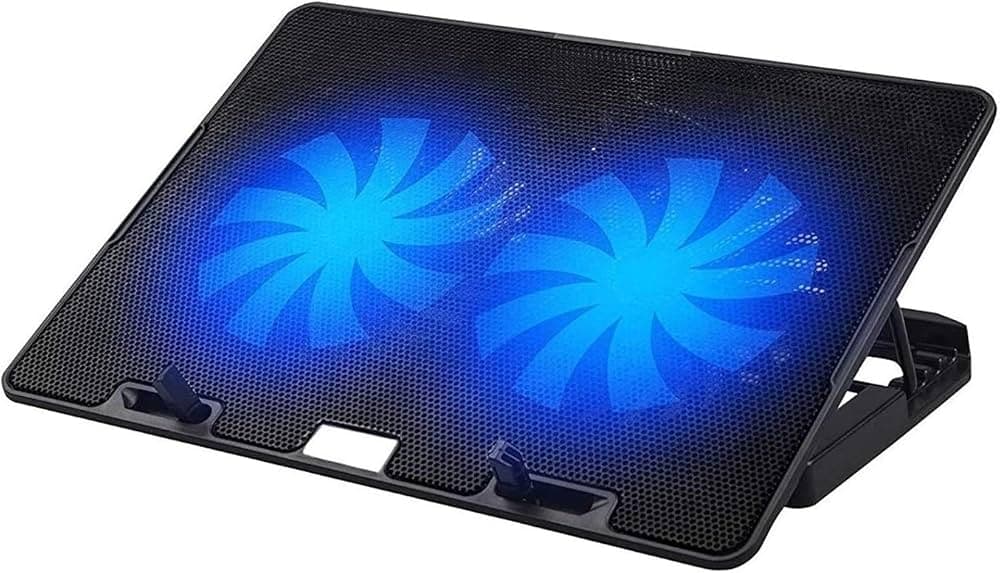
TL;DR Laptop cooling pads best for India are the ones that match your laptop size, improve airflow, and stay stable during long sessions. The strongest value picks in this article range from the budget Lapcare Lapkool-I to the discounted Deepcool V5 PRO, depending on how hot your laptop runs.
Understanding Laptop Cooling Pads
Cooling pads can lower CPU and GPU temperatures by 5-15°C, and they can reduce laptop temperatures by 10-15 degrees in real use. That matters because lower temperatures mean less throttling, steadier performance, and less fan noise from the laptop itself. For gamers, graphic designers, and anyone using laptops for intensive tasks, a cooling pad can be a simple off-the-shelf fix that supports everyday computing without much effort.
A cooling pad also changes the design of your setup, because the raised angle often feels better for typing and keeps the screen at a more comfortable view. If you spend hours in Chrome, VS Code, or Photoshop, the pad helps the device stay cooler without feeling sluggish. In practice, that extra airflow can make the whole setup feel more comfortable to use.
Why Airflow Matters
Airflow is the whole point of laptop cooling pads. A good cooling pad creates space below the chassis, and the fan can move cool air toward the hottest parts of the machine. The effect shows up most clearly during extended gaming or rendering.
You do not get miracles, but you do get a cooler base and a more stable view of how the laptop behaves under load. In that sense, a Razer cooling style setup is really about improving airflow, not replacing the laptop’s own cooling system. A cooling pad works best when it supports the laptop’s existing cooling system.
Comfort And Design
Most cooling pads have adjustable angles, and that helps typing posture more than people expect. An ergonomic pad matters most when you use laptops for hours at a time. A flat plastic tray can feel cheap, but a stable cooling pad gives you better comfort and less wrist fatigue.
If you want maximum comfort, look for a design that stays steady while the fan runs and the laptop warms up. The best setups balance comfort, airflow, and a secure fit for the device.
Choosing the Right Laptop Cooling Pad
The first thing to check is size. The Zebronics NC9200 supports laptops up to 48.26 cm, or 19 inches, and the Llano V12 also supports 19-inch machines. Fan layout matters just as much as size.
A single fan can cool one hot spot, but a multi-fan cooling pad spreads air across more of the base. If you use a Razer laptop or a Dell machine for gaming or video editing, the underside shape and vent placement matter more than the brand name on the lid. Good Razer laptop cooling depends on matching the pad to the laptop’s vents, not just picking a popular model.
Choosing the right fit helps add airflow where it is needed most, ensuring the pad works with your laptop instead of against it. That matters whether you are buying during a sale or comparing options before one ends.
Build, Cable, And Power
A laptop cooling pad aluminium build usually feels more rigid, which helps when the device is heavy or when you type hard. Plastic pads are lighter and cheaper, so they still make sense if you want a laptop cooling pad cheap enough for daily use. The key is to choose a pad that does not flex or slide around when the fan is running.
The laptop cooling pad cable also matters. A messy USB lead can clutter the desk, while USB passthrough keeps one port free for a mouse or drive. The Klim Everest Laptop Cooling Pad includes USB passthrough connectivity and LED lighting, which is useful if you want a cleaner setup.
Lighting And Fan Speed
RGB lights are common on gaming models, but they should never outrank airflow. The Lapcare WINNER PRO RGB cooling pad features six fans and customizable RGB lighting, which makes it a stronger cooling solution than a pad that only looks busy. If you play games or keep a laptop under load for hours, fan speed matters more than bright effects.
A good pad lets you fine tune fan speed, or at least keep the fan output predictable. That helps when you want less noise during office work and more power during gaming. Cooling pads with stronger fans usually deliver better heat dissipation, but the best cooling pad is still the one that fits your laptop properly.
Best Cooling Pads And Prices
The cheapest clear option is the Lapcare Lapkool-I. It is the easiest way to test whether a cooling pad helps your setup. The Zebronics NC3300 at ₹599, the Zebronics NC5500D at ₹750, the Ant Esports NC250 RGB at ₹779, the Portronics My Buddy Air Pro at ₹799, and the Techie Laptop Cooling Pad sit in the same budget zone.
The Techie 2 Fan Laptop Cooling Pad is also ₹799, so price alone does not separate these models. The strongest value usually sits in the mid-range. The Ant Esports NC210 RGB Gaming Laptop Cooler is priced at ₹1,999, but it is currently available for ₹1,135. The Cosmic Byte Meteoroid Laptop Cooling Pad is priced at ₹2,199, but it is currently available for ₹1,550. The Deepcool V5 PRO cooling pad is priced at ₹3,050, but it is currently available for ₹1,600.
The Zebronics NC7000 cooling pad at ₹2,199, the Zebronics NS2000 cooling pad at ₹1,999, the Zebronics NC2000 Lite cooling pad at ₹1,499, and the SpinBot Airflow X50 Laptop Cooling Pad at ₹2,299 all sit above the budget tier.
Value Table
| Model | Listed Price | Current Price | Value Note |
|---|---|---|---|
| NC210 RGB Gaming Laptop Cooler | ₹1,999 | ₹1,135 | Best discount-led buy |
| Cosmic Byte Meteoroid Laptop Cooling Pad | ₹2,199 | ₹1,550 | Strong mid-range value |
| Deepcool V5 PRO cooling pad | ₹3,050 | ₹1,600 | Premium pad with a big discount |
| Techie TurboCooler 360° Laptop Cooling Pad | ₹2,999 | ₹2,199 | More expensive, more feature-heavy |
Real-World Use Cases For Laptops
A pad that works well in Valorant, Cyberpunk 2077, or Counter-Strike 2 should also help during Blender exports and long video editing sessions. In each case, the goal is the same, better airflow, steadier support, and a more comfortable setup while the laptop is under load. For gaming sessions, that can make the difference between a cramped desk and a setup that feels easier to use.
A raised pad can also improve the view of the screen and make the desk feel less cramped, which helps the whole setup feel more organized. If you move between meetings, a lighter pad can be easier to carry, but the tradeoff is usually less stability. That matters when you want the laptop to stay steady during a gaming session or while working at a shared desk.
For users who care about RGB laptop cooling, the visual side can be part of the appeal, but the practical benefit still comes from keeping the laptop positioned well. During gaming sessions, that balance of style and function can be part of the overall setup.
What To Prioritize
- Pick a pad that matches your laptop size first, because fit affects airflow and stability.
- Pick adjustable angles if you spend hours typing in Word, Excel, or VS Code.
- Pick USB passthrough if you already use a mouse, headset dongle, or external drive.
The laptop cooling pad cheap option is fine for light use, but a better pad is worth paying for if your machine runs hot every day.
Deals, Search Terms, And Buying Shortcuts
The laptop cooling pad Blinkit style of quick purchase makes sense only when the price is right and the size fits your laptop. For buyers looking at laptop cooling pads near me, the same rule applies, because local stock can vary a lot. The laptop cooling pad Asus and laptop cooling pad Dell searches usually come down to vent placement, not brand loyalty.
A good laptop cooling pad cable, a stable stand, and a sensible fan layout matter more than the logo. If you want a laptop cooling pad DIY approach, a simple stand can help airflow, but it will not match a proper cooling pad with a rated fan and active cooling. That experience matters most when you are comparing budget and premium options for gaming laptops.
A dual fan setup can be a useful middle ground, especially if you want more cooling without overpaying. The Lapcare Lapkool-I is the cheapest way to see whether cooling pads help your laptop. That view holds up across gaming, office work, and creative tasks, and for long sessions a pad is a practical cooling solution.
Quick Buying View
- The Deepcool V5 PRO is the better premium buy when you want more cooling for less money.
- The Lapcare Lapkool-I is the cheapest way to see whether cooling pads help your laptop.
- The Cosmic Byte Meteoroid is a balanced mid-range option for gaming and work.
If you use laptops for long sessions, the pad is not a luxury, it is a practical cooling solution.
Is a Laptop Cooling Pad Worth Buying for Your Setup?
Cooling pads can lower CPU and GPU temperatures by 5-15°C, and that kind of reduction is enough to make a real difference in daily use. The best choices in this guide cover different budgets, from the Lapcare Lapkool-I for testing the idea to the Deepcool V5 PRO at ₹1,600 for a stronger discounted option. The right pick depends on whether you want the lowest entry cost, the best mid-range value, or a more feature-heavy pad.
Buy the Lapcare Lapkool-I if you want the cheapest way to see whether a cooling pad helps your laptop. Choose the Cosmic Byte Meteoroid if you want a balanced option for gaming and work, and choose the Deepcool V5 PRO if you want more cooling for less money. If your laptop is large, runs hot, or sees serious gaming use, skip the lightest options and focus on fit, airflow, and stability.
If you are still deciding, start with your laptop size, then compare fan layout and build quality. A pad that supports airflow and stays steady will do more for comfort and performance than a flashy model that does not fit well. Once you match those basics, you can buy with confidence and get a setup that feels cooler and easier to use.
Frequently Asked Questions
Q. How much temperature reduction can laptop cooling pads provide?
Cooling pads can lower CPU and GPU temperatures by 5-15°C, and they can reduce laptop temperatures by 10-15 degrees in real use. That range is enough to reduce throttling and fan noise during gaming or editing. It also makes long sessions in Chrome, VS Code, or Photoshop feel more comfortable.
Q. Which cooling pad is the cheapest option mentioned here?
The Lapcare Lapkool-I is the cheapest clear option in this article. It is the easiest way to test whether a cooling pad helps your setup before spending more. If you want a slightly higher budget tier, the Zebronics NC3300 is listed at ₹599.
Q. Which model offers the strongest discount-led value?
The Ant Esports NC210 RGB Gaming Laptop Cooler stands out because it is priced at ₹1,999 but currently available for ₹1,135. The Deepcool V5 PRO also has a large drop, from ₹3,050 to ₹1,600. Both are useful if you want more value from a higher-feature pad.
Q. What size support should I look for in a cooling pad?
The Zebronics NC9200 supports laptops up to 48.26 cm, or 19 inches, and the Llano V12 also supports 19-inch machines. That makes size one of the first things to check before buying. A proper fit matters because it affects both airflow and stability.
Q. Is RGB lighting more important than airflow?
No, airflow matters more than lighting. The Lapcare WINNER PRO RGB cooling pad has six fans and customizable RGB lighting, but the fan layout is what helps with cooling. RGB can add style, but the practical benefit still comes from better heat dissipation.
Q. What should I prioritize for gaming and work?
Pick a pad that matches your laptop size, supports airflow, and stays stable on the desk. Adjustable angles help if you type for hours in Word, Excel, or VS Code, while USB passthrough helps if you already use a mouse or external drive. The Cosmic Byte Meteoroid is a balanced mid-range option for both gaming and work.





