
Laptop AI NPUs Explained: Why TOPS Matter More Than CPU Speed
AI NPUs are specialized processors designed for on-device artificial intelligence tasks, while TOPS measures their AI processing capability. This guide explains how NPUs work, why TOPS matters, and what buyers should know before choosing an AI-powered laptop or device.

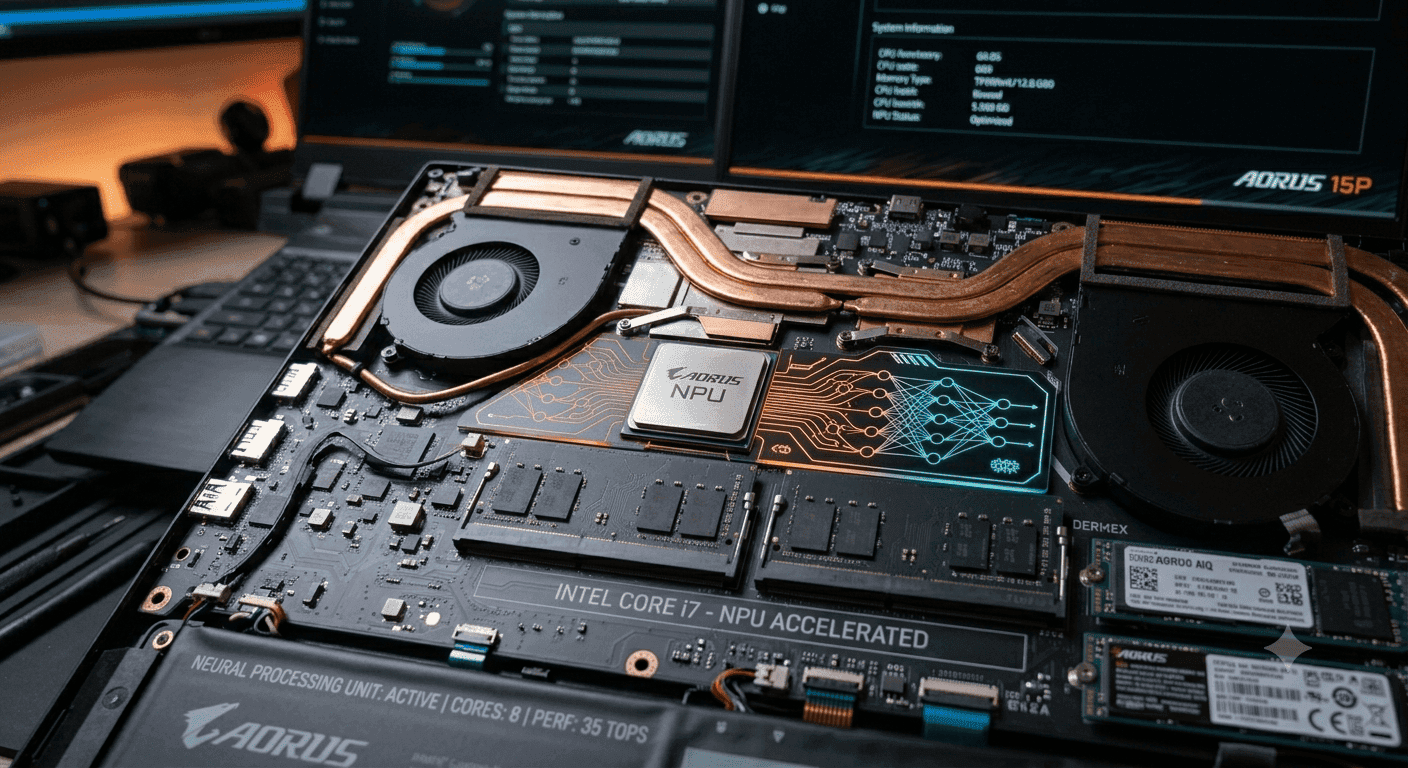
TL;DR AI NPUs explained simply: an NPU is a specialized chip for local AI work, and TOPS matters because it measures how much AI processing the hardware can handle per second.
How NPUs Work in Modern Devices?
A neural processing unit is a specialized microprocessor designed to mimic the processing function of the human brain, and that is the core idea behind AI NPUs, explained in plain English. It is built to accelerate AI tasks, not to replace the CPU or GPU. In real devices, that means faster transcription in Windows 11, smoother image processing in Photoshop, and less battery drain during on-device translation.
If you only remember one thing, remember this: an NPU is there to handle AI workloads efficiently while the rest of the system stays available for everything else. That matters because AI features are no longer stuck in the cloud. NPUs are built into AI PCs, AI laptops, and mobile devices so they can run AI workloads locally without leaning on remote servers.
You see the benefit most clearly in live captions, voice assistants, and background photo clean-up. For AI NPUs explained for dummies, the short version is simple: the NPU is the part of the chip that takes the repetitive AI math off the CPU's plate.
NPU Architecture and Core Strengths
At the circuit layer, NPUs simulate the behaviour of human neurons and synapses. That design makes them strong at parallel computing, matrix math, and low-latency data processing. They are optimized for artificial intelligence, deep learning, and machine learning tasks, which is why they perform so well on neural networks and multimedia data.
An NPU can be standalone or part of a CPU or GPU package. In consumer devices from Apple, Qualcomm, and Intel, it usually sits inside the same chip complex as the main processor. That arrangement helps the device scale AI capabilities without forcing every task through the central processors that already handle the operating system, app logic, and multitasking.
The NPU is designed to accelerate the processing and training of neural networks, and that specialization gives it an edge over general-purpose silicon in AI workloads. It uses low-precision arithmetic to reduce computational complexity, which improves energy efficiency without destroying usefulness for inference. That is why an NPU can perform well on speech transcription in Microsoft Teams, image recognition in Google Photos, and live translation in Chrome.
The architecture also matters for software behaviour. When an app like Adobe Lightroom or CapCut pushes AI filters, the NPU can handle the repetitive operations while the CPU and GPU stay free for other jobs. That separation is useful on laptops, where heat, fan noise, and battery life become obvious very quickly.
NPUs excel at AI tasks that repeat the same kind of math over and over. They are especially good at image recognition, speech transcription, statistical predictions, and natural language processing. That is a very different job from general computing, and it is why the unit NPU is treated as a dedicated processing unit rather than a general-purpose replacement.
For a video call in Zoom, the NPU can help with background blur and noise suppression. For a transcript in Microsoft Word or OneNote, it can keep the text flowing without hammering the CPU. For image processing in Lightroom, it can speed up masking and enhancement tools that would otherwise chew through battery life.
Where You See NPUs Today?
NPUs are increasingly being built into laptops across different platforms, including Apple's M1 and M2 MacBooks. They are also integrated into smartphones and other mobile devices, where local AI work matters even more because battery capacity is tighter. In that sense, the neural engine on Apple hardware and the NPU blocks in Intel and Qualcomm chips serve the same basic purpose.
This spread across data centers, laptops, and phones shows how quickly specialized hardware has moved from niche to normal. In data centers, AI accelerators often do the heavy lifting for large models. In consumer hardware, the NPU handles smaller, fast-response jobs that need to run right on the device.
Why TOPS Matters for NPU Performance?
NPUs can perform trillions of operations per second, or TOPS, and that number gives you a rough sense of AI throughput. A high TOPS figure is useful, but it does not guarantee the best experience. System integration and software optimization still decide whether the chip actually performs well in daily use.
That is why a laptop with a strong NPU can still feel mediocre if the operating system and applications do not use it properly. HP's Core Ultra 200V-based OmniBook X Flip, for example, delivers up to 47 TOPS of NPU performance, which is the kind of headroom that helps with on-device AI features.
Why TOPS Is Only Part of the Story?
TOPS is a useful shorthand, not a verdict. That is why hardware context matters, not just a headline figure. That is especially true for features like live captions, smart photo clean-up, and assistant responses that need low latency more than brute force.
In other words, the chip's capabilities matter, but the software decides how much of that capability you actually see.
Battery Life and Latency
That is a real advantage on portable devices, where every watt matters. NPUs also outperform GPUs on energy efficiency and latency for ML workloads. That makes them better for always-on tasks like speech transcription in Notion, noise reduction in Zoom, or a voice assistant waiting for a wake word.
The device feels quicker because the AI work happens closer to the user and with less overhead.
Where the CPU and GPU Still Matter?
The CPU still handles central processing, app scheduling, and system control. NPUs are not designed to replace traditional CPUs and GPUs; they complement them for specific tasks. That division is why the best laptops and phones use all three well.
The NPU handles AI inference, the GPU takes care of graphics-heavy work, and the CPU keeps the operating system responsive. When those roles are balanced, the whole device scales better under pressure.
CPU, GPU, and NPU Compared
The NPU is the processing unit tuned for neural workloads, image recognition, and speech-related tasks. In practice, neural processing units are built to handle AI and machine learning work efficiently, especially when the task is small, repetitive, or always on.
| Feature | NPU | CPU | GPU |
|---|---|---|---|
| Main role | AI and machine learning tasks | General-purpose computing | Graphics and broad parallel compute |
| Energy use | Efficient for local AI workloads | Moderate, depending on load | Higher under sustained AI load |
| Latency | Low for AI inference | Higher for AI-specific work | Often higher than NPU for small AI jobs |
| Best fit | Transcription, translation, inference | System control, multitasking | Rendering, visual work, larger models |
| Battery impact | Better for portable devices | Depends on workload | Usually heavier drain |
| CPU offload | Frees the CPU for other tasks | N/A | May still compete for resources |
What does this mean in Daily Use?
The practical benefit is not abstract performance; it is less friction in real software. In Microsoft Teams, the NPU helps with live captions and noise suppression. In Adobe Lightroom, it can speed up object selection and masking. In Google Meet, it can keep background effects smooth without dragging down the rest of the system.
It also helps with data processing tasks that are too small for a GPU and too repetitive for a CPU. That is where AI accelerators shine. They are designed to accelerate a narrow set of operations very efficiently, which is exactly what many consumer AI features need.
Common Mistakes Buyers Make
One mistake is assuming that more system RAM fixes every bottleneck. It does not. 32GB system RAM does not help if your GPU only has 6GB of VRAM, and the same logic applies to AI hardware, because the right accelerator matters more than raw memory alone.
Another mistake is treating the NPU as a replacement for the CPU or GPU. It is not. It is a specialist that improves efficiency on specific workloads, especially when the software stack knows to use it. If you expect one chip to do everything, you will end up disappointed.
What NPUs Enable on Devices
NPUs are built into AI PCs, AI laptops, and mobile devices so they can run AI workloads locally without relying on cloud servers. That is useful when you are on a train, in a weak network area, or simply do not want every task sent off-device. Local processing also makes the experience feel more immediate.
Those are the kinds of tasks that benefit from a specialized accelerator because they need quick responses and repeat a lot of the same math, including matrix multiplication. They also scale well as software gets smarter. Common AI features that use NPUs often involve small, repeated jobs that quietly eat battery and slow down a machine if they are forced onto the wrong processor.
Common AI Features That Use NPUs
- Real-time translation in Chrome or Microsoft Edge runs more smoothly because the AI work stays local.
- Photo editing in Lightroom or Google Photos gets quicker when the device can offload object selection and clean-up.
- Speech transcription in Teams, Zoom, or Notion feels more reliable when the system is not fighting for CPU time. An NPU keeps those jobs contained.
Why Local AI Matters?
Local AI matters because it reduces dependence on cloud servers and cuts latency. That does not make every workflow private by default, but it does reduce the amount of data that needs to leave the computer. In practical terms, that is a better fit for many consumer devices and enterprise laptops.
Where the NPU Fits in AI Systems?
NPUs are used in image recognition, natural language processing, autonomous systems, predictive analytics, and edge computing. In laptops, that usually means small, frequent AI operations. In data centers, the same idea scales up into a larger AI infrastructure that feeds many users at once.
That is why the NPU is part of a broader hardware stack rather than a standalone gimmick. It belongs in systems that need to scale AI features without turning every task into a battery drain. The better the integration, the more useful the hardware becomes.
What Buyers Should Watch Before Choosing an AI Device?
India scores 2.45 out of 4 on the NASSCOM AI Adoption Index, and 87% of enterprises are actively using AI solutions. That tells you AI is already embedded in real business operations, not sitting in a lab. As a result, laptops and phones with built-in NPUs are becoming more relevant for office work, support teams, and content workflows.
Apple, Qualcomm, and Intel have all pushed NPUs into consumer devices, and that has normalized the idea of on-device AI. What used to be a niche feature is now part of the default conversation around new hardware. For buyers, the question is no longer whether a device has an NPU, but whether it is actually tuned to perform useful work.
What to Look for in a Device?
- Check whether the operating systems and apps you use already support the NPU, because hardware without software support is wasted silicon.
- Look at the balance between CPU, GPU, and NPU, since AI features are only one part of the whole machine.
- Pay attention to thermal design and battery size, because sustained AI use can expose weak cooling fast.
- Compare real workloads like Teams transcription, Lightroom edits, and Co-Pilot responses instead of chasing a single TOPS number. That is the practical way to scale your expectations.
The Role of Software Optimization
That is why the operating system matters so much. Windows 11, macOS, and Android all expose AI features differently, and each platform decides how much of the NPU's capabilities are actually used. When the stack is aligned, the device can accelerate AI tasks with less waste. When it is not, the NPU sits underused.
What Not to Overrate?
Do not assume a high TOPS number automatically means the best experience. Do not assume every AI feature runs on the NPU just because the marketing says AI. The smarter view is simple.
Use the NPU for local AI work, the CPU for central processing, and the GPU for graphics processing. That split gives you better efficiency and fewer bottlenecks across the full system. The Core Ultra 200V series in HP OmniBook X Flip laptops delivers up to 47 TOPS of NPU performance.
Who Should Buy an AI Device and Why
Choose a device with a strong NPU if you use local AI features every day, especially transcription, translation, photo editing, or voice tools. In that case, the chip matters because it supports the tasks you rely on most. A device with 47 TOPS, like the HP Core Ultra 200V-based OmniBook X Flip, can offer strong headroom for those workloads.
Choose a CPU-focused system if your workload is mostly office apps, browser tabs, and general multitasking. Skip an NPU as a buying priority if you never use AI features and only want a basic computer for email and documents. Also skip a high-TOPS spec if the operating system and applications you use do not support the chip well.
Skip a GPU-heavy system for light AI work if battery life matters more than raw visual power. The most important takeaway is that an NPU is a specialist, not a replacement for the CPU or GPU. A well-integrated device will usually feel better than one with a flashy spec sheet.
Frequently Asked Questions
Q. What is an NPU in simple terms?
A neural processing unit is a specialized microprocessor built for AI and machine learning tasks. It helps devices run local AI features efficiently, especially when the work involves repeated math. That is why it fits tasks like transcription, translation, and photo clean-up better than general-purpose processing.
Q. Why does TOPS matter for NPUs?
TOPS measures how many operations the NPU can perform per second. Higher TOPS can indicate stronger AI throughput, and the article notes that HP's Core Ultra 200V-based OmniBook X Flip reaches up to 47 TOPS. Even so, software optimization and system integration still decide how well the device performs in real use.
Q. Do NPUs replace CPUs or GPUs?
No, NPUs do not replace CPUs or GPUs. The CPU still handles central processing and multitasking, while the GPU handles graphics processing and heavier visual workloads. The NPU simply takes on AI inference and other repetitive local AI jobs.
Q. What are the most useful NPU features on laptops?
NPUs are most useful for transcription in Teams or Zoom, translation in Chrome, photo editing in Lightroom, and voice features in Windows 11. Those are the kinds of tasks that benefit from low-latency local processing. They also help keep the CPU free for other work.
Q. Are NPUs only useful in laptops?
No, NPUs are also built into smartphones and other mobile devices. They are especially useful there because local AI features can run without constant cloud access and with less battery drain. The same basic idea also shows up in Apple hardware, Qualcomm chips, and Intel systems.
Q. What should I check before buying an AI laptop?
Check the NPU's TOPS rating, the CPU and GPU balance, and whether your operating system and apps support the AI features you want. The article also points to real workloads like Teams transcription, Lightroom edits, and Copilot responses as better tests than a spec sheet alone. A well-integrated device will usually feel better than one with a flashy number.
Is an NPU Worth Prioritizing for Your Next Device?
An NPU is worth prioritizing if you use local AI features often, because it can handle transcription, translation, photo editing, and voice tools with less battery drain. The article's key example is the HP Core Ultra 200V-based OmniBook X Flip, which delivers up to 47 TOPS and gives you strong headroom for those tasks. That kind of performance matters most when the software stack actually supports the hardware.
If your daily work is mostly office apps, browser tabs, and general multitasking, the CPU still deserves more attention than the NPU. If you care more about graphics-heavy work, the GPU still matters more than AI throughput. The best choice depends on whether your real workload uses local AI or just sounds like it might.
The clearest next step is to match the chip to the software you already use. Check whether Windows 11, macOS, or Android exposes the AI features you want, then compare CPU, GPU, and NPU balance instead of chasing one number. If the device fits your workflow, the NPU becomes a practical advantage rather than a marketing label.






