
Kindle vs Kobo: Which E-Reader Should You Buy?
Kindle and Kobo both offer excellent E Ink reading experiences, but they suit different readers. Kindle is stronger for Amazon’s ecosystem, while Kobo offers broader format support, library borrowing, and more flexible reading features.

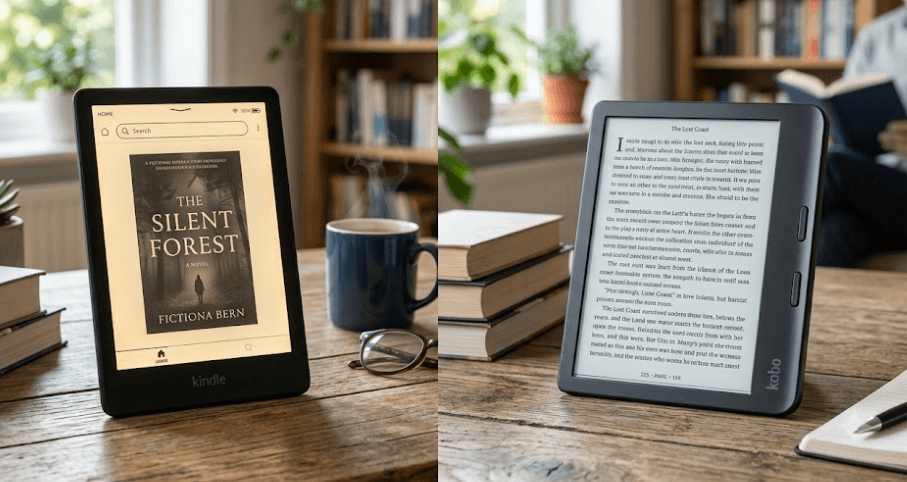
TL;DR Kindle and Kobo are both excellent choices if you want a distraction-free reading device, but they take different approaches to the e-reader experience. Kindle is the better fit for readers already invested in Amazon’s ecosystem and those who want a straightforward device with access to Amazon’s large Kindle Store. Kobo is more appealing if you regularly use EPUB files, borrow library books through supported services, or want features such as page-turn buttons and colour E Ink on models like the Kobo Libra Colour. The Kindle Paperwhite 12th generation remains a strong all-round Kindle with a 7-inch glare-free display, IPX8 waterproofing, and up to 12 weeks of claimed battery life, while Kobo offers models such as the 6-inch Clara BW, 6-inch Clara Colour, and 7-inch Libra Colour.
Kindle Vs Kobo: What Is The Difference?
The biggest difference between Kindle and Kobo is not the basic reading experience. Both use E Ink displays designed to make digital text look closer to printed paper, both offer adjustable front lighting on current models, and both can hold thousands of books. The real difference appears when you look at the ecosystem surrounding the hardware. Kindle is closely tied to Amazon, so it makes the most sense for readers who already buy books from Amazon or want their library connected to the broader Kindle ecosystem. Amazon says Kindle gives users access to millions of titles and lets them read their purchased content across supported devices and apps.
Kobo takes a slightly more open approach to reading. Its current e-reader line-up includes the Clara BW, Clara Colour, and Libra Colour, and Kobo emphasizes support for a wide range of eBook formats. Kobo also integrates OverDrive for borrowing library books on supported models and offers Pocket integration for saved web articles. That makes Kobo particularly interesting for readers who do not want their e-reader experience to revolve entirely around one bookstore. The Kobo Libra Colour also adds page-turn buttons, stylus compatibility, and colour E Ink, giving it a broader feature set than a basic reading device.
This difference becomes more important when you start building a large digital library. If most of your books already come from Amazon, moving to Kobo can mean changing how you purchase and manage content. On the other hand, readers who already have EPUB files or regularly borrow digital books may find Kobo more convenient. Kindle is not completely closed to EPUB either. Amazon's Send to Kindle service accepts EPUB files and transfers them into a Kindle library, so the practical difference is that Kobo supports EPUB as part of its native reading ecosystem, while Amazon processes EPUB through Send to Kindle.
Kindle And Kobo At A Glance
| Feature | Kindle | Kobo |
|---|---|---|
| Main ecosystem | Amazon Kindle Store | Kobo Store |
| EPUB support | Yes through Send to Kindle | Native support |
| Color E Ink | Available with Kindle Colorsoft | Available with Clara Colour and Libra Colour |
| Library borrowing | Depends on local services and availability | OverDrive on supported models |
| Page-turn buttons | Available on selected models | Available on Libra Colour |
| Stylus support | Selected Kindle models | Libra Colour and larger supported models |
| Waterproof models | Available | Available across several current models |
Display And Reading Experience
For most people, the display matters more than the processor inside an e-reader because reading is the main thing the device is designed to do. The current Kindle Paperwhite uses a 7-inch glare-free display, while Kobo offers both smaller 6-inch models and the larger 7-inch Libra Colour. Kobo's Clara BW uses an E Ink Carta 1300 HD display at 1448 x 1072 resolution, while the Libra Colour uses a 7-inch E Ink Kaleido 3 colour display with 1264 x 1680 resolution. These differences give buyers more choice based on whether they prefer compact portability, a larger reading area, or colour content.
The choice becomes more interesting if you read comics, graphic novels, textbooks, or books with diagrams. A standard black-and-white E Ink display remains excellent for novels because text is crisp and easy to read, but colour E Ink can make covers, illustrations, highlights, and graphic content more useful. Kobo's Clara Colour and Libra Colour use E Ink Kaleido 3, which displays colour when the original page contains color. Importantly, the screen does not turn ordinary black-and-white pages into artificial colour, so buyers should not expect every book to suddenly look like a tablet display.
Kindle and Kobo also approach nighttime reading in similar ways, using front lighting rather than a conventional smartphone-style backlit display. The Kobo Clara range includes ComfortLight PRO, which can adjust the colour temperature and brightness, while the Kindle Paperwhite provides an adjustable warm light. This makes both brands suitable for reading before bed, although the exact lighting controls depend on the model. If your priority is simply long-form reading, a black-and-white model such as Kindle Paperwhite or Kobo Clara BW is still likely to offer the cleanest and most focused experience.
Which Display Should You Choose?
| Reader Type | Better Fit |
| Mostly novels | Kindle Paperwhite or Kobo Clara BW |
| Color comics and illustrations | Kobo Libra Colour or Clara Colour |
| Larger reading area | Kobo Libra Colour or Kindle Paperwhite |
| Compact reading | Kobo Clara BW or Clara Colour |
| Night reading | Both, depending on lighting controls |
Formats And Book Libraries
File compatibility is one of the most important differences between Kindle and Kobo, especially if you already own eBooks from different sources. Kobo supports common formats such as EPUB and PDF directly, which gives users more flexibility when managing their own files. Kobo also allows readers to add their own eBooks and documents, while its current devices support a range of eBook formats. This flexibility is one of the strongest reasons to choose Kobo if your digital library is spread across multiple sources rather than being centered on one bookstore.
Kindle is more tightly connected to Amazon's content ecosystem, but it is not as restrictive as it was once perceived to be. Amazon's current Send to Kindle service supports EPUB alongside PDF, DOC, DOCX, TXT, RTF, HTML, and several image formats. That means you can send an EPUB file to your Kindle without manually converting it first. The important distinction is that Amazon handles the transfer and conversion process through Send to Kindle, whereas Kobo's ecosystem is designed around direct support for EPUB and other formats.
Library borrowing is another area where Kobo can have an advantage, although the experience depends heavily on the reader's country and the library service available to them. Kobo supports OverDrive on compatible models, allowing supported users to borrow eBooks from participating libraries directly through the e-reader. This is a meaningful feature for people who borrow frequently instead of buying every book they read. Kindle also supports library lending in some markets, but availability and functionality vary by country, so Indian buyers should check their specific library and service compatibility rather than assuming a feature available in the United States works identically in India.
Kindle Or Kobo For Your Existing Library?
| If You Mainly Use | Better Choice |
| Amazon Kindle Store | Kindle |
| EPUB files | Kobo |
| Send to Kindle documents | Kindle |
| Multiple eBook sources | Kobo |
| Supported library borrowing | Kobo |
| Amazon reading ecosystem | Kindle |
Features And Hardware Compared
The hardware differences become clearer when you compare specific models. The Kindle Paperwhite 12th generation is a strong example of Amazon's traditional approach. It has a 7-inch display, USB-C charging, IPX8 waterproofing, and up to 12 weeks of claimed battery life under Amazon's stated test conditions. The device is also designed around a simple reading-first experience, so there are fewer distractions than you would typically find on a tablet.
Kobo offers a broader spread of hardware features across its line-up. The Clara BW and Clara Colour are compact 6-inch options with 16GB of storage, while the Libra Colour moves to a 7-inch colour display and 32GB of storage. The Libra Colour also has physical page-turn buttons, can be used in landscape orientation, and supports the Kobo Stylus 2 for compatible note-taking and annotation features. These features make the Libra Colour more versatile for readers who want more than basic page turning.
Battery life should also be considered realistically. E-readers generally last much longer than phones or tablets because E Ink uses very little power while displaying a static page, but manufacturers measure battery life under specific conditions. Kobo, for example, states that Clara Colour and Clara BW can last for weeks and provides test conditions for its battery estimates. Amazon similarly gives a maximum battery estimate for the Paperwhite. Your actual result will change depending on brightness, Wi-Fi, Bluetooth, audiobook use, and how frequently you turn pages.
Hardware Comparison
| Feature | Kindle Paperwhite | Kobo Clara BW | Kobo Clara Colour | Kobo Libra Colour |
| Display | 7-inch E Ink | 6-inch E Ink Carta 1300 | 6-inch E Ink Kaleido 3 | 7-inch E Ink Kaleido 3 |
| Color | No | No | Yes | Yes |
| Storage | 16GB or 32GB, depending on version | 16GB | 16GB | 32GB |
| Waterproof | IPX8 | Yes | Yes | IPX8 |
| Page-turn buttons | No | No | No | Yes |
| Stylus support | Model dependent | No | No | Yes |
| Audiobooks | Supported models | Supported | Supported | Supported |
Kindle Vs Kobo For Indian Buyers
For Indian buyers, the decision should be based less on which brand is globally more popular and more on how you plan to obtain and manage your books. Both brands have a presence in the Indian e-reading market, but Kobo has an India-specific online store and an e-reader lineup page showing models such as the Clara BW, Clara Colour, Libra Colour, Sage, and Elipsa 2E. Kobo also officially launched its e-readers in India through Flipkart and other online marketplaces, so the brand is not simply an overseas-only alternative.
The content ecosystem matters even more. If you regularly purchase books from Amazon, Kindle gives you a familiar buying and syncing experience. If you have EPUB files from legitimate sources, use supported library services, or want a device that is more comfortable with different reading formats, Kobo can make more sense. This is particularly useful for students and professionals who may receive legitimate EPUB or PDF reading material from different sources and want to keep everything on one dedicated device. Kobo's current models also offer features such as Google Drive and Dropbox integration on the Libra Colour, which can be useful for moving supported documents between devices.
Price should be checked at the time of purchase rather than treated as a permanent advantage for either brand. E-reader prices can change with sales, stock, import costs, and model availability, particularly in India. It is also worth checking the exact model before buying because features such as waterproofing, storage, colour displays, stylus compatibility, and page-turn buttons vary significantly even within the same brand. A cheaper device is not necessarily better value if it lacks the feature you actually wanted.
Kindle Vs Kobo: Which One Should You Buy?
Kindle is the better choice for readers who want a simple, mature ecosystem centered around Amazon. The Paperwhite is particularly easy to recommend because its 7-inch glare-free display, waterproof design, long claimed battery life, and straightforward reading experience cover the needs of most traditional eBook readers. If your existing library is already tied to Amazon and you do not need extensive customization or physical page-turn buttons, Kindle keeps the experience uncomplicated.
Kobo is the stronger alternative for readers who value flexibility. The ability to work with EPUB and other formats, borrow books through supported OverDrive libraries, and choose between black-and-white and colour models gives Kobo a broader appeal. The Libra Colour is especially interesting because it combines a 7-inch colour E Ink screen, 32GB storage, page-turn buttons, waterproofing, and stylus compatibility. For readers who want to annotate books, read comics, or manage content from different sources, those features can make a meaningful difference.
There is therefore no single winner for every reader. Kindle wins when Amazon's ecosystem and simplicity are the priority, while Kobo wins when format flexibility, library borrowing, colour options, and hardware versatility matter more. For a first-time buyer who mainly reads novels and already purchases books from Amazon, Kindle Paperwhite is the safer recommendation. For someone who wants more control over their digital library or wants colour and annotation features, Kobo deserves a closer look.
Frequently Asked Questions
Q. Is Kindle better than Kobo?
Neither is universally better. Kindle is stronger for readers invested in Amazon's ecosystem, while Kobo is better suited to readers who value broader format support, library borrowing, and hardware flexibility.
Q. Is Kobo better for EPUB files?
Yes. Kobo supports EPUB natively, making it particularly convenient if you already have a collection of EPUB books. Kindle also accepts EPUB files through Amazon's Send to Kindle service.
Q. Can Kindle read EPUB books?
Yes. Amazon's Send to Kindle service supports EPUB files, allowing compatible EPUB documents to be sent to a Kindle library.
Q. Can Kobo read Kindle books?
Generally, you should not assume that books purchased from the Kindle Store can simply be transferred to Kobo. Amazon's Kindle content ecosystem uses its own distribution and protection systems, so buying a book from Amazon does not automatically make it compatible with a Kobo e-reader.
Q. Which is better for library books, Kindle or Kobo?
Kobo has an advantage in markets where supported libraries use OverDrive because compatible Kobo models can integrate library borrowing directly. Availability depends on the country and participating library.
Q. Does Kobo have colour e-readers?
Yes. Kobo currently offers the Clara Colour and Libra Colour with E Ink Kaleido 3 colour displays. The Libra Colour also supports the Kobo Stylus 2.
Q. Which Kobo e-reader is best for most readers?
The Kobo Clara BW is a strong choice for readers who mainly want black-and-white books in a compact 6-inch design, while the Libra Colour is better if you want colour, physical page-turn buttons, a larger screen, and stylus support.
Q. Which Kindle is best for regular reading?
The Kindle Paperwhite 12th generation is a strong all-round option because it combines a 7-inch glare-free display, waterproofing, USB-C, and long claimed battery life.
Q. Can Kobo e-readers play audiobooks?
Selected Kobo models, including the Clara BW, Clara Colour, and Libra Colour, support Kobo Audiobooks through Bluetooth.
Q. Should I buy Kindle or Kobo in 2026?
Choose Kindle if you mainly buy books through Amazon and want a straightforward reading ecosystem. Choose Kobo if EPUB support, library borrowing, colour displays, page-turn buttons, or broader file flexibility are more important to you.
Final Recommendation
For most readers, the Kindle Paperwhite is the safer all-round recommendation if your priority is reading books purchased through Amazon, getting a large glare-free screen, and keeping the experience simple. Its 7-inch display and IPX8 waterproofing make it particularly well suited to everyday reading, travel, and long sessions.
However, Kobo is the better choice for readers who want flexibility rather than just simplicity. The Clara BW is a sensible pick for traditional black-and-white reading, while the Libra Colour is the more feature-rich option for people who want color, physical page-turn buttons, annotation, and 32GB storage. Kobo's support for EPUB and OverDrive can also make it more appealing if your reading habits extend beyond one bookstore.
If you already have a large Kindle library, stay with Kindle. If you are starting fresh and want more freedom over where your books and documents come from, Kobo is worth serious consideration. The best e-reader is ultimately the one that fits your existing library and reading habits, because the screen matters, but the ecosystem is what you will live with every time you download your next book.






