
HP ZBook Firefly Z11 Performance In 2026: CAD, 3D, Rendering, And AI Workloads
HP ZBook Firefly Z11 delivers reliable CAD, modeling, and AI performance in 2026 with strong CPU efficiency and workstation stability.

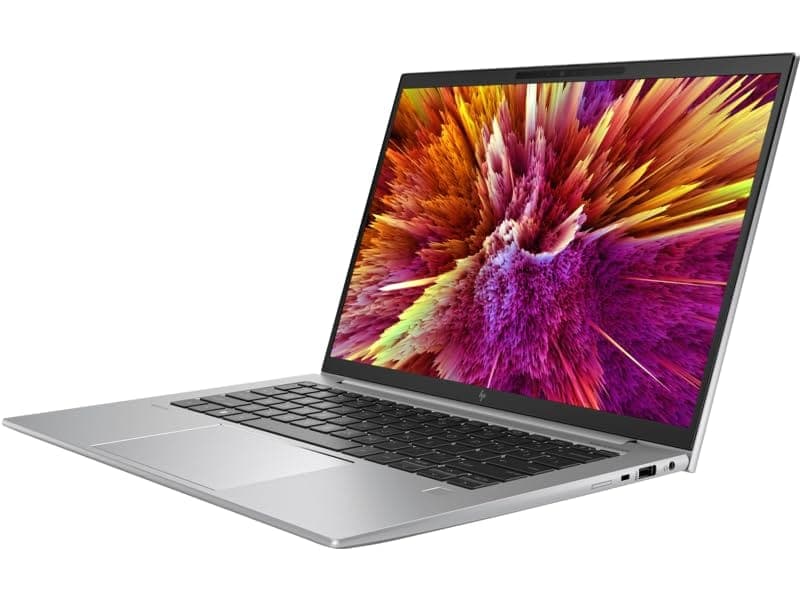
TL;DR In 2026, the HP ZBook Firefly Z11 stands out as a balanced professional mobile workstation for users who need sustained productivity in CPU-heavy and light GPU workflows without the bulk of larger workstation chassis. Available with both HP ZBook Firefly Z11 AMD Ryzen configurations and Intel variants, the system delivers competent performance in 2D and moderate 3D CAD, light rendering previews, programming, and analytical workloads. Its hybrid architectures, whether AMD Ryzen PRO or Intel Core Ultra, provide strong single-thread performance and reasonable multi-thread scaling, which are crucial for professional design environments and productivity tools. While the Firefly Z11 is not designed for full-blown high-end GPU rendering or training large AI models locally, it is well-suited for AI inference, lightweight machine learning tasks, and hybrid cloud+local workflows. In the Indian refurbished market, Refurbished HP ZBook Firefly Z11 units are attractive because they deliver close-to-modern workstation capabilities at a fraction of the price of new hardware, especially in mid-range and higher RAM/storage configurations. Across this article, we examine how the Z11 performs in CAD, 3D modeling and rendering, AI workloads with discrete GPU context, thermal behavior, comparisons with similar thin workstation rivals, and strategic workflow recommendations for 2026 buyers.
HP ZBook Firefly Z11 Workstation Overview in 2026
The HP ZBook Firefly Z11 Workstation Laptop is a 14-inch professional system positioned between ultra-light business notebooks and heavier mobile workstations. In 2026, it remains relevant because its design philosophy prioritizes enterprise-grade stability, long-term reliability, and balanced performance across a broad spectrum of professional tasks. The Firefly Z11 embodies HP’s intent to provide professionals architects, engineers, business analysts, creators, and developers with a tool that handles everyday design and productivity demands without the heat and weight penalties of bulkier machines.
One of the key differentiators of the Firefly Z11 is the availability of AMD Ryzen PRO processor configurations alongside Intel options. AMD Ryzen PRO processors bring strong multi-core performance and integrated Radeon PRO graphics into the mainstream workstation segment, offering competitive real-world performance in both CPU-bound and light GPU-assisted tasks. This is particularly useful when running applications such as AutoCAD, Fusion 360, or professional analysis tools where parallel workloads and efficient single-thread responsiveness are both important.
The Z11 also incorporates modern connectivity and storage options, including PCIe Gen4 NVMe SSDs and high-bandwidth DDR5 memory, which significantly improve project loading times, multitasking responsiveness, and file handling for large worksets. Combined with a lightweight yet durable chassis and enterprise-oriented security and management features, the Firefly Z11 is built for professional environments where reliability matters as much as raw performance.
For Indian professionals seeking workstation capability with a strong value proposition, refurbished Firefly Z11 units represent a highly attractive option. You can browse current refurbished inventory.
This article will examine the Firefly Z11’s real-world performance across CAD, 3D modeling and rendering, AI workloads, thermal behavior, comparisons with similar thin workstations, and provide a decision framework to help you choose the right configuration for your needs in 2026.
CAD Performance
In 2026, the HP ZBook Firefly Z11 delivers strong and practical performance for computer-aided design (CAD) workflows, balancing real-world responsiveness with enterprise-grade stability. CAD applications such as AutoCAD, SolidWorks, and Fusion 360 are widely used in engineering, architecture, product design, and manufacturing environments where longevity and predictable behavior matter as much as outright speed. The Firefly Z11’s hybrid hardware strategy, whether configured with HP ZBook Firefly Z11 AMD Ryzen PRO processors or Intel Core Ultra units plays a key role here. Both CPU families provide a balance between single-thread performance and multi-thread scaling, which is important because many core CAD operations still rely on high per-core performance for tasks like sketching, constraint solving, and model regeneration.
In detailed 2D CAD drafting scenarios, the Firefly Z11 excels. The responsive nature of its CPU and its fast PCIe Gen4 NVMe SSD mean that loading and navigating large drafting files, switching between views, and editing multi-layer drawings feel fluid. For professionals working on large floor plans, mechanical schematics, or iterative design iterations, this translates into a workflow that feels consistently responsive. The availability of higher RAM configurations typically 32 GB and above in many workstation builds is another important enabler. This memory helps the system maintain multiple large files in active memory without resorting to slower virtual memory paging, which can disrupt productivity in professional settings.
When moving into 3D CAD use, such as assembly modeling or surface manipulation, the Firefly Z11 continues to perform well within its class. Integrated graphics, whether AMD Radeon PRO or Intel Iris Xe / Arc in respective configurations, provide smooth viewport interaction for small to mid-sized assemblies. These integrated solutions are often complemented by professional drivers tuned for stability in engineering applications, reducing visualization glitches and improving reliability. For more complex assemblies or shaded visual modes, discrete GPU options such as entry-level professional cards found in some refurb units further improve viewport fluidity and reduce redraw latency.
Another advantage of the Firefly Z11 platform is its certified driver stack. Independent Software Vendor (ISV) certification, a staple for the ZBook family ensures that the hardware and drivers have been validated with major CAD applications. This reduces the frequency of graphical artifacts, software crashes, or unexpected behavior that often plague unvalidated consumer hardware. In enterprise environments, this translates to fewer interruptions during critical modeling sessions.
Overall, the Firefly Z11’s CAD performance remains balanced, predictable, and productive. It may not outpace high-end GPU-centric workstations in extreme assembly loads, but for the vast majority of professional CAD tasks in 2026 especially those encountered in engineering offices, architectural studios, and design consultancies it offers a reliable and efficient platform that aligns with real-world workflows.
3D Modeling & Rendering Performance
In 2026, the HP ZBook Firefly Z11 continues to demonstrate reliable performance for most professional 3D modeling tasks, though its capabilities vary substantially based on the specific configuration and workload type. The Firefly Z11 platform supports both HP ZBook Firefly Z11 AMD Ryzen processors with integrated Radeon PRO graphics and Intel variants with Iris Xe or Intel Arc graphics. While integrated graphics excel at viewport interactivity for moderate model complexity, discrete GPU support when present in select refurbished units elevates performance for more demanding visualization tasks.
For typical 3D modeling in software such as Blender, Autodesk Maya, and Fusion 360, the Firefly Z11 provides smooth response in shaded or wireframe mode when working with small to mid-sized models. Users manipulating mesh topology, adjusting surface details, or working with assemblies find the system’s viewport responsiveness adequate for day-to-day design iterations. AMD’s integrated Radeon PRO variants deliver competent driver support for OpenGL and DirectX workloads, while Intel’s integrated solutions benefit from broader work-friendly driver tuning for professional applications. Both integrated options handle navigation, selection, and simple shading views with minimal slowdowns.
Rendering performance is where the differences between integrated and discrete graphics become more pronounced. CPU-based render engines such as Blender’s CPU path, Arnold CPU, or Mental Ray execute reliably on the Firefly Z11’s hybrid processors, though render times for large scenes remain on the slower side compared with workstations equipped with high-end GPUs. When available, configurations with discrete workstation GPUs such as the NVIDIA T500 found in some refurbished inventory deliver noticeable improvements in both viewport fluidity and supported GPUaccelerated rendering algorithms. The T500’s professional drivers and dedicated video memory allow it to handle larger texture sets and moderate GPU render loads more efficiently than integrated graphics.
A key limitation for the Firefly Z11 in rendering contexts is its thermal and power budget inherent in a thin mobile form factor. Sustained high-wattage GPU rendering increases thermal output, leading to moderated clock speeds and longer render durations compared with bulkier workstation laptops that can support higher power envelopes. For this reason, professionals working on large animations, high sample count ray traced scenes, or production class render pipelines often offload these tasks to more powerful dedicated workstations or cloud rendering services.
Overall, the Firefly Z11 strikes a practical balance: it provides responsive modeling performance for everyday 3D design work and moderate render previews, but it is not positioned as a high-end rendering powerhouse. For most designers, product engineers, and content creators whose workflows involve frequent model iteration and moderate visualization tasks, the Firefly Z11 delivers dependable performance without unnecessary thermal noise or excessive power draw. Its performance envelope aligns well with the expectations of portable department-class workstations in 2026.
AI Workloads In 2026
In 2026, artificial intelligence workloads will become more diversified, spanning CPU-centric inference, light GPU acceleration, edge-optimized deployment, and hybrid cloud training scenarios. The HP ZBook Firefly Z11 fits into this professional AI ecosystem as a development-ready platform rather than a deep learning training powerhouse. Its hybrid hardware, whether configured with HP ZBook Firefly Z11 AMD Ryzen or Intel Core Ultra processors, offers significant improvements over older mobile workstations in compute efficiency, instruction-set optimization, and memory bandwidth, all of which influence AI workload behavior.
At the core of the Firefly Z11’s AI performance is its ability to handle CPU-based inference and preprocessing workflows efficiently. Many enterprise and productivity AI tasks such as regression models, classification inference, lightweight natural language processing, feature extraction, and small neural network evaluation rely more heavily on CPU performance than on GPU throughput. Modern libraries like ONNX Runtime, TensorFlow Lite, and optimized versions of scikit-learn exploit vectorized instruction sets such as AVX-512 (where supported) and benefit from multi-core parallelism. In practical use, this means the Z11 can run analytical automation scripts, pattern detection models, and moderate inference pipelines locally without needing a cloud instance, reducing latency and maintaining data privacy.
When workloads demand GPU acceleration, the overall experience depends on configuration. Integrated graphics solutions in both AMD and Intel builds are capable of basic OpenCL and GPU-assisted operations but lack robust support for the CUDA ecosystem essential to many deep learning frameworks. This is where select discrete GPU configurations most commonly the NVIDIA T500 in refurbished workstation models provide tangible benefits. The T500’s professional drivers and CUDA compatibility allow it to accelerate tensor operations, small convolutional networks, and real-time visual inference tasks more effectively than integrated graphics. This improvement is most noticeable in workflows where moderate GPU offloading is beneficial, such as batched image classification or accelerated texture generation.
However, for large-scale model training, transformer networks, generative models, or high-resolution vision tasks, the Firefly Z11 reaches its architectural limits. These workloads require high-compute GPUs with large VRAM footprints such as NVIDIA RTX A3000 or higher or distributed cloud GPU clusters, which remain outside the platform’s design focus.
A defining trend in 2026 is the shift toward hybrid AI workflows. Data scientists increasingly train base models on cluster or cloud GPUs while performing iterative inference testing, model evaluation, and lightweight retraining locally. Quantization, edge-optimized runtimes, and neural engine accelerators built into modern CPUs further reduce dependency on dedicated GPUs for day-to-day AI tasks. In this context, the Firefly Z11 remains a practical development and inference workstation, providing performance that aligns with hybrid pipeline demands while keeping power consumption and thermals manageable in a thin chassis.
Overall, the Z11 excels for CPU-driven inference, light GPU acceleration, and hybrid AI development, making it a relevant machine for professionals balancing local productivity and cloud-assisted training in 2026.
Thermal & Sustained Load Behavior
The HP ZBook Firefly Z11 Workstation Laptop is engineered with a focus on sustained professional performance rather than short bursts of peak speed. In professional environments, users rarely care about single benchmark spikes they care about predictable throughput over hours of drafting, coding, modeling, and data processing. This priority is reflected clearly in the thermal design of the Firefly Z11, which contrasts markedly with consumer ultrabooks that throttle aggressively as temperatures rise. Instead of sacrificing long-term stability for momentary benchmark wins, HP’s thermal solution in the Z11 is tuned to support consistent performance throughout extended sessions.
The Z11’s cooling system typically includes multiple heat pipes, dual fans with variable speed control, and well-engineered airflow channels that keep key components CPU, memory, and discrete GPU when present within safe operating limits. When running sustained CPU-intensive tasks such as multithreaded data analytics, mass Excel pivot recalculations, or large CAD rebuilds, the system’s thermal headroom allows processors to maintain a stable power draw for longer periods. Because these professional workloads often run for hours rather than minutes, this sustained performance behavior directly translates into better user experience and fewer interruptions during critical project sessions.
This sustained design philosophy extends to GPU behavior as well. When equipped with professional discrete options such as the NVIDIA T500, the chassis manages both CPU and GPU heat without allowing either component to dominate the thermal budget. In prolonged viewport rendering or GPU-assisted tasks, clock speeds in both CPU and GPU cores may gradually adjust as temperatures rise, but they do so in a controlled manner that prevents sudden drops in performance or abrupt throttling patterns. Commodity laptops, in contrast, typically reduce clock speeds dramatically once temperature thresholds are reached, which leads to noticeable lag in multi-hour workloads.
Surface thermals of the Firefly Z11 are also designed for comfort during extended use. The keyboard deck and palm rest area remain within comfortable touch temperatures even under stress, which is important for professionals who spend long days drafting documentation, debugging code, or reviewing large design files. Fan noise under load is audible but falls within a professional range that won’t dominate a conference room or open office setting; the sound profile is more like a steady hum than the aggressive fan spikes typical of gaming laptops.
Battery life under mixed professional workloads, which include CPU and light GPU tasks, generally ranges between 5–7 hours before needing a recharge. While not class-leading, this endurance is aligned with professional usage patterns, where users often can plug in during heavy tasks but still require good mobility for meetings, travel, or client presentations.
Overall, the HP ZBook Firefly Z11’s thermal and sustained load behavior promotes consistency, keeping performance predictable across hours of professional usage rather than chasing short lived bursts of peak performance. For engineering, CAD, analytics, and development workflows in 2026, this is a better design philosophy than chasing unsustainable peak benchmarks.
Performance Comparison With Similar Thin Workstations
In 2026, the HP ZBook Firefly Z11 occupies a particular niche in the thin mobile workstation segment, positioned for professionals seeking balanced CPU performance, portability, and enterprise-grade reliability. It competes most directly with other lightweight workstations that emphasize consistent performance over raw GPU horsepower. Among its primary rivals are the Dell Precision 5470, the Lenovo ThinkPad P1 Gen 6, and various configurations of the HP ZBook Firefly G11 and G9 when sourced as refurbished units. Each of these machines targets engineering, architecture, analytics, and creative professionals who require certified performance in design and productivity applications rather than peak gaming or rendering throughput.
The Firefly Z11’s real-world performance holds up well in CPU-bound professional tasks, owing to its hybrid CPU design and fast DDR5 memory. When handling 2D drafting, complex spreadsheets, or scripting and software development tasks, the system generally matches or slightly exceeds the responsiveness of its peers in the same power class. Its sustained performance characteristics where clock speeds remain stable over long project sessions give it a practical advantage over consumer alternatives that throttle faster under prolonged stress. However, when workloads shift into heavier GPU-assisted domains such as real-time rendering previews or GPU-based simulations, machines equipped with higher-end GPU options can pull ahead.
On the discrete GPU front, it’s important to stress that the Firefly Z11’s thin form factor limits its ability to support high-wattage GPUs. Rivals like the Precision 5470 or ThinkPad P1 Gen 6 particularly in refurbished configurations that include stronger workstation GPUs can offer smoother viewport performance and superior handling of itemized shader loads in creative applications. Battery life comparisons under mixed workloads also favor the Firefly Z11 slightly, thanks to efficient power management and balanced thermal design.
Thin Mobile Workstation Comparison Table (Refurbished Focus)
| Feature / Metric | Firefly Z11 | Precision 5470 Refurbished | ThinkPad P1 Gen 6 Refurbished | ZBook Firefly G11 Refurbished |
|---|---|---|---|---|
| CPU Architecture | Intel Core Ultra / AMD Ryzen PRO | Intel 12th/13th Gen Core | Intel 12th/13th Gen Core | Intel Core Ultra |
| Memory Support | Up to 64 GB DDR5 | Up to 64 GB DDR5 | Up to 64 GB DDR5 | Up to 64 GB DDR5 |
| Typical GPU Option | Integrated Graphics / NVIDIA T500 | Integrated / Mid-tier GPU options | Integrated / RTX A1000 | Integrated / NVIDIA T500 |
| Best For | Balanced professional workloads | Professional workloads with moderate GPU needs | Professional workloads with stronger GPU capability | Balanced professional workloads with modern architecture |
| Refurbished Option Link | Refurbo ZBook Firefly Z11 | Refurbo Dell Precision 5470 | Refurbo ThinkPad P1 Gen 6 | Refurbo ZBook Firefly G11 |
This comparison demonstrates that while the Firefly Z11 excels at balanced professional workloads, alternatives with stronger discrete GPUs especially when sourced refurbished can outperform in GPU-heavy tasks. However, for engineering, drafting, analytics, and productivity tasks where portability and stable CPU performance matter most, the Z11 remains a compelling option.
Use Case Recommendation
In 2026, the HP ZBook Firefly Z11 is best positioned where professional workflows lean toward CPU-heavy productivity, moderate 3D modeling, and hybrid AI workflows rather than raw GPU rendering. Its hybrid architectures available both as HP ZBook Firefly Z11 AMD Ryzen PRO and Intel Core Ultra variants make it capable for sustained professional tasks without the weight or power draw of heavier mobile workstations. Rather than pushing new retail pricing, most professionals benefit significantly by choosing refurbished workstation configurations that offer more RAM, larger SSDs, and sometimes discrete GPUs at a fraction of the cost.
For 2D CAD and drafting, the Firefly Z11 outperforms many thin consumer laptops due to better driver support, enterprise firmware, and higher available memory. Financial modeling and analytics excel on this platform thanks to strong single-thread and multi-thread CPU performance. Programming environments especially IDEs with large codebases, multiple threads, and build processes benefit from the balance between performance and thermals. In light 3D modeling scenarios, integrated graphics handle wireframe and shaded views for small projects, while configurations with the NVIDIA T500 option found in refurbished units further enhance viewport fluidity.
GPU-intensive tasks like large scene rendering and real-time simulations are less optimal on the Firefly Z11 alone. In those cases, cloud rendering, external GPUs, or higher-GPU refurbished workstation options such as Precision or ThinkPad P1 variants may serve better. AI inference and machine learning workflows remain viable, especially when leveraging optimized runtimes or when preliminary model testing is done locally before cloud-scale training.
Below is a concise, refurbished-oriented use case table that aligns professional expectations with realistic workstation capability and value:
This table helps guide professionals to the right configuration based on workload, emphasizing that refurbished ZBook Firefly Z11 models often offer better real-world value than equivalent new retail systems, especially when performance and reliability matter.
HP ZBook Firefly Z11 Recommendation
The HP ZBook Firefly Z11 is best recommended for professionals whose daily workloads prioritize sustained CPU performance, enterprise stability, and balanced mobility over extreme GPU rendering power. If your primary tasks involve CAD drafting, financial analytics, software development, documentation-heavy workflows, consulting deliverables, or hybrid AI inference, the Firefly Z11 delivers consistent, predictable performance without the thermal volatility seen in consumer ultrabooks. Its workstation-grade firmware validation, ISV driver certification ecosystem, and higher memory scalability separate it clearly from mainstream laptops in the same price bracket. In a professional environment, stability and reliability across multi-hour sessions matter more than short benchmark bursts and this is precisely where the Firefly Z11 excels.
From a value perspective, choosing a refurbished configuration significantly strengthens the overall proposition. Instead of allocating budget toward new retail cosmetic premiums, professionals can prioritize 32 GB or 64 GB RAM configurations, larger NVMe SSDs, and even discrete GPU variants like the NVIDIA T500 where required. This approach transforms the Firefly Z11 from a lightweight productivity workstation into a more capable hybrid machine suitable for moderate 3D modeling, simulation previews, and AI inference experimentation. For businesses scaling teams or independent consultants optimizing capital expenditure, refurbished workstation models provide enterprise-grade durability and long lifecycle value without sacrificing practical performance.
However, decision-making must remain workload-driven. If your workflow depends heavily on large-scale GPU rendering, advanced real-time visualization, heavy AI model training, or complex simulation pipelines, then stepping up to higher-GPU mobile workstations such as the Dell Precision 5470 or the Lenovo ThinkPad P1 Gen 6 particularly in RTX-class configurations would be the more appropriate investment. In short, the Firefly Z11 is not a rendering monster; it is a refined, sustained-performance professional tool. For most engineers, analysts, developers, and consultants in 2026 who require mobility plus workstation reliability, it represents a strategically balanced and economically sound decision.
Frequently Asked Questions (FAQs)
Q. Is the HP ZBook Firefly Z11 good for CAD work in 2026?
A. Yes, the Firefly Z11 performs excellently in 2D CAD and handles moderate 3D assemblies smoothly, especially with higher RAM configurations.
Q. Can the Firefly Z11 handle 3D modeling and rendering workloads?
A. It handles light to moderate 3D modeling well, but heavy GPU rendering requires RTX-class workstation GPUs for optimal performance.
Q. Is the Firefly Z11 suitable for AI and machine learning workloads?
A. It works well for AI inference, preprocessing, and small model testing, but heavy neural network training requires stronger GPUs or cloud systems.
Q. Does the Firefly Z11 support professional software like AutoCAD, SolidWorks, and MATLAB?
A. Yes, it supports professional engineering and analytics software reliably due to ISV certifications and workstation-class driver optimization.
Q. Is integrated graphics enough for professional workloads?
A. Integrated graphics are sufficient for CAD drafting, analytics, and light modeling, but discrete GPUs improve viewport and rendering performance.
Q. How does the Firefly Z11 perform for programming and development?
A. It performs excellently for programming, handling IDEs, containers, compilation workloads, and large datasets without stability issues.
Q. Is refurbished HP ZBook Firefly Z11 worth buying in India?
A. Yes, refurbished models provide excellent value, offering workstation performance, enterprise durability, and lower cost compared to new units.
Q. Does the Firefly Z11 throttle under sustained workloads?
A. No, it is designed for sustained performance and maintains stable clock speeds during long professional workloads.
Q. How much RAM is recommended for professional workloads?
A. 32 GB RAM is recommended for engineering, CAD, and analytics workloads, while 64 GB is ideal for long-term professional use.
Q. Who should buy the HP ZBook Firefly Z11 in 2026?
A. Engineers, developers, analysts, consultants, and professionals needing reliable workstation performance in a lightweight portable form factor.
Ready to upgrade your tech?
Browse our collection of quality refurbished products at unbeatable prices.






