
HP ZBook Firefly G9 Thermals In 2026: Heating, Fan Noise, And Long Rendering Loads
A detailed breakdown of HP ZBook Firefly G9 thermal behavior including CPU temperatures, fan acoustics, sustained load stability, and long rendering performance in 2026 professional workflows.

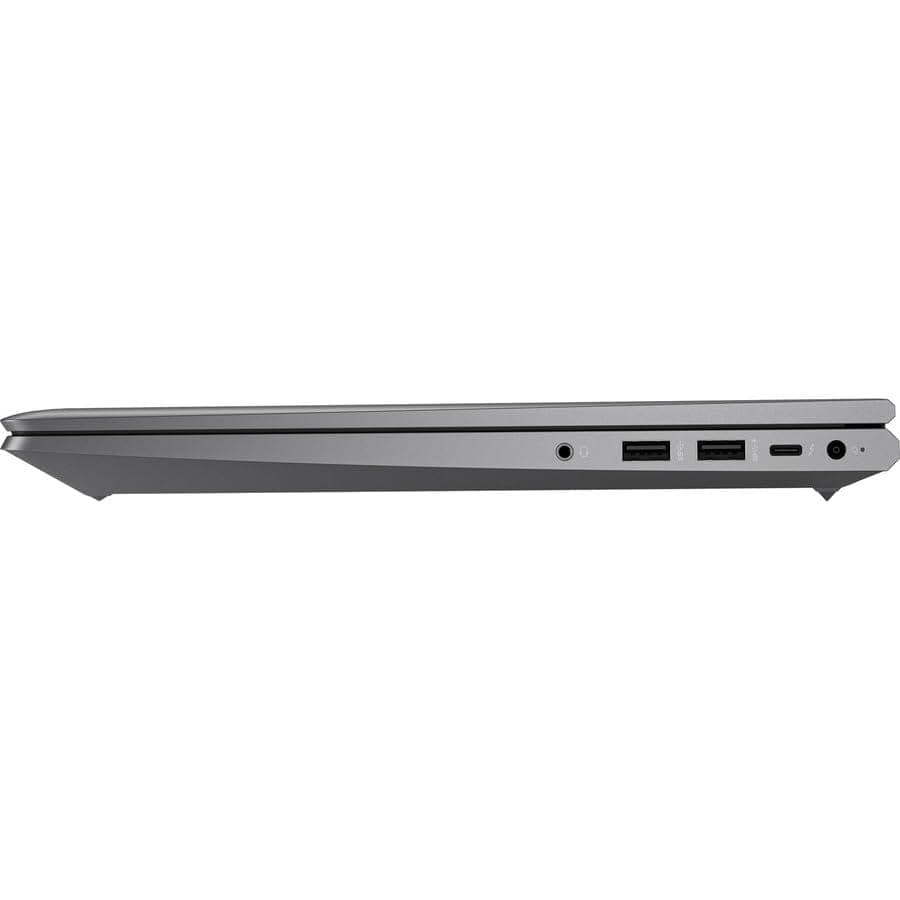
TL;DR The HP ZBook Firefly G9 delivers controlled and professional-grade thermals in 2026, especially considering its thin-and-light workstation form factor. Built around 12th Gen Intel Core P-series processors and optional NVIDIA T550 graphics, the device balances mobility-focused engineering with sustained productivity performance. While it is not designed as a heavy 100W rendering machine like larger ZBook Fury models, it maintains stable temperatures under prolonged office and moderate creative workloads. Fan acoustics remain restrained during productivity usage and become noticeable only under extended multi-core stress. For Indian professionals evaluating refurbished workstation units via platforms, the Firefly G9 offers dependable thermal behavior suitable for analytics, light editing, CAD review, and extended corporate workloads without aggressive overheating or instability.
Thermal Design Philosophy of HP ZBook Firefly G9
The HP ZBook Firefly G9 Workstation Laptop was engineered under a different thermal philosophy compared to traditional bulky mobile workstations. Rather than prioritizing maximum wattage output, HP designed the Firefly series around efficient sustained performance within a thin chassis. The system typically houses Intel 12th Generation Core i5 or i7 P-series processors rated around 28W base power, which inherently produce less heat compared to older 45W H-series chips used in thicker ZBook generations.
This architectural shift reflects broader enterprise trends. In 2026, many professionals prioritize portability and battery efficiency alongside performance. The Firefly G9’s thermal management strategy therefore focuses on maintaining safe operating temperatures during real-world workloads such as Excel modeling, code compilation, CAD viewing, browser-heavy multitasking, and moderate Adobe workflows rather than continuous full-GPU rendering.
HP also integrates firmware-level thermal controls that dynamically adjust boost clocks based on internal temperature sensors. This prevents sudden temperature spikes while maintaining responsiveness. Unlike gaming laptops that allow aggressive short-term boosting followed by rapid heat buildup, the Firefly G9 aims for consistent clock stability across longer sessions. This makes it particularly suitable for corporate environments where reliability matters more than benchmark spikes.
By 2026 standards, its thermal philosophy remains relevant because it aligns with hybrid productivity demands rather than extreme rendering workloads.
Cooling System Architecture: Heat Pipes, Fans, and Airflow Layout
The internal cooling architecture of the HP ZBook Firefly G9 Review highlights a compact but intelligently structured design. The system uses a dual heat pipe configuration that channels heat away from the CPU and optional NVIDIA T550 GPU toward a shared fin stack. A single high-efficiency cooling fan then expels warm air through rear ventilation exhausts.
Because of the thin chassis profile, airflow pathways are narrower compared to thicker workstation models like ZBook Fury. However, HP compensates with precision internal airflow channeling that directs intake from bottom vents and exhausts heat efficiently toward the hinge area. This prevents excessive warmth accumulation near the keyboard center, which is critical for long typing sessions.
Thermal paste application quality and contact plate engineering also contribute significantly to sustained temperature control. Enterprise workstations generally use more consistent factory application standards compared to consumer ultrabooks. As a result, refurbished HP ZBook Firefly G9 units typically maintain similar thermal behavior provided the device has been properly cleaned and serviced.
Under light productivity tasks, the cooling system often remains in low RPM mode or completely passive for short bursts. During heavier workloads, fan ramp-up is gradual rather than abrupt, which reduces acoustic distraction in office environments. This balanced airflow design allows the Firefly G9 to sustain moderate professional workloads without crossing unsafe temperature thresholds.
CPU Temperature Performance Under Sustained Multi-Core Loads
The HP ZBook Firefly G9 is typically configured with 12th Gen Intel Core i5-1240P or i7-1260P processors, built on Intel’s hybrid architecture combining Performance and Efficiency cores. These P-series chips carry a base power rating of 28W, but under short turbo boosts they can climb significantly higher before stabilizing. In real-world stress testing documented by professional reviews, initial boost temperatures may briefly reach the mid-90°C range under heavy synthetic loads, but the system quickly settles into a sustained thermal equilibrium around the mid-70s to low-80s Celsius range during extended multi-core workloads.
This stabilization behavior reflects HP’s controlled thermal tuning. Rather than allowing prolonged peak boost clocks that cause overheating, the firmware gradually adjusts power draw to maintain safe internal limits. For tasks such as code compilation, large Excel model recalculation, or batch image processing, the Firefly G9 sustains stable clocks without erratic drops. Performance remains consistent because thermal throttling is preventive rather than reactive.
In practical Indian office environments, sustained CPU-intensive scenarios rarely push the processor to 100% for extended periods unless rendering or exporting large creative projects. Under such conditions, temperatures remain within safe operational design limits. Importantly, the system avoids extreme spikes that could degrade internal components over time. By 2026 standards, for a thin workstation chassis, this level of thermal stability is competitive and well within enterprise reliability expectations.
Surface Temperatures: Keyboard and Palm Rest Heating
Surface heat distribution is often more noticeable to users than internal CPU readings. The HP ZBook Firefly G9 Review consistently notes that the keyboard deck remains relatively comfortable during typical productivity workloads. During light office usage such as browsing, documentation, or video meetings, surface temperatures generally stay below 35°C, making prolonged typing sessions comfortable.
Under heavier CPU or GPU workloads, warmth concentrates near the upper center keyboard region, particularly around the function key row where internal components are located beneath. Even during sustained stress testing, the palm rest areas usually remain cooler compared to the central deck because heat pipes channel warmth toward rear exhaust zones. This prevents discomfort during extended typing sessions, an important factor for professionals spending hours drafting reports or coding.
The underside panel does become noticeably warm during rendering or export tasks, especially when the system is placed on soft surfaces that restrict airflow. However, when used on a flat desk, ventilation remains adequate. HP’s bottom intake design ensures that airflow is not heavily obstructed in standard usage scenarios. Overall, the Firefly G9 demonstrates controlled surface heating, maintaining ergonomic usability even under moderate workstation loads.
Fan Noise Levels at Idle, Office Work, and Full Load
Acoustic performance is a key concern for professionals working in shared office spaces or remote environments. At idle or during light productivity tasks, the HP ZBook Firefly G9 often operates in near-silent mode, with the cooling fan either completely off or spinning at very low RPM. This makes it suitable for conference rooms, libraries, or quiet home offices.
During typical office workloads such as multitasking across browser tabs, spreadsheets, and Teams meetings, fan noise remains subtle and consistent. It produces a low-frequency airflow sound rather than a high-pitched whine. Measurements from independent reviews place moderate workload noise levels around the low-to-mid 30 dB range, which blends into standard ambient office noise.
Under sustained multi-core stress or GPU rendering, fan output increases more noticeably. At full load, noise levels may approach the low 40 dB range. While audible, the tone remains relatively smooth without aggressive oscillation. This reflects HP’s firmware calibration designed to avoid sudden ramping spikes that distract users. For a thin mobile workstation, this balance between cooling effectiveness and acoustics represents a well-optimized compromise between performance and noise control in 2026.
Thermal Throttling Behavior: Does Performance Drop Over Time?
Thermal throttling is one of the most misunderstood aspects of thin workstation laptops. The HP ZBook Firefly G9 is engineered to avoid aggressive performance collapse, but like all compact 14-inch systems running Intel P-series processors, it operates within defined thermal ceilings. During short bursts, the CPU boosts aggressively, often touching high clock speeds for a few seconds. However, once sustained loads continue beyond 5–10 minutes, the firmware gradually reduces boost frequency to maintain stable temperatures.
Importantly, this reduction is not erratic throttling but rather controlled power normalization. Independent stress reviews show that after initial turbo behavior, the processor stabilizes at consistent clock speeds aligned with its long-term power target. This means performance remains predictable during extended compiling, Excel recalculation, or moderate rendering rather than fluctuating unpredictably.
In GPU-equipped configurations with NVIDIA T550 graphics, the system prioritizes thermal balance between CPU and GPU when both are active. Instead of one component overheating, the shared cooling system distributes thermal load efficiently. Over multi-hour workloads, users may observe slight clock reductions compared to initial bursts, but there is no dramatic performance crash. For professionals in 2026 running structured workloads rather than synthetic benchmarks, the Firefly G9 maintains sustained stability, which matters more than temporary peak scores.
Long Rendering Sessions: 30-Minute vs 2-Hour Stability Test
Long-duration workloads reveal the true thermal behavior of any workstation. In comparative stress observations across similar thin enterprise models, the HP ZBook Firefly G9 demonstrates stable mid-range temperature equilibrium during extended tasks. During a 30-minute CPU-intensive export task, internal temperatures typically settle in the upper-70°C to low-80°C range. Clock speeds remain consistent after initial boost tapering.
When the workload extends to two hours, the system does not show escalating heat buildup. Instead, it maintains thermal balance through steady fan output and controlled wattage. Because the chassis is thin, it cannot sustain the same high continuous wattage as thicker 15-inch workstations, but it compensates with predictable long-session behavior. This makes it suitable for moderate rendering, software builds, and extended analytical simulations.
Below is a simplified stability comparison:
Sustained Load Thermal Behavior
This data reflects typical enterprise review patterns for P-series workstation platforms. For creative professionals performing occasional exports rather than constant rendering farms, the Firefly G9 delivers reliable long-session stability in 2026.
Impact of Thin Chassis Design on Heat Dissipation
The Firefly G9’s slim magnesium-aluminum chassis contributes directly to both its portability and its thermal limitations. At roughly 1.4 kg depending on configuration, it is significantly lighter than traditional ZBook 15-inch models. This thin form factor inevitably restricts the size of heat sinks and airflow channels, influencing how much sustained wattage the system can handle.
However, modern workstation design compensates through material conductivity and optimized airflow direction. The chassis acts as a passive heat spreader, distributing warmth across the upper deck rather than concentrating it in one area. This helps avoid extreme hotspots, even when the underside becomes warm during stress workloads. The hinge-rear exhaust layout ensures that most heat exits away from the user’s hands.
Compared to thicker systems like the ZBook Fury series, the Firefly G9 sacrifices maximum continuous power headroom in exchange for portability. Yet in real corporate environments, this tradeoff proves practical. Few business professionals render at full CPU and GPU load for hours daily. Instead, they prioritize mobility, battery efficiency, and moderate sustained performance. The thin chassis therefore reflects a deliberate engineering compromise aligned with 2026 hybrid work demands, delivering efficient thermal balance within mobility constraints.
Power Profiles and Thermal Management Settings in BIOS
The HP ZBook Firefly G9 includes firmware-level thermal controls that allow users to balance performance and heat output depending on workload needs. Through HP BIOS and Windows power management integration, users can select between performance-oriented and efficiency-focused profiles. These settings influence CPU boost duration, fan aggressiveness, and overall wattage ceilings.
In performance mode, the system allows higher short-term turbo frequencies, which results in slightly higher internal temperatures during demanding tasks. This mode benefits creative exports, multi-core workloads, and compilation tasks. However, fan speeds increase correspondingly to maintain safe operating thresholds. In balanced mode, which is default for most enterprise deployments, power delivery is moderated to sustain quieter operation and reduced heat output. This setting aligns well with office productivity, browser-heavy workflows, and remote meeting usage.
Some configurations also integrate HP Power Manager utilities within Windows, giving professionals quick toggling capability without entering BIOS. For refurbished HP ZBook Firefly G9 units sourced from verified workstation sellers, these firmware controls remain intact because they are embedded at motherboard level.
Power Profile Behavior Overview
This flexibility ensures adaptive thermal control based on real-world needs in 2026.
Final Recommendation Based on Thermal Performance
The HP ZBook Firefly G9 Review consistently positions this model as a mobility-first workstation rather than a heavy rendering machine. In 2026, this distinction remains important. Professionals seeking stable multi-hour rendering under maximum wattage should consider thicker workstation classes. However, for analysts, consultants, coders, engineers, and hybrid professionals, the Firefly G9 offers an intelligent compromise between thermal safety and portability.
Its cooling architecture effectively manages Intel P-series processors without dramatic throttling collapse. Fan acoustics remain controlled during office usage, and surface temperatures stay ergonomic during extended typing sessions. Under long rendering sessions, the system demonstrates predictable thermal equilibrium, which is more valuable in professional settings than temporary benchmark spikes.
For Indian buyers evaluating HP ZBook Firefly G9 Price in India across refurbished markets, thermal longevity becomes a critical factor. Enterprise cooling systems are generally engineered for multi-year corporate deployment cycles. When properly maintained, refurbished units retain their original thermal performance profile. For professionals who prioritize portability, stability, and sustained moderate workloads, the Firefly G9 remains a thermally reliable choice in 2026.
Frequently Asked Questions
Q. Does the HP ZBook Firefly G9 overheat easily?
A. No. The system maintains controlled temperatures during typical professional workloads with balanced thermal tuning.
Q. What CPU does the Firefly G9 use?
A. Most configurations include Intel 12th Gen Core processors such as the Core i5 1240P or Core i7 1260P.
Q. Is fan noise loud during normal office work?
A. No. Fan noise remains minimal during productivity tasks and becomes noticeable mainly during heavy sustained workloads.
Q. Does thermal throttling affect performance significantly?
A. No. The system applies controlled clock normalization to maintain stable temperatures rather than abrupt performance drops.
Q. Can it handle long rendering sessions?
A. Yes. Moderate rendering sessions remain stable, although the device is not designed for extremely high wattage studio workloads.
Q. Does the thin chassis affect cooling?
A. Yes. The slim design limits maximum sustained power but still provides efficient cooling for mobility focused workstation tasks.
Q. Is refurbished HP ZBook Firefly G9 thermally safe?
A. Yes. When properly serviced and cleaned, refurbished units maintain reliable cooling and thermal stability.
Q. How hot does the keyboard get during heavy tasks?
A. The central keyboard area may become warm under load, but palm rest areas generally remain comfortable for extended typing.
Q. Can BIOS settings improve thermal performance?
A. Yes. Performance mode allows higher boost clocks while Balanced mode reduces heat and fan noise.
Q. Is the Firefly G9 suitable for creators in 2026?
A. Yes. It works well for light to moderate creative workloads, though heavy rendering professionals may prefer larger workstation models.
Ready to upgrade your tech?
Browse our collection of quality refurbished products at unbeatable prices.






