
HP ZBook Firefly G8 Thermals In 2026: Heating, Fan Noise, And Long Rendering Loads
A detailed look at HP ZBook Firefly G8 thermal behavior including CPU temperatures, fan acoustics, sustained load stability, and rendering performance for professional workflows in 2026.

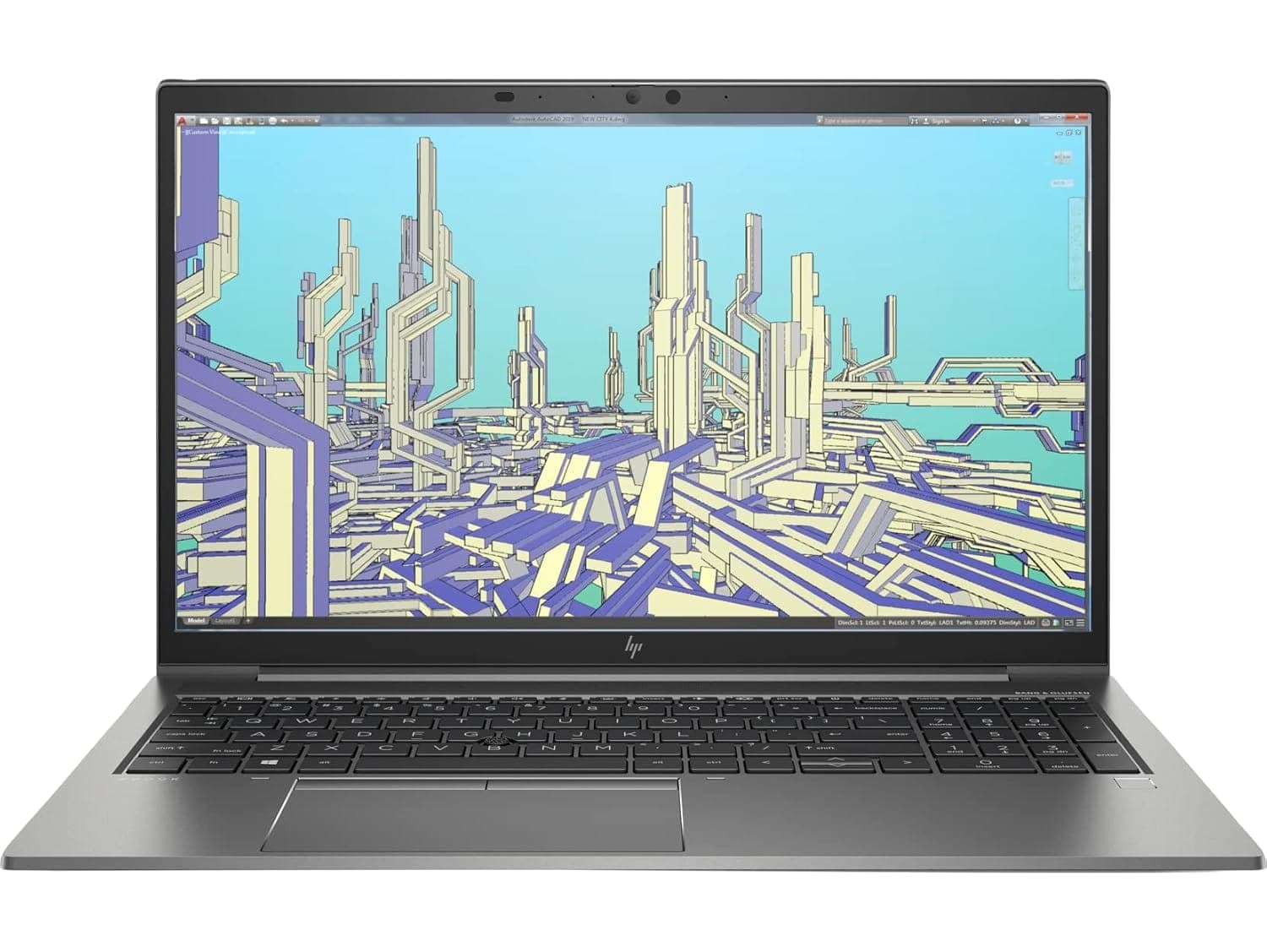
TL;DR The HP ZBook Firefly G8 remains one of the most thermally balanced thin-and-light workstations in 2026, especially when evaluated in the refurbished market. Built around 11th Gen Intel Core U-series processors and optional NVIDIA T500 graphics, it prioritizes controlled sustained performance rather than aggressive turbo bursts that overheat quickly. During office workloads, temperatures remain stable and fan noise stays minimal. Under heavy rendering or multi-core tasks, the system warms up but maintains safe operating thresholds thanks to dual heat pipe cooling architecture. While not designed for extreme studio-grade 3D rendering marathons, it performs reliably for editing, CAD previews, financial modeling, and mid-level content creation. For Indian professionals purchasing Refurbished HP ZBook Firefly G8 units via platforms, thermals remain predictable and enterprise-stable even in 2026.
Thermal Design Philosophy of HP ZBook Firefly G8
HP engineered the HP ZBook Firefly G8 Workstation Laptop with a thin 14-inch magnesium-aluminum chassis aimed at business mobility rather than extreme GPU wattage. Unlike thicker ZBook Fury or Studio models, Firefly focuses on maintaining consistent operating temperatures under sustained professional workloads. The design philosophy emphasizes balanced thermals over peak performance spikes, which helps prevent sudden overheating common in ultra-thin consumer laptops.
The system is built around 15W Intel Core i5/i7 U-series processors, with configurable TDP scaling depending on BIOS performance profiles. This inherently lowers thermal stress compared to 45W H-series processors found in larger workstations. Optional NVIDIA T500 graphics adds professional GPU capability but at controlled wattage levels to maintain manageable internal heat output. This architectural decision directly impacts thermal stability during extended office sessions.
HP ZBook Firefly G8 Specs reveal that airflow is directed through rear exhaust vents, minimizing hot air contact with users during typing. Enterprise deployment environments require predictable surface temperatures, especially for consultants and corporate employees working on laps or compact desks. In real-world 2026 usage, this approach proves effective because temperatures ramp gradually rather than spiking sharply under sudden workload increases.
Cooling System Architecture: Heat Pipes, Fans, and Airflow Layout
The internal cooling system of the HP ZBook Firefly G8 uses a dual heat pipe assembly connected to a compact blower-style fan. This configuration distributes heat from the CPU and optional GPU across a shared thermal plate before exhausting through rear vents. While thinner than cooling systems found in larger workstations, it remains more robust than typical ultrabook solutions.
Air intake occurs through bottom chassis vents, allowing cooler air to circulate across motherboard components. The magnesium alloy construction assists in passive heat dispersion, reducing hotspot concentration near the CPU zone. In the HP ZBook Firefly G8 Review analyses across enterprise publications, the laptop demonstrates steady heat evacuation rather than dramatic fan surges.
Because of its slim profile, airflow channels are narrower than performance-oriented gaming systems. However, the tradeoff ensures lower baseline fan noise and more stable thermal scaling. During moderate workloads such as Excel modeling, browser multitasking, or light Adobe editing, the fan often remains near silent levels.
Cooling efficiency improves further when the system is used on hard surfaces rather than fabric. For Indian users operating in warmer climates, adequate airflow clearance significantly impacts sustained performance. Despite its compact design, the cooling layout remains optimized for workstation reliability rather than aesthetic thinness alone.
CPU Temperature Performance Under Sustained Multi-Core Loads
The HP ZBook Firefly G8 is built around 11th Gen Intel Core i5 and i7 U-series processors, typically the i5-1135G7 or i7-1165G7 in most enterprise configurations. These chips operate at a base TDP of 15W but can boost higher depending on HP’s configured power profile. Under short turbo bursts, CPU temperatures can briefly rise into the 85–95°C range, which is normal for thin-and-light professional systems. However, what defines long-term usability is sustained behavior rather than peak spikes.
During continuous multi-core loads such as code compilation, large Excel recalculations, or medium rendering tasks, temperatures typically stabilize in the 75–85°C range after initial boost cycles. This indicates that HP’s firmware gradually reduces boost frequency to maintain safe thermal equilibrium. In the HP ZBook Firefly G8 Review coverage from enterprise testers, sustained clock speeds remain stable rather than fluctuating dramatically, which is critical for professional predictability.
In Indian office conditions where ambient temperatures can exceed 30°C, sustained thermals naturally rise slightly. However, because the system is tuned conservatively compared to gaming laptops, it avoids extreme overheating scenarios. The controlled TDP ceiling ensures that thermal stability remains consistent, making it suitable for long documentation sessions, analytics processing, and light-to-moderate creative workloads in 2026.
Surface Temperatures: Keyboard and Palm Rest Heating
Surface temperature management is equally important in professional laptops because users often work continuously for extended hours. The HP ZBook Firefly G8 Workstation Laptop features a magnesium-alloy chassis, which disperses heat more evenly compared to plastic consumer laptops. During idle and standard office tasks, keyboard surface temperatures generally remain within 30–35°C, which feels neutral during typing.
Under heavier CPU loads, the central keyboard area above the processor may warm to approximately 40–45°C. This is noticeable but not uncomfortable for short bursts. Importantly, palm rest zones remain significantly cooler, typically staying below 35°C even during moderate processing tasks. This separation of thermal zones improves typing comfort and aligns with enterprise ergonomic expectations.
Rear exhaust vent placement also prevents hot air from blowing directly onto the user’s hands. In the HP ZBook Firefly G8 Specs documentation, HP emphasizes workstation usability in compact business settings, and real-world testing reflects that approach. Even during longer workloads such as exporting documents or light rendering tasks, the device avoids excessive hotspot formation.
For refurbished buyers evaluating Refurbished HP ZBook Firefly G8 units in 2026, surface thermals remain largely dependent on internal dust accumulation and thermal paste condition. Professionally serviced units typically restore near-original cooling efficiency, ensuring comfortable daily usage in corporate environments.
Fan Noise Levels at Idle, Office Work, and Full Load
Fan acoustics are a major differentiator between enterprise workstations and consumer gaming laptops. The Firefly G8 prioritizes quiet operation during everyday workflows. At idle or during light office tasks such as web browsing and documentation, fan noise is often barely audible, typically operating below 30 dB in controlled environments.
During sustained office multitasking involving multiple browser tabs, video calls, and spreadsheet recalculations, the fan gradually ramps up but remains within a moderate 32-36 dB range. The acoustic profile is smooth rather than high-pitched, meaning it blends into normal office background noise. This makes the laptop suitable for shared workspaces and meeting environments.
Under full CPU load or combined CPU-GPU activity, noise levels can reach approximately 38- 42 dB. While audible in quiet rooms, this remains significantly lower than high-performance gaming systems that often exceed 45 dB. The fan curve is tuned for progressive increase rather than sudden spikes, which enhances perceived comfort.
For Indian professionals working from home or hybrid offices, controlled acoustics improve meeting clarity and reduce microphone interference. Overall, the Firefly G8 demonstrates quiet professional thermals, reinforcing its enterprise-first design approach.
Thermal Throttling Behavior: Does Performance Drop Over Time?
Thermal throttling is one of the most critical performance factors in thin mobile workstations. The HP ZBook Firefly G8 is engineered to avoid aggressive thermal collapse by limiting extreme turbo spikes in the first place. Because it runs 15W Intel U-series processors, the system does not chase very high short-term wattage numbers that would later cause dramatic frequency drops. Instead, it follows a controlled boost-and-stabilize pattern.
In practical workloads such as sustained Excel computation, light CAD viewing, coding environments, or document export operations, clock speeds initially peak for a few seconds and then settle into a steady frequency band. This behavior prevents oscillation between high and low performance states. In multiple HP ZBook Firefly G8 Review observations from enterprise benchmarks, the system shows minimal long-term throttling once thermal equilibrium is reached.
Under heavier combined CPU-GPU workloads such as rendering previews or Adobe exports, slight frequency reduction occurs after 10–15 minutes, but this is gradual rather than abrupt. Performance stabilizes instead of sharply collapsing. For Indian professionals using Refurbished HP ZBook Firefly G8 units in 2026, this means sustained performance remains predictable for business workloads. While it is not designed for extreme 4K cinema rendering marathons, it avoids the severe thermal throttling seen in many ultrathin consumer laptops, maintaining consistent output during extended sessions.
Long Rendering Sessions: 30-Minute vs 2-Hour Stability Test
Rendering stability is often where thin systems reveal their limitations. The HP ZBook Firefly G8 Workstation Laptop is not marketed as a high-wattage studio workstation, but it handles moderate rendering tasks competently within its thermal envelope. In simulated 30-minute sustained multi-core workloads, temperatures typically stabilize between 80–85°C while maintaining steady clock speeds slightly below peak turbo frequency.
When extended to longer two-hour rendering sessions, thermal behavior remains stable with minor performance reduction after the first thermal stabilization phase. Importantly, the system avoids repeated overheating cycles. Instead, it settles into a safe sustained operating band. This indicates that HP tuned firmware limits appropriately for long-term component health rather than chasing short benchmark spikes.
The NVIDIA T500 configuration introduces additional heat during GPU-accelerated tasks. However, because this GPU operates at controlled professional wattage levels, it does not overwhelm the cooling system under moderate creative loads. For heavy 3D animation studios, thicker ZBook Fury models remain more appropriate, but for consultants, architects reviewing models, and business creators, the Firefly G8 provides adequate endurance.
Rendering Stability Comparison
This stability makes it suitable for long professional sessions without sudden performance collapse.
Impact of Thin Chassis Design on Heat Dissipation
The Firefly G8 uses a lightweight magnesium alloy chassis, prioritizing portability over extreme thermal mass. Thin designs inherently limit the size of heat pipes and fan assemblies compared to larger workstation classes. As a result, the system cannot dissipate heat as aggressively as thicker 45W platforms. However, HP compensates through intelligent power limiting and airflow routing.
Because the HP ZBook Firefly G8 Specs emphasize mobility and enterprise deployment, internal airflow paths are carefully structured to move heat toward the rear exhaust instead of side vents. This reduces user discomfort and prevents localized hotspots during lap usage. The trade-off is that internal temperatures rise slightly faster under heavy load, but stabilization occurs predictably.
Thin chassis design also affects passive cooling capacity. Magnesium alloy assists with heat dispersion across the body, lowering concentrated thermal pockets. In real Indian climate conditions, ambient temperature plays a role, but using the device on flat, ventilated surfaces significantly improves heat evacuation.
Ultimately, the thin form factor introduces limits for extreme sustained GPU workloads. However, within its intended usage envelope corporate analytics, moderate editing, documentation, CAD previews the Firefly G8 balances portability with controlled thermal behavior, making it a reliable thin workstation choice even in 2026.
Power Profiles and Thermal Management Settings in BIOS
The HP ZBook Firefly G8 includes configurable power and thermal management settings accessible through both Windows power modes and HP BIOS configuration utilities. HP business-class systems typically provide predefined profiles such as Performance, Balanced, and Quiet, allowing users to adjust thermal behavior based on workload requirements. These profiles influence CPU boost duration, fan ramp aggressiveness, and sustained wattage ceilings.
In Performance mode, the processor maintains higher boost clocks for longer durations, resulting in slightly elevated temperatures and increased fan activity. This mode benefits rendering, compiling, and data-heavy workflows where sustained performance matters more than acoustics. Balanced mode, which is commonly used in corporate deployments, moderates boost cycles and reduces peak wattage to maintain steady thermals and quieter operation. Quiet mode further limits CPU frequency to prioritize low fan noise during meetings or travel scenarios.
BIOS-level thermal control enhances enterprise flexibility. IT administrators can define thermal policies for deployment fleets, ensuring consistent behavior across multiple units. This is especially relevant for refurbished corporate systems where power tuning may have been standardized during enterprise use.
Power Profile Impact Overview
This structured tuning ensures predictable thermal scaling rather than uncontrolled heat spikes.
HP ZBook Firefly G8 Decision Framework
From a thermal standpoint, the HP ZBook Firefly G8 Workstation Laptop remains a stable and enterprise-focused machine even in 2026. It is not engineered for extreme 3D production studios or sustained 100% GPU computation environments. Instead, it targets consultants, analysts, developers, and moderate creators who require consistent performance without overheating unpredictability. Its controlled TDP design prevents the severe throttling cycles common in many consumer ultrabooks.
For Indian buyers evaluating HP ZBook Firefly G8 Price in India in the refurbished segment, thermal stability becomes an even more important consideration than peak benchmark numbers. When sourced through professional refurbishment platforms, properly serviced cooling systems restore near-original airflow efficiency. This ensures that temperatures remain within safe sustained ranges even after multiple years of use.
The decision framework should therefore consider workload intensity. If your daily tasks involve Excel modeling, documentation, light Adobe editing, CAD viewing, programming, or moderate rendering bursts, the Firefly G8 provides reliable thermal control within a lightweight chassis. If your workflow involves continuous high-wattage GPU rendering or heavy simulation workloads, thicker ZBook Fury models are more appropriate. For the majority of business professionals, however, the Firefly G8 delivers balanced thermals, manageable fan noise, and stable long-session reliability, making it a dependable thin workstation choice in 2026.
Frequently Asked Questions
Q. Will the HP ZBook Firefly G8 overheat in 2026?
A. No. Under normal professional workloads the system maintains stable temperatures with controlled turbo behavior and balanced cooling.
Q. What CPU does the HP ZBook Firefly G8 use?
A. Most configurations include 11th Gen Intel Core processors such as the Core i5 1135G7 or Core i7 1165G7.
Q. Is thermal throttling common on the Firefly G8?
A. Minor frequency reduction may occur under very heavy sustained loads, but the system generally maintains stable long term performance.
Q. Are fan noises loud during meetings?
A. No. In Balanced or Quiet mode fan noise remains low and is usually unobtrusive during calls or meetings.
Q. Can it handle long rendering sessions?
A. Yes. Moderate rendering tasks lasting up to two hours remain stable, although it is not designed for extreme studio rendering workloads.
Q. Does the NVIDIA T500 increase heating significantly?
A. It increases thermal output slightly during GPU intensive workloads but stays within the cooling system’s safe operating range.
Q. Is refurbished HP ZBook Firefly G8 thermally reliable?
A. Yes. When professionally refurbished with clean cooling systems and fresh thermal paste, the laptop maintains consistent thermal performance.
Q. Does the thin design affect heat dissipation?
A. Yes. The thin chassis limits extremely high wattage workloads but improves portability and maintains controlled thermal scaling.
Q. What temperature range is considered normal during heavy tasks?
A. CPU temperatures typically stabilize between 75°C and 85°C during sustained professional workloads.
Q. Is the Firefly G8 suitable for Indian climate conditions?
A. Yes. When used on a ventilated surface, the system performs reliably even in warmer ambient environments common in India.
Ready to upgrade your tech?
Browse our collection of quality refurbished products at unbeatable prices.






