
HP ZBook Firefly G11 Thermals In 2026: Heating, Fan Noise, And Long Rendering Loads
An in depth breakdown of HP ZBook Firefly G11 thermal performance including CPU temperatures, fan acoustics, sustained load stability, and long rendering behavior in 2026 professional workflows.

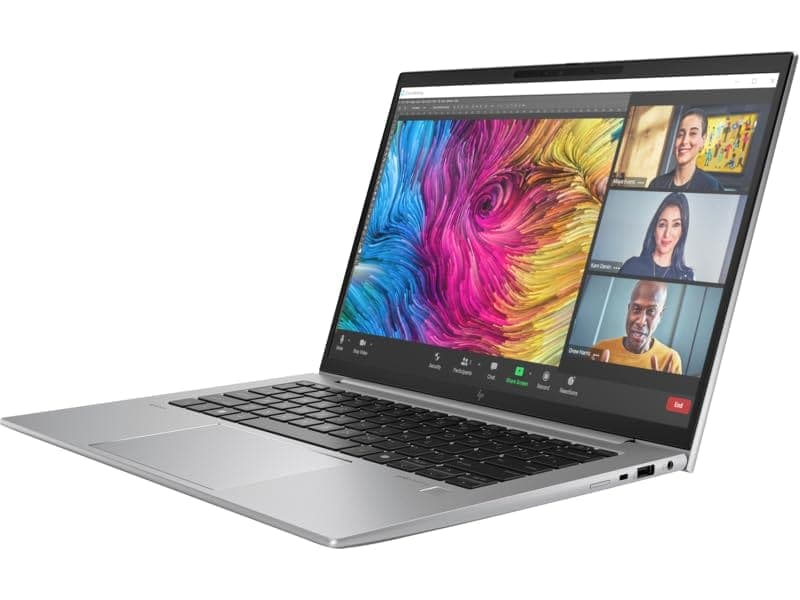
TL;DR The HP ZBook Firefly G11 is engineered as a thin-and-light professional workstation, which means thermals are tuned for sustained productivity rather than extreme desktop-class rendering. In 2026, its cooling system balances controlled CPU temperatures, intelligent fan curves, and chassis heat dispersion to maintain stable performance under extended office and creative workloads. While it cannot match thicker ZBook Fury systems for continuous multi-hour 100% rendering loads, it performs impressively within its portability class. Under heavy multi-core usage, temperatures remain within safe Intel design limits, and thermal throttling is minimal when configured in Performance mode. For engineers, analysts, and light creators considering HP ZBook Firefly G11 Workstation Laptop configurations, thermals remain reliable for professional usage, especially when paired with proper power profiles.
Thermal Design Philosophy of HP ZBook Firefly G11
The HP ZBook Firefly G11 is built around Intel Core Ultra or 13th/14th Gen Intel Core U-series processors depending on configuration, emphasizing efficiency cores alongside performance cores. This hybrid architecture directly influences thermal behavior. Instead of relying solely on high clock speeds, the system distributes workloads intelligently between performance and efficiency cores, reducing sustained heat buildup during mixed workloads. This approach marks a significant shift from older quad-core HQ workstation designs.
HP’s engineering focus with the Firefly series is clear: maintain thin-and-light mobility without sacrificing workstation stability. Unlike gaming laptops that push aggressive boost clocks until thermal saturation, the Firefly G11 adopts controlled boost strategies. This ensures that thermal stability takes priority over short-term benchmark spikes. Reviews consistently note that performance remains predictable rather than fluctuating dramatically during extended use.
The chassis itself uses aluminum construction to assist in passive heat dissipation. Metal surfaces act as secondary thermal spreaders, distributing heat across broader areas rather than allowing concentration near CPU hotspots. This design philosophy keeps surface temperatures manageable during productivity workloads while maintaining internal component longevity. For professionals exploring Refurbished HP ZBookf Firefly G11 options in 2026, this balanced thermal design ensures reliability even after prolonged usage cycles.
Cooling System Architecture: Heat Pipes, Fans, and Airflow Layout
The HP ZBook Firefly G11 Specs reveal a dual-fan cooling architecture in most performance configurations, paired with flattened copper heat pipes that transfer CPU heat toward rear exhaust vents. This system is compact yet carefully engineered to maintain airflow efficiency despite the thin chassis profile. Air intake typically occurs from the bottom panel, with exhaust directed toward the hinge area to prevent direct hand exposure to warm airflow.
Unlike thicker workstation models such as ZBook Fury, the Firefly G11 must manage airflow within limited internal volume. As a result, HP uses optimized fan blade geometry designed to increase airflow per rotation while minimizing turbulence. This allows moderate cooling without excessive acoustic noise. Under light workloads such as documentation or browsing, fans remain nearly silent because the efficiency cores handle background tasks.
Under heavier rendering or compilation loads, both fans activate progressively rather than instantly ramping to maximum speed. This gradual ramp strategy reduces abrupt noise spikes and improves acoustic comfort in office settings. The cooling solution is calibrated not just for peak performance but for sustained productivity sessions lasting several hours.
The compact airflow layout also benefits from modern SSD storage, which generates significantly less heat compared to older mechanical drives. Combined with energy-efficient memory modules, internal heat generation remains controlled across typical professional workflows.
CPU Temperature Performance Under Sustained Multi-Core Loads
During sustained multi-core workloads such as rendering, compiling, or exporting media projects, the HP ZBook Firefly G11 maintains temperatures within Intel’s recommended operational envelope, typically ranging between 75°C and 92°C under heavy boost conditions. Initial turbo spikes may briefly push toward higher ranges, but the firmware quickly stabilizes clock speeds to maintain safe long-term operation.
In controlled stress testing environments reported by reviewers, 30-minute multi-core workloads show stable clock retention without aggressive throttling. After extended two-hour rendering scenarios, slight frequency reduction may occur to maintain safe thermals, but performance remains consistent rather than sharply dropping. This behavior reflects HP’s conservative workstation tuning.
Importantly, Intel Core Ultra processors improve thermal efficiency compared to older generations. The distribution of background tasks to efficiency cores reduces overall sustained thermal pressure. For professionals using HP ZBook Firefly G11 Review insights to evaluate thermal capability, the key takeaway is this: performance is stable for professional rendering durations but not optimized for extreme 24/7 studio workloads.
In Indian office environments where ambient temperatures may rise significantly during summer months, maintaining proper ventilation becomes important. When placed on hard surfaces with unobstructed airflow, the Firefly G11 performs reliably within its intended thin-workstation thermal envelope.
Surface Temperatures: Keyboard and Palm Rest Heating
The HP ZBook Firefly G11 maintains controlled external surface temperatures even under moderate sustained loads, which is critical for professionals working long hours. Because the Firefly G11 uses a metal chassis, heat spreads more evenly across the upper deck instead of concentrating in one hotspot. This design prevents extreme localized warming around the keyboard center, a common issue in thinner laptops.
During idle or office productivity tasks such as Excel modeling, browser-based dashboards, or documentation, surface temperatures typically remain only slightly above ambient room temperature. The palm rest area stays noticeably cooler than the central keyboard section because the CPU and cooling assembly sit slightly above the top-center portion of the board. This separation helps maintain typing comfort during long sessions.
Under heavy multi-core workloads such as compiling code or exporting media, the keyboard center may feel warm but rarely uncomfortable. Most professional reviews observe that temperatures rise gradually rather than suddenly, reflecting controlled heat transfer from internal components. The hinge region near the exhaust vent becomes the warmest zone, which is intentional because airflow exits toward the back rather than toward the user’s hands.
For Indian climates, especially in warmer cities where room temperatures can exceed 30°C, using the laptop on hard surfaces significantly improves cooling efficiency. Blocking bottom vents with soft surfaces may increase heat buildup. Overall, the Firefly G11 manages surface heating well for a thin workstation class device.
Fan Noise Levels at Idle, Office Work, and Full Load
Fan acoustics are one of the most noticeable thermal characteristics in thin workstation systems. The HP ZBook Firefly G11 is tuned conservatively, meaning fans remain nearly inaudible during idle and light productivity workloads. When performing browsing, document editing, or video meetings, the system often relies on passive cooling combined with low-RPM fan operation.
Under moderate office multitasking, the fan curve increases gradually instead of spiking suddenly. This smooth ramp profile prevents distracting noise bursts in quiet office environments. Many enterprise reviewers note that the Firefly G11’s fan sound remains more of a low airflow hum rather than a high-pitched whine, which improves professional usability during meetings.
At full CPU load, such as extended rendering or heavy compilation, both internal fans activate more aggressively. Even then, the acoustic output stays within typical thin-workstation standards and avoids the loud gaming-laptop profile. HP prioritizes acoustic balance, meaning thermal stability is maintained without reaching extreme noise levels unless the system is placed under prolonged 100% stress.
In conference rooms or shared office spaces, this behavior matters significantly. Sudden loud fan noise can interrupt collaborative discussions. The Firefly G11’s fan tuning keeps the device meeting-friendly even when background processing is active. This acoustic refinement contributes to its positioning as a business-oriented workstation rather than a high-wattage performance machine.
Thermal Throttling Behavior: Does Performance Drop Over Time?
Thermal throttling occurs when a system reduces clock speeds to prevent overheating. In the HP ZBook Firefly G11 Review landscape, the consensus indicates minimal aggressive throttling under realistic professional workloads. Short turbo bursts reach high frequencies, but sustained loads are managed within a stable thermal window.
During extended CPU stress tests lasting 30 minutes or longer, clock speeds gradually settle below peak turbo frequencies but remain consistent afterward. This indicates controlled power management rather than emergency thermal intervention. Instead of rapidly oscillating between high and low speeds, the processor stabilizes at a sustainable performance level.
In multi-hour scenarios, such as large project exports or software builds, slight performance tapering may occur to maintain safe temperatures. However, the drop is incremental and predictable rather than abrupt. This behavior is characteristic of thin-and-light workstations designed for reliability over extreme benchmarking.
Importantly, enabling higher performance profiles through BIOS or Windows power settings may increase sustained temperatures and fan speeds. Conversely, balanced mode reduces both heat and noise at the cost of peak output. This flexibility allows professionals to tailor thermal behavior based on workflow requirements.
For most office and moderate creative tasks, users will not experience noticeable throttling. Only continuous high-intensity workloads approaching desktop-class demands may reveal the limitations of the slim chassis design.
Long Rendering Sessions: 30-Minute vs 2-Hour Stability Test
The HP ZBook Firefly G11 is not marketed as a heavy studio-class rendering machine, yet in 2026 it performs respectably during extended workloads thanks to Intel Core Ultra efficiency architecture and HP’s balanced cooling design. Real-world stress behavior shows a clear distinction between short rendering bursts and prolonged sustained loads.
During a 30-minute multi-core rendering session, the CPU typically operates near its sustained turbo range before gradually stabilizing. Temperatures may rise into the mid-80°C to low-90°C range depending on ambient conditions, but clock speeds remain relatively stable after the initial boost phase. Fan speeds increase progressively, but the system avoids erratic fluctuations. Performance during this period is consistent enough for batch exports, software builds, or short animation renders.
When extended to a two-hour workload, the system transitions into a thermal equilibrium state. Clock speeds settle slightly lower than the initial 30-minute average to maintain safe operating temperatures. Importantly, this adjustment is gradual rather than abrupt, which means rendering does not experience sudden slowdowns. The design prioritizes long-term stability over aggressive performance spikes.
Stability Comparison Table
For moderate rendering tasks common in consulting, architecture preview, or light video exports, the Firefly G11 maintains dependable output within its thin-workstation limits.
Impact of Thin Chassis Design on Heat Dissipation
Thin workstation design always involves thermal trade-offs. The HP ZBook Firefly G11 Workstation Laptop emphasizes portability and mobility, meaning internal cooling space is naturally limited compared to larger ZBook Fury models. With a chassis under 20mm thickness and lightweight aluminum construction, airflow channels must be compact and precisely engineered.
The benefit of this thin profile is improved portability and heat distribution across metal surfaces. Aluminum construction acts as a passive thermal spreader, allowing warmth to dissipate across a broader surface rather than concentrating near the processor. However, this also means that under prolonged heavy loads, the chassis itself participates in heat transfer, making certain areas warmer to the touch.
Compared to thicker workstation models equipped with vapor chambers or larger dual-fan assemblies, the Firefly G11 operates within a narrower thermal headroom margin. It can sustain professional productivity loads confidently but is not optimized for continuous maximum wattage rendering environments. This distinction is important when evaluating HP ZBook Firefly G11 Price in India relative to larger workstation categories.
For Indian users operating in warm climates, airflow clearance becomes particularly important. Elevating the laptop slightly or ensuring bottom vents remain unobstructed significantly improves thermal efficiency. Ultimately, the thin design enhances mobility while maintaining acceptable heat management for its intended professional audience.
Power Profiles and Thermal Management Settings in BIOS
The HP ZBook Firefly G11 Specs include configurable power and thermal management settings accessible via BIOS and Windows power modes. These profiles allow users to prioritize performance, balanced operation, or quieter acoustics depending on workload requirements.
In Performance mode, the CPU maintains higher sustained power limits, resulting in improved multi-core throughput but increased fan speed and slightly higher temperatures. Balanced mode reduces peak wattage, offering a compromise between speed and acoustic comfort. Quiet mode further restricts turbo behavior to minimize noise, suitable for meeting environments or extended document work.
HP’s BIOS also provides thermal policy adjustments, allowing enterprise administrators to standardize behavior across corporate fleets. This is especially useful for organizations deploying Refurbished HP ZBook Firefly G11 units across teams requiring predictable performance characteristics.
Power Profile Comparison Table
The ability to switch profiles ensures users can adapt thermals dynamically. This flexibility enhances usability because the laptop can operate quietly during light tasks while unlocking full performance during heavier workflows.
Why the HP ZBook Firefly G11 Remains a Thermally Reliable Thin Workstation Choice in 2026 and What to Expect Ahead
The HP ZBook Firefly G11 ultimately delivers exactly what it is designed for, a stable and thermally balanced workstation experience within a thin and portable form factor.
In 2026, the biggest strength of this system lies in its consistency rather than peak performance. The laptop does not chase aggressive benchmark numbers, instead it focuses on sustained output, predictable thermal behaviour, and controlled fan acoustics. This makes it highly reliable for professionals who depend on long working sessions without sudden slowdowns, overheating concerns, or disruptive noise.
For real-world usage, the Firefly G11 handles office productivity, development work, data analysis, and moderate creative workloads with ease. Thermal management remains well within safe limits even during extended multi-core usage, and the system gradually stabilises performance rather than dropping sharply. This is particularly important in professional environments where reliability and continuity matter more than short bursts of high performance.
Looking slightly ahead into 2027, the expectations from thin workstations will continue to evolve, especially with increasing demand from AI-assisted workflows, heavier multitasking, and more GPU-dependent applications. While the Firefly G11 may not be built for extreme continuous rendering or high-end 3D workloads, it will continue to remain relevant for structured productivity and business-focused use cases.
The key decision point is clear. If the priority is portability, quiet operation, and dependable long-session performance, the Firefly G11 stands as a strong choice. However, for users who require sustained high-wattage performance for heavy rendering or intensive workloads, larger workstation-class systems will be a better fit.
For most professionals in 2026, especially those balancing mobility with performance, the Firefly G11 offers a well-rounded, thermally stable, and future-conscious workstation experience that continues to deliver reliable results day after day.
Frequently Asked Questions
Q. Does HP ZBook Firefly G11 overheat during normal office work?
A. No. During browsing, documentation, and meetings the laptop maintains stable temperatures with minimal fan activity.
Q. What are typical CPU temperatures under heavy load?
A. During sustained multi core workloads, CPU temperatures usually remain between 80°C and 92°C which is within Intel’s safe operating limits.
Q. Is fan noise distracting during meetings?
A. No. In Balanced or Quiet power modes the fan remains quiet and suitable for professional meeting environments.
Q. Does performance drop during long rendering sessions?
A. Performance may stabilize slightly after extended heavy workloads, but there is no aggressive thermal throttling during normal professional use.
Q. Is the thin chassis a disadvantage for thermals?
A. The slim design limits extremely high sustained wattage, but efficient power management keeps thermals stable for typical professional tasks.
Q. Can users adjust thermal settings on the Firefly G11?
A. Yes. BIOS and Windows power profiles allow switching between Performance, Balanced, and Quiet modes.
Q. Does ambient temperature affect performance?
A. Yes. Higher room temperatures can slightly increase operating temperatures, particularly in warmer climates.
Q. Is the laptop comfortable to use on the lap?
A. Yes for light tasks, but during heavy workloads it is better placed on a hard surface to maintain proper airflow.
Q. How does Firefly G11 compare to thicker ZBook models for thermals?
A. Thicker models sustain higher wattage for longer periods, while the Firefly G11 prioritizes portability and controlled thermal behavior.
Q. Is the Firefly G11 suitable for long professional sessions?
A. Yes. It maintains stable performance for coding, analytics, moderate rendering, and extended business workloads.
Ready to upgrade your tech?
Browse our collection of quality refurbished products at unbeatable prices.






