
Gaming Laptops for AI: Best Picks and Value
Gaming Laptops for AI in India, with RTX, RAM, display, and price comparisons from Dell G15 to ASUS ROG models.

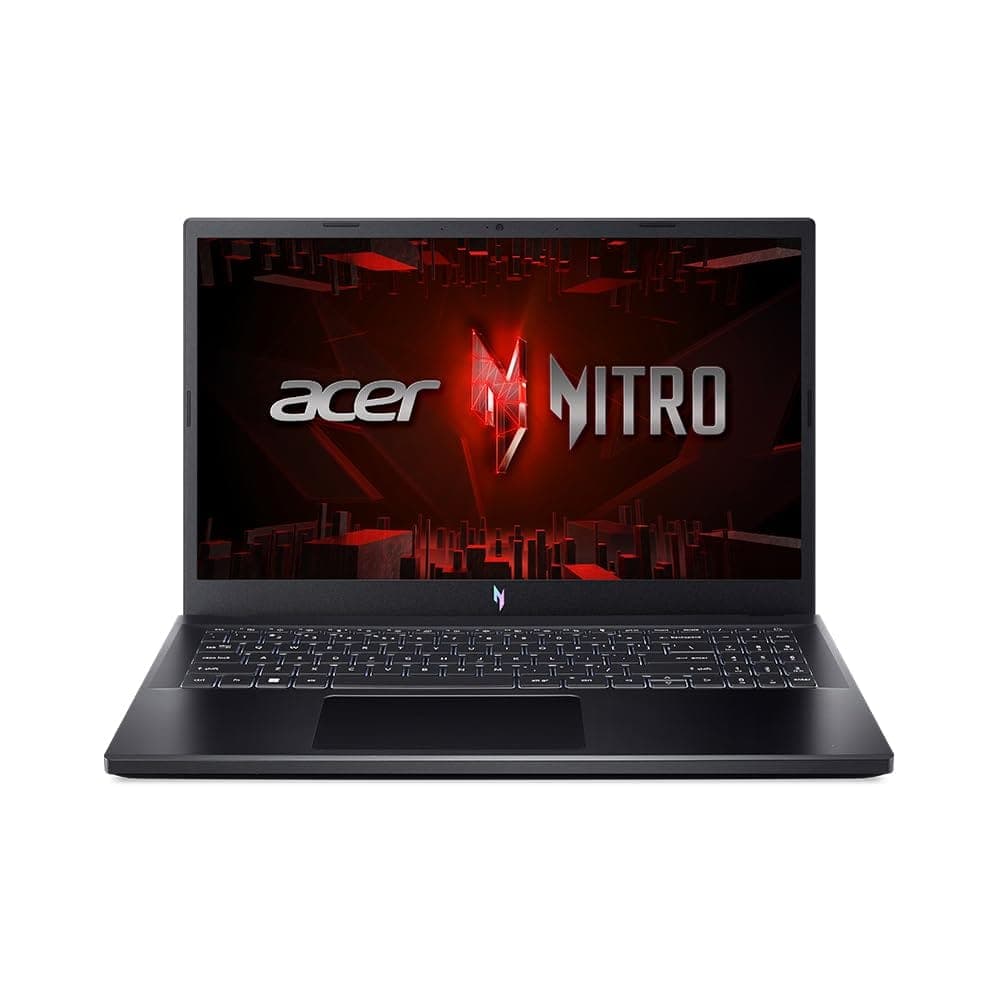
TL;DR Gaming laptops for AI work best when you want RTX graphics, enough RAM, and a fast processor in one machine. The Dell G15 5530 is the cheapest entry, the ASUS TUF Gaming A16 is the strongest value, and the ASUS ROG Zephyrus G16 and ASUS ROG Strix SCAR 16 are the premium top picks because they pair stronger processors with more capable displays and headroom.
Understanding Gaming Laptops for AI Students
Gaming Laptops for AI make sense because machine learning pushes the CPU, the GPU, and memory at the same time. That matters when you are running Jupyter notebooks, preprocessing image folders, or compiling code in VS Code while a training job keeps working in the background. The HP OMEN Slim Gaming Laptop 16-an0012TX uses an Intel Core Ultra 9 processor, the ASUS ROG Zephyrus G16 (2024) also uses an Intel Core Ultra 9 processor, and the ASUS ROG Strix SCAR 16 (2024) steps up to an Intel Core i9 processor. Those parts are worth paying attention to because they decide whether your system feels responsive or bogged down.
The GPU side matters just as much. The Dell G15 uses an NVIDIA RTX 3050 with 6GB of graphics memory, while the Lenovo LOQ and MSI Katana A15 AI both use NVIDIA GeForce RTX 4050 graphics with 6GB of graphics memory. For AI students, that is the difference between a machine that can keep up with class work and one that starts feeling tight as soon as your models get larger. If you also want gaming laptops for casual gamers, the same hardware helps with that too, because GeForce acceleration benefits both game frames and local training.
Memory and storage shape how useful the device feels at home and in class. The HP OMEN Slim Gaming Laptop 16-an0012TX includes a 1 TB SSD hard drive, and the ASUS ROG Zephyrus G16 (2024) includes a 1 TB SSD as well. When you keep notebooks, datasets, and tools open at the same time, that extra room is worth more than a flashy black shell. It also saves you from constantly cleaning up files between assignments.
Why CPU And GPU Matter Together
A fast processor handles data loading, notebook execution, and general responsiveness, while the GPU takes the heavy lifting in training and inference. If you are cleaning data in pandas, running scikit-learn models, or switching between PyCharm, Chrome tabs, and a terminal, the processor keeps the machine responsive. When you move into deep learning, the NVIDIA GeForce RTX side becomes the real bottleneck breaker, which is why a gaming laptop feels more suitable than a thin office machine.
That split is worth understanding before you spend money. A strong CPU helps with preprocessing, but GeForce performance is what you feel when TensorFlow or PyTorch starts using the NVIDIA GPU directly. If you are building models at home and then testing them in class, the balance between CPU and GeForce hardware decides how smoothly your day goes.
Memory And Storage Keep The Work Moving
RAM and SSD capacity matter because AI work is rarely one task at a time. A student might keep VS Code open, a local database running, a browser full of documentation, and a notebook kernel active all at once. Fast SSD storage helps datasets load quickly, while generous RAM prevents the system from stuttering when you keep several tools open during model experimentation.
The HP OMEN Slim Gaming Laptop 16-an0012TX pairs Core Ultra 9 with a 1 TB SSD and 32 GB of DDR5-5600 RAM. The ASUS ROG Zephyrus G16 (2024) combines Core Ultra 9, 32 GB of RAM, and a 1 TB SSD. The ASUS ROG Strix SCAR 16 (2024) uses Core i9, which gives it a stronger ceiling for heavier workloads. That extra headroom is worth it if you keep training logs, datasets, and browser tabs open at the same time.
Models That Set The Tone
HP OMEN, ASUS ROG Zephyrus G16, and ASUS ROG Strix SCAR 16 sit at the top end of this category because they do not force you to choose between gaming and AI work. They give you the kind of CPU and GeForce RTX pairing that can handle local model experiments, notebook-heavy coursework, and casual gaming after class. If your workload is mostly Python, data science, and occasional GPU training, the HP OMEN Slim Gaming Laptop 16-an0012TX is the most balanced place to start.
A MacBook Pro can be a strong general-purpose machine, but this category is about Windows systems with NVIDIA GeForce RTX graphics and clearer local acceleration for AI models. That is why these machines are worth a closer look for students who want one device for class, home, and game time.
Key Factors to Choose Gaming Laptops for AI
The minimum requirements for a laptop suitable for machine learning are clear: 16GB RAM, an NVIDIA RTX GPU, and a fast processor. If you try to do real training on a machine that falls short here, the system spends more time shuffling data than actually learning from it. The real buying decision comes down to how much headroom you need for coursework, local experiments, and multitasking.
Intel Core Ultra 9 and Intel Core i9 sit at the top of the list for AI students because they keep the system responsive while the GeForce RTX GPU is busy. Intel Core i7 and AMD Ryzen options still make sense for lighter work, especially if your tasks are more about coursework, notebooks, and smaller experiments than constant training. AMD Ryzen AI HX and Intel Core Ultra processor families matter because they are built for AI-enabled workloads, but the practical rule stays the same: the processor should not slow your data pipeline.
Dedicated NVIDIA GeForce RTX graphics are the real dividing line for AI and machine learning. For AI students, 8GB of VRAM is the practical threshold if you want the machine to stay useful beyond the most basic exercises. That is why the GPU spec should never be treated as a gaming-only number. It directly affects how much work can stay local instead of being pushed to slower, cloud-based alternatives.
RAM And Storage Recommendations
16GB RAM is the floor, not the target, for AI work. Once you start opening datasets, browser tabs, notebooks, and IDEs together, 32GB is the safer choice because it gives you more room before the system starts swapping. SSD storage matters in the same way, because local projects, checkpoints, and package libraries grow quickly and slow storage becomes obvious the moment you load or save large files.
The HP OMEN Slim Gaming Laptop 16-an0012TX and the ASUS ROG Zephyrus G16 both bring 32GB memory into the conversation, which is exactly what you want if you keep a browser, a notebook, and a code editor open together. For home use, that extra memory also helps when you leave Docker, Chrome, and a Python environment running at once.
Display Features For AI Work
A clear display matters more than many buyers expect, especially if you read charts, inspect code, and compare outputs for hours. Higher resolution helps when you keep split windows open, while a faster refresh rate makes the system feel cleaner when you scroll through notebooks or move between desktop apps. Panel type also matters because IPS, OLED, and Mini-LED each shape how text, graphs, and image outputs look during daily use.
The ASUS ROG Strix SCAR 16 (2024) has a 16-inch Mini-LED display with a resolution of 2560x1600 and a refresh rate of 240Hz. The ASUS ROG Zephyrus G16 (2024) has a 16-inch ROG Nebula Display with a resolution of 2880x1800 and a refresh rate of 120Hz. The HP OMEN Slim Gaming Laptop 16-an0012TX has a 40.6 cm (16) diagonal, 2K, IPS display with a refresh rate of 165 Hz and brightness of 400 nits. If you spend a lot of time in Excel, Jupyter, or Photoshop, those screens are worth the premium.
- Prioritize a dedicated NVIDIA RTX GPU over flashy styling or extra thinness.
- Treat 1 TB SSD storage as the safer choice if you expect to store datasets and checkpoints locally.
- Look for a display that stays readable during long coding sessions, not just one that looks good in a showroom.
Top Gaming Laptop Models with Specs and Tradeoffs
The strongest AI-ready gaming laptops in this group split into two camps. Premium machines offer serious headroom. Mid-range models keep the budget under control. The ASUS ROG Strix SCAR 16 (2024) and ASUS ROG Zephyrus G16 (2024) sit at the premium end. The Dell G15, Lenovo LOQ, MSI Katana A15 AI, and ASUS TUF Gaming A16 cover the student-friendly side. The real decision is not which one is fastest in isolation. It is which one gives you enough hardware without wasting money on features you will not use.
Comparison Table
| Feature | HP OMEN Slim 16-an0012TX | ASUS ROG Strix SCAR 16 | ASUS ROG Zephyrus G16 | Dell G15 5530 | Lenovo LOQ 15IRX9 | MSI Katana A15 AI | ASUS TUF Gaming A16 | ASUS TUF Gaming F16 |
|---|---|---|---|---|---|---|---|---|
| Processor | Intel Core Ultra 9 | Intel Core i9 | Intel Core Ultra 9 | 13th Gen Intel Core i5-13450HX | Not listed | Not listed | AMD Ryzen 7 | Intel i7 |
| GPU | Not listed | Not listed | Not listed | NVIDIA RTX 3050, 6GB | NVIDIA RTX 4050, 6GB | NVIDIA GeForce RTX 4050, 6GB | NVIDIA RTX 4050 | NVIDIA RTX 5070 |
| RAM | 32 GB DDR5-5600 | Not listed | 32 GB | 16 GB | 16 GB | 16 GB | 16 GB | 32 GB |
| Storage | 1 TB SSD | Not listed | 1 TB SSD | 1 TB SSD | 512 GB SSD | 512 GB SSD | 1 TB | 1 TB |
| Display | 16-inch 2K IPS, 165 Hz, 400 nits | 16-inch Mini-LED, 2560x1600, 240Hz | 16-inch ROG Nebula, 2880x1800, 120Hz | 15.6-inch FHD | 15.6-inch FHD, 144 Hz | 15.6-inch FHD, 144 Hz | Not listed | Not listed |
| Price | Not listed | ₹399,990 | ₹3,59,990 | ₹80,490 | ₹88,448 | Not listed | ₹89,990 | ₹1,69,990 |
High-End Gaming Laptops
The ASUS ROG Strix SCAR 16 is the most aggressive option here. It combines an Intel Core i9 with a 16-inch Mini-LED display at 2560x1600 and 240Hz. The ASUS ROG Zephyrus G16 is the other premium model to watch. It pairs an Intel Core Ultra 9 processor with a 16-inch ROG Nebula Display at 2880x1800 and 120Hz.
These are the machines to consider when display quality and headroom matter as much as raw performance. That premium tier is worth it if you use Blender, Premiere Pro, or large local AI models. The higher-resolution panels make code, timelines, and output windows easier to view side by side. If your work stays mostly in browser-based notebooks, the extra cost is hard to justify.
Mid-Range Models
The Dell G15 is the cheapest route into this group at ₹80,490. It uses a 13th Gen Intel Core i5-13450HX, 16 GB of RAM, and a 1 TB SSD. That is enough for coursework, lighter model training, and general student use. The RTX 3050 with 6GB of graphics memory is the limiting factor once projects get heavier.
The Lenovo LOQ is priced at ₹88,448. The MSI Katana A15 AI uses NVIDIA GeForce RTX 4050 graphics with 6GB of graphics memory. That gives both models a more practical GeForce path for AI work. This is also where gaming laptops for casual gamers start to make sense. You get enough GeForce performance for titles like Valorant or Cyberpunk 2077. You also keep the machine useful for Python, PyTorch, and class projects.
RAM And Storage Comparison
The HP OMEN Slim 16-an0012TX and HP OMEN Transcend 14-fb1028TX both use 32 GB memory configurations. The ASUS ROG Zephyrus G16 also gives you 32 GB of RAM. That matters because 32 GB gives you more breathing room for local training, browser tabs, and IDEs at the same time. The ASUS ROG Zephyrus G16 also includes a 1 TB SSD.
That keeps the storage side aligned with its higher-end positioning. The real value of that extra memory shows up in real work. In VS Code, you can keep the editor, terminal, and browser open without the system feeling low on headroom. In Photoshop or Lightroom, the same memory helps when you edit large files while other apps stay open in the background.
Display Technology Comparison
The HP OMEN Slim 16-an0012TX gives you a 2K IPS panel at 165 Hz and 400 nits. That is a practical middle ground for code and gaming. The Dell G15, Lenovo LOQ, and MSI Katana A15 AI stay on 15.6-inch FHD panels. The Lenovo and MSI both offer 144 Hz refresh rates, which makes scrolling and casual gaming feel smoother.
The ASUS ROG Strix SCAR 16 stands out with its 16-inch Mini-LED display at 2560x1600 and 240Hz. Mini-LED gives you stronger contrast for video, charts, and dark-themed IDEs.
Performance Vs Price Tradeoffs
The Dell G15 and Lenovo LOQ are easier on a student budget. The ASUS TUF Gaming A16 gives you an AMD Ryzen 7, RTX 4050 graphics, 16GB RAM, and 1TB storage for a middle-ground price. If you need a machine for both AI and casual gaming, that TUF A16 configuration is the cleanest value. It avoids the weak storage and memory limits that show up quickly on cheaper models.
The ASUS TUF Gaming F16 sits at ₹1,69,990. That places it above the mid-range group and closer to a higher-performance buy. That is the kind of machine you buy when local AI models matter more than saving money.
- The Dell G15 is the lowest-cost entry, but its RTX 3050 is the first part you will outgrow.
- The Lenovo LOQ and MSI Katana A15 AI are better balanced for students who want RTX 4050 graphics without jumping into premium pricing.
- The ASUS TUF Gaming A16 is the most sensible value play when you want 1TB storage and RTX 4050 graphics.
- The ASUS ROG Strix SCAR 16 makes sense only if you want the highest-end screen and the strongest headroom in this group.
Pricing and Value Comparison of Gaming Laptops
Price is where the category stops looking generic and starts making real sense. The Dell G15 5530 Gaming Laptop costs ₹80,490. The Lenovo LOQ 15IRX9 Gaming Laptop costs ₹88,448. The ASUS TUF Gaming A16 costs ₹89,990. The ASUS TUF Gaming F16 has a ₹1,69,990 price point. The ASUS ROG Zephyrus G16 sits at ₹3,59,990. The ASUS ROG Strix SCAR 16 is the most expensive at ₹3,99,990.
Pricing Table
| Laptop | Price | Best Fit |
|---|---|---|
| Dell G15 5530 Gaming Laptop | ₹80,490 | Lowest-cost AI starter laptop |
| Lenovo LOQ 15IRX9 Gaming Laptop | ₹88,448 | Budget RTX 4050 option |
| ASUS TUF Gaming A16 | ₹89,990 | Balanced value for AI and casual gaming |
| ASUS TUF Gaming F16 | ₹1,69,990 | Higher-performance mid-premium pick |
| ASUS ROG Zephyrus G16 | ₹3,59,990 | Premium portability and display focus |
| ASUS ROG Strix SCAR 16 | ₹3,99,990 | Top-end performance and screen |
Budget-Friendly Laptops
The Dell G15 is the cheapest model in this set. That makes it the easiest entry point for a first AI laptop. It is better suited to coursework than heavy experimentation. The Lenovo LOQ costs a little more. Its RTX 4050 graphics make that jump easier to justify.
GeForce headroom matters more than a small difference in sticker price. If your priority is entering the category without overspending, these two models define the lower end. That lower tier is worth considering for home use, too. If your work is mostly notebooks, assignments, and a little game time after class, the Dell and Lenovo machines give you enough power. They do not push your budget into premium territory.
Mid-Range Value Picks
The ASUS TUF Gaming A16 is the smartest value buy. It combines an AMD Ryzen 7 processor, NVIDIA RTX 4050 graphics, 16GB RAM, and 1TB storage at ₹89,990. AI students quickly run into file size, package, and checkpoint clutter. For casual gamers who also want AI capability, this is the price tier that makes the most sense.
You are not paying premium money for features you may never use. The ASUS TUF Gaming F16 sits in a different class from the budget models. With an Intel i7 processor, NVIDIA RTX 5070 graphics, 32GB RAM, and 1TB storage, it offers more GeForce headroom.
Price Vs Performance Analysis
In reality, the middle of the market is where most AI students should shop. The jump from weak graphics to RTX 4050 matters more than moving from a decent display to a luxury one. Refurbished or carefully chosen older models can also change the math in your favor. You get the same hardware class for less money when the original launch price has softened in the market.
The ASUS ROG Strix SCAR 16 sits at the top of the price ladder. It only makes sense when you will actually use the premium screen and extra headroom. It is the one that stays useful for the full year instead of feeling low on headroom after a semester.
- Pick the Dell G15 if your budget is tight and you need the lowest entry price.
- Pick the Lenovo LOQ if you want RTX 4050 graphics without paying premium-tier money.
- Pick the ASUS TUF Gaming F16 if you need more GeForce headroom and 32GB RAM.
Common Mistakes When Buying Gaming Laptops for AI
The most common mistake is treating every gaming laptop as equally practical for daily student life. Weight and portability matter because you will carry the machine between home, class, and lab more often than you expect. Battery efficiency matters too, because a machine that burns through power quickly becomes annoying the moment you try to work away from a charger.
Weight And Portability
A heavy machine is not just inconvenient, it changes how often you actually take it with you. If you are moving between lectures, hostel rooms, and library desks, a bulky chassis becomes a real burden even when the performance looks strong on paper. Students often focus on GeForce names and forget that a machine that stays at home is not helping them between classes.
That is why the ASUS ROG Zephyrus G16 is worth a look for people who want premium hardware without feeling trapped by a huge chassis. The same is true for the HP OMEN Transcend 14-fb1028TX, which uses a 35.6 cm (14) diagonal 3K OLED display with a refresh rate of 48-120 Hz and a response time of 0.2 ms.
Efficiency And Battery Expectations
Efficiency matters because AI students do not only sit at a desk. You may spend part of the day coding in Python, part of it in Google Colab, and part of it in class notes or documentation, which means battery behavior affects how useful the machine feels. A machine that is powerful but inefficient can still be the wrong choice if you need it to survive a full day of mixed use.
That is also why you should not chase raw power without thinking about the rest of the design. A Core Ultra processor is worth more when the cooling, display, and battery behavior all line up. If you plan to move between home and campus, efficiency can matter as much as frame rate and speed.
GPU, RAM, And Budget Errors
Another common mistake is buying too little GPU or RAM and hoping software optimization will save the day. It will not. The opposite mistake is overspending on a premium model when a mid-range RTX machine would already handle your coursework and casual gaming.
Buying Tips That Actually Help
Read expert reviews, verify the exact CPU and GPU pair, and check whether the storage and memory fit your actual workload. If you spend most of your time in VS Code, Jupyter, and browser-based research, you need a stable, balanced machine more than a flashy one. If you also play games after class, a mid-range model with RTX graphics and enough RAM gives you the cleaner compromise.
- Do not ignore portability if you plan to carry the machine every day.
- Do not buy a weak GPU just because the machine looks good.
- Do not settle for too little RAM if you run notebooks and browsers together.
- Do not overspend on premium hardware unless you will use the extra headroom.
- Do check the exact processor, GPU, RAM, and SSD combination before you decide.
Gaming Laptops for AI: What the Category Really Offers
The build makes the most sense when you match the hardware to your actual workload instead of chasing the biggest number on the spec sheet. The Dell G15 and Lenovo LOQ keep the entry price low, the ASUS TUF Gaming A16 lands in the strongest value zone, and the ASUS ROG Zephyrus G16 and ASUS ROG Strix SCAR 16 give you premium displays and more headroom than most students will ever need.
Hardware Priorities for AI Students
The real divide is not gaming versus AI, because the same RTX hardware powers both. It is whether you want a practical student machine or a premium one that costs far more than your coursework requires. For AI students, the hardware order of importance is usually processor first, GeForce RTX second, then RAM and SSD. A strong Intel Core Ultra 9 or Core i9 helps the machine stay responsive while the GPU handles accelerated work.
Once you move into real projects, the display matters too, because you spend a lot of time reading code, comparing outputs, and watching plots update in notebooks. That is also where the word worth really matters. The Dell G15 is affordable, but its RTX 3050 graphics make it a starter choice rather than a long-term answer. The ASUS TUF Gaming A16 is the cleaner all-rounder because it gives you the kind of balance students actually use, while the ASUS ROG models are for buyers who will notice and use the extra quality every day.
When Premium Models Make Sense
The ASUS ROG Strix SCAR 16 is the most expensive model in this group, so it only makes sense when you want the strongest screen and the most headroom. That split is worth remembering if you are buying for the next two or three years. The difference shows up when your projects stop being small.
If your week is mostly Jupyter notebooks, pandas work, and occasional TensorFlow experiments, a mid-range RTX machine is enough. The HP OMEN Slim Gaming Laptop 16-an0012TX fits students who want Core Ultra 9, 32 GB RAM, and a 2K IPS display in one package. Anything less is hard to justify at this price level. For buyers comparing options, OMEN Max sits in the same broader conversation as the other premium choices, but the practical question is still whether you need that extra headroom.
- Dell G15 and Lenovo LOQ are the sensible starting points for students who want AI-capable hardware at lower prices.
- ASUS TUF Gaming A16 is the strongest value pick for mixed AI and casual gaming use.
- ASUS ROG Zephyrus G16 and ASUS ROG Strix SCAR 16 are premium options when display quality and headroom matter most.
Frequently Asked Questions
Q. What is the minimum GPU VRAM recommended for AI and machine learning laptops?
A dedicated GPU with at least 8GB of VRAM is the safer target for AI and machine learning laptops. The minimum hardware baseline also includes 16GB RAM, an NVIDIA RTX GPU, and a fast processor, so 6GB cards like the Dell G15’s RTX 3050 or the Lenovo LOQ’s RTX 4050 can feel tight as projects grow. That is why the RTX 4050 class is a better long-term starting point than the RTX 3050 class.
Q. Can gaming laptops with 16GB RAM handle advanced AI model training?
Gaming laptops with 16GB RAM can handle coursework and lighter model training, but they are not the comfortable choice for heavier local work. The Dell G15, Lenovo LOQ, and MSI Katana A15 AI all sit at 16GB RAM, which is enough for starting out, while the HP OMEN Slim 16-an0012TX, HP OMEN Transcend 14-fb1028TX, and ASUS ROG Zephyrus G16 move to 32GB. If you keep notebooks, browsers, and code editors open together, 32GB gives you more breathing room.
Q. How important is display quality for AI students using gaming laptops?
Display quality matters more than most students expect because you spend hours reading code, plots, and documentation. The HP OMEN Slim 16-an0012TX uses a 2K IPS panel at 165 Hz, the ASUS ROG Zephyrus G16 uses a 2880x1800 ROG Nebula Display, and the ASUS ROG Strix SCAR 16 uses a 2560x1600 Mini-LED panel at 240Hz. Those higher-resolution panels make split-screen work and long coding sessions easier to manage.
Q. Are mid-range gaming laptops sufficient for casual gamers interested in AI?
Yes, mid-range gaming laptops are usually the sweet spot for casual gamers who also want AI capability. The Lenovo LOQ, MSI Katana A15 AI, and ASUS TUF Gaming A16 all sit in this practical zone, with RTX 4050-class graphics and student-friendly hardware combinations. They are strong enough for titles like Valorant or Cyberpunk 2077 and still useful for Python and PyTorch work.
Q. What processor should I prioritize for AI workloads in a gaming laptop?
You should prioritize Intel Core Ultra 9 or Intel Core i9 first, then strong Intel Core i7 or AMD Ryzen options if the budget is tighter. The HP OMEN Slim 16-an0012TX and ASUS ROG Zephyrus G16 both use Core Ultra 9, while the ASUS ROG Strix SCAR 16 uses Core i9 and the ASUS TUF Gaming A16 uses Ryzen 7. That processor order helps keep the system responsive while the GPU handles accelerated work.
Q. Can I upgrade RAM and storage later on gaming laptops optimized for AI?
Some gaming laptops can be upgraded later, but you should not buy on that assumption alone. The safer move is to choose the right RAM and SSD combination now, because models like the HP OMEN Slim 16-an0012TX, ASUS ROG Zephyrus G16, and ASUS TUF Gaming A16 already ship with 32GB RAM or 1TB storage in useful configurations. Starting with the right setup reduces the chance that you outgrow the machine too quickly.
Which Gaming Laptop Fits Your AI Workload Best
The Dell G15 and Lenovo LOQ make sense if you want the lowest entry price and a straightforward way into AI-capable hardware. The ASUS TUF Gaming A16 is the strongest value choice for students who want a balanced mix of RTX graphics, storage, and everyday usability. The HP OMEN Slim Gaming Laptop 16-an0012TX sits in a different tier, so it only makes sense if you are looking beyond entry-level pricing.
Choose the ASUS ROG Zephyrus G16 or ASUS ROG Strix SCAR 16 if display quality and performance headroom matter more than price. Skip the Dell G15 if you expect heavier local training soon. Skip the Lenovo LOQ if you want more storage headroom than 512 GB SSD. Skip the ASUS TUF Gaming A16 if you need premium display quality above all else. Skip the ASUS ROG Strix SCAR 16 if the ₹3,99,990 price is more than your workload justifies.
The Dell G15 5530 starts at ₹80,490, the ASUS TUF Gaming A16 gives the strongest value at ₹89,990, and the ASUS ROG Strix SCAR 16 reaches ₹3,99,990 for buyers who want the most premium screen and performance. If you want the safest balance, start with the ASUS TUF Gaming A16 or the Lenovo LOQ, then move up only if your AI workload or display needs justify the extra cost. That is the clearest way to buy once, use it for classes, and avoid paying for headroom you will not use.






