
Electronic Ink (E-Ink) Laptops and Monitors: Are They Practical?
E-Ink laptops and monitors offer a paper-like viewing experience that's ideal for reading, writing, and text-heavy work. Compare the best E-Ink devices of 2026, including Lenovo ThinkBook Plus, Dasung, Philips, and Pomera, to find the right option for your workflow.

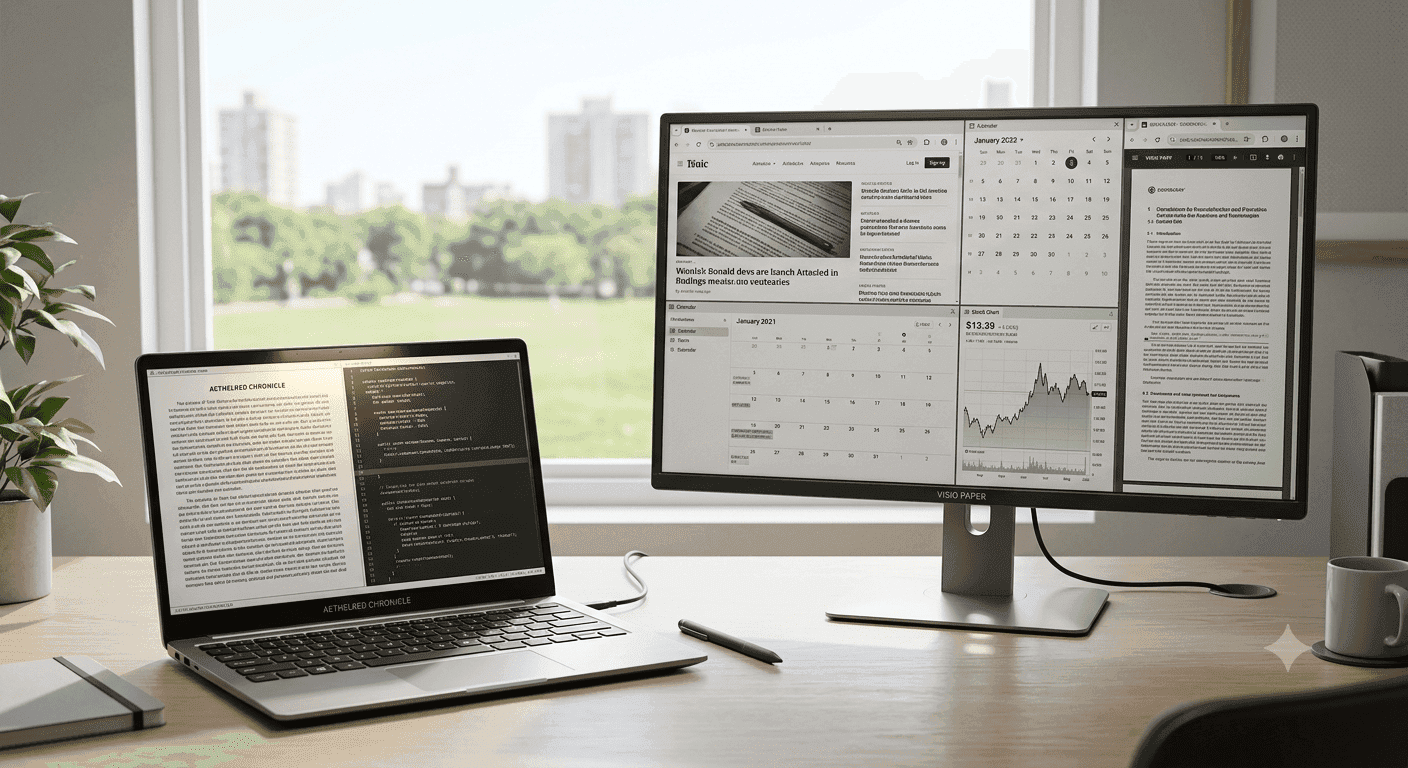
TL;DR E-Ink laptops and monitors work best for reading, drafting, and desk work that stays mostly text-based. Lenovo’s ThinkBook Plus is the most versatile laptop option, while the Philips 13B1K3300 is the cheapest monitor entry point in India.
Understanding E-Ink Laptops and Monitors
E-Ink laptops and monitors solve a very specific problem: you want a screen that feels closer to paper than glass. That matters if you spend hours in Microsoft Word, Scrivener, Google Docs, or PDF reading, because the calmer image is easier to live with than a bright LCD panel.
Lenovo’s ThinkBook Plus Gen 4 pairs a 13-inch touchscreen with a 12-inch colorful E-Ink display, while King Jim’s Pomera D30 and the Atrohaus Traveler use 6-inch E Ink panels for focused writing. The category is broader than it first looks, and that is where most buyers get it wrong.
Some devices are full laptops with an extra screen, some are minimalist writing computers, and some are desktop monitors that assume you already own a main machine. The right choice depends on app compatibility, portability, and how much time you spend reading versus typing.
E Ink is not a replacement for LCD or OLED in every situation. It works best when the content stays mostly static, which is why it fits reading, drafting, and reference-heavy work so well. That also makes it a natural fit for focus-first devices, where the screen is meant to stay calm and unobtrusive.
For many buyers, the appeal is less about speed and more about a quieter workflow.
Why does E Ink feel different?
E Ink displays are known for reducing eye strain compared with traditional screens. If you spend your day in Excel, Outlook, or Notion, that difference is obvious after a few hours.
The page-like look also makes long text sessions feel less fatiguing when you are reviewing contracts or editing drafts. The technology has one big habit that shapes everything else: it only consumes power when the content changes.
That is why battery life can stretch so far on portable devices. It also explains why a device with an E-paper panel feels so different from a normal laptop or tablet, especially in a focus-first workflow built around reading and writing.
Where does the category actually fit?
A Lenovo ThinkBook Plus works best if you want Windows, browser tabs, and a secondary place for notes or references. A Pomera or Atrohaus device makes more sense if your day is mostly writing and you want fewer distractions.
A monitor like the Dasung Paperlike HD-FT is for people who already have a desktop or laptop and want a calmer screen at the desk. That split matters because E-Ink laptops and monitors are not trying to do the same job.
One is about portability, one is about focus, and one is about making an existing computer easier on the eyes. If you treat them as one category, you will buy the wrong one.
- The Lenovo ThinkBook Plus family is for people who want a normal Windows machine with an E Ink twist.
- The Pomera D30 and Atrohaus Traveler are for writers who care more about concentration than app sprawl.
- The Philips and Dasung monitors are for desk setups where you already have a main computer.
- The Modos Paper Laptop is the most interesting open hardware idea in the group, but it is still a project, not a mainstream product.
Key Benefits of E-Ink Displays
The biggest reason people look at E-Ink laptops and monitors is simple: the screen is easier to stare at for long stretches. That matters if you spend all day in Microsoft Word, Google Docs, or a PDF workflow with comments and markup.
It is not about flashy visuals, it is about reducing the strain that comes from a bright, constantly changing display. Battery life is the second reason this category keeps growing.
A minimalist writing computer like the King Jim Pomera D30 is built for long sessions, and the Atrohaus Traveler stretches to about 30 hours. That makes them useful for travel writing, note-taking in meetings, or a full day of drafting without hunting for a charger.
On a portable, low-RAM writing device, that efficiency can make a real difference.
Battery life and power use
E Ink displays consume power only when the content on the screen changes. That is why a device can feel almost stubbornly efficient during long reading or note-taking sessions.
On a laptop, the rest of the system still matters, but the panel itself is doing less work than a standard backlit screen. The practical payoff shows up in workflows like writing in Ulysses, reviewing a manuscript in Scrivener, or keeping reference notes open while you type.
You are not trying to watch video or animate a dashboard, so the display’s low-power behavior actually lines up with the task. That is where E Ink makes sense instead of just sounding clever.
Eye comfort in real use
If you read long emails in Outlook, edit drafts in LibreOffice, or annotate research in a browser, the benefit is immediate. It does not make the screen magical, but it does make long sessions less tiring.
That is also why some people call these devices reader-first tools even when they run full software. A tablet with E Ink can be useful, but it usually sits between a reader and a laptop rather than replacing either one.
For some people, that balance is exactly what makes it feel practical for travel setups or a focused writing workflow. For text-heavy work, the calmer screen and lower RAM demands can be a good fit.
- The calmer screen helps during long sessions in Word, Docs, and PDF review.
- The low power draw matters most on portable writing devices.
- The paper-like look is useful when your work is mostly text, not motion.
Choosing the Right E-Ink Device
The first decision is screen size, because a 6-inch writing device and a 13.3-inch laptop panel solve different problems. That is why the category splits so cleanly between portable writers, hybrid laptops, and desktop monitors.
If you want to carry the device everywhere, smaller wins. If you want app flexibility, a Windows laptop wins. Color versus monochrome is the next fork.
Lenovo’s ThinkBook Plus Gen 4 uses a colorful E-Ink display, while the ThinkBook Plus Gen 2 centers on a 12-inch 2560 x 1600 E Ink panel. Color helps when you mark up PDFs, keep visual references open, or review layouts, but monochrome is often cleaner for plain drafting.
Operating system and app support
This is where Android, Windows, and minimalist systems diverge hard. A Lenovo ThinkBook Plus gives you a full Windows laptop with normal file management, browser work, and office apps.
A Pomera or Atrohaus device narrows the experience to writing, which is exactly why some people prefer it. If you need a full app stack, the laptop route is the safer choice.
Portability and use case
A 6-inch E Ink screen is easier to carry than a full laptop, and that matters for journaling, interview notes, or travel writing. A tablet can sit in the middle, but it rarely gives you the same writing focus as a dedicated device.
The Lenovo Yoga Book and the older Book C930 are useful reference points here because they showed unusual secondary screens can be on a laptop. Lenovo ThinkBook and Lenovo Yoga devices have kept that idea alive in different forms.
The ThinkBook Plus line is the more practical version today because it keeps the Windows side intact.
- Choose a Windows laptop if you need Microsoft Office, Chrome, and file handling in one machine.
- Choose a monitor if you already own the main computer and just want a calmer screen.
- Choose color E Ink if you read PDFs with highlights or visual notes.
Detailed Comparison of Popular E-Ink Devices
The clearest way to judge this category is to compare the hardware side by side. Lenovo’s ThinkBook Plus, the Pomera D30, the Atrohaus Traveler, and the Dasung Paperlike HD-FT all solve different problems.
One is a dual-screen Windows laptop, two are minimalist writing devices, and one is a desktop monitor built around E Ink rather than a self-contained computer.
Lenovo ThinkBook Plus series
The ThinkBook Plus family is the most ambitious part of this market because it turns E Ink into a second working surface. The ThinkBook Plus Gen 4 combines a 13-inch touchscreen with a 12-inch colorful E-Ink display, while the ThinkBook Plus Gen 2 uses a 12-inch 2560 x 1600 E Ink panel.
The earlier ThinkBook Plus also appears as a 13.3-inch Windows laptop with a 10.8-inch E Ink touch display. That approach suits people who want a normal laptop first and an ink display second.
If you use Outlook, OneNote, or browser research side by side, the secondary panel gives you a place to pin references, notes, or reading material. The ThinkBook Plus Twist goes even further with a 13.3-inch 400 nits 60Hz 2.8K OLED touchscreen plus a color 13.3-inch E Ink display, which makes it the most hybrid of the group.
Minimalist writing devices
The King Jim Pomera D30 is a minimalist writing computer with a 6-inch E Ink display and a battery life of 20 hours. The Atrohaus Traveler is a portable writing device with a 6-inch E Ink display and a battery life of about 30 hours.
Both strip away the distractions that come with a full Windows laptop, and that is exactly the point. These devices make sense if you care about drafting more than multitasking.
A writer using Scrivener, Ulysses, or plain text notes may prefer the simpler interface because there is less to configure and less to interrupt the writing flow. They are also useful for people who want a dedicated reader for long notes or a book manuscript without the noise of a desktop system.
Dasung E-Ink monitors
Dasung is currently the only manufacturer of e-ink monitors, which makes its lineup unusually important. The Dasung Paperlike HD-FT is a third-generation e-ink monitor with a display size of 13.3 inches and a resolution of 2200 x 1650.
It also features a touchscreen and front-light, which makes it more versatile than a basic static display. The monitor form factor is different from the laptop and writing-device categories because it assumes you already have a computer.
If you edit text in VS Code, manage documents in LibreOffice, or keep reference material open while working in Excel, the Dasung monitor gives you an E Ink surface without replacing your main system. The Dasung HD-FT can also change image modes and adjust contrast directly from the monitor, which is useful when you are tuning the screen for reading or static documents.
Spec comparison table
| Device | Screen Size | Resolution | Touchscreen | Battery Life | Key Notes |
|---|---|---|---|---|---|
| Lenovo ThinkBook Plus Gen 4 | 13-inch touchscreen, 12-inch E-Ink display | in source | Yes | in source | Full Windows laptop with colorful E-Ink display |
| Lenovo ThinkBook Plus Gen 2 | 12-inch E Ink panel | 2560 x 1600 | in source | in source | Secondary E Ink panel |
| King Jim Pomera D30 | 6-inch E Ink display | in source | in source | 20 hours | Minimalist writing computer |
| Atrohaus Traveler | 6-inch E Ink display | in source | in source | About 30 hours | Portable writing device |
| Dasung Paperlike HD-FT | 13.3-inch display | 2200 x 1650 | Yes | in source | Third-generation e-ink monitor with front-light |
- The ThinkBook Plus line is the closest thing to a mainstream laptop with an E Ink display.
- Pomera is for concentrated writing sessions.
- Atrohaus is for longer unplugged writing stretches.
- Dasung is for desktop users who want an E Ink monitor, not another computer.
Pricing Overview and Value Analysis
Pricing in this category splits into two very different worlds. The Lenovo ThinkBook Plus starts at ₹1,12,690 and up, while the Philips 13B1K3300 E Paper Monitor is priced at ₹28,999.
That gap tells you immediately that a full laptop with E Ink costs far more than a dedicated monitor. The Yoga Book C930 sits in the same premium conversation as the ThinkBook Plus, while the Pomera D30 and Dasung Paperlike monitor fall into a different price band.
If you already own a solid computer, the monitor route usually makes more sense than paying for another full system.
Premium E-Ink laptops
The Lenovo ThinkBook Plus is expensive because you are paying for a full Windows laptop plus a secondary E Ink surface. That makes sense if you want one machine to handle browser research, Office documents, and reading, but the price is hard to justify if all you need is a calmer screen.
The value improves when you use it for hours of mixed work and actually switch between the main panel and the ink display. This is the same reason the ThinkBook Plus feels more like a premium niche laptop than a casual reading device.
The Yoga Book C930 follows a similar logic, it is easier to justify when you want a specialized all-in-one device. If you only want a reader or writing tool, it is overbuilt.
Affordable E-Ink monitors
The Philips 13B1K3300 E Paper Monitor is the clear affordability leader in India at ₹28,999. That price is far below the Lenovo ThinkBook Plus, and it makes the monitor route much easier to defend if you already own a good laptop.
The Philips unit is attractive for desktop or laptop users who want a secondary E Ink screen without replacing their main computer. The Philips 13B1K3300 also matters because it brings E Paper into a more realistic budget tier.
Its 1600 x 1200 UXGA resolution and 75Hz refresh rate make it a practical paper-like monitor for text, not a flashy panel for motion. The Dasung Paperlike HD-FT sits higher, so it is the more specialized choice.
Pricing comparison table
| Device | Price | Display Size | Key Features |
|---|---|---|---|
| Lenovo ThinkBook Plus | ₹1,12,690 and up | 10.8-inch E Ink secondary display | Windows laptop, dual-display design |
| Philips 13B1K3300 E Paper Monitor | ₹28,999 | 13-inch class monitor | E Paper monitor, 1600 x 1200 UXGA, 75Hz |
| King Jim Pomera D30 | in source | 6-inch E Ink display | Minimalist writing computer, 20-hour battery |
| Dasung Paperlike monitor | in source | 13.3-inch monitor | Touchscreen, front-light, 2200 x 1650 |
- Pick the Lenovo if you want a premium all-in-one machine.
- Pick the Philips if you want the cheapest E Ink monitor in India.
- Pick the Dasung if you care about monitor features like touchscreen and front-light.
- Pick the Pomera if you want a simple writing computer instead of another laptop.
Common Mistakes When Buying E-Ink Devices
The biggest mistake is treating every E Ink product as if it behaves the same way. A Dasung Paperlike HD-FT monitor with a 450 ms refresh time does not feel like a Lenovo ThinkBook Plus lid display, and neither feels like a Pomera D30 writing device.
If you expect LCD-like motion, you will be disappointed before you even finish setup. Refresh behavior matters more than many buyers admit.
The Dasung Paperlike HD-FT’s 450 ms refresh time is fine for static text, but it is not what you want for fast cursor movement or frequent interface changes. That makes it better for reading and document review than for anything that depends on snappy animation or smooth scrolling.
For buyers comparing options like Onyx Boox devices or other E Ink hardware, the same rule applies: the screen should fit the task, not just the spec sheet.
Color, contrast, and motion
Color E Ink is useful, but it is not automatically better. Lenovo’s ThinkBook Plus Gen 4 uses a colorful E-Ink display, which helps if you work with highlighted PDFs, visual notes, or mixed content.
A monochrome panel, by contrast, is often cleaner for writing because it removes visual noise and keeps attention on the text itself. The Dasung HD-FT can adjust contrast directly, which is more helpful than it sounds when you are switching between text-heavy work and reference material.
That kind of control matters for a reader, a developer in VS Code, or someone keeping a book draft open beside notes. For Onyx Boox users, the same idea holds, the screen should match the workflow, not just the feature list.
Compatibility and software reality
Compatibility is the last trap, and it is a big one for niche hardware. A Windows laptop like the ThinkBook Plus can run full desktop apps, while a device like the Pomera D30 is built for a narrower writing-first experience.
If you need specialized software, file syncing, or peripheral support, that difference matters more than the panel itself. This is where Android devices and tablet-style thinking can mislead people.
A phone or tablet can run plenty of apps, but that does not make it a good E-Ink laptop substitute. The best use of E Ink is still text, notes, and reference work, not trying to turn it into a video-first computer.
- Match the device to your software, not just the screen type.
- Use color only if your work actually benefits from it.
- Treat a monitor as an add-on, not a laptop replacement.
Innovations and Future Trends in E-Ink Technology
The most interesting development in this category is that E Ink is moving beyond readers and into real computing experiments. The Modos Paper Laptop is an open hardware project aiming to build an e-ink laptop, which matters because open hardware usually pushes experimentation faster than closed product lines.
That kind of project keeps the category alive even when mainstream laptop makers move cautiously. Open hardware gives E Ink a path that consumer laptops often do not.
The Modos Paper Laptop is not just another device concept; it is a sign that builders still see room for a true paper-like computer. That matters for researchers, tinkerers, and developers who want a platform they can shape instead of a sealed product with fixed behavior.
Market direction
That growth tells you the category is not a dead-end niche. It is spreading because readers, writing tools, and desktop monitors all solve different problems.
Boox is part of that broader conversation even though its devices sit closer to readers and tablets than to traditional laptops. The Boox Mira Pro has also been praised for reducing eyestrain and fatigue, which reinforces the same point from a different angle.
What comes next?
Color E Ink is one of the biggest technical directions to watch, because it broadens the kind of content you can keep on screen. Lenovo’s ThinkBook Plus Gen 4 already shows that colorful ink displays can work in a laptop context, and that pushes the category closer to practical daily use.
Dasung’s position as the only e-ink monitor manufacturer also makes it a bellwether, because any improvement in image modes or contrast control affects the desktop side of the market directly. The future of E Ink is not just about making screens prettier; it is about making them less awkward to live with.
- Open hardware projects keep the category experimental.
- Color panels make PDFs and annotations more useful.
- Desktop monitors make E Ink easier to adopt without replacing a computer.
- Reader-style devices keep the focus on writing and long-form text.
Which E-Ink Device Fits Your Workflow Best?
The best E-Ink device depends on whether you want a full computer, a focused writing tool, or a desktop companion. The Lenovo ThinkBook Plus is the most flexible option because it keeps Windows compatibility intact while adding an E Ink display.
The Philips 13B1K3300 E Paper Monitor is the simplest value choice if you already have a laptop and want a cheaper paper-like screen. Choose the Lenovo ThinkBook Plus if you want a premium machine for work, reading, and app compatibility.
Choose it if you use Outlook, Excel, Chrome, and OneNote in the same day. Choose it if you want the E-Ink panel to sit beside a full Windows laptop instead of replacing it.
Choose the Philips 13B1K3300 E Paper Monitor if you already own a solid computer and want the cheaper Indian entry point. Choose it if your desk setup needs a calmer secondary screen for documents, PDFs, or writing.
Choose it if ₹28,999 makes more sense than paying for another full laptop. Choose the Pomera D30 if your main job is writing and you want fewer distractions.
Choose Dasung if you want a monitor with touchscreen support, front-lighting, and direct contrast control. Skip the Lenovo ThinkBook Plus if you only need a reader or a note-taking screen.
Skip the Philips monitor if you want an all-in-one machine with keyboard and storage built in. Skip the Pomera and Atrohaus devices if you need full Windows apps, and skip the Dasung monitor if you need a self-contained computer.
For most people who already own a decent laptop, the Philips 13B1K3300 is the smarter buy, because it gets you into the hardware without the premium cost of a full hybrid system.
Is Buying an E-Ink Device Worth It for Your Workflow?
E-Ink devices reward the kind of workflow that stays mostly text-based, and that is why they can feel so satisfying once you match them to the right job. The Philips 13B1K3300 E Paper Monitor at ₹28,999 is a strong example of a cheaper entry point that can still make sense if you already own a laptop, while the Lenovo ThinkBook Plus at ₹1,12,690 and up shows how expensive a full hybrid machine can be.
The difference between those two prices is not just about hardware; it is about whether you want a second screen or an entirely new computer. If you spend most of your day in Word, Docs, PDFs, or note-taking apps, the calmer display can be worth the tradeoff.
If you need full Windows compatibility, browser tabs, and a secondary reading surface, the ThinkBook Plus is the better fit. If you already have a good laptop and just want a desk-friendly paper-like display, the Philips monitor is the more practical buy.
If your work is mostly writing, the Pomera D30 and Atrohaus Traveler make more sense because they cut distractions and keep the focus on drafting. If you want a monitor with touchscreen support, front-lighting, and direct contrast control, Dasung remains the specialized desktop choice.
Start with the workflow you want, then choose the device that matches it most closely. That is the clearest way to avoid paying for features you will not use and to make E-Ink laptops and monitors feel genuinely useful.
Frequently Asked Questions
Q. What is the main difference between E-Ink laptops and monitors?
E-Ink laptops and monitors serve different roles, even when they use similar display technology. A Lenovo ThinkBook Plus is a full Windows laptop with a secondary E Ink display, while the Dasung Paperlike HD-FT is a 13.3-inch monitor that assumes you already own a computer. That difference matters because the laptop gives you portability and app support, while the monitor gives you a calmer desk setup at a lower entry cost.
Q. Which E-Ink device is best for writing?
The King Jim Pomera D30 and the Atrohaus Traveler are the strongest writing-focused options in this article. The Pomera D30 has a 6-inch E Ink display and a 20-hour battery life, while the Atrohaus Traveler uses the same screen size and lasts about 30 hours. Both are built to reduce distractions, which makes them better for drafting than for multitasking.
Q. Which option is the cheapest E-Ink monitor in India?
The Philips 13B1K3300 E Paper Monitor is the cheapest E-Ink monitor in India in this guide at ₹28,999. It also offers a 1600 x 1200 UXGA resolution and a 75Hz refresh rate, which makes it a practical choice for text-heavy work. If you already have a laptop, it is the most budget-friendly way to add an E Ink screen to your setup.
Q. Is the Lenovo ThinkBook Plus worth the higher price?
The Lenovo ThinkBook Plus starts at ₹1,12,690 and up, so it only makes sense if you want a premium hybrid machine. It is worth considering if you need Windows compatibility, browser work, Office apps, and a secondary E Ink surface in one device. If you only want a calmer screen for reading or writing, the Philips monitor or a minimalist writing device is easier to justify.
Q. What should I buy if I already own a good laptop?
If you already own a good laptop, the Philips 13B1K3300 E Paper Monitor is the simplest upgrade path. It costs ₹28,999 and gives you a paper-like 13-inch class display without replacing your main machine. The Dasung Paperlike HD-FT is another desktop option, but it is more specialized and aimed at users who want touchscreen support and front-lighting.
Q. Do E-Ink devices work well for mixed work and reading?
Yes, but the best fit depends on how much app flexibility you need. The Lenovo ThinkBook Plus is the strongest mixed-work option because it keeps Windows intact while adding an E Ink display for notes and references. If your day is mostly reading, drafting, and document review, the calmer screen is a better match than a motion-focused display.






