
Business Laptops Hybrid Work in India
Compare business laptops for hybrid work in India by performance, battery, security, display comfort, and value for remote professionals.

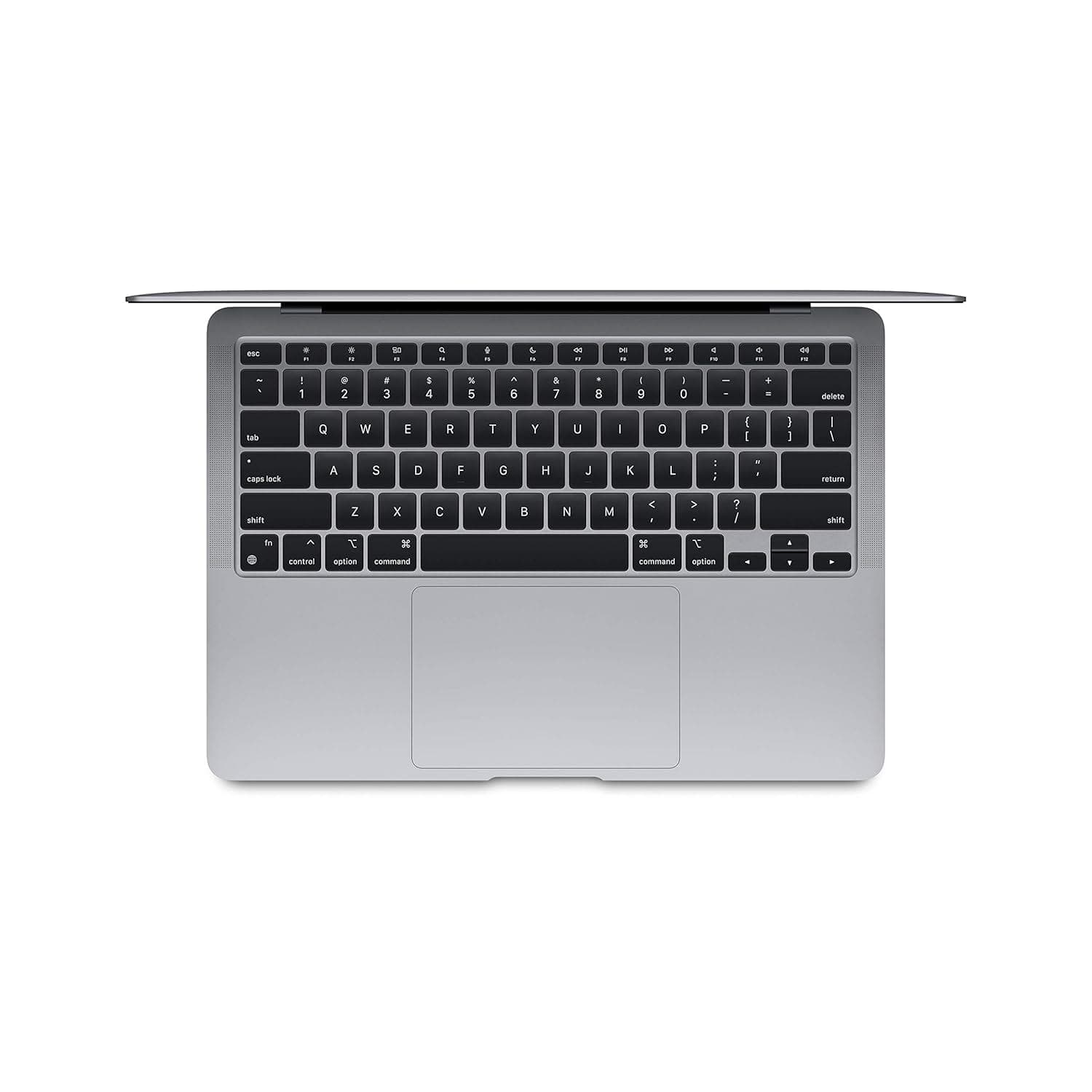
TL;DR Business Laptops Hybrid Work in India comes down to fit, not just specs. The Lenovo ThinkPad X1 2-in-1 at ₹2,42,990 is the premium choice, while the Acer Swift 14 AI under ₹1,500 is the budget outlier for light tasks.
Understanding Business Laptops for Hybrid Work
Business laptops for hybrid work are not just thinner office machines, they are the devices you carry between home, office, and client meetings. That shift changes the priorities fast, because a good system has to stay responsive in Microsoft Teams, open large Excel sheets, and keep browser tabs alive without stuttering. It also has to handle cloud based tools, VPN sign-ins, and the kind of work environments that switch from a quiet desk to a noisy café in one afternoon.
The category has matured in India, and that matters because buyers now have real choices instead of one-size-fits-all hardware. Some professionals need a premium hybrid workstation with a 2-in-1 hinge, while others just want a stable machine for document work and communication services. Buyers should think less about marketing and more about whether the device can keep up with real time meetings, file sharing, and multitasking without becoming a distraction.
The best laptops in this group are the ones that disappear into the background while you work. That usually means strong performance, enough RAM, and a display that stays comfortable after hours of reading. It also means the keyboard, speakers, and camera are built for work together, not as afterthoughts.
- A business laptop should feel stable in Outlook, Excel, and Chrome, not just fast in a benchmark.
- A hybrid work machine needs enough battery to survive meetings, commutes, and long stretches away from a charger.
- Security matters because the same device may carry email, cloud files, and internal approvals.
- Display comfort matters more than many buyers expect when you spend the day in PDFs, slides, and spreadsheets.
Why the category looks different now
The old idea of a business laptop was a dull black box with a decent keyboard. That is not enough anymore. Modern business laptops hybrid workers use need better microphones, sharper webcams, and stronger wireless behavior because video calls are part of the job, not a side task.
What actually matters day to day
If you spend your morning in Microsoft Teams, your afternoon in Google Docs, and your evening in Adobe Acrobat, the machine has to stay consistent across all three. That is why performance and memory matter more than flashy design.
How to think about the category
The right model is the one that fits your work pattern, not the one with the loudest spec sheet. If you move between home and office, you need a machine that feels dependable in both places. If you work in a hardware place, you need something that balances portability, security, and comfort without making you compromise every day.
Key Features That Matter in Hybrid Work Laptops
Modern business laptops increasingly include better microphones, webcams, and communication-focused tuning, and that change is practical rather than cosmetic. If you spend half your day in Microsoft Teams or Zoom, the quality of those components affects how clearly you hear and how professionally you come across. Dedicated communication hardware also helps in shared offices and noisy homes, where bad audio can waste time repeating the same sentence twice.
Security is another major part of the category. Business laptops often carry access to email, cloud files, finance tools, and internal dashboards, so features like fingerprint readers and hardware-based controls matter. In finance, HR, and management roles, that security layer is part of the job, not a bonus feature.
Performance and memory are the other pillars. That is why 16GB RAM is the floor for remote professionals, while 32GB is a safer choice for heavier workflows. Battery life remains one of the most visible differences between models, and power matters when you are moving between meetings or working away from a charger.
Display quality matters more than many buyers expect, especially for people who read contracts, compare spreadsheets, or review slide decks all day. The ASUS Zenbook 14 OLED is highlighted for visual comfort, while the Lenovo ThinkPad X1 Carbon is recommended for typing-heavy roles because of its keyboard comfort. Those details matter because hybrid work puts pressure on the parts of the machine you touch and stare at for hours.
- Better microphones and webcams make Microsoft Teams and Zoom calls less tiring.
- Security features matter when the same device handles payroll, CRM, and internal approvals.
- OLED display quality can reduce eye fatigue during long document sessions.
Communication hardware in real use
If you spend the morning in Google Meet and the afternoon in Slack huddles, audio clarity saves time and frustration. These are the kinds of services that expose weak hardware quickly.
Security in practical terms
Security is not abstract when you work with payroll files, HR records, or finance dashboards. A device with stronger sign-in controls and business-class management capabilities is easier to trust across different work environments. That is why security-focused models are often the right answer for regulated roles.
Display and typing comfort
Long document review in Adobe Acrobat or Microsoft Word is where comfort gets tested. A good display lowers strain, and a good keyboard keeps your pace steady during long writing sessions. That is a real productivity gain, not a vague promise.
Choosing the Right Business Laptop for Hybrid Work
A serious hybrid-work machine starts with the basics: processor, RAM, storage, battery, build quality, and security. If any one of those is weak, you feel it quickly during a real workday. The best components buyers choose are the ones that stay balanced under pressure, not the ones that look impressive in isolation.
Performance and Memory
16GB RAM is now the minimum safe baseline for remote professionals in 2026. Once you move above that baseline, smooth multitasking becomes easier and the machine feels less strained during long sessions. Processor choice affects how smoothly the device handles multitasking, but RAM is the part most buyers underestimate.
Intel Core and Core Ultra chips are built for modern office work, yet the real question is whether the system stays responsive after hours of use. The Lenovo ThinkPad X1 2-in-1 combines an Intel Core Ultra 7 processor, 32GB RAM, and a 1TB SSD. The HP EliteBook Ultra G1i uses an Intel Core Ultra 7 268V processor with 32GB RAM and a 1TB SSD.
Security and Build Quality
Security matters most in roles that handle sensitive data, especially in the flow of daily work where approvals, records, or confidential files are handled. The HP EliteBook 1040 G11 is noted for secure workflows, especially for finance and HR roles, which tells you exactly where it fits.
Build quality matters for a different reason. Hybrid work is physically harder on devices because you carry them more often, open and close them more often, and use them in more varied places. A solid hinge, dependable keyboard, and durable chassis matter when the machine travels with you every day.
Different jobs demand different tradeoffs, and that is where many buyers make mistakes. A document-heavy role needs a display that keeps text comfortable and clear. Finance and HR users should prioritize secure workflows over flashy design. Typing-heavy professionals should value keyboard comfort before chasing extra features.
Document-heavy workers should pay attention to display quality because eye strain builds quickly. Hybrid workers and remote work users should treat communication hardware as a core feature, not an add-on. The biggest mistake is buying for specs alone and ignoring the role you actually perform.
A machine can look excellent on paper and still feel wrong if the keyboard is tiring or the display becomes uncomfortable after lunch. If you want a practical starting point, focus on processor, 16GB RAM, and the security or ergonomics that match your job.
Top Business Laptop Models and Their Specifications
The strongest models in this category are not identical, and that is exactly why the comparison matters. If you compare them honestly, you should look at performance, memory, storage, battery, keyboard comfort, and display quality together. Specs only matter when they match your work pattern, especially if your day is built around meetings, documents, or long stretches away from a charger.
Lenovo ThinkPad X1 2-in-1
The Lenovo ThinkPad X1 2-in-1 uses an Intel Core Ultra 7 processor, 32GB RAM, and a 1TB SSD. That configuration is aimed at users who keep many apps open and do not want to think about closing tabs before a meeting. The 2-in-1 format also helps if you annotate documents, review presentations, or switch between typing and tablet-style viewing in OneNote or PowerPoint.
For users who want a premium Windows machine with a flexible form factor, it is one of the clearest solutions. It fits people who split time between meetings, email, and document work. It also suits users who value premium flexibility more than a low starting price.
HP EliteBook Ultra G1i
The HP EliteBook Ultra G1i pairs an Intel Core Ultra 7 268V processor with 32GB RAM and a 1TB SSD, and it adds up to 14 hours of battery life. That makes it one of the more balanced premium choices for people who spend long stretches away from a charger. If your day is split between meetings, email, and document work, that battery figure matters because it reduces how often you need to plan around an outlet.
It is a strong option for users who need a high-end business laptop that can last through a long day. The battery figure gives it a clear edge for travel-heavy routines. It also works well for people who want a dependable premium setup without constantly searching for a plug.
Apple MacBook Air
The Apple MacBook Air uses an M4 processor and comes with 16GB, 24GB, or 32GB RAM options. That flexibility is useful if your workload shifts between lighter office tasks and more demanding multitasking. It gives professionals a cleaner way to match memory to workload without changing the overall device class.
For users who want memory choice and a lighter software environment, it offers a practical set of solutions. It is a good fit when your work is not tied to Windows-only software. It also gives buyers a straightforward way to scale memory to the task.
ASUS Zenbook 14 OLED
The ASUS Zenbook 14 OLED stands out for its OLED display quality and visual comfort during long hours of work. That makes it especially relevant if you spend much of the day reading contracts, reviewing slide decks, or comparing document versions side by side. On long afternoons in Google Docs or Adobe Acrobat, the difference in screen comfort is easy to feel.
It suits users whose work is dominated by documents, PDFs, and on-screen reading. It is also a strong fit for people who want display comfort to take priority over raw hardware class. If your eyes do most of the work, this model deserves attention.
- The ThinkPad X1 2-in-1 suits people who want a premium Windows machine with a flexible form factor.
- The EliteBook Ultra G1i suits users who need a high-end business laptop that can last through a long day.
- The MacBook Air suits users who want memory choice and a lighter software environment.
- The Zenbook 14 OLED suits users whose work is dominated by documents, PDFs, and on-screen reading.
The practical takeaway is that specs only matter when they match your work pattern. If your job is document-heavy, the Zenbook’s display comfort can matter more than another processor tier. If you need a premium hybrid workstation, the ThinkPad and EliteBook sit closer to the center of the premium business conversation.
Price Comparison and Value Analysis
Premium vs Budget Pricing
Price is where the business-laptop conversation gets real, because hybrid work buyers in India are not choosing hardware in a vacuum. The Lenovo ThinkPad X1 2-in-1 sits at ₹2,42,990 after a 25% discount, which places it firmly in the premium segment. The Acer Swift 14 AI is priced under ₹1,500, which makes it dramatically more affordable on paper and forces a different conversation about what you actually need from a work machine.
What the Price Reflects
At ₹2,42,990, the ThinkPad X1 2-in-1 is not trying to be a bargain. Its value comes from the combination of Core Ultra 7, 32GB RAM, and 1TB SSD hardware, plus the flexibility of the 2-in-1 design. The Acer Swift 14 AI under ₹1,500 sits at the opposite end of the market.
That price point makes it the obvious affordability outlier, and it changes how buyers think about entry-level budgets. The real question is not whether it is cheaper, because it clearly is, but whether its price matches the level of hardware and polish you need for daily work. The value equation changes sharply once you separate premium workstations from budget devices.
Matching Price to Workload
- Buy premium when you need 32GB RAM, a 1TB SSD, and a flexible 2-in-1 design.
- Buy budget when you need the lowest possible upfront spend for light hybrid tasks.
- Treat the 25% discount on the ThinkPad as meaningful, but not as a reason to ignore whether you need that class of hardware.
- Compare price against your actual workload, not against brand reputation alone.
Common Mistakes
When Choosing Business Laptops for Hybrid Work
The most expensive mistake is assuming that every business laptop feels the same once the spec sheet looks strong. It does not. A machine that looks fine on paper can still disappoint if it has weak battery endurance, a cramped trackpad, a dim screen, or poor ports for a meeting-room setup.
For hybrid work in India, the real test is whether the device can move smoothly from home desk to office desk to client site without forcing you to carry adapters everywhere. Another common error is buying for peak performance but ignoring how the day actually unfolds. A powerful processor still feels slow if the system runs out of memory under pressure.
The Lenovo ThinkPad X1 2-in-1 is a good example of what a serious configuration looks like. Its Intel Core Ultra 7 processor, 32GB RAM, and 1TB SSD keep it steady during heavy multitasking. Security is another area where buyers often underinvest because the risk feels abstract until something goes wrong.
If you handle payroll, HR records, legal files, or internal approvals, you need more than a password and a fingerprint reader. The HP EliteBook 1040 G11 is noted for secure workflows, which makes it relevant in finance and HR roles where data exposure is a real concern. Ergonomics is often underestimated because it is harder to measure than CPU speed, but it shapes comfort more than many buyers expect.
The Lenovo ThinkPad X1 Carbon is recommended for typing-heavy roles because its keyboard comfort reduces fatigue during long writing sessions in Word, Google Docs, or Outlook. The ASUS Zenbook 14 OLED is highlighted for visual comfort, and that matters if your day is filled with contract review, financial tables, or PDF-heavy workflows.
Buy for the actual work style
A practical example makes the mistake clearer. If a person buys a machine with weak battery life, poor keyboard travel, and a screen that strains the eyes, performance drops even if the processor is technically fast enough. In that kind of setup, the user spends more time adjusting to the hardware than actually working.
The final mistake is shopping without mapping the device to the actual work style. If you read long documents, focus on display quality and eye comfort before adding another storage tier you may never use. If your role touches sensitive data, security should outrank cosmetic design, and if your calendar is packed with meetings, battery and conferencing quality should come first.
- Ignore processor names if the keyboard, screen, or battery are weak.
- Do not treat security as optional in finance, HR, or approval-heavy roles.
- Avoid buying a premium model if your workload is mostly email and light document editing.
- Choose a form factor that suits travel, desk work, and meetings equally well.
That is especially true for teams that need the same device to work in multiple settings. A machine that suits one role perfectly can be a poor fit for another. Matching the hardware to the actual day is what separates a smart buy from an expensive mistake.
Business Laptops Hybrid Work Overview
Business laptops for hybrid work in India are judged less by raw spec sheets and more by how reliably they support a day that moves between home, office, client site, and transit. In a typical hybrid workstation setup, the same machine may need to handle Microsoft Teams calls, a VPN connection, Excel models, and a browser filled with tabs for CRM tools and shared drives. That is why the category sits between consumer thin-and-lights and heavier workstation-class systems.
For work from home routines, the real test is whether the device remains fast, quiet, and secure after hours of repeated use. The strongest choices are designed around continuity, so you can move from a document in Google Docs to a call in Teams without the machine feeling different each time. Lag is not just annoying in that setting, it can disrupt meetings and hurt confidence in the hardware.
Modern business laptops increasingly include better webcams, improved microphones, and communication-focused tuning because video conferencing is now a core part of the hardware equation. That matters in a hybrid workplace where your laptop is your meeting room, office desk, and travel companion all at once.
Performance and Pricing
Performance expectations have also risen. For 2026, 16GB RAM is widely considered the minimum safe baseline for remote professionals, and many premium systems go far beyond that. The Lenovo ThinkPad X1 2-in-1, priced at ₹2,42,990 after a 25% discount, pairs an Intel Core Ultra 7 processor with 32GB RAM and a 1TB SSD, which makes it suitable for demanding multitasking and large file handling.
By contrast, the Acer Swift 14 AI is priced under ₹1,500, making it the far more affordable option. That lower price only makes sense if the workload is light enough to justify the trade-off. For basic email, light browsing, and occasional document work, a budget machine can be enough, but it should not be mistaken for a premium business tool.
This is where the practical buying decision becomes role-specific. The HP EliteBook 1040 G11 is particularly relevant for secure workflows in finance and HR roles, where data sensitivity is part of everyday work. The EliteBook G11 line fits that same use case when security matters most.
Comfort and Daily Use
Meanwhile, the Lenovo ThinkPad X1 Carbon remains a strong option for typing-heavy roles because of its keyboard comfort, which can make a measurable difference during long policy drafts, reports, or email-heavy days. Display quality and ergonomics also matter more than many buyers initially expect. The ASUS Zenbook 14 OLED is highlighted for visual comfort and is well suited to professionals spending long hours on documents, which is useful when reading contracts, reviewing slides, or comparing spreadsheets side by side.
A comfortable screen and keyboard can matter as much as CPU speed when you are working across two or three locations each week. The best way to think about this category is as a productivity tool that must adapt to changing work patterns without demanding attention. A consultant who spends Monday in a client meeting, Tuesday at home in a VPN session, and Wednesday in a co-working space needs a laptop that stays secure, charges predictably, and performs consistently.
That is why the premium end of the market keeps growing, even though more affordable models are available. Buyers want devices that reduce friction across meetings, travel, and document work. They also want hardware that feels dependable when the workday changes without warning.
Premium Windows and Hybrid Work
The premium end of the market is built for people whose laptop carries most of the workday. The Lenovo ThinkPad X1 2-in-1, HP EliteBook Ultra G1i, and HP EliteBook G11 all bring Core Ultra-class hardware, 32GB RAM, and 1TB SSD storage, which makes them strong choices for demanding multitasking.
If you want a premium Windows machine with a flexible 2-in-1 design, the ThinkPad X1 2-in-1 or HP EliteBook G11 fit that brief well. You keep Microsoft Teams, Excel, Chrome, and Outlook open for most of the day. You value strong performance and 32GB RAM more than a low starting price.
You review presentations or annotate documents in OneNote and PowerPoint. You want up to 14 hours of battery life for long days away from a charger. You split time between meetings, email, and document work. You want a premium business laptop with an Intel Core Ultra 7 268V processor. You need a machine that feels dependable in a hybrid workplace.
Who Should Buy Which Business Laptop
The build buyers in India should stop thinking about one perfect machine and start thinking about fit. The Lenovo ThinkPad X1 2-in-1 is the premium Windows option, the HP EliteBook Ultra G1i is the endurance-focused business choice, the MacBook Air gives you memory flexibility, and the ASUS Zenbook 14 OLED is the display-first pick. The Acer Swift 14 AI under ₹1,500 sits in a completely different budget class, so it only makes sense for light workloads.
The Microsoft Surface line also fits into this kind of decision-making, where form factor and daily use matter as much as specs. The sharpest decision comes from matching the machine to your actual day. If you work in finance or HR, security should move to the top of the list.
If you read and edit documents all day, the display and keyboard deserve more attention than another processor label. The best laptops in this category are the ones that help you work without forcing constant trade-offs. That means they stay comfortable, stay secure, and stay consistent across home, office, and travel.
- Choose the ThinkPad X1 2-in-1 if you want premium flexibility and a 2-in-1 form factor.
- Choose the EliteBook Ultra G1i if you want the strongest battery life figure and a balanced business setup.
- Choose the MacBook Air if you want memory choice and a cleaner software environment.
- Choose the Zenbook 14 OLED if screen comfort matters more than raw hardware class.
- Skip the ThinkPad X1 2-in-1 if price is your main concern.
- Skip the EliteBook Ultra G1i if you never work away from a charger.
- Skip the MacBook Air if your software stack is tied to Windows.
- Skip the Zenbook 14 OLED if you want a machine built around maximum performance rather than visual comfort.
Is Business Laptops Hybrid Work in India Worth It?
Business laptops for hybrid work in India are worth it when your day depends on reliability, comfort, and security more than on raw headline specs. The Lenovo ThinkPad X1 2-in-1 at ₹2,42,990 makes sense for buyers who want premium flexibility, 32GB RAM, and a 1TB SSD in a 2-in-1 form factor. The HP EliteBook Ultra G1i is the better fit if you care most about up to 14 hours of battery life and a balanced premium setup.
If your workload is lighter, the Acer Swift 14 AI under ₹1,500 shows how wide the market has become, but that kind of price only fits basic email, browsing, and occasional document work. The MacBook Air is the more flexible choice if you want memory options from 16GB to 32GB and a lighter software environment. The ASUS Zenbook 14 OLED is the right call when display comfort matters most during long document sessions.
The best choice depends on who you are and how you work. Finance and HR professionals should lean toward secure workflows, typing-heavy users should value the ThinkPad X1 Carbon's keyboard comfort, and document-heavy workers should pay close attention to the Zenbook's OLED display. If you want a laptop that supports hybrid work without constant compromises, compare your workload against these strengths and choose the model that matches it best.
Frequently Asked Questions
Q. What is hybrid work?
Hybrid work means you split time between home and office without changing your main device. One morning you may be on Microsoft Teams from home, and by afternoon you may be editing a spreadsheet in the office or joining a client call from a café. That creates a very different demand profile from a basic consumer machine, because the same laptop has to stay quiet, responsive, and dependable across different environments.
Q. Why do business laptops matter for remote professionals?
A business laptop matters because it has to stay reliable when you are working across devices, locations, and schedules. If your day runs through Outlook, Excel, and browser-based CRM tools, the machine must keep up without forcing you to close tabs or wait for apps to reload. If your job depends on meetings, weak audio or a poor camera becomes a daily problem fast.
Q. How much RAM do hybrid work laptops need?
16GB RAM is the minimum safe baseline for remote professionals in 2026, and 32GB is the better choice for heavier multitasking. If you keep large spreadsheets, browser research, and communication apps open together, memory becomes one of the first limits you feel. The Lenovo ThinkPad X1 2-in-1 and HP EliteBook Ultra G1i both use 32GB RAM, which gives them more breathing room in Excel, Teams, and Chrome.
Q. Which business laptop offers the best battery life for remote professionals?
The HP EliteBook Ultra G1i offers the clearest battery life figure, with up to 14 hours. That makes it a strong option for people who spend long stretches away from a charger and still need to stay active in email, meetings, and document work. Battery matters because hybrid work rarely keeps you near a plug all day.
Q. Are OLED displays useful for long document work?
Yes, the ASUS Zenbook 14 OLED is useful for long document work because its OLED display quality improves visual comfort. That matters if you spend hours in PDFs, slide decks, or contract reviews, where eye strain builds slowly. The Lenovo ThinkPad X1 Carbon is also recommended for typing-heavy roles because its keyboard comfort helps during long writing sessions in Word or Google Docs.
Q. What should finance and HR professionals prioritize?
Finance and HR professionals should prioritize secure workflows first. The HP EliteBook 1040 G11 is noted for its secure workflows, especially for finance and HR roles. If your job includes approvals or sensitive files, security should outrank flashy design or extra features.





