
Best Monitors for Coding in 2026
Compare Monitors for Coding in 2026, from 4K clarity to USB-C hubs, eye care, pricing, and the best picks for programming.

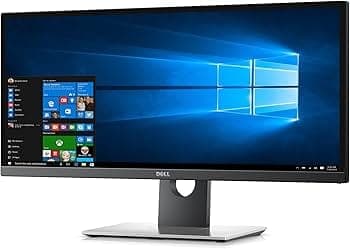
TL;DR The best Monitors for Coding in 2026 focus on three things: sharp 4K text clarity, comfortable eye protection, and USB-C convenience. The BenQ RD320UA is the strongest choice for developers who spend long hours inside VS Code, IntelliJ IDEA, or terminal environments because it includes coding-focused features like MoonHalo lighting and a Nano Matte panel. The Dell UltraSharp U2723QE remains the most balanced everyday monitor thanks to its 27-inch 4K panel, USB-C hub, and excellent productivity performance. For buyers who want a brighter large-screen option, the BenQ MA320U stands out, while the Dell P2725HE works mainly as an entry-level budget option.
Coding and Productivity Monitors
Monitors for coding should make text crisp, keep code readable, and stay comfortable through long programming sessions. The best monitor for programming is the one that lets you read an IDE, a browser, and a terminal without constant zooming. The BenQ RD320UA, Dell UltraSharp U2723QE, and BenQ MA320U all use 4K UHD resolution, while the Dell P2725HE stays at Full HD, so the jump in clarity is obvious the moment you open VS Code or PyCharm.
That clarity matters because programming is mostly about reading, scanning, and comparing. A 32-inch panel gives you more room for split windows, which helps when you keep GitHub, Slack, and your editor open together. For an advanced coding setup, that extra space makes multitasking feel more natural and more comfortable.
Eye protection is just as important as raw resolution. A matte or Nano Matte panel cuts glare from windows and desk lamps, which matters if you work in dark themes or under bright office lighting. BenQ leans hard into that idea with the RD320UA, and the result is a monitor for programming that feels built for late-night work, not just spec sheet bragging.
USB-C also changes the experience in a real way. With 90W Power Delivery, a laptop can charge while carrying video and data through one cable, which keeps a desk cleaner and makes flow between meetings and coding sessions much smoother. The Dell UltraSharp U2723QE goes a step further with a built-in USB-C hub, so your keyboard, mouse, and storage can stay plugged into the monitor instead of the laptop.
If you want to buy once and get the best monitor for coding, 4K is the safer call. It is not a luxury for programming, it is the difference between squinting at code and reading it comfortably. On a 27-inch or 32-inch panel, 3840 x 2160 gives you denser text, which makes long review sessions in VS Code, JetBrains IDEs, and browser-based docs easier on your eyes. It also helps when you compare logs, spreadsheets, and API responses side by side.
The Dell P2725HE is the exception here because its 1920 x 1080 panel is clearly a budget compromise. That does not make it unusable, but it does make it the least appealing choice for developers who spend most of their day inside code.
Eye Care and Night Work
The BenQ RD320UA adds MoonHalo lighting for night-time coding, and that is more useful than it sounds. It softens the contrast between the bright screen and a dark room, which is exactly where eye fatigue tends to creep in during long programming sessions. Combined with the Nano Matte panel, it gives the display a calmer feel when you switch between dark and light themes in VS Code, Notion, or Chrome.
That same eye care technology matters for developers who work late, especially if your setup lives in a bedroom or a dim home office. The point is not to make the monitor look fancy. The point is to keep the screen readable and support comfort without making your eyes work harder than they should.
- Choose 4K if you want sharper text and cleaner multitasking.
- Choose 32 inches if you keep an IDE, browser, and terminal open together.
- Choose USB-C with 90W Power Delivery if your laptop is your main machine.
- Choose eye protection features if you work in dark rooms or late at night.
For most readers, the best monitors for coding and productivity are the ones that disappear into the background after setup.
Key Factors for the Best Monitor for Programming
If the text looks fuzzy, your eyes pay for it every hour you spend in an IDE. That is why the BenQ RD320UA, Dell UltraSharp U2723QE, and BenQ MA320U are stronger picks than the Dell P2725HE for serious coding. Screen size is the next decision.
A 32-inch monitor gives you more physical room for split layouts, which is useful if you keep documentation, a browser, and code open at the same time. Connectivity matters more than most people expect. USB-C with 90W Power Delivery lets a laptop charge while you use the display, and a USB hub keeps peripherals connected without extra dongles.
That matters for remote workers, developers, and anyone who moves between office, home, and meeting-heavy days.
Connectivity and Desk Simplicity
A USB hub makes a desk feel organized instead of cluttered. If you dock a laptop for work in Jira, Figma, or Excel, a monitor with built-in USB-C support saves you from plugging and unplugging the same devices all day.
That is where the Dell UltraSharp U2723QE earns its keep, because the built-in USB-C hub is more useful than a random pile of adapters. The BenQ RD320UA and Dell P2725HE both support 90W USB-C, which is enough for most modern laptops. That makes them practical for developers who use one machine for coding, calls, and document work.
It also means less cable clutter, which is a small thing that quickly becomes a big thing on a shared desk.
Aspect Ratio, Size, and Layout
Aspect ratio affects how comfortable a monitor feels when you split windows. A standard widescreen layout works well for most programming tasks, but the real win comes from enough horizontal room to keep your code and reference material visible at once.
That is why a 31.5-inch or 32-inch monitor is often the best monitor for coding if you do not want to constantly alt-tab. The RD320UA and MA320U both give you that larger canvas, while the U2723QE keeps things more compact. If your desk is small, the 27-inch Dell is easier to live with.
- Choose a USB hub if you want your keyboard, mouse, and storage to stay plugged in.
- Choose 90W USB-C if your laptop charges through the monitor.
The best monitor for programming is usually the one that fits your desk and your habits without friction. For developers who value a clean setup, the USB-C hub on the Dell is the simplest answer. For people who want more room and stronger eye protection, BenQ has the better series.
Coding Features That Change Daily Use
BenQ’s RD series is designed around coding experience rather than generic office use. The RD320UA includes a dedicated coding mode for enhanced text clarity, and that is the kind of feature you notice immediately in VS Code, IntelliJ IDEA, or a terminal with dense logs.
It is not a gimmick, because cleaner text makes long programming sessions more comfortable and less tiring. MoonHalo lighting is the other feature that gives the RD320UA an edge. It helps with low light setups, especially when you are coding after dark and do not want the screen to feel harsh.
That makes the monitor easier to live with during late debugging sessions or while working through a pull request review. The built-in KVM switch is also genuinely useful. If you move between a work laptop and a personal desktop, one keyboard and mouse can control both systems without constant cable swapping.
That is a real advantage for developers who test code on multiple machines or keep a separate machine for Docker, local servers, or Linux work.
BenQ Programming Extras
BenQ programming features are what separate the RD320UA from a plain 4K display. The coding mode, MoonHalo, and KVM switch work together to reduce friction during real tasks. You feel it most when you are jumping between Slack, GitHub, and a local dev environment all day.
The Nano Matte panel adds another layer of protection by cutting reflections before they become annoying. That matters if your desk sits near a window or under strong ceiling lights. In practice, it keeps the display readable without forcing you to crank brightness higher than necessary.
Performance in Real Workflows
Performance in a coding monitor is not about gaming numbers. It is how quickly you can scan code, spot errors, and keep your eyes relaxed during a long review. In that sense, the RD320UA’s 60Hz refresh rate is enough, because programming benefits more from clarity and contrast than from extra motion.
The Dell UltraSharp U2723QE takes a different route. It does not have BenQ’s coding mode, but its 4K panel, 100% sRGB coverage, and 2000:1 contrast ratio make it a strong general-purpose display for programming, spreadsheets, and browser-heavy work. If you want the best monitor for coding in 2026 without paying for specialist features, it is the cleaner value pick.
- Choose the RD320UA if you want coding mode and night-time eye protection.
- Choose the U2723QE if you want a compact 4K monitor with a USB-C hub.
BenQ’s RD series is the most specialized option here, and that specialization shows up in daily use. If your work lives inside an IDE, the coding mode and MoonHalo lighting make the experience noticeably easier.
Coding and Gaming, and Other Use Cases
For programming, the priority is sharp text, stable color, and comfortable brightness. That is why the RD320UA and U2723QE make more sense than chasing a gaming-first panel for a work desk.
If you also play games after work, the RD320UA still holds up well enough for casual use. Its 60Hz refresh rate will not satisfy competitive players, but it is fine for single-player titles and general media. The bigger issue is whether you want a monitor that is optimized for code first or motion first.
Curved monitors can be comfortable, but they are not necessary for this group. A flat panel is easier when you read documentation, compare spreadsheets, or line up code against browser output. For most developers, flat screens remain the safer and more predictable choice.
Color and Brightness Choices
The BenQ MA320U is the brightest option here, with 550 nits of typical brightness, 99% sRGB, and 97% DCI-P3 coverage. That makes it a strong pick if you work in a bright office or want a large monitor that still handles design reviews and visual dashboards well.
It is not as coding-specific as the RD320UA, but it has the size and light output to feel premium. The Dell UltraSharp U2723QE is more restrained, with 340 cd/m² brightness and 100% sRGB. That is enough for office work, programming, and everyday productivity, especially if you do not need the extra brightness of the BenQ panel.
It is the kind of monitor that feels balanced rather than flashy.
- Choose the MA320U if you want the brightest large panel.
- Choose the U2723QE if you want a balanced 27-inch 4K display.
- Choose the RD320UA if you want coding-specific protection and clarity.
It is the one that fits the way you actually work, whether that means brighter color, more desk space, or stronger eye care.
Pricing and Value
Price changes the conversation fast. The Dell P2725HE is the cheapest at ₹25,115.22, the Dell UltraSharp U2723QE sits at ₹42,999, the BenQ MA320U is priced at ₹50,498, and the BenQ RD320UA is the premium option at ₹65,998. That ladder makes the value story pretty clear, from basic office use to serious programming.
The Dell P2725HE is the budget entry point, but it gives up a lot of sharpness with its Full HD panel. The U2723QE is the smartest middle ground because it keeps 4K resolution, USB-C hub convenience, and a manageable 27-inch footprint. For anyone comparing a standard desktop display with a vertical monitor, that balance matters.
The RD320UA is the most expensive, and that price only makes sense if you will use the extras during night hours. Coding mode, MoonHalo, the KVM switch, and the Nano Matte panel are not add-ons for the sake of it. They are the reason this monitor feels like a genuine programming monitor rather than a generic 4K display, especially for night hours work.
Which Price Tier Fits You
- Choose the Dell P2725HE if you want the lowest entry price and basic USB-C convenience.
- Choose the BenQ RD320UA if you will use coding mode, MoonHalo, and the KVM switch every day.
If you want a coding-first experience, the RD320UA is the more specialized choice.
Monitors for Coding Overview
The strongest parts of these choices are that each one solves a different problem. The Dell P2725HE is the cheapest, the Dell UltraSharp U2723QE is the most balanced, the BenQ MA320U is the brightest, and the BenQ RD320UA is the most coding-focused. That makes the lineup unusually easy to sort if you know what you care about.
The Dell P2725HE works for basic office use, email, and lighter programming, but its 1920 x 1080 resolution is the weakest fit for dense code. The U2723QE is the safest all-rounder for remote work and coding, while the MA320U offers the biggest value if you want more screen space and brightness.
The RD320UA is the one that feels purpose-built for programming. Its 31.5-inch 4K panel, 98% DCI-P3 coverage, 2000:1 contrast ratio, coding mode, MoonHalo lighting, and ergonomic adjustments create a more comfortable coding experience than the others. If you spend hours in an IDE, that combination matters more than a generic feature list.
BenQ’s RD series shows a clear point of view, and that is why it stands out. It is built for people who work in code, not just people who occasionally open code.
Which Monitor Fits Your Coding Setup
Choose the Dell UltraSharp U2723QE if you want the best monitor for coding without paying for specialist extras. Its 27-inch 4K panel, USB-C hub, and 100% sRGB coverage make it an easy daily driver for programming, office work, and remote meetings.
Choose the BenQ RD320UA if you spend long hours in an IDE and want coding mode, MoonHalo lighting, and stronger eye protection. Its 31.5-inch 4K panel, 98% DCI-P3 coverage, and KVM switch make it the most coding-specific option in this group.
Choose the Dell P2725HE if you only need a budget monitor for programming and want to keep the price low. Skip it if you spend most of your day in code, because Full HD is the weakest fit here. If you want the most coding-specific experience, the BenQ RD320UA is the stronger choice.
Frequently Asked Questions
Q. What is the ideal screen size for coding monitors?
A 27-inch or 32-inch monitor is the ideal range for coding monitors. A 27-inch display is easier to fit on a compact desk and still stays sharp. A 32-inch panel gives you more room for split windows, IDEs, and reference material.
Q. Are 4K monitors necessary for programming and productivity?
The BenQ RD320UA, Dell UltraSharp U2723QE, and BenQ MA320U all use 3840 x 2160 resolution, while the Dell P2725HE uses 1920 x 1080. That extra detail makes text cleaner and helps you fit more code, logs, and browser content on screen.
Q. How important is USB-C connectivity for remote work setups?
USB-C is very important for remote work setups because it simplifies charging and display connections. The BenQ RD320UA and Dell P2725HE both support 90W Power Delivery, and the Dell UltraSharp U2723QE adds a built-in USB-C hub on top of that.
Q. Do coding modes on monitors significantly reduce eye strain?
Yes, a coding mode can help reduce eye strain when it improves text clarity and contrast. The BenQ RD320UA includes a dedicated coding mode and MoonHalo lighting for improved visibility during night-time coding, which is especially helpful for long sessions.
Q. Which monitor offers the best color accuracy for coding tasks?
The BenQ RD320UA and BenQ MA320U are the strongest color-focused options for coding tasks. The RD320UA offers 98% DCI-P3 coverage and a 2000:1 contrast ratio, while the MA320U offers 99% sRGB and 97% DCI-P3 coverage.
Q. Is a high refresh rate important for coding monitors?
No, a high refresh rate is not a priority for coding monitors. The BenQ RD320UA and Dell UltraSharp U2723QE both run at 60Hz, which is enough for text editing, browser tabs, and remote meetings.






