
Best Laptops between ₹60,000 - ₹80,000 INR
Laptops between ₹60,000 - ₹80,000 INR are primarily of three categories. Gaming laptops, productivity laptops and all-rounder laptops.

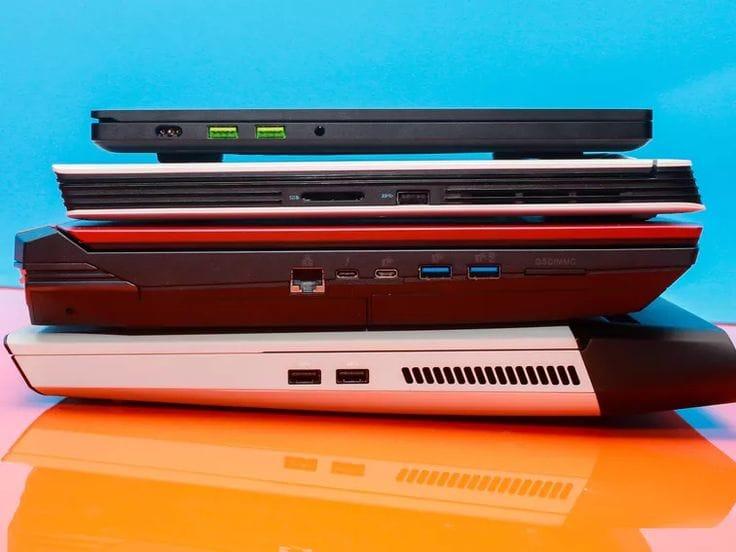
The price bracket of ₹60,000 - ₹80,000 INR is the highly demanded one to buy a laptop. It branches out to various categories such as Gaming, Productivity and some All-Rounders etc.
Category 1: Gaming
Most of the entry level gaming laptops and mid-tier gaming laptops are found in these price bracket. Specifications start at Intel Core i5 or Ryzen 5 with entry level graphics like GTX 1650 or RTX 3050. Many college students look out for these particular types of laptops for their academics and leisure gaming.
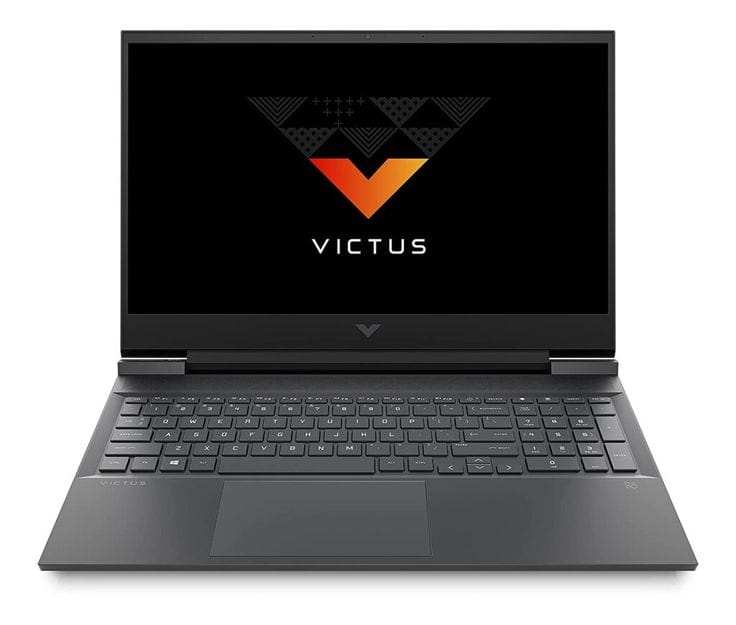
1. HP Victus Gaming Laptop (Intel Core i5-13420H, 6GB RTX 4050, 16GB RAM, 512GB SSD)
When it comes to playing games, this specific edition, which features an i5 13420H and an RTX 4050, handles them well. AAA games like Grand Theft Auto V or Cyberpunk 2077, World of Warcraft, Minecraft, The Witcher 3, God of War 4, FIFA 23, Gotham Knights, and more may be played on it. First off, the requirements are really good and can get you through four years of college and even a few more.
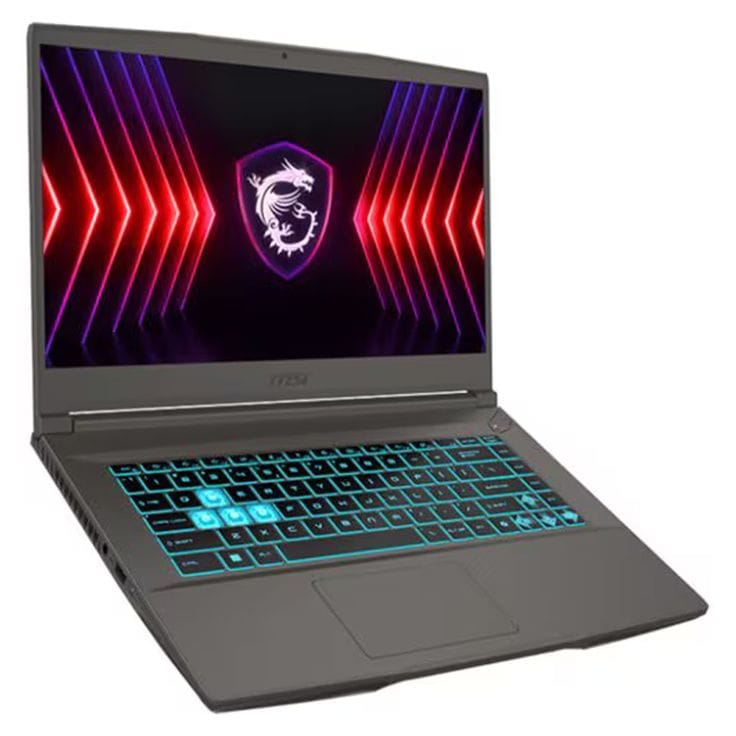
2. MSI Thin 15 (Intel Core i5-13420H, 6GB RTX 4050, 16GB RAM, 1TB SSD)
The Intel 13th Generation i5 processor is included with the MSI Thin 15. It is comparable to the HP Victus Gaming Laptop in terms of graphics performance. It weighs a little less, features USB 3.2 Gen2 PD charging, and has greater storage for nearly the same price.
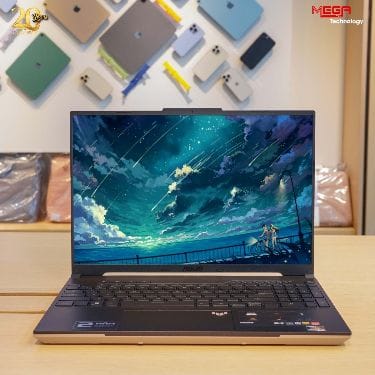
3. ASUS TUF Gaming A16 Advantage (AMD Ryzen 7 7435HS, Radeon RX 7600S, 16GB RAM, 512GB SSD)
Additionally, the ASUS TUF Gaming A16 Advantage has a Ryzen 7 7435HS processor. Comparing it to the MSI Thin 15 and HP Victus Gaming Laptop, its multicore performance is marginally better. Consequently, it excels at multitasking and CPU-intensive operations like video editing and rendering.
Category 2: Productivity
Productivity laptops are usually meant to be thin and light, about 14 inches of screen and less than 1.5kgs weight. These are meant to hold more powerful CPUs and doesn't come with a dedicated graphics. The CPUs are very well optimised with the power to give enough battery life on the go without compromising on performance.
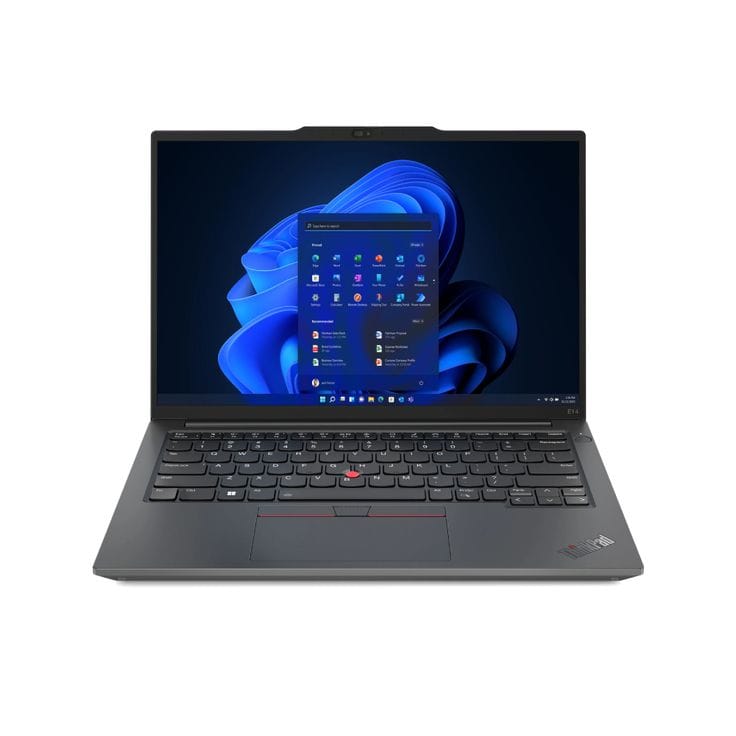
1. Lenovo ThinkPad E14 (Intel Core i5-i5-1335U, Intel Integrated Graphics, 16GB RAM, 512GB SSD)
The pinnacle of productivity and business computers is the Lenovo ThinkPad E14. It is a great option because of its classic metal chassis, superb keyboard, and Lenovo's own TrackPoint cursor pointer. The battery life is also good giving more than 8 hours of usage.
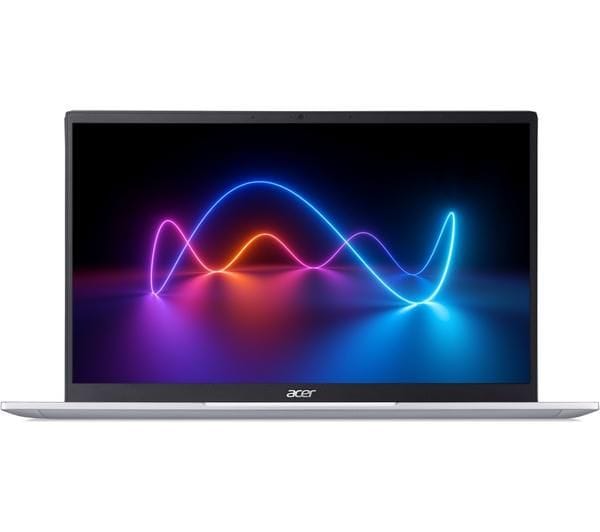
2. Acer Professional 14 (Intel Core i7-1355U, Intel Integrated Graphics, 32GB RAM, 1TB SSD)
The Professional 14 is the business laptop from Acer. This is very much similar to the Lenovo ThinkPad E 14 but with a step up in the processor. This ultrabook has a better performance in multitasking and containing battery life.
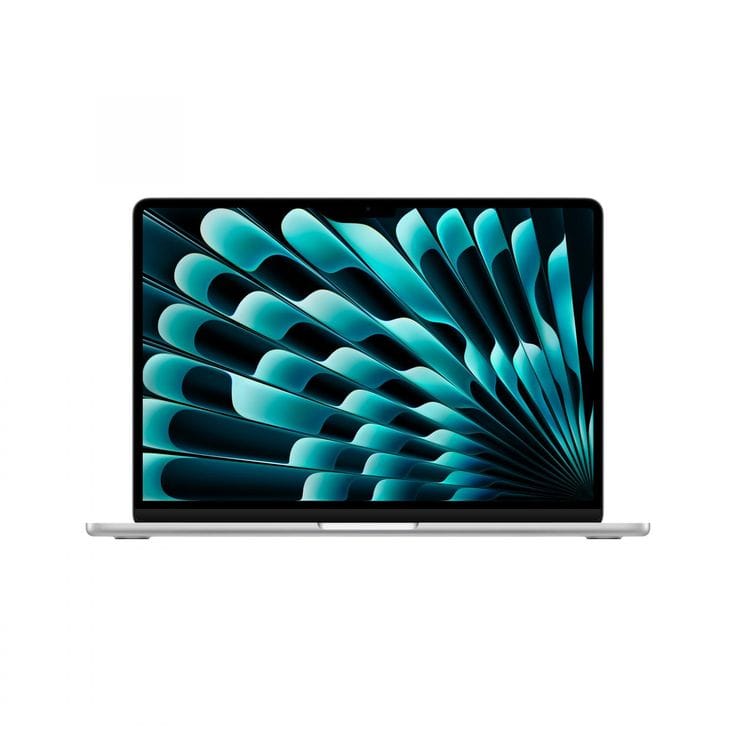
3. 2022 Apple MacBook Air (Apple M2 chip, 16GB RAM, 256 GB SSD)
Anyone who can take use of macOS and its built-in software services, like as Final Cut Pro, Logic Pro X, and other creation tools, would love this laptop. Because of its long battery life, dependability, and rich development experience, macOS is preferred by the majority of software developers over Windows. Although it costs more than its Windows counterparts, a MacBook may easily last six to eight years.
Category 3: All-Rounder
All Rounder laptops come with a balance of performance and other features such as having Intel Evo CPUs, OLED Screens and much better hardware specifications. These are used for both productivity and creators alike.
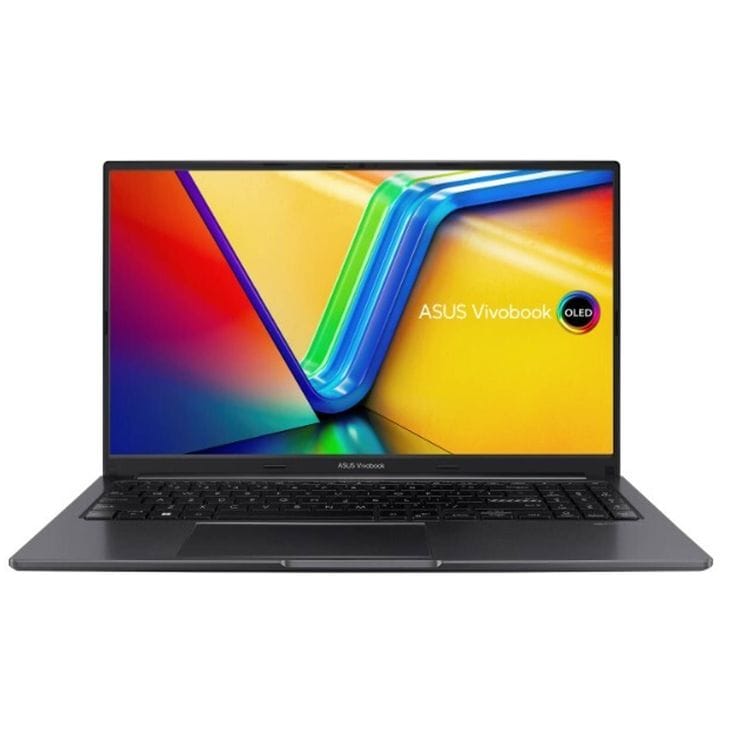
1. ASUS Vivobook S 15 OLED (Intel Core EVO i5-13500H, Intel Iris Xe, 16GB RAM, 512GB SSD)
Anyone in college who wants to pursue a career in design or creative freelancing and is searching for a high-quality, future-proof computer that will last them more than four years will find this laptop ideal. The display is amazing, and the specs are decent for the price. Although certain laptops from the 'H' series offer somewhat greater performance, it may cost more to get one in a bundle with a nice screen and build quality.
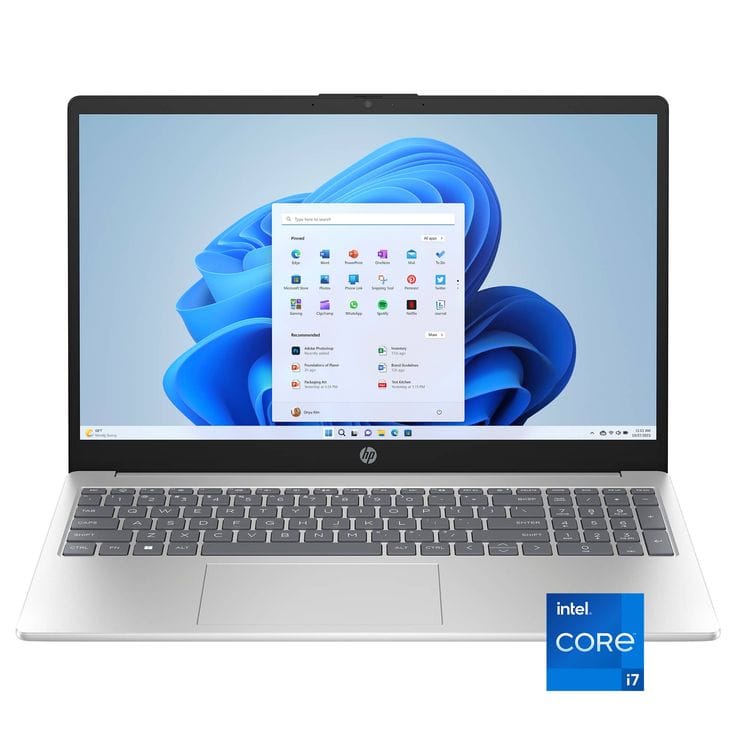
2. HP 15 (Intel Core i7-1355U, Intel Iris Xe, 16GB RAM, 512GB SSD)
This laptop is ideal for college students, offering good specs for the price, manageable weight for a 15" device, and trusted brand reliability to last through college and beyond.
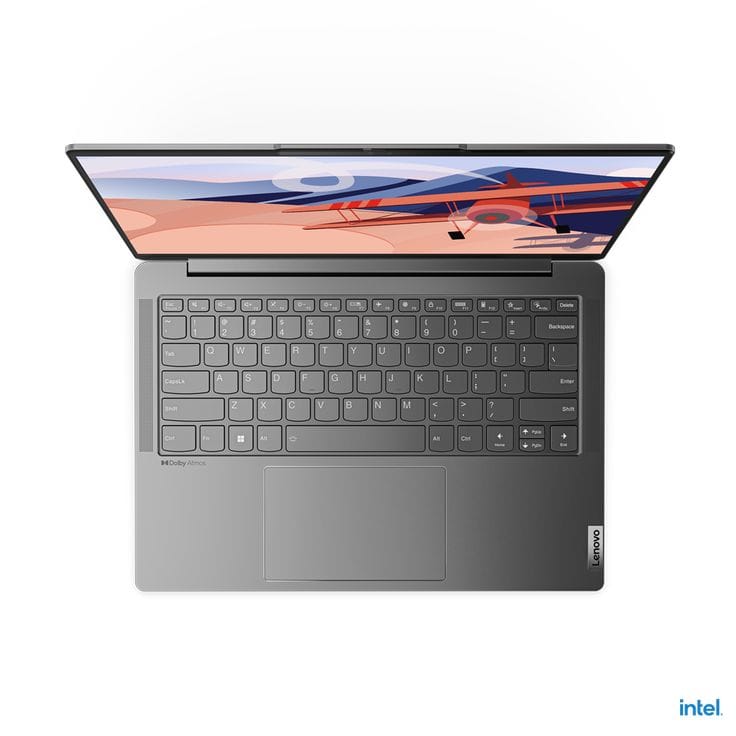
3. Lenovo Yoga Slim 6 (ntel Evo Core i5 13500H, Intel Iris Xe, 16GB RAM, 1TB SSD)
The Lenovo Yoga Slim 6 is a sleek, lightweight ultrabook featuring a sharp 2.2K IPS or OLED display, Intel Evo-certified responsiveness, and premium build quality which is ideal for professionals and students. It has one competitor which is the ASUS Vivobook S 15 OLED.
Choosing The Right Laptop Between ₹60,000 And ₹80,000 For Long-Term Value
The ₹60,000 to ₹80,000 laptop segment continues to be one of the most competitive and value-driven categories because it offers options for almost every type of user. Whether your priority is high-FPS gaming, professional productivity, content creation, programming, or everyday multitasking, this budget provides access to significantly better hardware than entry-level laptops without reaching premium flagship pricing. Buyers can choose between gaming-focused machines with dedicated graphics, lightweight productivity laptops with exceptional battery life, or all-rounder devices that balance performance, portability, and display quality.
For gamers, laptops such as the HP Victus Gaming Laptop, MSI Thin 15, and ASUS TUF Gaming A16 Advantage deliver dedicated graphics performance capable of handling modern AAA games, esports titles, game development, rendering, and GPU-intensive workloads. These systems are ideal for users who need graphical horsepower and long-term gaming capability. Their upgradeable memory, high-refresh-rate displays, and powerful processors also make them suitable for students pursuing engineering, design, architecture, and other demanding technical fields.
Meanwhile, professionals, students, creators, and business users may find greater value in productivity-focused or all-rounder laptops such as the Lenovo ThinkPad E14, Apple MacBook Air M2, ASUS Vivobook S 15 OLED, or Lenovo Yoga Slim 6. These devices prioritize battery life, portability, display quality, and everyday responsiveness while still offering enough performance for multitasking, programming, content creation, and professional workloads. Ultimately, the best laptop in this price range depends less on specifications alone and more on how closely the device aligns with your long-term usage requirements. Buyers who carefully evaluate their priorities before purchasing will find that the ₹60,000–₹80,000 segment offers some of the strongest value-for-money laptops available today.
Frequently Asked Questions
Q. Which is the best laptop under ₹80,000 for gaming?
The HP Victus Gaming Laptop, MSI Thin 15, and ASUS TUF Gaming A16 Advantage are among the strongest gaming laptops in this price segment because they offer dedicated graphics cards, modern processors, and sufficient performance for both AAA games and esports titles. Buyers focused primarily on gaming should prioritize dedicated GPU performance over ultrabook features such as portability or battery life.
Q. Is ₹60,000–₹80,000 a good budget for buying a laptop?
Yes. This budget provides access to modern processors, 16GB RAM configurations, SSD storage, premium displays, and even dedicated graphics cards in many models. It represents one of the best value segments because buyers can choose between gaming laptops, productivity ultrabooks, and versatile all-rounder devices without making major compromises.
Q. Which laptop offers the best battery life in this category?
The Apple MacBook Air with the M2 chip remains one of the strongest battery life performers in this segment. Productivity-focused ultrabooks such as the Lenovo ThinkPad E14 and Lenovo Yoga Slim 6 also offer excellent battery efficiency for users prioritizing mobility and long working sessions away from charging points.
Q. Is 16GB RAM enough for students and professionals?
Yes. For multitasking, online classes, programming, office applications, web browsing, content consumption, and moderate creative workloads, 16GB RAM remains sufficient for most users. It also provides enough headroom for future software requirements, making it one of the most balanced memory configurations available today.
Q. Should college students buy a gaming laptop or an ultrabook?
The answer depends entirely on usage requirements. Students who play games, work with 3D applications, rendering software, or graphics-intensive programs should consider gaming laptops. Students focused primarily on academics, coding, presentations, research, and productivity tasks will generally benefit more from the portability, battery life, and lighter design offered by ultrabooks.
Q. Are OLED laptops worth considering in this budget?
Yes. OLED displays provide superior contrast, deeper blacks, vibrant colors, and a more immersive viewing experience compared to standard IPS panels. They are especially beneficial for content creators, designers, photographers, video editors, and users who spend significant time watching media or working with visual content.
Q. Can laptops in this price range handle video editing?
Yes. Most laptops equipped with Intel H-series processors, Ryzen 7 processors, or dedicated graphics cards can comfortably handle Full HD editing and moderate 4K workflows. Models such as the ASUS TUF Gaming A16 Advantage, HP Victus Gaming Laptop, and MacBook Air M2 are particularly capable for content creation tasks.
Q. How long should a laptop between ₹60,000 and ₹80,000 last?
With proper maintenance, a laptop in this segment can remain productive and reliable for approximately five to seven years. Longevity depends on workload requirements, hardware specifications, thermal management, battery care, and whether future upgrades such as RAM or SSD expansion are possible.
Q. Which type of laptop offers the best value for money in this segment?
For most buyers, all-rounder laptops provide the best overall balance because they combine strong performance, quality displays, good battery life, portability, and modern features. However, users with specialized requirements such as gaming or professional content creation may find greater value in dedicated gaming laptops that offer superior graphical performance.
Q. What should buyers prioritize before purchasing a laptop in this budget?
Buyers should first identify their primary workload and then evaluate processor performance, RAM capacity, storage, display quality, battery life, portability, and upgradeability accordingly. Choosing a laptop based on actual usage requirements rather than specifications alone typically results in better long-term satisfaction and overall value.
Ready to upgrade your tech?
Browse our collection of quality refurbished products at unbeatable prices.






