
AI Memory Requirements Explained: Why New Devices Need More RAM
Learn the AI hardware requirements for new devices, including recommended RAM, GPU VRAM, CPUs, GPUs, TPUs, and NVMe SSD storage. Discover how to choose the right hardware for machine learning, deep learning, and generative AI workloads without overspending

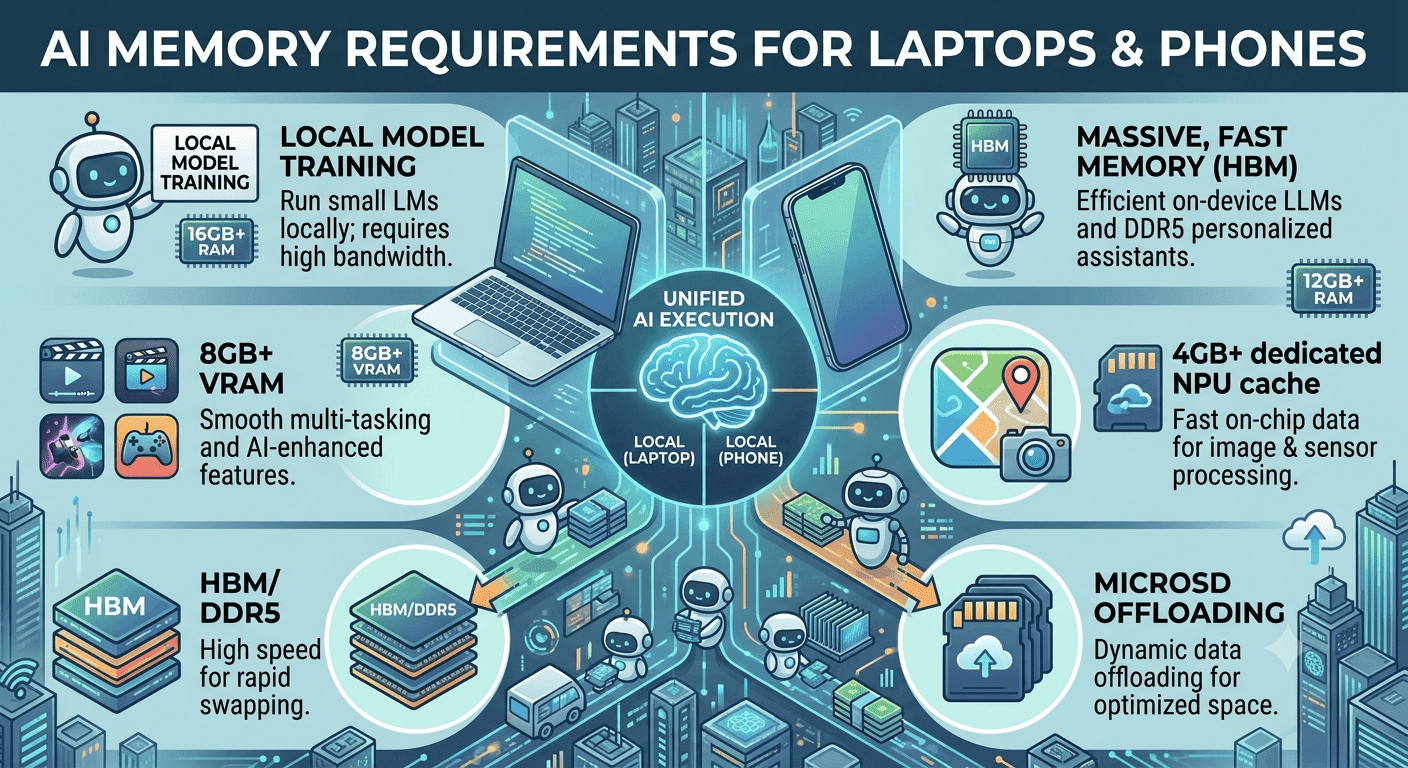
TL;DR AI hardware requirements are rising because modern AI models, especially deep learning and generative AI, need more memory, faster processing, and better storage than older workloads.
Why AI Hardware Matters Today
The increasing complexity of AI models is the main reason hardware requirements keep rising. A small machine learning model for classification behaves very differently from a generative AI model that has to handle larger inputs, more parameters, and more iterative processing. That difference shows up immediately in memory pressure and sustained performance, which is why modern devices need more than the bare minimum once AI becomes part of daily use.
AI workloads are often memory-intensive, especially for deep learning, and that means the system must keep large tensors and model states accessible without constantly swapping to disk. For basic AI tasks, a minimum of 32 GB RAM is typically required, while 64 GB or more is recommended for production models. That helps explain why new devices are being designed with much larger memory ceilings.
AI in Personal and Enterprise Devices
AI hardware is increasingly being integrated into personal computing devices to support AI tasks more efficiently. That matters because you no longer need a server room to feel the effects of AI acceleration, and many users now expect local devices to handle transcription, image analysis, and other AI operations without constant delays. Enterprises feel the same pressure at scale, where real-time response and consistent processing matter more than raw novelty.
A practical example is a marketing team using Adobe Premiere Pro with AI-assisted transcription while another user runs ChatGPT-style local inference or image enhancement in the background. Without enough RAM, both apps compete for memory and the system begins to stutter. In this kind of workflow, sustained performance matters more than occasional peak speed, because AI tools often run for long stretches rather than in short bursts.
For light AI use, the priority is not flashy specs, it is enough memory and sustained processing capacity to keep models moving. For deeper workloads, the recommended baseline changes quickly. 16 GB to 32 GB RAM can be enough for some deep learning models, but once you move into production environments, 64 GB or more becomes the safer target. GPU memory matters too, with 8 GB VRAM as a minimum recommendation and 16 GB VRAM preferred for optimal performance in many AI tasks.
Storage also matters more than many buyers expect, and at least 1 TB NVMe SSD is recommended so models, datasets, and cached outputs can load without becoming a bottleneck. The choice of processing unit also affects how smoothly AI runs. CPUs are suitable for traditional machine learning models, while GPUs are preferred for deep learning because they can handle many operations in parallel. In fact, GPUs can speed up AI model training by orders of magnitude compared with CPUs.
TPUs are another important option, especially in cloud services where tensor operations are heavily optimized for AI workloads. For specialized use cases, FPGAs and ASICs may also appear in the stack, particularly when low latency, high efficiency, or task-specific acceleration is needed. A good way to understand the hardware picture is to think in layers rather than isolated specs.
RAM keeps active data accessible, GPU VRAM supports model execution on the accelerator, and NVMe SSD storage ensures datasets and checkpoints can be retrieved quickly enough to keep up. AI systems also benefit from high-bandwidth hardware because large datasets move constantly between storage, memory, and compute units. That is why facial recognition, document analysis, and similar applications depend on fast hardware even when the software looks simple on the surface.
Memory and Storage Specifications for AI Workloads
AI workloads are memory-intensive, and that is especially true when you move into deep learning models that keep large datasets and intermediate outputs in active use. The practical takeaway is simple: if the system runs out of RAM or VRAM, performance drops fast, and the AI task that looked manageable becomes sluggish or unstable. This is why memory and storage are the first specs you should check, not the last.
For deep learning models, RAM requirements can range from 16 GB to 32 GB depending on the workload and how much data you are moving at once. That range shows why memory planning matters so much, because the same device can feel acceptable for one AI application and cramped for another.
GPU VRAM Needs
The minimum recommended GPU VRAM for AI tasks is 8 GB, with 16 GB recommended for optimal performance. GPU VRAM matters because model data has to live close to the processor during training and inference, and tighter VRAM often means more swapping, more waiting, and less consistent performance.
Storage Solutions for AI
The recommended storage for AI applications is at least 1 TB NVMe SSD for optimal performance. That capacity helps when projects accumulate datasets, checkpoints, cached models, and logs. Fast storage also reduces delays when loading large language models locally.
Memory-Storage Optimization Tips
| Workload Type | RAM Requirement | GPU VRAM Requirement | Storage Recommendation |
|---|---|---|---|
| Basic AI tasks | 32 GB | 8 GB minimum | 1 TB NVMe SSD |
| Deep learning models | 16 GB to 32 GB | 16 GB recommended | 1 TB NVMe SSD |
| Production models | 64 GB or more | 16 GB recommended | 1 TB NVMe SSD |
- Keep RAM high enough that the system does not need to constantly offload active data.
- Choose GPU VRAM with headroom, because AI tasks often expand beyond the smallest workable configuration.
- Use NVMe SSD storage so dataset access does not become the bottleneck.
- Plan for AI applications that create large temporary files, not just the final model.
- Treat memory-intensive deep learning as a workload that punishes under-specification quickly.
A useful way to think about selection is to match the component to the workload, then check whether the full system stays balanced under load. If you are building around light experimentation, a CPU-led setup can be enough. If you are aiming at production models or heavier deep learning, the hardware needs to shift toward memory-rich, GPU-focused configurations that can keep pace without wasting energy.
Processing Units: CPUs, GPUs, TPUs, and Specialized Chips
Processing units decide how quickly AI hardware can turn data into results, and the differences between them are not subtle. CPUs are suitable for traditional machine learning models, while GPUs are preferred for deep learning models, and that split exists because the workload patterns are different.
CPUs vs GPUs for AI
A CPU is flexible and broad, which makes it useful for traditional machine learning models and general system work. A GPU is built for parallel processing, which is why it can speed up training of AI models by orders of magnitude compared with CPUs. That speed gap is why deep learning almost always pushes buyers toward GPU-heavy systems, especially when training time matters more than simple compatibility.
Role of TPUs in AI
Tensor Processing Units are optimized for tensor operations and are commonly used in cloud services for AI. That makes TPUs especially relevant when AI workloads live in managed infrastructure and the goal is to accelerate model operations at scale. They are not the universal answer, but they fit well when tensor-heavy work dominates and the environment is already built around cloud deployment.
Specialized Chips: FPGAs and ASICs
Field-Programmable Gate Arrays are used in AI applications requiring low latency and high adaptability. Application-Specific Integrated Circuits are custom-made chips that provide high efficiency for specific AI tasks. The tradeoff is straightforward: FPGAs give you flexibility, while ASICs give you focused efficiency. That difference matters in systems where response time or power use is more important than broad-purpose compatibility.
Importance of High Bandwidth Memory
High Bandwidth Memory is designed for high-performance computing and is ideal for training large neural networks. If you are dealing with heavy AI training, HBM is one of the clearest examples of how memory design affects processing speed.
| Processing Unit | Best Fit | Key Strength | Main Tradeoff |
|---|---|---|---|
| CPU | Traditional machine learning models | Flexible general-purpose processing | Slower for deep learning training |
| GPU | Deep learning models | Massive parallel speedup | Higher power demand |
| TPU | Tensor operations in cloud AI | Specialized tensor acceleration | Narrower use case |
| FPGA | Low-latency AI applications | High adaptability | More complex deployment |
| ASIC | Specific AI tasks | High efficiency | Limited flexibility |
- Use CPUs when the workload is closer to traditional machine learning and mixed general computing.
- Use GPUs when deep learning training speed matters more than power draw.
- Use TPUs when tensor operations dominate and the system lives in cloud AI infrastructure.
- Use FPGAs when low latency and adaptability matter together.
- Use ASICs when the AI task is fixed and efficiency is the main goal.
- Use HBM when training large neural networks pushes memory bandwidth to the limit.
A common mistake is assuming that the most expensive processor is automatically the right one. If your workload is deep learning at scale, a GPU-focused system with strong memory bandwidth is the practical choice. If your workload is a narrower cloud task, TPU or ASIC designs can be more sensible.
Integrating AI Hardware for Optimal System Performance
AI hardware integration is where the spec sheet turns into a working device, and this is where many systems fall short. The system still has to balance speed, volume capacity, energy efficiency, and price, which means every component affects the others.
Challenges in AI Hardware Integration
The hardest part of hardware integration is keeping the system balanced under load. A device can have strong processing hardware and still fail to feel responsive if memory bandwidth, storage speed, or thermal behavior cannot keep up. That is why the full system matters more than any single component.
High-Bandwidth Needs for AI
AI systems often require high-bandwidth hardware to process large datasets effectively. That matters because AI workloads are not just about raw compute, they are about moving data quickly enough that the processor stays busy instead of waiting. When the hardware cannot keep pace, even a capable AI application starts to feel slow, especially during large dataset processing or model-heavy operations.
Infrastructure and Deployment
Edge AI and cloud deployments place different demands on the hardware stack, but both need careful integration. Edge systems care more about local responsiveness and energy efficiency, while cloud systems care about scale and sustained throughput. In both cases, the hardware must support the workload without wasting capacity or creating avoidable bottlenecks.
- Match the hardware design to the workload instead of assuming one fast component solves everything.
- Keep high-bandwidth data paths in mind when large datasets are part of the workflow.
- Plan for real-time AI applications, not only batch processing.
- Use edge AI when local response matters more than remote compute.
- Use cloud infrastructure when scaling and centralized processing matter more than local convenience.
- Check thermal and power behavior, because thermal performance affects long-run stability.
The best integration strategy is the one that keeps AI systems responsive without overspending on unused capacity. That balance is especially important when the device must support both everyday work and AI tasks. It also helps prevent the common mistake of buying a strong processor and then bottlenecking it with weak memory or slow storage.
AI Hardware Requirements Overview
The hardware is best understood as a practical checklist, not a slogan. The components have to support memory-hungry workloads, fast processing, and storage that can keep up with the pace of AI applications.
Memory and Storage
The main reason these requirements keep rising is that AI models are getting more complex, and complexity always has a hardware cost. Deep learning and generative AI push memory harder than older software ever did, which is why the same device can feel fine for normal work but struggle under AI tasks. That is also why memory, processing units, and storage should be evaluated together instead of in isolation.
A system with strong compute but weak RAM will still stall when model context, datasets, or embeddings start stacking up. A good way to read the topic is to think in layers. RAM holds active data, GPU VRAM keeps model work close to the processor, and NVMe SSD storage keeps the system from stalling when files get large.
For most buyers, the first number to watch is memory capacity. AI workloads typically require a minimum of 32 GB RAM for basic tasks, and 64 GB or more is recommended for production models, especially when multiple tools run at once. In real use, that means a workflow like running Python, Jupyter Notebook, and a local LLM interface at the same time can quickly expose a shortage of system memory.
GPU memory matters just as much, especially when models move from experimentation to real work. Storage is another place where the build is often underestimated. The recommended storage for AI applications is at least 1 TB NVMe SSD for optimal performance, because AI projects can accumulate datasets, checkpoints, cached models, and logs very quickly.
A developer training a computer vision model in TensorFlow, for example, may need room for raw images, preprocessed data, and repeated checkpoint saves. Fast SSD storage also helps when loading large language models locally, because slow drives can create noticeable delays before the model even starts responding.
Processing units determine how efficiently the system turns memory into results. CPUs are suitable for traditional machine learning models, while GPUs are preferred for deep learning models, and GPU acceleration can speed up training by orders of magnitude compared with CPUs. TPUs are optimized for tensor operations and are commonly used in cloud services for AI, while FPGAs are useful in low-latency environments and ASICs are built for highly specific AI tasks.
This is why a facial recognition pipeline, a recommendation engine, and a generative image workflow may all need different hardware priorities even if they look similar at a high level. AI hardware is also increasingly being integrated into personal computing devices to improve everyday performance for AI tasks. That shift changes how buyers should think about laptops, desktops, and workstations, because the goal is no longer just general responsiveness but sustained AI throughput under load.
High-bandwidth hardware becomes especially important when large datasets must move quickly between memory and compute, and the system has to balance speed, capacity, energy efficiency, and price. That is the practical core of AI hardware requirements, and it is why the right build depends on the workload rather than a single headline spec.
Frequently Asked Questions
Q. What is the practical starting point for AI hardware requirements?
A practical starting point is 32 GB RAM, 8 GB GPU VRAM, and a 1 TB NVMe SSD. Those numbers cover basic AI tasks and help keep datasets, model weights, and cached outputs from slowing the system down. If you expect production models, 64 GB or more RAM is the safer target.
Q. When should I choose a GPU instead of a CPU?
Choose a GPU when deep learning matters more than general-purpose flexibility. GPUs can speed up AI model training by orders of magnitude compared with CPUs, which makes them a better fit for parallel workloads. CPUs still make sense for traditional machine learning models and mixed system tasks.
Q. Why does storage matter so much for AI workloads?
Storage matters because AI projects move large datasets, checkpoints, logs, and cached models through the system constantly. The article recommends at least 1 TB NVMe SSD for optimal performance, and that helps prevent file access from becoming a bottleneck. Slow storage can delay model loading even when the rest of the device is strong.
Q. How much RAM do production AI models usually need?
Production models typically need 64 GB or more RAM. That higher ceiling gives the system more room for active data, multiple tools, and larger model states. Basic AI tasks can work with 32 GB, but production use needs more headroom.
Q. Where do TPUs, FPGAs, and ASICs fit in AI hardware requirements?
TPUs fit best in cloud services that rely on tensor operations, while FPGAs work well when low latency and adaptability matter. ASICs are best for specific AI tasks where efficiency is the main goal. These options are more specialized than CPUs or GPUs, so they make the most sense when the workload is clearly defined.
Q. How do I know if my device is balanced enough for AI work?
A balanced device keeps memory, processing, and storage aligned with the workload. If you have 32 GB RAM or more, 8 GB to 16 GB VRAM, and a 1 TB NVMe SSD, you have a strong foundation for many AI tasks. The key is to avoid a setup where one strong component is held back by a weak one.
Choosing the Right AI Device for Your Workload
AI hardware requirements make the most sense when you match the device to the work you actually plan to do. For basic AI tasks, 32 GB RAM, 8 GB VRAM, and a 1 TB NVMe SSD provide a practical baseline. For production models, 64 GB or more RAM and 16 GB VRAM give you more room to work without constant slowdowns.
If you mostly use traditional machine learning models, a CPU-led setup can be enough. If you work with deep learning, a GPU-focused system is the better fit because it handles parallel operations far more efficiently. If your workload lives in cloud AI infrastructure, TPUs, FPGAs, or ASICs may make more sense depending on whether you need tensor speed, low latency, or high efficiency.
The clearest next step is to compare your workload against the memory, storage, and processing needs already outlined here. That approach keeps you from overspending on the wrong component and helps you avoid the bottlenecks that make AI feel slow. If you are buying a new device, start with the workload, then verify that the full system can stay balanced under load.






