
School Student Laptop Buying Guide 2026
An in-depth guide helping parents select the right laptop for school students in 2026.

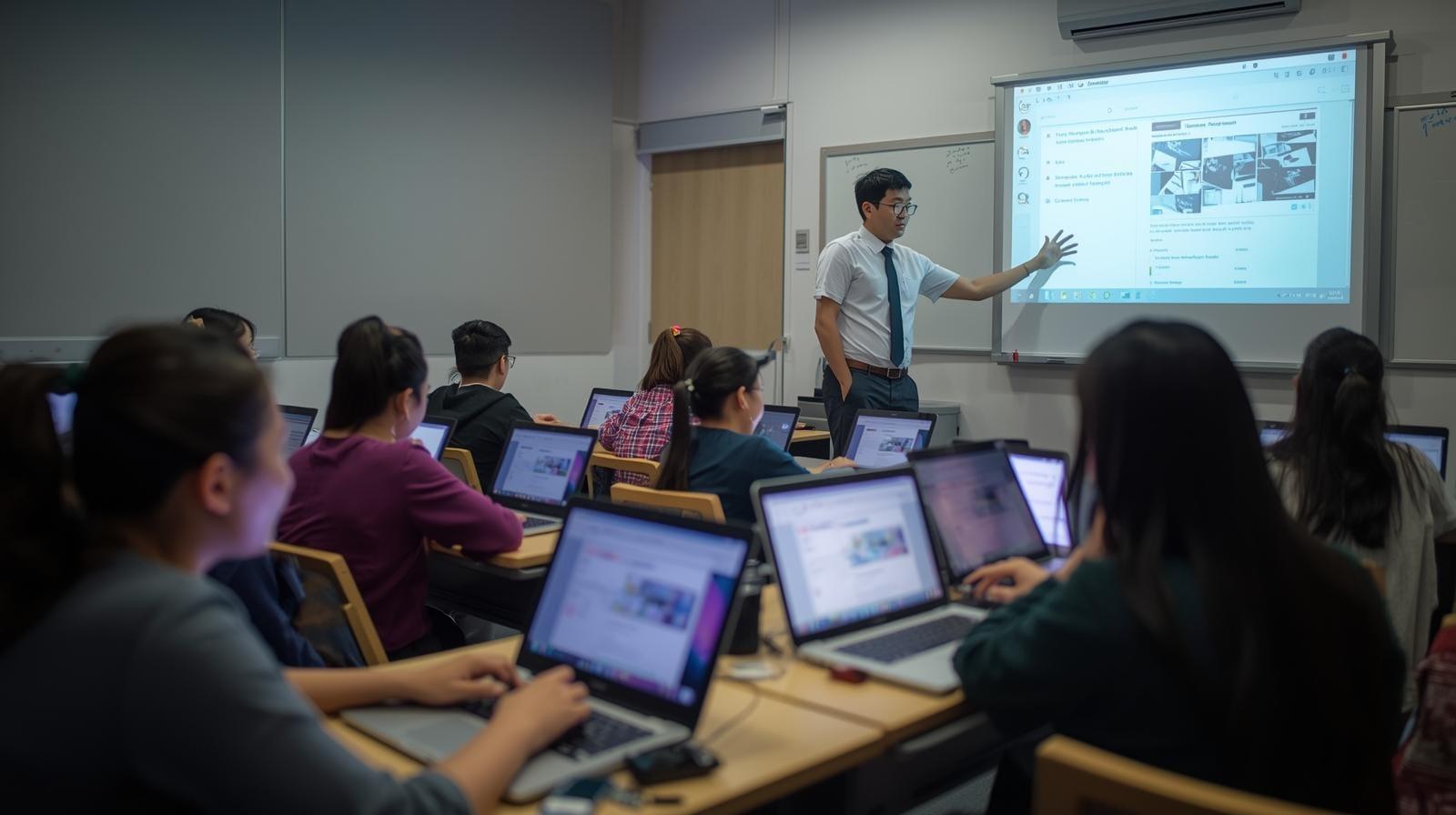
TL;DR School students in 2026 increasingly need laptops to support digital learning, online assignments and skill development. Schools rely on platforms that require consistent device access, making personal laptops essential. While simple devices work well for early years, long-term flexibility matters as students grow. The best school laptops balance ease of use, durability, battery life and controlled environments to support learning across multiple academic years.
Introduction
School education in 2026 is steadily moving away from textbook-only learning toward blended digital instruction. Classrooms increasingly rely on online portals, digital worksheets, recorded lessons and interactive platforms that require students to access content daily. This shift makes laptops a practical necessity rather than an optional household device. Students now need consistent access to a personal computer to keep pace with modern teaching methods and academic expectations.
Parents face a complex challenge when selecting laptops for school students. The device must support learning, remain safe and distraction controlled, and continue to be usable for several academic years. Unlike college or professional devices, school laptops must balance simplicity with long-term flexibility. This guide explains why laptops are now essential in schools, how global trends influence device choices, and what families should realistically prioritise in 2026.
Why Schools Are Beginning To Need Laptops
Schools are adopting laptops because teaching methods increasingly depend on digital platforms that centralise assignments, announcements and assessments. Teachers now distribute homework digitally, collect submissions online and provide feedback through learning portals. This approach improves organisation and accountability but requires students to access systems consistently. A dedicated laptop ensures students can participate fully without relying on shared family devices that disrupt routines.
Another reason is the rise of project-based learning at the school level. Students are encouraged to research topics, create digital presentations and collaborate with classmates online. These activities require typing, multitasking and screen space that tablets and phones struggle to provide. Laptops offer a comfortable workspace that supports deeper engagement, helping students focus on understanding concepts rather than fighting device limitations.
Digital Skill Development At School Level
Schools are also preparing students for a future where digital literacy is a foundational skill. Typing, file management, online research and responsible technology use are now taught alongside traditional subjects. Laptops allow students to practise these skills in a controlled environment under teacher guidance. Early exposure helps students build confidence and familiarity gradually rather than facing a steep learning curve later.
Developing digital skills during school years also improves academic independence. Students learn how to organise work, manage deadlines and navigate digital systems responsibly. These habits carry forward into higher education and professional environments. A laptop becomes not just a learning tool but a medium through which students develop essential life and career skills.
How Digital Learning Is Reshaping Classrooms
Digital learning has changed how lessons are delivered and reinforced in classrooms. Teachers now supplement lectures with videos, animations and interactive exercises that adapt to student progress. Laptops allow students to interact with content directly, revisit difficult topics and practise independently. This approach supports varied learning speeds and improves comprehension across diverse classrooms.
Assessment models have also evolved with digital tools. Continuous evaluation through quizzes, assignments and projects replaces reliance on a few major exams. Laptops provide a stable environment for assessments and reduce logistical challenges for teachers. Students benefit from timely feedback and clearer understanding of performance, encouraging steady improvement rather than last-minute exam preparation.
Why Chromebooks Are Becoming Common In Western Schools
In many Western education systems, Chromebooks are widely adopted because they align with cloud-first teaching models. These devices focus on browser-based applications, which suits schools that use online classrooms, shared documents and web-driven assessments. Their simplified interface reduces confusion for younger students and allows teachers to focus on instruction rather than technical troubleshooting.
Administrative simplicity also contributes to Chromebook popularity. Schools can manage large numbers of devices centrally, applying content restrictions and security policies uniformly. This creates a predictable learning environment and limits distractions. Combined with lower hardware costs, Chromebooks enable schools to deploy devices at scale without excessive financial pressure.
Limitations Of Chromebooks For Growing Learners
Despite their classroom advantages, Chromebooks impose constraints that become more visible as students grow academically curious. Their dependence on web applications limits access to traditional desktop software used for creative exploration, coding or advanced projects. Students interested in experimenting beyond prescribed coursework may feel restricted by these boundaries.
Another limitation is reliance on consistent internet access. While some offline features exist, Chromebooks perform best when connected. In homes with unstable connectivity, students may experience interruptions that affect homework and study routines. These factors make Chromebooks suitable for structured early education but less flexible for long-term academic growth.
What Kind Of Laptops School Students Should Look At
School students need laptops that prioritise ease of use, safety and durability. The device should feel approachable rather than intimidating, especially for younger learners. Simple operating systems, intuitive interfaces and stable performance help students focus on learning rather than technical issues.
At the same time, laptops should offer enough flexibility to grow with the student. As coursework becomes more demanding, students may need better multitasking or offline capability. A balanced laptop avoids extreme limitations while remaining age-appropriate, reducing the need for frequent replacements and supporting continuous learning.
Performance Expectations For School Work
School workloads are relatively light, but consistency matters more than peak power. Students use laptops for online classes, homework, research and presentations. A processor that handles these tasks smoothly without overheating supports focus and reduces frustration during long study sessions. Multitasking demands are increasing gradually. Students may attend live classes while referencing notes or digital textbooks simultaneously. Adequate performance ensures these activities run smoothly. Avoiding underpowered devices is important, as lag and slow response can negatively affect motivation and engagement.
RAM And Smooth Daily Usage
Memory plays a key role in maintaining responsiveness during school tasks. Students frequently open multiple browser tabs, documents and learning platforms at the same time. Adequate RAM allows applications to remain active without constant reloading, improving efficiency and reducing interruptions. Insufficient memory leads to slowdowns that disrupt learning flow. While school tasks do not require extreme memory capacity, a reasonable baseline ensures smooth usage over several years. Balanced memory allocation supports current needs and provides headroom as digital learning tools become more demanding.
Display Comfort For Young Eyes
School students spend many hours reading and watching content on screens, making display comfort essential. A clear screen with sufficient brightness improves readability and reduces strain during extended study sessions. Poor displays can cause discomfort and reduce attention over time. Screen size also influences usability. Larger displays help students view diagrams, videos and digital textbooks without excessive scrolling. A comfortable display supports healthier screen habits and improves learning efficiency, especially for younger students still developing focus and reading endurance.
Battery Life For School Day Routines
A school laptop should comfortably last through a full day of classes and homework. Strong battery life reduces dependence on charging and supports uninterrupted learning. This is especially important for students attending online or hybrid classes where power access may be limited. Battery reliability over time is equally important. Devices that lose capacity quickly become inconvenient within a year or two. Choosing laptops with efficient power management ensures consistent usability across multiple academic years and reduces replacement costs.
Durability For Everyday School Handling
School laptops experience daily movement, backpack pressure and frequent handling. Durable construction protects devices from minor drops and wear. Strong hinges, solid chassis design and quality materials reduce the risk of damage that interrupts learning. Durability also lowers long-term costs. Fewer repairs and replacements mean less disruption for students and families. Investing in build quality ensures the laptop remains reliable throughout school years rather than becoming a recurring problem.
Safety And Controlled Usage
Safety is a major concern for parents when introducing laptops at school age. Devices should support supervised usage through user controls and restricted environments. Controlled access helps prevent distractions and encourages responsible technology use. A safe digital environment allows students to focus on learning while gradually developing independence. Balanced supervision builds healthy habits and reduces risks associated with unrestricted access. Laptops that support controlled usage create a productive and secure learning space.
Keyboard Quality And Skill Development
Typing is an essential skill that students develop during school years. A comfortable keyboard encourages proper typing habits and confidence during assignments. Poor keyboards can discourage writing and slow skill development. Keyboard comfort affects daily productivity. Responsive keys and appropriate spacing support longer writing sessions without fatigue. Early exposure to good typing ergonomics prepares students for future academic stages where written work becomes more demanding.
Software Compatibility With Schools
School laptops must align with the software platforms used by educational institutions. Compatibility ensures smooth participation in classes, assignments and assessments. Mismatched software environments can create unnecessary barriers and frustration. Flexible operating systems allow students to explore learning tools responsibly while staying aligned with school requirements. Choosing compatible devices reduces technical issues and ensures consistent access to educational resources throughout the academic year.
Connectivity At Home And School
Reliable connectivity is essential for modern school learning. Laptops should maintain stable wireless connections for classes, research and submissions. Connectivity issues disrupt learning and increase stress for students. Offline capability also matters in areas with inconsistent internet access. Students should be able to read materials and work on assignments without constant connectivity. Balanced connectivity ensures learning continues regardless of network conditions.
Budget Planning For School Laptops
Budget considerations influence most school laptop purchases. Families must balance affordability with durability and long-term usability. Extremely cheap devices often lead to early replacement, increasing total costs over time. A well-planned budget focuses on value rather than lowest price. Choosing a reliable laptop that lasts several years provides better educational continuity and reduces disruption caused by frequent upgrades.
Refurbished Laptops For School Use
Refurbished laptops can be practical options for families with budget constraints. Properly refurbished devices are tested and restored to reliable working condition. They often offer better specifications than new low-end devices at similar prices. These options also support sustainability by extending device lifecycles. When chosen carefully, refurbished laptops provide dependable performance and reduce electronic waste, making them a responsible choice for school education.
Some of Refurbo's Top Picks
Recommended Laptops For School Students
ASUS Vivobook
The ASUS Vivobook offers a practical blend of performance, portability and everyday usability that suits school students well. Its lightweight build makes it easy to carry between classrooms and study spaces, while the SSD storage ensures quick boot times and responsive application performance for homework, research tasks and online classes. The keyboard remains comfortable for typing assignments and presentations, and its battery life typically lasts a full school day.
Lenovo IdeaPad
The Lenovo IdeaPad serves as a dependable everyday laptop for school students who need consistent performance without unnecessary complexity. Its efficient processor handles web-based learning platforms, document editing and multimedia lessons smoothly, while the full-sized keyboard supports prolonged typing sessions. Students benefit from a responsive system that adapts to evolving school tasks, and parents appreciate its value-oriented design and long-term usability across multiple academic years.
Dell Inspiron
The Dell Inspiron appeals to school students and parents seeking reliable performance with strong build quality. Its processor and memory configuration support multitasking across homework apps, browsers and online classes without noticeable slowdowns. The display is clear and comfortable for reading digital textbooks and watching educational videos, while the overall design remains sturdy enough to withstand daily transport. Its balanced performance helps students stay productive and organised throughout the school curriculum.
HP 15S
The HP 15S offers a straightforward and practical laptop choice for students with fundamental academic needs. Its processor supports everyday tasks such as document writing, research and online learning platforms with steady responsiveness. The SSD storage improves startup and file access times, and the comfortable keyboard enhances typing for assignments and notes. With a design that emphasises simplicity and value, it is a good match for students who prioritise dependable performance over high-end features.
Acer Aspire 3
The Acer Aspire 3 is a sensible option for school students requiring a budget-friendly laptop that still delivers stable performance for academic use. Its processor and memory configuration are sufficient for web browsing, homework preparation and participating in virtual classes without undue lag. The display offers clarity for reading and typing tasks, and its lightweight design supports portability between home, classrooms and study areas. It remains a solid choice for daily school routines.
ASUS Zenbook
The ASUS Zenbook represents a slightly more premium choice for older school students who anticipate heavier multitasking or creative work. Its efficient processor and generous memory help handle multiple browser tabs, research tools and project work simultaneously. The high-quality display improves visual comfort for extended reading and presentation preparation. Its sleek and lightweight chassis makes it easy to transport, while battery life supports long school days without frequent charging.
Planning For Academic Growth
School laptops should support gradual academic progression. Coursework becomes more complex as students advance, requiring devices that can adapt without immediate replacement. Planning for future needs reduces disruptions and additional expenses. Performance headroom, durability and software flexibility influence long-term usefulness. A laptop chosen with growth in mind remains supportive rather than restrictive as educational expectations evolve.
Why the Right School Laptop Still Remains One of the Smartest Learning Investments in 2026
The strongest closing takeaway is simple: in 2026, a school laptop is no longer just a device for online classes, but a long-term learning companion that directly shapes how students build discipline, confidence, and digital fluency. From daily homework portals and recorded lessons to typing assignments, presentations, research, and digital project work, students now interact with laptops across multiple academic touchpoints. This is exactly why parents should treat the buying decision as an educational continuity investment rather than a short-term gadget purchase.
What makes this decision especially important is academic growth. A laptop that feels “good enough” in the early years may quickly become restrictive as students move into middle and senior school, where project work, browser multitasking, research depth, and digital presentations become more frequent. Choosing a laptop with balanced RAM, SSD responsiveness, comfortable keyboard quality, and strong battery life creates far better long-term ownership value than repeatedly replacing underpowered budget devices. Over a 4–5 year school cycle, this planning mindset usually saves both money and learning disruption.
The smartest buying framework is to prioritize simplicity today and flexibility for tomorrow. A school laptop should remain safe, approachable, durable, and distraction-controlled for younger learners, while still offering enough performance headroom for academic independence as the student grows. When chosen carefully, the laptop becomes more than hardware. It becomes the student’s daily study desk, digital notebook, research tool, and project companion, making it one of the most meaningful education investments a family can make in 2026.
Frequently Asked Questions
Q. How much RAM is enough for a school laptop in 2026?
8GB RAM should now be treated as the safest minimum for school students because modern learning platforms, browser tabs, recorded lessons, and document apps often run together. It keeps the laptop smooth for multiple academic years and reduces early slowdowns.
Q. Should parents buy a Chromebook or Windows laptop for school?
Chromebooks work well for younger students and browser-first school systems, but Windows laptops are usually the smarter long-term choice because they offer better software flexibility, offline usability, and stronger support as students move into project-heavy middle and senior school workflows.
Q. Is battery life important for school students?
Yes, battery life is one of the most important factors because students often move between classes, homework, revision videos, and study sessions. A laptop that comfortably lasts a full school day plus evening homework creates better routine consistency and less charging dependency.
Q. Are refurbished laptops good for school students?
Yes, high-quality refurbished laptops are often a smart choice for families on a budget because they can offer better RAM, SSD storage, and build quality than very cheap new laptops in the same price range. The key is choosing reliable refurbished business laptops with good battery health and strong keyboard quality.
Q. How long should a school laptop ideally last?
A well-chosen school laptop should comfortably last 4–5 academic years. This ensures the student can move from early digital learning into more project-heavy and research-driven school stages without immediate replacement.
Ready to upgrade your tech?
Browse our collection of quality refurbished products at unbeatable prices.






