
Monitors, Keyboards, And Mice For Every Budget
An in depth breakdown of monitors keyboards and mice for every budget and how the right peripherals boost productivity

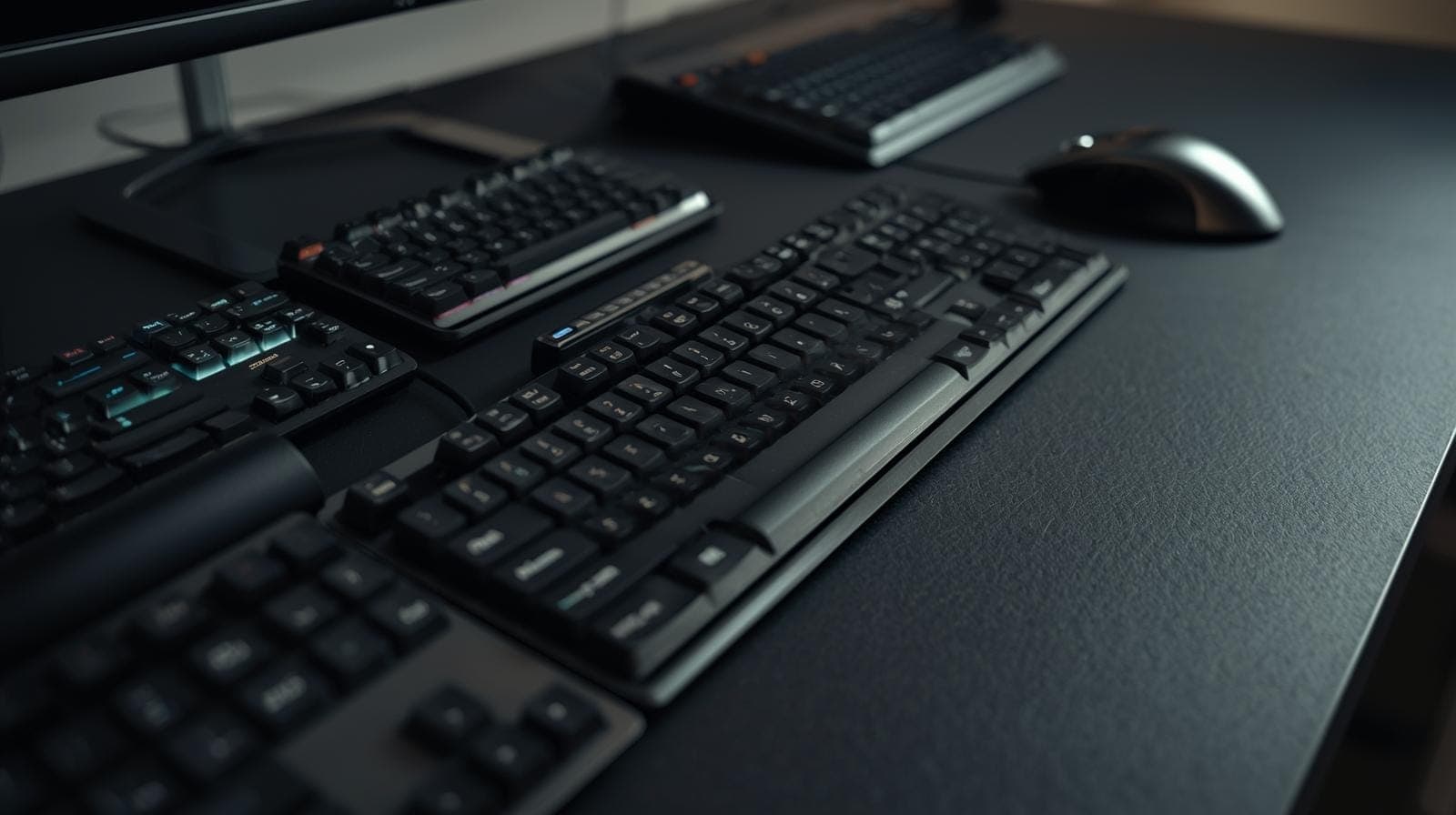
TL;DR Building a productive desk starts with choosing the right peripherals based on budget and real daily needs. Monitors determine visual space and comfort, keyboards shape typing speed and endurance, and mice influence precision and long term wrist health. Entry level options can be effective when chosen carefully, while mid and upper tiers deliver major gains in comfort and consistency. Ergonomic keyboards and mice look different because they are designed around human anatomy rather than tradition, reducing strain over time. Logitech stands out as a peripheral pioneer due to its focus on reliability, wireless stability, ergonomics, and real world usability. Thoughtful peripheral choices compound into sustained productivity.
Buying Peripherals By Budget
Most people buy peripherals in reaction to discomfort, not as part of a planned productivity upgrade. The laptop screen feels cramped, so they buy the cheapest monitor. The built in keyboard starts to feel tiring, so they buy whatever is available quickly. The touchpad feels slow, so they pick a random mouse. The result is a desk that looks complete but still feels frustrating. Buying peripherals by budget tiers solves this because it forces clarity. It helps you decide what problems you want to solve first, what compromises you are willing to accept, and what kind of long term comfort you want to build into your daily work.
In India, budget based peripheral planning is even more practical because pricing swings widely across brands, availability changes across cities, and users often upgrade step by step. A student might start with a basic monitor and mouse, then add a better keyboard later. A professional might invest in a premium monitor first, then gradually refine the input setup. Budget tiers also reduce decision fatigue. Instead of searching endlessly, you focus on the right class of product for your spend and your use case. The goal is not to buy the most expensive gear. The goal is to build a desk that feels frictionless for your workload and sustainable for your body.
Monitors For Every Budget
A monitor is the most visible upgrade on any desk because it changes how you see your work. It is also one of the most misunderstood purchases because people compare only size and ignore the factors that actually affect comfort and productivity. Resolution, panel type, brightness consistency, colour stability, stand adjustability, and eye comfort features matter more than most first-time buyers expect. A larger monitor that is dim, poorly calibrated, or uncomfortable to view at normal distances can be less productive than a smaller but sharper and more stable display. Choosing by budget is useful because it aligns expectations with what a monitor can realistically deliver.
The other reason monitors should be budget planned is because they influence every other purchase. A higher resolution monitor may push you toward better scaling habits and more screen space usage. A monitor with a better stand reduces neck strain and eliminates the need for a separate arm. A monitor with USB C connectivity reduces dongle chaos and makes laptop docking easier. When monitors are chosen carefully, they reduce friction beyond just visuals. They simplify how the whole desk behaves during a workday, which is why monitors deserve to be treated as core productivity infrastructure.
Entry Budget Monitors That Still Feel Usable
In the entry tier, the most realistic goal is to buy a monitor that is comfortable for long reading and basic productivity without overpaying for features that will not perform well at this price. In India, this tier is often where 22 inch to 24 inch Full HD monitors dominate. A good entry monitor should deliver stable brightness, a decent matte finish to reduce glare, and a panel that does not shift colours dramatically when you move your head slightly. Many entry monitors use TN panels, which can feel harsh and unstable. If possible within the budget, an IPS panel is usually a better experience for most people because it maintains consistent viewing angles and is kinder for long sessions of reading, writing, and spreadsheets.
At this budget, refresh rate and gaming marketing should not be the focus unless gaming is a primary use. For productivity, the bigger wins come from having enough brightness for daytime work and a stand that allows at least tilt adjustments. If the stand is limited, even a basic monitor riser can prevent the screen from sitting too low. The purpose of an entry monitor is not to feel premium, it is to expand your workspace and reduce constant window switching. If it achieves that without eye strain, it is already a meaningful productivity upgrade.
Mid Budget Monitors That Improve Comfort Significantly
In the mid tier, monitors begin to feel like tools rather than compromises. This is where 24 inch to 27 inch Full HD and QHD monitors become practical options for Indian buyers, especially during sales periods. QHD at 27 inches is often considered a strong productivity sweet spot because text looks cleaner, and you can fit more content without everything feeling cramped. This tier also tends to offer better IPS panels, improved brightness uniformity, and more reliable colour handling. Even if you are not a designer, stable colour and contrast matter because they reduce subtle visual fatigue.
Mid tier monitors are also more likely to offer practical features like better anti-flicker behaviour, low blue light modes that do not destroy colour balance, and stands with height adjustment. Height adjustment is one of the most underrated productivity features because it directly impacts posture and neck comfort. A monitor that sits at the right height reduces tension, which improves focus over long work blocks. If your work involves reading, writing, code, research, meetings, and spreadsheets, this is often the best balance of price and comfort.
Upper Mid Budget Monitors For Serious Workflows
The upper mid tier is where the monitor begins to support advanced workflows rather than just general productivity. This tier typically includes 27 inch QHD monitors with stronger calibration, better build quality, and more consistent panel performance. It may also include entry level ultrawide monitors, which can be extremely productive for people who prefer a single wide canvas instead of dual monitors. Ultrawides are particularly effective for timeline based work, side by side document comparison, long spreadsheets, and multitasking that benefits from a continuous horizontal space.
Another key improvement in this tier is connectivity. USB C monitors become more common, and that changes desk behaviour dramatically for laptop users. A single cable can handle display output and sometimes charging, reducing adapter dependence and making it easier to dock and undock quickly. This matters in Indian hybrid work setups where laptops often move between rooms or between home and office. This tier is also where monitor arms become truly worth considering because the monitor’s weight and size make stand limitations more noticeable. If your monitor is central to your workday, this tier can feel like the first real leap into comfort and efficiency.
Premium Monitors For Long Hours And Visual Quality
Premium monitors are not only about better image quality, they are about making long hours feel easier. This is where 4K monitors, high quality ultrawides, and displays with stronger HDR handling start to appear, although HDR claims vary widely in real usefulness. A premium monitor should deliver exceptional text clarity, stable brightness, and strong contrast without introducing harshness. For professionals who spend eight to ten hours at a desk, these qualities matter because they reduce eye fatigue and make the desk feel less draining.
In this tier, stand quality and adjustability are usually strong, and the monitors often have better factory tuning and panel consistency. If you do creative work, premium monitors are where colour accuracy becomes meaningful, especially for photography, design, and video. Even if your work is not creative, a premium monitor can still be worth it if your job is screen intensive and you want maximum comfort. In India, premium monitors also tend to hold value well because they remain desirable for both professionals and enthusiasts in second-hand markets.
Ultra Premium Monitors That Replace Multi Screen Desks
The ultra premium tier includes high-end ultrawides, mini LED displays, and large format 4K monitors that can replace dual monitor setups for many users. This is the category where the monitor becomes a centrepiece and the desk starts to feel like a workstation rather than a casual setup. These monitors can be transformative for users who do complex multitasking, heavy editing, or data dense work. The benefit is not only space, but continuity. A single large canvas reduces window management effort and makes workflows feel cohesive.
However, ultra premium monitors require careful thinking. Large screens amplify poor posture if positioned incorrectly, and high resolutions require good scaling habits. They also demand a strong desk, stable mounting, and sometimes better cables and power management. If you spend most of your work life on screen intensive tasks and want the smoothest possible environment, this tier can be worth it. If your work is mostly email, documents, and meetings, the upper mid or premium tiers often deliver most of the comfort without the cost and setup complexity.
Keyboards For Every Budget
A keyboard is not a background accessory. It is a daily contact point that affects speed, accuracy, and physical comfort. The right keyboard reduces finger fatigue, encourages healthier wrist posture, and supports workflow efficiency through consistent shortcuts and reliable feedback. The wrong keyboard creates constant micro irritation, from missed keystrokes to cramped spacing to awkward layout decisions. In India, keyboard choices also matter because many users work in mixed languages, frequently switch between typing and numeric input, and often depend on long sessions of typing for study or professional work.
Choosing keyboards by budget is useful because the feel of a keyboard is tied to materials, switch quality, stabilisers, keycap durability, and overall construction. Cheaper keyboards may work initially but develop wobble, inconsistent actuation, or uneven key feel over time. Better keyboards tend to remain consistent for years, which directly affects productivity because your hands build muscle memory. When the keyboard behaves predictably, your mind stays on content rather than input.
Entry Budget Keyboards That Are Better Than Laptop Keys
In the entry tier, the goal is to beat the laptop keyboard in comfort and consistency without spending too much. A full-size keyboard can immediately improve typing comfort because it offers better spacing and a more stable surface. It also often provides a dedicated number pad, which is valuable for students, accountants, analysts, and anyone working with spreadsheets. At this budget, most keyboards will be membrane based, and the difference between a good and bad option usually comes down to key stability, layout clarity, and overall build.
A strong entry keyboard should feel consistent across keys, not overly mushy, and not excessively loud if you work around others. It should also have legible legends and a layout that does not force odd hand movements. Even within budget keyboards, some models offer surprisingly decent typing flow and can last years if treated well. The key is to treat the keyboard as a comfort tool rather than a decorative item. If it supports long writing sessions without finger fatigue, it is doing its job.
Mid Budget Keyboards That Improve Speed And Endurance
Mid tier keyboards often deliver the first truly noticeable improvement in typing feel. This is where better membrane keyboards exist, along with entry mechanical keyboards that offer more defined feedback. Mechanical keyboards can improve typing accuracy for many users because the actuation is clearer and the keys feel more deliberate. That said, mechanical is not automatically better for every person. Some people type faster on a good membrane keyboard because the feel is softer and quieter.
In this tier, build quality typically improves. Keys wobble less, the frame feels sturdier, and the typing sound becomes more controlled rather than rattly. Many mid tier keyboards also offer better shortcut support and consistent keycap quality that does not fade quickly. For Indian professionals who type for hours each day, this tier is often the best balance because it provides noticeable comfort upgrades without drifting into enthusiast pricing. If your work involves writing, coding, or constant communication, this is the tier where typing starts to feel like a smooth daily routine rather than a physical chore.
Upper Mid Budget Keyboards For Precision And Custom Feel
Upper mid keyboards are where the experience becomes more personal. This tier includes higher quality mechanical keyboards, better stabilisers, more consistent switches, and often better acoustic control. For people who type all day, this matters because the keyboard becomes more predictable. The keys feel consistent from corner to corner, and the keyboard supports faster typing with fewer mistakes. This tier is also where wireless performance improves, which is valuable for clean desk setups and flexible workspaces.
Many users in India discover that a well built upper mid keyboard reduces wrist fatigue because it encourages a stable hand position and avoids the cramped feel of laptop keys. It also supports deeper shortcut usage because the keyboard feels reliable enough to operate without looking. For coders and developers, this tier can improve workflow speed because keyboard driven navigation becomes more natural. The keyboard stops being a piece of hardware and starts feeling like a primary work tool.
Premium Keyboards That Support Long Term Comfort
Premium keyboards often justify their cost through consistency and longevity. They use better materials, stronger keycap durability, and designs that remain stable for years. This tier can include premium mechanical keyboards, high-end wireless keyboards, and ergonomics-focused keyboards that prioritise comfort over traditional looks. For productivity, premium keyboards matter most when your job requires constant typing and you want to reduce fatigue and maintain speed over long periods.
In India, premium keyboards are also a form of long term investment because they tend to outlast multiple laptops. A good keyboard can move with you across jobs, upgrades, and device changes. This reduces long term spending because you are no longer buying a new keyboard each time a setup changes. Premium keyboards also often offer better wireless stability, multi device switching, and improved key feel that does not degrade quickly. If typing is central to your daily output, this tier can be worth it simply for how much more comfortable work feels.
Ultra Premium Keyboards For Serious Ergonomics And Workflow
Ultra premium keyboards include high-end ergonomic boards, split keyboards, and custom mechanical setups designed for maximum comfort and minimal strain. These keyboards often look unusual because they are built around how hands and wrists actually rest, not around legacy typewriter layouts. They may split the key clusters into two halves to reduce shoulder tension. They may angle the keys to reduce wrist twisting. They may include thumb clusters so the strongest digits handle common keys instead of overloading the pinky.
These keyboards can dramatically reduce strain for people who type all day, especially those who have experienced wrist discomfort or repetitive strain issues. They also demand adjustment time because muscle memory has to adapt. For many users, the payoff is significant. Less tension, fewer aches, and more endurance. In India, these are often best for professionals who already know typing is their main work output and want a long term comfort solution rather than a short term upgrade.
Mice For Every Budget
A mouse is a precision instrument used for thousands of small movements each day. Its impact is subtle but constant. A poor mouse can create wrist tension, force awkward grip patterns, and make navigation feel slightly irritating throughout the day. A good mouse disappears from awareness. It tracks smoothly, clicks consistently, and supports a comfortable hand posture. Over time, this comfort directly influences productivity because discomfort reduces focus and increases the desire to take breaks.
Choosing a mouse by budget matters because tracking sensors, scroll wheel quality, click durability, and ergonomic shaping improve dramatically as you spend more. In India, where many users buy the cheapest mouse available, the biggest surprise is how much a better mouse improves daily work comfort. This is not about gaming performance. It is about controlling the cursor effortlessly across spreadsheets, timelines, documents, and interfaces without physical strain.
Entry Budget Mice That Avoid Daily Irritation
In the entry tier, the goal is reliability and comfort. A basic wired mouse can be excellent if it fits the hand and tracks consistently. The main things to avoid are extremely small shapes that cramp the fingers, stiff scroll wheels that feel jerky, and cheap buttons that double click over time. A good entry mouse should glide smoothly and feel stable, not hollow and flimsy.
For students and office users in India, this tier can be enough if the workload is moderate and the desk surface is suitable. A mouse pad can improve even cheap mouse performance by making tracking consistent. The key is to treat the mouse as a daily tool, not an afterthought. Even at entry budgets, a comfortable shape can reduce wrist tension significantly compared to a random cheap model.
Mid Budget Mice With Better Tracking And Comfort
Mid tier mice often provide a noticeable leap in comfort. The shape becomes more supportive, the sensor becomes more consistent, and the scroll wheel becomes smoother and more predictable. Wireless options in this tier usually become reliable enough for daily work without random dropouts. This matters in India where cleaner desks and flexible setups are becoming common with hybrid work.
This tier is also where side buttons and better grip textures become useful. For productivity, side buttons can speed up common actions like back navigation, switching tabs, or triggering shortcuts. The real benefit is not speed in seconds, it is reduced friction across the day. If you navigate many documents and web tools, a mid tier mouse can quietly improve flow by making movement feel effortless.
Upper Mid Mice For Long Workdays
Upper mid mice are designed for endurance. Their shapes support the palm better, the buttons feel consistent, and the scroll wheels often support faster navigation through long documents and spreadsheets. Many users discover that wrist fatigue drops in this tier because the mouse does not force a tense grip. The mouse becomes an extension of the hand rather than a tool that must be controlled consciously.
This tier is particularly useful for professionals who spend long hours in productivity software, editing tools, or design interfaces. In India, this is often the tier where people feel the first genuine ergonomic benefit without moving into unusual designs. If you want a mouse that feels premium, lasts long, and remains comfortable through long sessions, this tier is often the best balance of cost and daily benefit.
Premium Mice That Prioritise Ergonomics And Control
Premium mice often justify their cost through comfort and consistency. They tend to fit the hand naturally, offer reliable wireless performance, and deliver scroll wheels and clicks that feel refined. In productivity terms, premium mice reduce micro irritation. Scrolling feels smooth, dragging feels stable, and the hand rests more naturally. Over time, this reduces fatigue and helps maintain focus.
In India, premium mice can be particularly valuable for people who work long hours and want to protect their wrists. They also make sense for multi device users because premium models often switch between devices easily. This is useful for people who alternate between a work laptop and a personal laptop or tablet. The mouse becomes part of a stable desk identity rather than a disposable accessory.
Ultra Premium Ergonomic Mice That Look Unusual
Ultra premium ergonomic mice include vertical mice, trackballs, and highly sculpted designs that can look strange at first glance. They look different because they aim to solve a real ergonomic problem. Regular mice encourage the wrist to rotate inward, creating a pronated posture that can cause strain over time. Vertical mice rotate the hand into a more natural handshake position, reducing twisting. Trackballs keep the hand stationary while a finger or thumb controls the cursor, reducing arm movement.
These designs are not for everyone, and they require adaptation time. However, for users who experience wrist pain, shoulder tension, or repetitive strain issues, they can be transformative. The reason they look unusual is because the human hand does not naturally rest flat with the palm facing down for long hours. Ergonomic mice accept this reality and design around it. In India, these are most valuable for professionals who know they will be desk bound for years and want to invest in preventing long term discomfort.
Why Ergonomic Keyboards And Mice Look Weird?
Ergonomic peripherals often look strange because traditional designs are based on history, not biology. The standard keyboard layout descends from typewriter constraints rather than modern comfort principles. The standard mouse shape evolved to be simple and cheap rather than anatomically ideal. Ergonomic designs question these defaults. They prioritise neutral wrist angles, relaxed shoulders, and reduced finger strain. When a device is designed around human comfort rather than tradition, it naturally looks different.
Ergonomic keyboards often split into two halves because the shoulders and wrists prefer a more open, natural position. A single rectangular keyboard forces the hands inward, creating tension across shoulders and wrists. Split designs allow each hand to sit where it wants naturally. Some ergonomic keyboards are tented, meaning the inner edges are raised, which reduces wrist twisting. Others use curved key wells so fingers travel less distance. These shapes look unfamiliar because most people have spent years adapting to flat boards. Ergonomic keyboards ask the device to adapt to the user instead.
Ergonomic mice look different for the same reason. The flat mouse posture can contribute to wrist strain because it forces the forearm to rotate inward. Vertical mice reduce that twist. Trackballs reduce repetitive motion by moving the cursor without moving the whole arm. These designs are not aesthetic experiments. They are comfort solutions. They often feel strange initially because they break muscle memory, but for many people, they reduce fatigue over time and allow longer focus sessions without discomfort.
Logitech - The Peripheral Pioneer
Logitech is often described as a pioneer in computer peripherals because it consistently focused on everyday usability rather than only chasing specifications. Over decades, it built a reputation for input devices that feel reliable, comfortable, and thoughtfully engineered for real work. While many brands create keyboards and mice as secondary accessories, Logitech treated them as primary tools. This philosophy shows in long-term reliability, consistent wireless performance, and a deep understanding of how people actually use peripherals daily.
One of Logitech’s biggest contributions has been making wireless peripherals feel trustworthy. Early wireless mice and keyboards from many brands suffered from lag, inconsistent connections, and frustrating battery behaviour. Logitech refined its wireless approach to the point where many professionals treat it as dependable as wired devices. This matters because a mouse or keyboard that fails even occasionally breaks concentration. A stable connection is not a convenience feature, it is a productivity requirement. Logitech also popularised multi device workflows in mainstream peripherals, allowing users to switch between devices smoothly, which matches modern Indian work patterns where people often juggle work and personal devices.
Logitech has also played a major role in bringing ergonomic designs into the mainstream. It created sculpted mice that support the hand naturally and introduced vertical mouse options that are accessible to non enthusiasts. It also built keyboards aimed at reducing strain and improving typing comfort for long sessions. The reason Logitech leads is not only design, but consistency. Its products often feel predictable across models, making it easier for users to upgrade without re-learning. For many buyers, the brand represents reduced risk. You are less likely to end up with a peripheral that looks good but feels wrong. In productivity terms, this reliability is why Logitech remains a default choice for many professionals building serious desk setups.
How To Match Budget Purchases To Your Work
The smartest way to buy peripherals by budget is to align them with your highest daily friction point. If you constantly feel cramped, the monitor is usually the first upgrade. If typing is your main output, the keyboard is the highest leverage purchase. If your hand feels tired and navigation feels irritating, the mouse becomes the priority. Many Indian buyers make the mistake of spreading a limited budget across all items at once, resulting in three mediocre purchases instead of one transformative upgrade. A better approach is to upgrade one core item first, then build outward.
It also helps to understand that peripherals are long-term assets. A good monitor can last many years. A good keyboard and mouse can outlive multiple laptops. This changes how budgeting should be viewed. Spending more on a peripheral that you will use daily for five years is often a better decision than saving money and replacing it repeatedly. The most productive desks are rarely built in one purchase. They evolve. The key is to upgrade deliberately, choosing each item as part of a system rather than treating peripherals as isolated shopping decisions.
Conclusion On Building A Budget Wise Peripheral Setup
Choosing monitors, keyboards, and mice by budget is not about restricting yourself. It is about choosing intelligently within realistic constraints and building a desk that reduces friction. Entry tier products can be perfectly usable if chosen thoughtfully, while mid and upper mid tiers often deliver the best balance of comfort and value for most Indian users. Premium and ultra premium tiers exist for people who spend long hours at their desks and want maximum comfort, reliability, and long term sustainability.
Ergonomic peripherals look unusual because they challenge outdated assumptions about how hands and wrists should work for hours each day. They can be life changing for users who experience discomfort or want to prevent it. Logitech’s reputation as a peripheral pioneer comes from treating input devices as serious tools, refining reliability, comfort, and everyday usability over time. When peripherals are chosen as part of a system, productivity improves quietly but consistently. The desk stops fighting you, and work starts to feel smoother, calmer, and more sustainable.






