
HP ZBook Firefly G11 For Engineers In 2026: SolidWorks, MATLAB, And Simulation Loads
The HP ZBook Firefly G11 delivers portable engineering performance in 2026 with capable SolidWorks modelling, efficient MATLAB computation and reliable simulation handling. Learn how its hardware and architecture support modern engineering workflows.

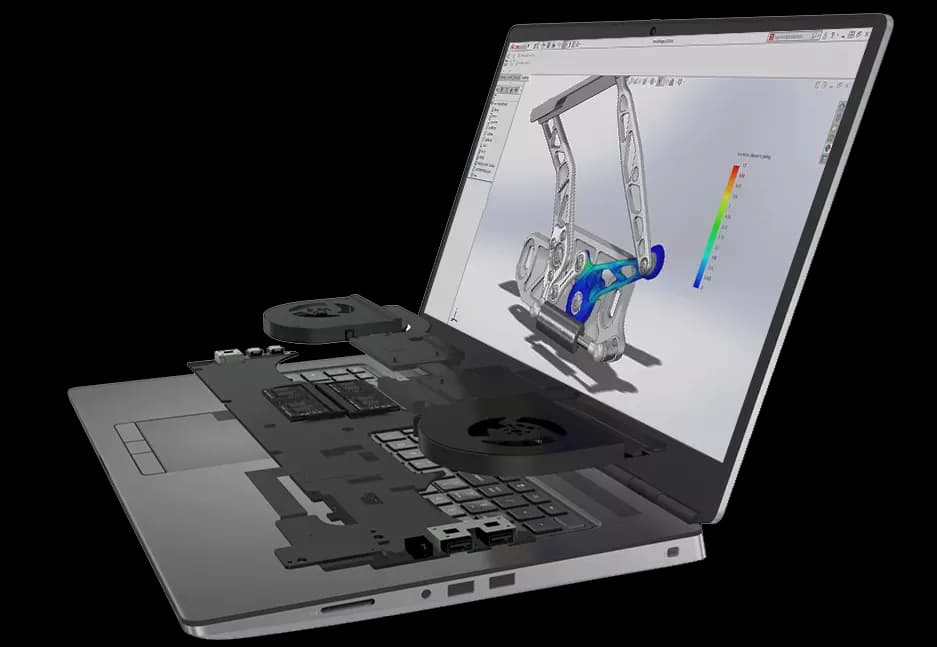
Engineering in 2026 is no longer restricted to desktop laboratories. Students attend hybrid classes, professionals collaborate across global teams, and researchers execute computational models from multiple locations. The demand for portable yet reliable workstations has increased significantly. Performance alone is not enough. Stability, certified drivers, sustained thermal behaviour, and upgrade flexibility matter just as much.
The HP ZBook Firefly G11 for engineers is designed to address these evolving requirements. It combines Intel Core Ultra processors, optional NVIDIA RTX professional graphics, DDR5 memory, and enterprise grade build quality inside a lightweight chassis. This makes it suitable for engineers who need mobility without sacrificing professional reliability.
This detailed guide evaluates how the Firefly G11 performs in SolidWorks, MATLAB, and simulation workloads in 2026, while also examining practical limitations and long term usability.
Overview Of The HP ZBook Firefly G11

The HP ZBook Firefly G11 is positioned as a thin and light mobile workstation rather than a high wattage desktop replacement. Its engineering focus is clear in the choice of hardware and certification support. Unlike gaming laptops that prioritise peak benchmark numbers, the Firefly G11 emphasises consistent professional performance.
Typical configurations include Intel Core Ultra processors, NVIDIA RTX professional GPUs, PCIe Gen4 NVMe SSD storage, and high resolution colour accurate displays. Memory options vary depending on model, so selecting adequate RAM during purchase is important for engineering longevity.
For engineers who move between classrooms, offices, and field environments, the Firefly G11 offers a balanced foundation of performance and portability.
Engineering Laptop Requirements In 2026
Modern engineering software places very specific demands on hardware. CAD platforms depend heavily on strong single core CPU speed. Simulation tools require sustained multi core utilisation. Numerical computation depends on available RAM and thermal consistency.
A capable engineering laptop in 2026 should provide:
- High clock speed performance cores
- Efficient multi core scaling
- Professional GPU driver certification
- Minimum 16GB RAM, ideally 32GB
- Fast NVMe storage
- Stable cooling under extended load
The Firefly G11 aligns well with these requirements when configured correctly. It is not designed to replace high end tower workstations, but for academic and mid scale professional use, it offers reliable capability.
Processor Architecture And Engineering Workloads
The Firefly G11 uses Intel Core Ultra processors that feature hybrid architecture combining performance cores and efficiency cores. This architecture improves responsiveness while maintaining power efficiency.
In real engineering workflows, this design provides noticeable advantages. Performance cores handle active modelling and computation tasks. Efficiency cores manage background processes such as browsers, documentation tools, or communication platforms. This separation reduces lag during multitasking.
Engineers working on CAD projects while running MATLAB scripts or compiling code benefit from this architectural balance. Long computational sessions remain stable, and system responsiveness does not degrade as quickly as on older quad core systems.
SolidWorks Performance On Firefly G11
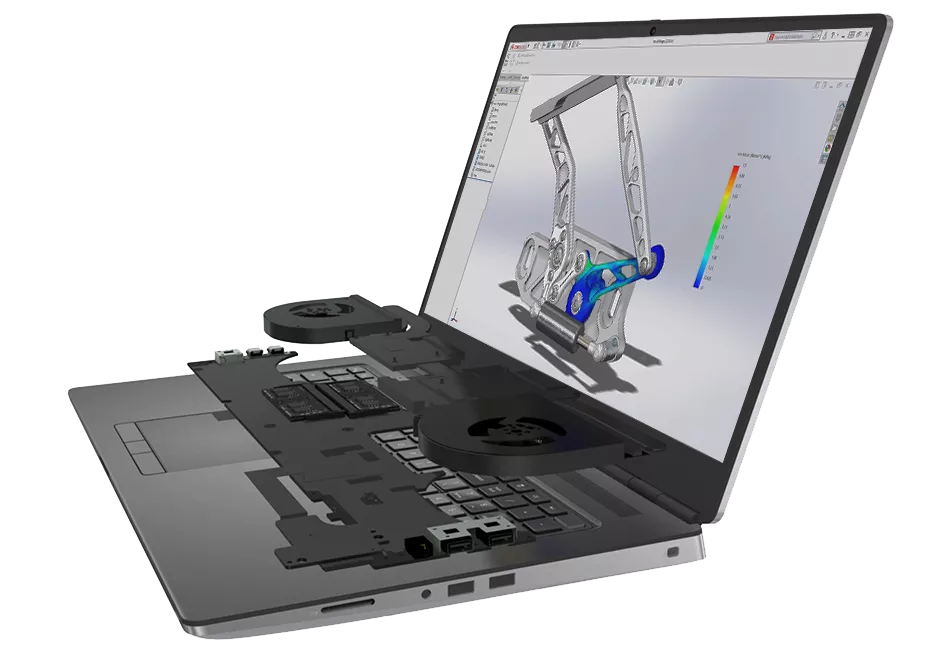
SolidWorks continues to be a primary platform for mechanical engineering design. Its performance depends on CPU speed for feature regeneration and GPU stability for viewport rendering.
When configured with NVIDIA RTX professional graphics, the Firefly G11 benefits from certified drivers. This improves reliability during model manipulation and reduces graphical artefacts.
In practical terms, engineers can expect:
- Smooth rotation of small to medium assemblies
- Stable shaded and wireframe modes
- Responsive sketch editing
- Consistent real time visualisation
Extremely large assemblies containing thousands of components may push the limits of a thin and light workstation. However, for university coursework, product prototyping, and mid scale industrial design, the Firefly G11 performs confidently.
The combination of portability and CAD certification makes it particularly suitable for engineering students.
MATLAB Performance And Computational Workloads
MATLAB is essential in electrical engineering, robotics, data analysis, and control systems. Unlike CAD applications, MATLAB performance depends more on CPU efficiency and available memory than GPU power.
The Firefly G11 handles typical MATLAB tasks smoothly, including matrix operations, algorithm development, signal processing, and numerical modelling. Hybrid processor architecture allows computations to run efficiently while background applications remain active.
For optimal MATLAB performance in 2026:
- 16GB RAM is sufficient for undergraduate coursework
- 32GB RAM is recommended for heavy datasets and simulations
- Multi core configurations improve parallel computing workloads
Sustained computations benefit from stable cooling. The Firefly G11 maintains consistent performance during extended sessions, which is critical for research work.
Simulation Software And Sustained Load Behaviour
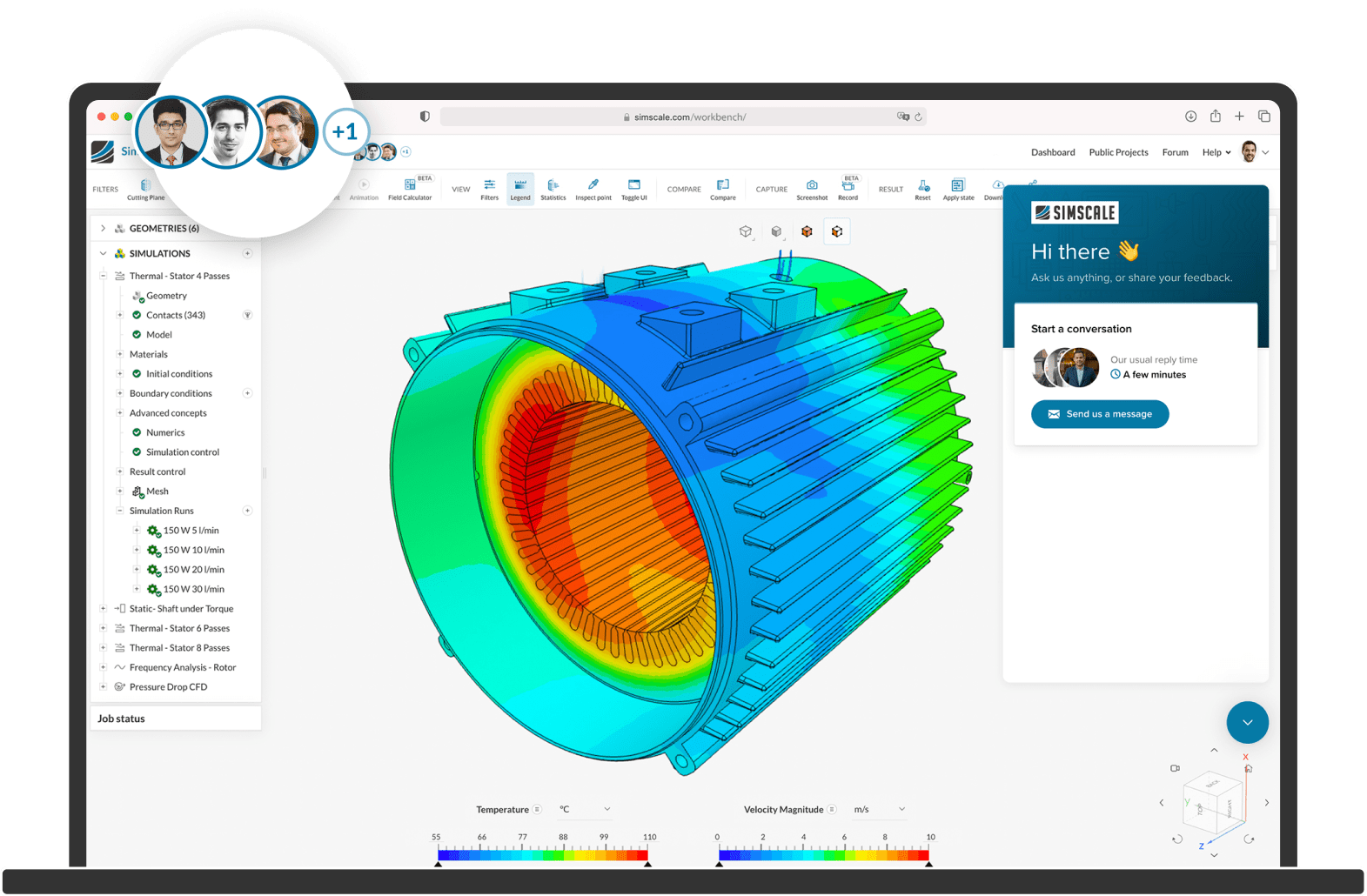
Simulation software such as ANSYS and COMSOL Multiphysics places continuous load on processor cores for extended durations. These applications test not only performance but also thermal stability.
The Firefly G11 is engineered for professional workloads rather than short bursts of consumer performance. Under moderate simulation loads, it maintains consistent clock speeds without aggressive throttling.
It handles workloads such as:
- Finite element analysis
- Structural stress testing
- Thermal modelling
- Circuit simulation
- Academic fluid dynamics projects
For very large industrial simulations involving millions of elements, larger ZBook models may complete tasks faster. However, for most academic and mid scale professional requirements, the Firefly G11 remains dependable.
GPU Role In Engineering Applications
Professional RTX GPUs differ from gaming graphics cards in driver certification and stability. Certified drivers reduce compatibility issues with engineering software.
The benefits of a professional GPU include:
- Stable OpenGL performance
- Reduced graphical crashes
- Smoother 3D viewport interaction
- Better compatibility with CAD and simulation platforms
Integrated graphics may manage 2D drafting and light tasks. However, engineers working regularly with 3D modelling or GPU accelerated tools should select RTX configurations.
Choosing the correct GPU during purchase ensures better long term value.
RAM And Storage Considerations
Memory plays a direct role in engineering productivity. Insufficient RAM leads to slowdowns during CAD regeneration or simulation processing. While 16GB is acceptable for entry level tasks, 32GB offers greater flexibility.
Storage performance also impacts workflow efficiency. PCIe Gen4 NVMe SSDs significantly reduce loading times and improve multitasking responsiveness. A 1TB configuration is practical for managing large engineering files and multiple software environments.
Selecting adequate RAM and storage at purchase stage is essential, especially if memory is soldered in certain configurations.
Multi Monitor Productivity And Docking
Engineering workflows often require multiple displays for efficient multitasking. The Firefly G11 supports external monitors through Thunderbolt 4 and HDMI connectivity.
Engineers typically use multi monitor setups for:
- CAD modelling on the primary display
- Documentation or code on a secondary screen
- Simulation output monitoring on another display
Docking compatibility allows seamless transition from portable use to desk workstation mode. This flexibility supports hybrid education and professional environments.
Portability For Campus And Professional Mobility
Weighing around 1.4 kilograms depending on configuration, the Firefly G11 is significantly lighter than traditional workstation laptops. This makes daily commuting across campus or office environments manageable.
Portable workstation capability enables:
- Classroom project demonstrations
- On site client presentations
- Field data analysis
- Remote collaboration
Battery efficiency supports lighter workloads throughout the day when not under heavy simulation stress.
Refurbished Firefly G11 For Engineering Students In India
Refurbished workstation laptops are increasingly popular among engineering students in India. They offer professional hardware at a reduced investment.
Before purchasing refurbished units, verify:
- CPU generation
- GPU configuration
- RAM capacity
- SSD health
- Battery condition
- Warranty coverage
A properly tested refurbished Firefly G11 can provide several years of reliable engineering performance.
Limitations Engineers Should Consider
Despite strong capability, the Firefly G11 remains a thin and light workstation. It is not intended to replace high wattage desktop systems.
Engineers should understand:
- Thermal headroom is lower than larger ZBook models
- GPU performance is entry to mid professional level
- Some models may have non upgradeable RAM
- Extremely large simulations may require more powerful systems
Recognising these limitations ensures realistic expectations.
Why the HP ZBook Firefly G11 Continues To Stand Out For Engineers?
The most important takeaway is simple, the HP ZBook Firefly G11 succeeds because it balances engineering-focused performance, lightweight portability, workstation stability, enterprise durability, AI-ready architecture, and long-term professional reliability much more effectively than many gaming laptops or consumer ultrabooks. Instead of chasing aggressive benchmark numbers alone, HP focuses heavily on sustained engineering usability and certified professional workflows.
The combination of Intel Core Ultra processors, RTX professional graphics, DDR5 memory support, Thunderbolt 4 connectivity, workstation-certified drivers, and enterprise-grade thermal tuning especially helps the Firefly G11 stand out because these features work together to deliver smoother SolidWorks modelling, MATLAB computation, AutoCAD drafting, Python engineering workflows, simulation environments, and multitasking-heavy academic sessions for 2026 and 2027. Engineering students and professionals therefore gain a workstation experience that feels stable, efficient, and highly practical during everyday usage.
At the same time, buyers should understand that the HP ZBook Firefly G11 primarily targets portable engineering productivity instead of extremely heavy workstation rendering or enterprise-scale simulation environments. Users working on massive industrial simulations, advanced CFD research, or GPU-intensive computational pipelines may still benefit from larger ZBook Fury or desktop-class workstation systems with significantly higher thermal headroom. However, for engineering students, CAD professionals, simulation learners, robotics developers, and hybrid engineering teams seeking one of the best lightweight engineering workstation laptops with strong software compatibility and long-term usability, the HP ZBook Firefly G11 remains an exceptionally smart professional investment in India for the later part of the decade.
Frequently Asked Questions
Q. Is the HP ZBook Firefly G11 good for engineering students in 2026 and 2027?
Yes, the HP ZBook Firefly G11 remains highly suitable for engineering students because it balances portability, workstation stability, RTX professional graphics support, and reliable performance for CAD software, MATLAB, coding environments, and simulation workflows.
Q. Can the HP ZBook Firefly G11 run SolidWorks smoothly?
Yes, RTX professional graphics configurations perform very well for SolidWorks workflows involving mechanical assemblies, CAD modelling, viewport rendering, and university-level engineering projects. Certified workstation drivers also improve stability significantly.
Q. Is the HP ZBook Firefly G11 suitable for MATLAB and Python engineering workloads?
Yes, the Intel Core Ultra architecture handles MATLAB computation, Python engineering workflows, AI-assisted modelling, robotics programming, and data processing efficiently, especially when paired with 32GB RAM configurations.
Q. How much RAM is recommended for engineering software in 2026?
16GB RAM remains acceptable for basic engineering coursework and AutoCAD usage, but 32GB RAM is strongly recommended for SolidWorks, MATLAB, ANSYS, COMSOL, simulations, and multitasking-heavy engineering environments.
Q. Is the HP ZBook Firefly G11 better than a gaming laptop for engineering students?
For engineering workflows, yes. Gaming laptops may deliver stronger raw GPU power, but workstation laptops like the Firefly G11 provide certified drivers, better CAD compatibility, improved thermal consistency, and more stable long-duration engineering performance.
Q. Can the HP ZBook Firefly G11 handle ANSYS and COMSOL simulations?
Yes, the Firefly G11 performs reliably for moderate ANSYS, COMSOL, FEA, CFD, and academic simulation workloads, especially when configured with RTX graphics and sufficient RAM capacity.
Q. Is a refurbished HP ZBook Firefly G11 worth buying in India?
Yes, refurbished Firefly G11 units provide strong value because they offer workstation-grade reliability, professional RTX graphics, enterprise durability, and certified engineering software compatibility at lower pricing than new workstation laptops.
Q. Does the HP ZBook Firefly G11 support AI-assisted engineering workflows?
Yes, Intel Core Ultra processors include AI acceleration capabilities that improve AI-assisted engineering applications, machine learning workflows, predictive simulations, and intelligent productivity optimization environments increasingly used in 2026 and 2027.
Q. Is the HP ZBook Firefly G11 portable enough for campus and office mobility?
Yes, the lightweight chassis makes the Firefly G11 substantially easier to carry than bulky desktop replacement workstations, making it highly practical for classrooms, offices, field visits, and hybrid engineering workflows.
Q. Is the HP ZBook Firefly G11 still worth buying in 2026 and 2027?
Yes, the HP ZBook Firefly G11 remains one of the strongest lightweight engineering workstation laptops because it balances engineering performance, portability, AI-ready architecture, professional software stability, enterprise durability, and long-term workflow reliability extremely well for students and professionals alike.
Ready to upgrade your tech?
Browse our collection of quality refurbished products at unbeatable prices.






