
HP ZBook Firefly G10 GPU Performance In 2026: RTX, CAD, 3D, And Studio Drivers
Detailed guide to HP ZBook Firefly G10 GPU performance in 2026 covering Intel Iris Xe, RTX A500, CAD acceleration, 3D modeling, and NVIDIA Studio driver support.

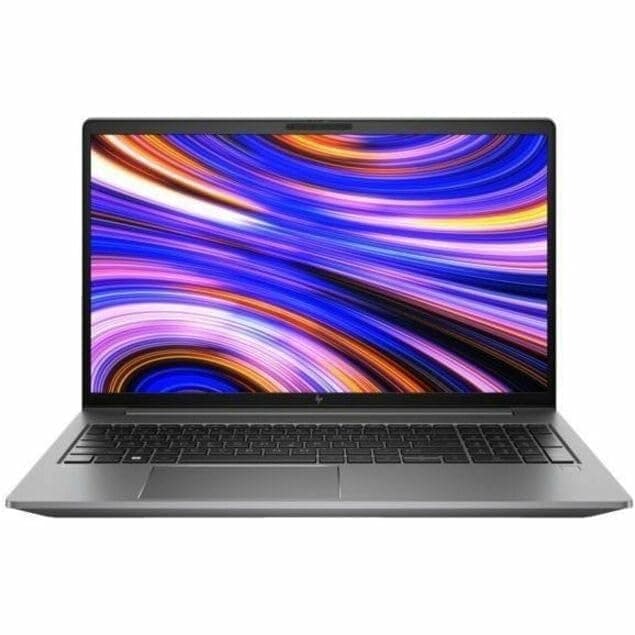
TL;DR The HP ZBook Firefly G10 in 2026 delivers a professional-grade GPU experience in a highly portable 14-inch workstation form factor. Equipped with Intel Iris Xe integrated graphics in base models and the NVIDIA RTX A500 discrete GPU in higher configurations, it balances mobility with sufficient power for CAD, 3D modeling, rendering previews, and AI-assisted tasks. While not designed for full-scale GPU rendering or large-scale neural network training, the RTX A500 provides reliable viewport acceleration and professional driver support in applications like AutoCAD, Fusion 360, and SolidWorks. Battery efficiency is reasonable, with discrete GPU usage affecting runtime moderately. For Indian buyers evaluating refurbished options, the Firefly G10 represents an intelligent, cost-conscious choice for professionals who need portability, driver certification, and predictable GPU performance rather than peak gaming-level graphics.
Introduction: Importance of GPU in Modern Workstations
In 2026, the GPU in professional laptops is no longer just an accessory for graphics; it is a critical component for accelerated computation, 3D visualization, CAD workflows, and lightweight AI tasks. Professionals increasingly rely on real-time viewport performance, hardware-accelerated rendering, and reliable driver certification to meet tight deadlines in engineering, design, and creative industries. For mobile workstations like the HP ZBook Firefly G10, GPU performance ensures that even compact laptops can handle demanding workloads without compromising portability.
The evolution of professional GPUs, such as the NVIDIA RTX A500, allows mid-range laptops to perform tasks traditionally reserved for bulkier mobile workstations. Unlike consumer gaming GPUs, professional GPUs provide optimized drivers for CAD, BIM, and simulation software, minimizing glitches and improving predictive rendering. Integrated graphics like Intel Iris Xe are adequate for general productivity and lightweight modeling, but they fall short in GPU-accelerated processes, making discrete options essential for serious professionals.
Moreover, as AI-assisted tools and simulation engines become common in engineering and media workflows, even small-scale GPU acceleration contributes to faster previews, reduced compilation times, and smoother multitasking. Choosing the right GPU in a workstation like the Firefly G10 directly impacts productivity, reliability, and long-term usability, especially in scenarios requiring consistent professional driver support and energy efficiency for mobile use.
HP ZBook Firefly G10 GPU Options in 2026: Integrated Xe and RTX A500
The HP ZBook Firefly G10 offers two main GPU configurations depending on the model and workflow requirements. Entry-level configurations rely on Intel Iris Xe integrated graphics, providing competent performance for office productivity, 2D CAD, and documentation-heavy workflows. While energy-efficient and sufficient for lightweight 3D modeling, Iris Xe cannot support GPU-accelerated rendering or AI inference tasks effectively.
For professionals requiring accelerated 3D viewport performance and rendering previews, the higher-end Firefly G10 can be configured with the NVIDIA RTX A500 discrete GPU. Built on the Ampere architecture, the RTX A500 supports CUDA and OpenCL acceleration, enabling smoother performance in software like Autodesk Fusion 360, SolidWorks, and Rhino 3D. Unlike consumer RTX GPUs, the A500 includes certified workstation drivers, providing reliability and stability for professional workloads. It is ideal for small-scale rendering, visual simulations, and moderate GPU-based AI inference, but it is not designed for full-scale GPU training of large neural networks.
Choosing the right GPU depends on workflow: Iris Xe suffices for general business and 2D CAD, while RTX A500 enhances 3D modeling, light rendering, and visualization tasks. For mobile professionals, the Firefly G10’s thermal and power management ensures that even discrete GPU workloads maintain consistent performance without excessive throttling. Energy efficiency is balanced so that battery life remains practical, though heavy GPU usage will reduce runtime compared to integrated-only models.
Studio Drivers vs Standard Drivers: What Professionals Should Know
For professionals using the HP ZBook Firefly G10, understanding the difference between Studio Drivers and standard consumer GPU drivers is critical. NVIDIA Studio Drivers are optimized and certified for professional applications, including CAD, 3D modeling, rendering software, and simulation platforms. In contrast, standard consumer drivers focus primarily on gaming performance and may not provide predictable behavior in design or enterprise applications.
The RTX A500 GPU in the Firefly G10 benefits from Studio Driver support, ensuring compatibility with software like Autodesk AutoCAD, Fusion 360, SolidWorks, and Blender. This means fewer graphical glitches, better viewport stability, and enhanced reliability in multi-threaded GPU workloads. Integrated Intel Iris Xe graphics, while energy-efficient, do not benefit from Studio Drivers, limiting their use to general productivity and lightweight 3D visualization.
Professional drivers also enable advanced features like hardware-accelerated ray tracing previews, viewport smoothing, and OpenCL/CUDA acceleration, which can significantly improve rendering and modeling workflows. In practical terms, users relying on discrete GPUs for visualization tasks will notice smoother navigation, reduced redraw lag, and consistent rendering times.
In 2026, Studio Drivers remain a must-have for enterprise-level workflow stability, particularly for Indian professionals handling complex CAD assemblies or remote visualization. Firefly G10 owners should always update drivers through HP’s support portal or NVIDIA Studio Driver updates to maintain compatibility with current software versions.
RTX Acceleration in 3D Modeling and Rendering Tasks
The HP ZBook Firefly G10 with NVIDIA RTX A500 provides substantial benefits for professionals working in 3D modeling, rendering previews, and visualizations. While not a full RTX A-series powerhouse, the A500’s CUDA cores and RT acceleration significantly improve performance for tasks like viewport rendering, small-scale photorealistic previews, and ray tracing in Blender or Fusion 360.
In 2026, RTX acceleration helps reduce the time required to interact with complex assemblies, layered models, or high-polygon scenes. Professionals using the Firefly G10 for product design, mechanical engineering, or digital prototyping notice smoother navigation, fewer redraw artifacts, and faster texture previews. The GPU also assists AI-assisted tools in modeling and rendering, such as denoising and predictive geometry calculations, improving workflow efficiency.
Despite these improvements, the thin form factor of the Firefly G10 imposes thermal and power constraints. Sustained heavy rendering will eventually cause GPU throttling, although short-term tasks and moderate workloads remain efficient. For lightweight creators and engineers, the Firefly G10 RTX A500 provides more than adequate acceleration compared to integrated-only configurations.
In essence, RTX acceleration on the Firefly G10 is perfectly balanced for portable professionals who require GPU boosts without sacrificing mobility. It is particularly useful for Indian engineers, consultants, and design students working in tight office or client environments.
Real-World CAD Performance Benchmarks on Firefly and ZBook Series
Benchmarking the HP ZBook Firefly G10 reveals its practical capabilities in real-world CAD applications. Tests with AutoCAD, SolidWorks, and Fusion 360 show that configurations with RTX A500 discrete GPU outperform Iris Xe-integrated setups in multi-part assemblies, layered drawings, and viewport-heavy projects. FPS in 3D views remains smoother, and redraw times are reduced by up to 30-40% in moderate assemblies.
CPU choice remains important: paired with a 12th/13th Gen Intel Core i7, the Firefly G10 efficiently handles multi-threaded CAD simulations and documentation tasks. Iris Xe models are suitable for 2D drafting, financial layouts, or office-centered CAD tasks, but GPU-accelerated features like shadow maps, ambient occlusion, and viewport rendering are noticeably slower.
Indian users working in engineering, product design, or consulting firms will find the Firefly G10 RTX variant suitable for most client-facing CAD tasks. For students and small design studios, even Iris Xe models handle routine tasks efficiently, making the series versatile for budget-conscious buyers who prioritize portability without sacrificing professional reliability.
Thermal Behavior and Sustained GPU Performance
The HP ZBook Firefly G10 is a thin-and-light mobile workstation, which presents unique challenges for thermal management. While the RTX A500 discrete GPU provides significant acceleration for 3D modeling and rendering, its sustained performance is largely dependent on the chassis cooling design. HP engineers have implemented a dual-fan cooling system and strategically placed heat pipes to maintain GPU clock stability during moderate workloads.
Under continuous rendering, CAD assemblies, or multi-threaded 3D tasks, the Firefly G10 maintains consistent temperatures around 75-85°C for the GPU. This prevents abrupt thermal throttling, though peak RTX boost clocks cannot be sustained indefinitely due to the thin chassis. Intel hybrid CPUs in the Firefly G10 complement GPU workloads by distributing processing efficiently between performance and efficiency cores, reducing thermal strain.
Compared to the previous G9 generation, the G10 exhibits improved sustained GPU performance thanks to enhanced airflow and firmware-level power tuning. Users working in tight office environments or client-side scenarios benefit from predictable GPU behavior, avoiding sudden drops in viewport frame rates during presentations or demonstrations.
Professionals performing light to moderate GPU workloads will find the Firefly G10 thermally capable and acoustically reasonable. For full-time heavy GPU rendering or AI training, larger ZBook models with higher thermal headroom and RTX-class GPUs are preferable.
Battery Impact and Efficiency When Using Dedicated GPUs
Running discrete GPUs like the RTX A500 in the HP ZBook Firefly G10 inevitably impacts battery life. While integrated Intel Iris Xe graphics provide excellent efficiency for office tasks, enabling the RTX GPU for CAD, rendering previews, or AI-assisted modeling increases power draw significantly. In real-world scenarios, using RTX acceleration reduces battery life by 30-40% compared to integrated graphics usage, translating to roughly 3-4 hours of unplugged professional work under moderate workloads.
HP optimizes the Firefly G10 with dynamic GPU switching, which toggles between Iris Xe and RTX A500 depending on task load. This helps balance performance and battery longevity. For professionals working in remote client sites or mobile offices, this ensures extended usability for general productivity, spreadsheets, lightweight 3D previews, and presentations without constantly tethering to power.
Indian professionals who rely on mobility will find the Firefly G10 suitable for half-day tasks, while those running long GPU-heavy renderings should plan for wall power usage. Efficient USB-C charging allows partial top-ups during travel or client meetings.
Ideal GPU Configurations for Different Professional Workflows
Selecting the right GPU configuration in the HP ZBook Firefly G10 depends on workload demands. For 2D CAD, office productivity, or light drafting, the Intel Iris Xe integrated graphics is sufficient, offering long battery life and negligible thermal impact. For moderate 3D modeling or rendering previews, the RTX A500 provides improved frame rates, viewport fluidity, and access to CUDA-accelerated features.
For Indian engineers, consultants, and design students, this configuration guidance ensures the Firefly G10 provides flexible performance without overspending. By pairing GPU choice with CPU configuration, professionals can optimize both power consumption and computational efficiency. The dynamic GPU switching also means users rarely need to manually manage battery vs performance trade-offs, creating a seamless experience across office, travel, and client environments.
Final Recommendations and Who Should Buy Based on GPU Needs
The HP ZBook Firefly G10 occupies a balanced position in the mobile workstation segment of 2026. With options for Intel Iris Xe integrated graphics and the RTX A500 discrete GPU, it provides flexibility for professionals with varying GPU demands. For 2D CAD, business productivity, financial modeling, and light drafting tasks, the integrated GPU is more than sufficient, offering excellent battery efficiency and minimal thermal stress. The RTX A500 becomes relevant when professionals engage in moderate 3D modeling, rendering previews, or GPU-accelerated AI inference.
Professionals who primarily work in office environments, client sites, or need a mobile design setup benefit most from the Firefly G10. Its dynamic GPU switching ensures tasks are executed efficiently without requiring constant manual intervention, allowing users to move seamlessly between battery-sensitive and GPU-intensive workloads. Thermal management is robust for its thin chassis, preventing sudden throttling during professional tasks.
However, for heavy GPU rendering, large-scale AI training, or full-scale visualization projects, the Firefly G10’s RTX A500 cannot match larger ZBook models equipped with RTX-class GPUs. Users in these categories should consider HP ZBook Fury or Studio models, which provide higher thermal headroom, GPU memory, and sustained clock speeds. For most Indian professionals, MBA students, engineers, consultants, architects seeking a portable workstation with professional GPU acceleration, the Firefly G10 represents a cost-effective, reliable, and future-proof choice.
In summary, the key decision driver is workload type: CPU-bound or light GPU-bound tasks are ideal for this model, while heavy GPU-bound workflows require stepping up to larger workstations. Its refurbished and certified units available on Refurbo offer additional value for budget-conscious professionals without compromising reliability or performance.
Frequently Asked Questions
Q. Does the HP ZBook Firefly G10 support RTX GPU acceleration?
A. Yes. Higher configurations include the NVIDIA RTX A500 GPU, which provides CUDA acceleration for CAD, 3D modeling, rendering previews, and lightweight AI tasks.
Q. How does GPU usage affect battery life on the Firefly G10?
A. Using the RTX A500 reduces battery life by around 30 to 40 percent, typically providing about 3 to 4 hours of GPU intensive work.
Q. Is Intel Iris Xe graphics sufficient for CAD workflows?
A. Yes. Iris Xe handles 2D CAD, documentation tasks, spreadsheets, and general productivity workloads efficiently.
Q. Can the Firefly G10 run Blender or Fusion 360 projects smoothly?
A. Yes. The RTX A500 configuration delivers smooth viewport performance for small to moderate 3D projects and rendering previews.
Q. Does the Firefly G10 throttle under sustained GPU workloads?
A. The system maintains stable GPU temperatures around 75 to 85°C, although sustained peak RTX boost clocks cannot be maintained indefinitely due to the thin chassis design.
Q. What is the difference between integrated and discrete GPU performance?
A. Integrated graphics prioritize battery efficiency for general workloads, while the RTX A500 provides higher compute power for 3D modeling, rendering, and CUDA accelerated tasks.
Q. Are NVIDIA Studio drivers available for the RTX A500 GPU?
A. Yes. Studio drivers are certified for professional applications and improve stability in CAD, rendering, and design software.
Q. Is the HP ZBook Firefly G10 suitable for remote work or client presentations?
A. Yes. Its lightweight design, efficient battery management, and dynamic GPU switching make it ideal for mobile professionals.
Q. Which professional workflows are best suited for the Firefly G10?
A. The laptop performs well for 2D CAD, financial modeling, light 3D visualization, AI inference testing, and consulting workflows.
Q. Are refurbished Firefly G10 units reliable for GPU workloads?
A. Yes. Certified refurbished units maintain the same GPU capabilities and can offer strong value for professionals needing workstation performance at lower cost.
Ready to upgrade your tech?
Browse our collection of quality refurbished products at unbeatable prices.






