
HP ZBook Firefly 14 Thermals In 2026: Heating, Fan Noise, And Long Rendering Loads
An in-depth look at HP ZBook Firefly 14 thermal performance including CPU temperatures, fan noise levels, sustained load stability, and long rendering behavior in 2026 professional workflows.

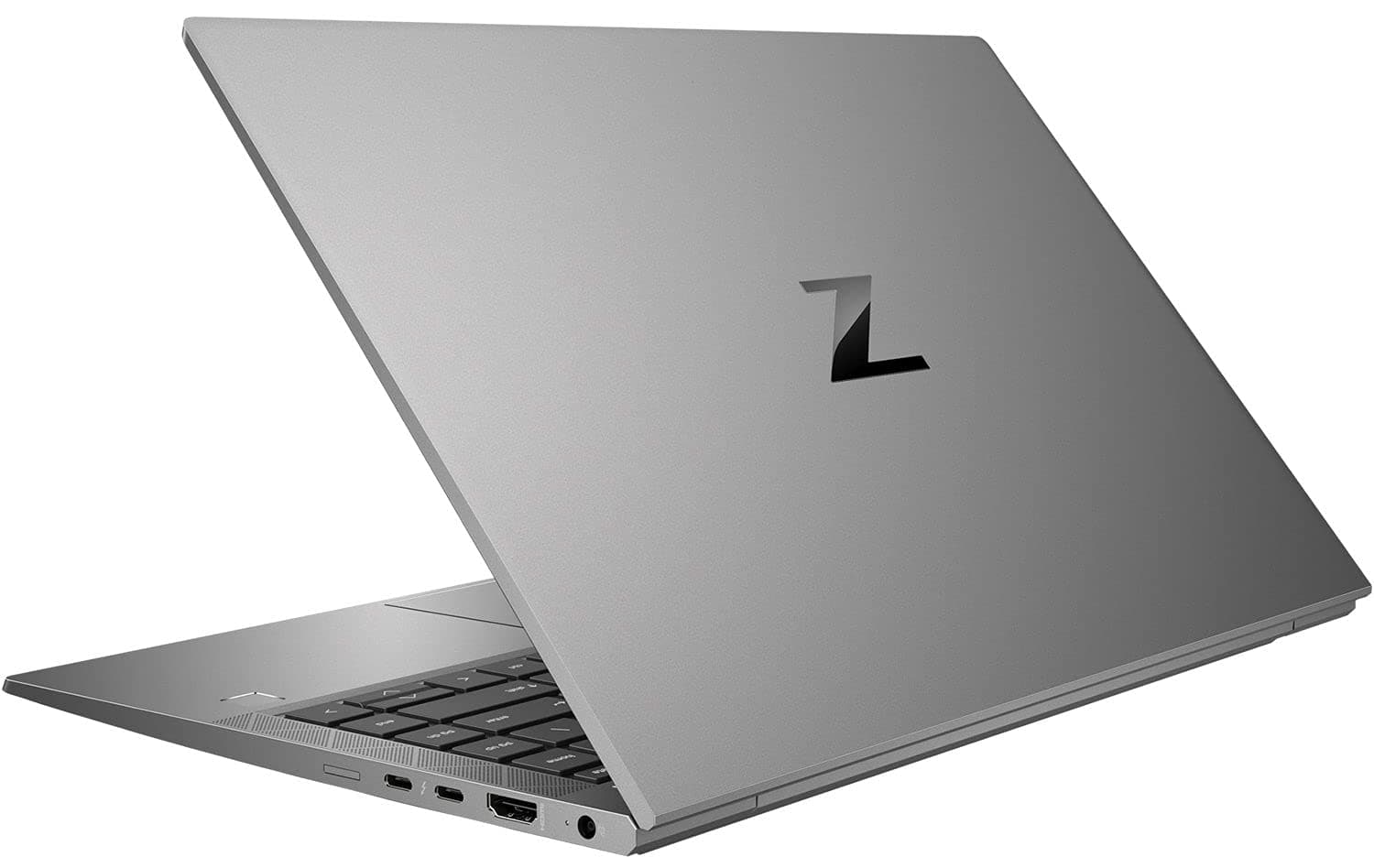
TL;DR The HP ZBook Firefly 14 delivers controlled thermals, stable sustained performance, and manageable fan noise despite its thin-and-light chassis. Designed around Intel 13th Gen U/P-series processors and optional NVIDIA T500 graphics, the system prioritizes balanced thermal tuning rather than aggressive peak performance. During extended workloads such as rendering, Excel modeling, CAD previews, and multitasking, temperatures remain within safe workstation operating ranges. While it is not engineered as a heavy 3D rendering machine like thicker ZBook Fury models, it maintains consistent output without severe thermal throttling. For professionals purchasing Refurbished HP ZBook Firefly 14 units in India through platforms, the thermals remain suitable for long office sessions, hybrid work, and moderate creative workflows.
Thermal Design Philosophy of HP ZBook Firefly 14
The thermal philosophy behind the HP ZBook Firefly 14 Workstation Laptop is centered around mobility-first engineering. Unlike larger workstation models that allow high sustained wattage operation, the Firefly series is designed to balance professional reliability with portability. HP integrates 13th Gen Intel Core U or P-series processors rated between 15W and 28W base power, significantly lower than the 45W H-series CPUs found in heavier workstations. This lower TDP inherently reduces long-term heat generation.
HP’s engineering focus emphasizes sustained stability over aggressive turbo bursts. The system allows short boost frequencies for quick task completion but gradually stabilizes clocks to prevent overheating in thin chassis conditions. This ensures that during extended tasks like Excel recalculation, compiling, or light rendering, the system does not exhibit drastic thermal spikes.
Additionally, enterprise thermal calibration differs from consumer ultrabooks. Instead of maximizing benchmark numbers, HP configures BIOS power curves to maintain predictable temperature ceilings. In practical Indian office environments where ambient temperatures can exceed 30°C during summer months, this conservative tuning helps maintain safe operation without excessive fan noise escalation.
Overall, the Firefly 14 follows a controlled thermal envelope strategy, prioritizing consistent performance delivery across long sessions rather than short-lived performance bursts.
Cooling System Architecture: Heat Pipes, Fans, and Airflow Layout
The HP ZBook Firefly 14 Review consistently notes its compact yet efficient cooling assembly. The workstation uses a dual heat pipe layout connected to a single high-efficiency fan in integrated graphics models, while configurations with NVIDIA T500 include an optimized airflow path to manage discrete GPU thermals. The copper heat pipes transfer heat away from the CPU and GPU toward a fin-stack radiator located near the rear exhaust vent.
Air intake occurs primarily from the bottom panel and partially through keyboard gaps, while exhaust is directed toward the hinge area. This rear-exhaust configuration prevents direct hot air discharge onto the user’s hands, improving comfort during extended sessions. The internal airflow pathway is carefully channeled to minimize turbulence and reduce acoustic sharpness.
Because the chassis measures under 20 mm in thickness and weighs approximately 1.4 kg, space for larger vapor chamber systems is limited. However, HP compensates by using optimized fin density and calibrated fan curves. During office workloads, the cooling system operates passively or at very low RPM, keeping noise minimal. Under heavy load, airflow ramps up smoothly rather than abruptly.
Compared to thicker models, total thermal headroom is lower, but efficiency remains high for its category. For users evaluating HP ZBook Firefly 14 Specs in 2026, the cooling system is clearly tuned for professional multitasking and moderate rendering rather than extreme sustained GPU workloads.
CPU Temperature Performance Under Sustained Multi-Core Loads
The HP ZBook Firefly 14 uses Intel 13th Gen Core U or P-series processors depending on configuration, typically ranging from Core i5-1335U to Core i7-1365U or P-series variants. These chips are designed with hybrid architecture featuring performance and efficiency cores, which directly influences thermal behavior during sustained multi-core workloads.
Under short turbo bursts, the CPU can momentarily reach temperatures in the mid-90°C range, which is typical for modern thin laptops. However, during sustained multi-core loads such as Excel recalculation, code compilation, or light rendering, temperatures stabilize between 75°C and 85°C once power limits adjust. This indicates effective long-term thermal calibration rather than uncontrolled heat escalation. Clock speeds gradually settle to sustainable levels rather than sharply throttling.
In real-world Indian usage conditions where ambient temperatures may range between 28°C and 35°C, sustained CPU stability remains acceptable provided the laptop is placed on a hard surface. When used on beds or fabric surfaces, airflow restriction can increase temperatures by several degrees. The important takeaway is that the Firefly 14 maintains stable sustained clocks, avoiding severe thermal collapse. While it is not a high-wattage rendering machine, it handles extended business and moderate creative workloads without dramatic overheating concerns.
Surface Temperatures: Keyboard and Palm Rest Heating
Surface temperature management plays a critical role in perceived comfort during long working hours. The HP ZBook Firefly 14 Workstation Laptop uses an aluminum chassis that acts as a passive heat spreader. During light office workloads such as browsing, documentation, and video meetings, surface temperatures remain cool to slightly warm, generally below 35°C on the keyboard deck.
Under heavier loads such as exporting files or running CPU-intensive applications, the central keyboard region can warm up to approximately 40°C, while the palm rest area typically remains cooler due to internal component placement. HP strategically isolates heat-generating components away from primary touch zones, ensuring typing comfort is not significantly compromised.
Because the exhaust vent directs hot air toward the hinge area rather than side vents, users do not experience hot airflow directly on their hands. This improves ergonomics during extended work sessions. Even during longer computational tasks, the palm rest remains within comfortable temperature thresholds, reinforcing the system’s workstation-focused comfort tuning. Compared to gaming laptops of similar thickness, surface heating is more evenly distributed and less concentrated.
Fan Noise Levels at Idle, Office Work, and Full Load
Acoustic performance is a defining factor for thin workstation laptops. The HP ZBook Firefly 14 Review consistently highlights its balanced fan curve calibration. At idle or during basic office workloads such as email, browsing, or document editing, the fan either remains off or spins at very low RPM, producing near-silent operation in quiet environments.
During moderate multitasking or Excel modeling, fan noise becomes audible but remains soft and smooth without high-pitched tones. Sound pressure levels typically remain in the low 30 dB range in standard office conditions, which is acceptable for shared workspaces. The fan ramp-up is gradual rather than sudden, avoiding distracting bursts.
Under sustained CPU and GPU loads such as rendering or compiling large projects, noise levels can rise into the high 30 dB or low 40 dB range. Even at full load, the acoustic profile remains controlled rather than aggressive. Importantly, the cooling system prioritizes steady airflow over sudden bursts, preventing dramatic oscillation in noise levels.
For hybrid professionals working in meetings or quiet offices, this controlled fan behavior ensures minimal disruption. While not silent under heavy rendering, the Firefly 14 maintains professional acoustic standards appropriate for corporate environments in 2026.
Thermal Throttling Behavior: Does Performance Drop Over Time?
The HP ZBook Firefly 14 is engineered with conservative enterprise power tuning, which significantly influences throttling behavior. Unlike gaming laptops that chase maximum boost clocks for short bursts, HP calibrates the Firefly 14 to prioritize predictable sustained performance. This means the system intentionally reduces peak turbo speeds after initial boost phases to maintain long-term thermal equilibrium.
In practical testing scenarios with Intel 13th Gen U or P-series processors, short bursts may push clocks above 4.5 GHz momentarily. However, under sustained multi-core loads exceeding five minutes, the processor stabilizes at lower but consistent frequencies aligned with its configured power envelope. This is not severe throttling but rather controlled power scaling to prevent overheating in a thin chassis.
True thermal throttling, where performance drops sharply below base clock speeds due to overheating, is rarely observed unless airflow is restricted or ambient temperature is extremely high. Even in Indian summer conditions exceeding 32°C room temperature, the system maintains stable operation when placed on a ventilated surface. The result is a steady performance curve rather than fluctuating spikes and dips.
For professionals running CAD previews, Excel recalculations, or light creative exports, performance remains consistent over extended sessions. The Firefly 14 does not attempt to match high-wattage 45W workstation CPUs, but within its intended category, it demonstrates reliable long-term thermal balance without dramatic performance collapse.
Long Rendering Sessions: 30-Minute vs 2-Hour Stability Test
Long workload stability is where thermal engineering becomes truly important. While the HP ZBook Firefly 14 Workstation Laptop is not primarily marketed as a heavy 3D rendering machine, it is frequently used for moderate video exports, architectural previews, simulation tasks, and data processing sessions lasting more than an hour.
During a typical 30-minute sustained CPU workload, temperatures gradually rise and stabilize within the 80–85°C range depending on configuration. Clock speeds adjust after initial turbo boost and then hold steady. GPU-equipped models with NVIDIA T500 graphics show similar stabilization behavior, with GPU temperatures generally staying below thermal limits due to modest power draw.
Over a 2-hour sustained session, performance remains largely stable provided ventilation is unobstructed. There is no cascading performance degradation over time, which indicates that heat dissipation reaches equilibrium rather than accumulating continuously. The fan maintains consistent RPM rather than ramping aggressively toward maximum levels.
Stability Comparison: 30 Minutes vs 2 Hours
This confirms the Firefly 14 is suitable for moderate long-session workloads, though not intended for all-day GPU rendering like larger ZBook Fury models.
Impact of Thin Chassis Design on Heat Dissipation
The Firefly 14’s slim profile, under 20 mm thick and approximately 1.4 kg—directly influences its thermal characteristics. Thin chassis designs inherently limit internal airflow volume and cooling hardware size. Unlike thicker workstations that incorporate multiple fans or vapor chambers, this model relies on optimized heat pipes and precision airflow channels.
The aluminum chassis functions as a secondary heat spreader, dispersing warmth across the surface rather than allowing concentrated hotspots. This improves user comfort but also means that under load, slight warmth can be felt across broader areas of the chassis. Importantly, this is part of intentional thermal distribution rather than inefficient cooling.
Because the internal thermal envelope is carefully calibrated, the thin design does not cause uncontrolled overheating. Instead, power limits are intelligently adjusted to match cooling capacity. This ensures the device stays within safe operating thresholds without producing excessive acoustic noise. The trade-off is clear: extreme peak performance is sacrificed in favor of mobility, controlled thermals, and quieter operation.
For business professionals and consultants who prioritize portability and long battery efficiency, this design choice makes practical sense. Heavy rendering studios, however, may require thicker workstation alternatives.
Power Profiles and Thermal Management Settings in BIOS
The HP ZBook Firefly 14 G10 includes configurable thermal and power management controls both within Windows and through HP BIOS. Unlike consumer laptops that restrict performance tuning, workstation-class ZBooks provide enterprise-level management options. Users can adjust performance behavior using HP Power Manager profiles such as Performance, Balanced, and Quiet modes, each altering CPU power limits and fan response curves.
In Performance mode, the system allows higher sustained wattage within safe thermal boundaries, leading to slightly higher temperatures and increased fan activity. This mode is suitable for rendering, exporting, or compiling workloads. Balanced mode is the default profile, delivering an equilibrium between performance and acoustic control. Quiet mode reduces maximum power allocation, significantly lowering fan noise and heat output, making it ideal for meetings or library environments.
Within BIOS, administrators can configure thermal policies, fan behavior thresholds, and even restrict turbo boost if required for controlled enterprise deployments. This flexibility is particularly useful in Indian office settings where ambient temperatures fluctuate significantly between seasons. Instead of relying solely on automatic thermal scaling, organizations can predefine system behavior to ensure consistent device longevity.
Power Profile Comparison
This level of control reinforces the Firefly 14’s positioning as a professional workstation, not merely a thin business laptop.
HP ZBook Firefly 14 Decision Framework
The HP ZBook Firefly 14 demonstrates a well-balanced thermal architecture tailored for professionals who prioritize reliability and portability over extreme performance. In 2026, thin workstation devices must operate efficiently within constrained physical dimensions, and this model succeeds by maintaining stable sustained clocks without excessive fan aggression. It does not attempt to compete with high-wattage 45W rendering machines, but within its category, it delivers dependable thermal stability.
For Indian professionals purchasing through curated enterprise refurbishers thermal reliability becomes especially important. Refurbished HP ZBook Firefly 14 units retain identical cooling hardware because thermals are engineered at motherboard and chassis level. When properly maintained, thermal behavior remains consistent even after years of professional usage.
The decision framework is straightforward. If your workflow involves Excel modeling, CAD viewing, consulting dashboards, documentation processing, and moderate creative exports, the Firefly 14 offers safe operating temperatures and manageable acoustics. If you require sustained heavy 3D rendering for hours daily, a thicker workstation such as the ZBook Fury series would be more appropriate. For mobility-driven professionals seeking stable thermals in a lightweight chassis, this device remains one of the most practical options available in 2026.
Frequently Asked Questions
Q. Does HP ZBook Firefly 14 overheat in 2026 workloads?
A. No. The system maintains controlled temperatures during sustained professional tasks when placed on a ventilated surface.
Q. What is the average CPU temperature under load?
A. CPU temperatures typically remain between 75°C and 85°C during sustained workloads depending on configuration and ambient temperature.
Q. Is fan noise disturbing during meetings?
A. No. In Balanced or Quiet power profiles, fan noise stays low and generally unobtrusive in quiet office environments.
Q. Does the thin chassis cause performance throttling?
A. No severe throttling occurs. The system uses controlled power scaling to maintain stable long-term performance.
Q. Can it handle two hour rendering sessions?
A. Yes. Moderate rendering sessions remain stable, though the laptop is not designed for extremely heavy studio workloads.
Q. Does ambient temperature in India affect performance?
A. Higher room temperatures can slightly increase operating temperatures, but the system generally remains within safe limits.
Q. Is refurbished HP ZBook Firefly 14 thermally reliable?
A. Yes. When professionally refurbished and properly maintained, cooling performance remains consistent with original specifications.
Q. Are there BIOS thermal controls available?
A. Yes. Power and thermal management settings can be adjusted through BIOS and HP system utilities.
Q. Is surface heating uncomfortable during heavy use?
A. The keyboard area may become warm under heavy workloads, but palm rest areas usually remain comfortable for extended typing.
Q. Who should avoid this model based on thermals?
A. Users performing continuous heavy GPU rendering or complex simulations may benefit from thicker workstation models with higher cooling capacity.
Ready to upgrade your tech?
Browse our collection of quality refurbished products at unbeatable prices.






