
HP ZBook Firefly 14 Performance In 2026: CAD, 3D, Rendering, And AI Workloads
HP ZBook Firefly 14 performance in 2026 explained for CAD, rendering, AI, and professional workstation workloads portability balance analysis

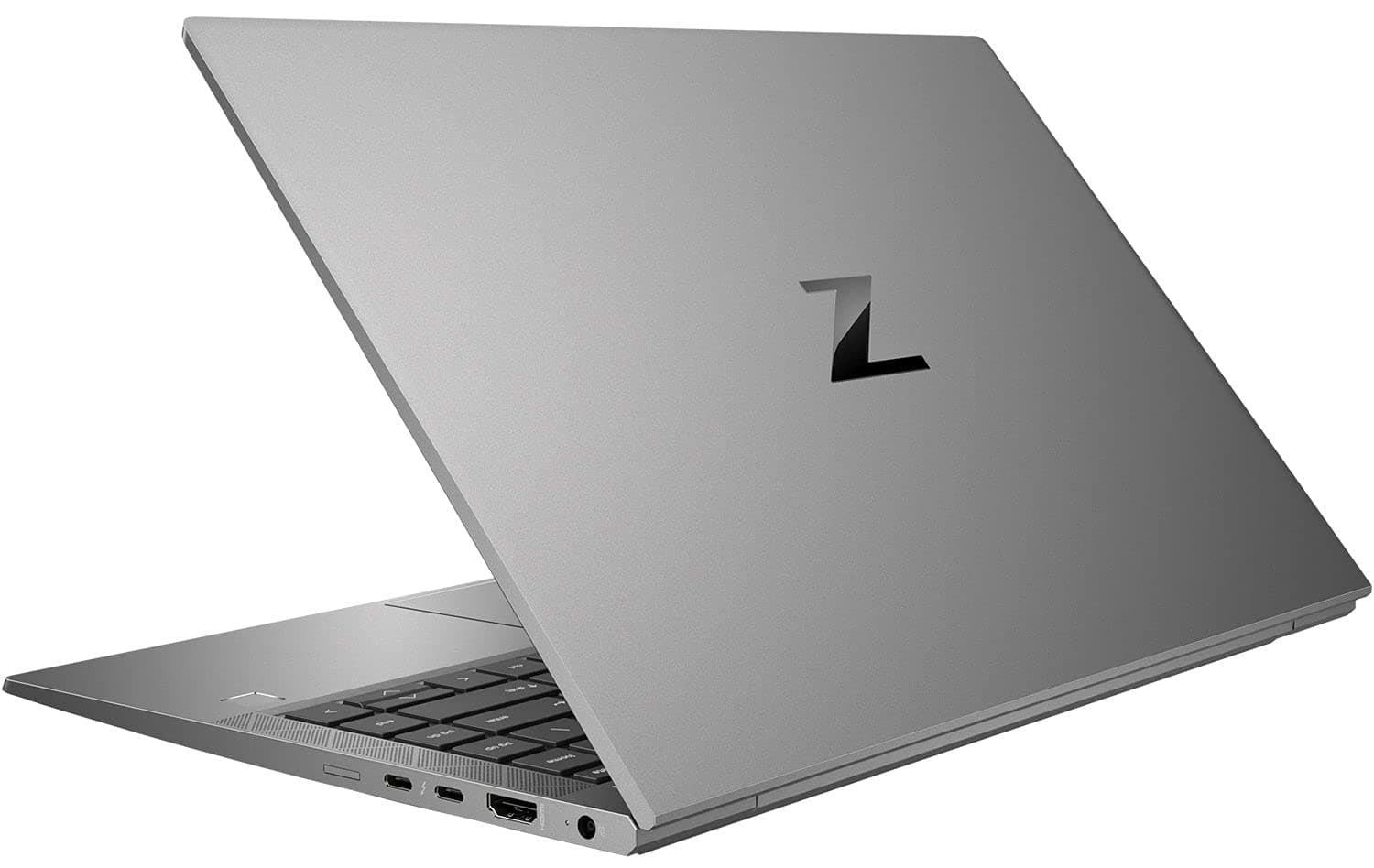
TL;DR The HP ZBook Firefly 14 remains a lightweight enterprise workstation optimized for CPU-intensive professional workflows rather than GPU-heavy production workloads. In 2026, it performs reliably in 2D CAD drafting, moderate 3D assembly modeling, engineering documentation, data analytics, and CPU-based AI inference tasks. Integrated Intel Iris Xe graphics are sufficient for light 3D visualization but struggle with complex rendering or simulation. Configurations equipped with the NVIDIA T500 offer improved viewport fluidity and better driver optimization for larger assemblies, though still not comparable to RTX-class mobile workstations. The Firefly 14 is best suited for engineers, architects, students, consultants, and analysts who prioritize portability, sustained performance, and certified software compatibility over raw GPU acceleration.
HP ZBook Firefly 14 CAD Performance In 2026
In 2026, CAD performance on the HP ZBook Firefly 14 remains strongly dependent on its CPU architecture. Applications such as AutoCAD and SolidWorks continue to rely heavily on single-threaded performance for sketch generation, constraint solving, and model rebuild operations. The Intel 12th and 13th generation processors commonly found in Firefly 14 configurations, including the Core i5-1240P and Core i7-1365U, provide strong IPC improvements and boost frequencies that maintain responsive drafting even in moderately complex projects.
For 2D drafting, performance remains fluid with minimal lag during zooming, panning, and editing operations. Large drawing files load efficiently due to PCIe Gen4 NVMe storage, which significantly reduces open and save times compared to older SATA SSD systems. When transitioning to 3D parametric modeling, especially with mid-sized assemblies, memory configuration becomes critical. Systems equipped with 32 GB or more of DDR5 memory demonstrate noticeably better stability when manipulating assemblies containing hundreds of components.
Integrated Intel Iris Xe graphics can manage basic shaded views and real-time rotation of moderate models. However, once assemblies grow in complexity or include high-resolution textures and simulation overlays, viewport performance may decline. Firefly variants equipped with the NVIDIA T500 show measurable improvement in viewport smoothness and frame stability due to workstation-class drivers and optimized OpenGL support.
The Firefly 14 therefore remains highly capable for academic, consulting, and moderate industrial CAD workflows, but not ideal for extremely large enterprise-scale assemblies or advanced simulation pipelines.
3D Modeling And Rendering Performance In 2026
In 2026, 3D modeling performance on the HP ZBook Firefly 14 depends significantly on whether the configuration uses integrated Intel Iris Xe graphics or the optional NVIDIA T500 discrete GPU. For modeling tasks in software such as Blender, Autodesk Maya, and Fusion 360, the system performs reliably when handling low to moderate polygon scenes. Object manipulation, mesh editing, rigging, and basic material previews remain smooth in projects that are not texture-heavy or lighting-intensive. This is primarily due to the Firefly’s strong single-core CPU boost clocks combined with fast NVMe storage that reduces asset loading delays.
However, rendering performance introduces clear architectural limitations. When relying solely on Intel Iris Xe graphics, GPU-accelerated render engines are constrained by limited execution units and shared memory architecture. In Blender’s Cycles engine, for example, CPU rendering is often more stable than GPU acceleration on integrated graphics, but render times increase substantially for complex scenes involving global illumination, volumetrics, or high-resolution textures. The NVIDIA T500 configuration improves this situation by enabling CUDA acceleration and offering dedicated VRAM, which reduces memory bottlenecks during GPU rendering. Even so, the T500 is an entry-level professional GPU and does not approach the performance of higher-wattage RTX workstation GPUs.
For animation timelines and viewport playback, the Firefly 14 maintains acceptable performance for short sequences and moderate resolution previews. Long animation sequences with physics simulations or particle systems will expose thermal and GPU constraints over time. Overall, the Firefly 14 is well suited for modeling, concept design, and educational rendering workflows, but it is not engineered for production-scale cinematic rendering or large-scale architectural visualization pipelines.
AI And Machine Learning Workloads In 2026
In 2026, artificial intelligence workloads are increasingly GPU-accelerated, particularly for deep learning model training. The HP ZBook Firefly 14, however, is architected primarily as a CPU-optimized mobile workstation rather than a high-performance AI training machine. With Intel 12th and 13th generation hybrid processors, it performs reliably in CPU-based machine learning workflows using frameworks such as TensorFlow, PyTorch, and scikit-learn. Tasks such as data preprocessing, feature engineering, classical machine learning algorithms, and small neural network inference execute efficiently due to strong multi-core performance and DDR5 memory bandwidth.
For inference workloads, especially lightweight transformer models or structured data pipelines, the Firefly 14 remains practical. Batch processing of moderate datasets in Python, SQL-driven analytics, and Jupyter-based experimentation perform smoothly when paired with 16–32 GB of RAM. However, large-scale deep learning model training exposes the limitations of both integrated Iris Xe graphics and the optional NVIDIA T500. The T500 provides CUDA acceleration but operates within lower power and VRAM constraints compared to RTX-class workstation GPUs, limiting practical training to small or medium neural networks.
External GPU (eGPU) configurations via Thunderbolt are technically possible, but bandwidth limitations compared to direct PCIe lanes reduce peak efficiency. While an eGPU can improve training performance, it compromises the Firefly’s portability advantage and adds cost complexity. Therefore, the Firefly 14 is best categorized as suitable for AI education, prototyping, inference deployment testing, and analytics workflows rather than enterprise-scale deep learning research.
AI Workload Suitability
The Firefly 14 serves well as a development and experimentation platform, but not as a primary AI training workstation.
Performance Comparison With Similar Thin Workstations In 2026
In 2026, the HP ZBook Firefly 14 competes in the lightweight mobile workstation category against systems such as the Dell Precision 5480 and the Lenovo ThinkPad P14s Gen 4. All three machines prioritize portability, professional certifications, and sustained CPU efficiency over high-wattage GPU output. The Firefly 14 differentiates itself through its balance of thermals, DDR5 memory scalability, and enterprise-grade firmware tuning.
Compared to the Dell Precision 5480, which may offer higher-end GPU options in certain configurations, the Firefly 14 generally operates at more conservative thermal limits. This results in slightly lower peak GPU capability but often more predictable sustained CPU behavior under long drafting or analytical workloads. Against the ThinkPad P14s Gen 4, which commonly uses similar Intel U-series processors, performance is broadly comparable in CPU-bound tasks. Differences typically emerge in cooling implementation, chassis rigidity, and optional GPU configurations rather than raw processing power.
Where the Firefly 14 stands out is in balanced mobility. It remains lighter than many mid-tier workstation alternatives while still supporting up to 64 GB of DDR5 memory, which is critical for CAD assemblies and data-intensive workflows. However, none of these thin-class systems match the GPU throughput of thicker workstation models equipped with RTX A-series GPUs.
Thin Workstation Comparison (2026 Class)
The Firefly 14 remains highly competitive for professionals who prioritize portability and consistent CPU-driven performance over heavy GPU rendering capability.
Thermal Stability And Sustained Load Behavior In 2026
Thermal design is one of the defining characteristics of the HP ZBook Firefly 14. Unlike thicker mobile workstations that prioritize high-wattage GPU output, the Firefly series is engineered for sustained CPU stability within a thin-and-light chassis. In 2026 configurations powered by Intel 12th and 13th generation processors, the system typically operates within a conservative thermal envelope, especially in U-series variants such as the Core i7-1365U. These processors are optimized for efficiency, allowing the laptop to maintain consistent clock speeds during prolonged drafting, coding, or analytical workloads without aggressive thermal throttling.
Under continuous CPU-heavy tasks such as CAD model rebuilds, code compilation, or batch data processing, the Firefly 14 stabilizes at sustained boost frequencies rather than oscillating dramatically between peak and throttled states. This behavior is important in professional environments where predictable performance is preferred over short bursts of high output. Fan acoustics remain moderate during extended workloads, and surface temperatures generally stay within comfortable operating limits for office environments.
GPU-intensive tasks, however, reveal the system’s physical limitations. Integrated Intel Iris Xe graphics share thermal and power headroom with the CPU, meaning that simultaneous CPU and GPU loads can reduce peak performance on both components. Even configurations with the NVIDIA T500 are constrained by the thin chassis design, which limits sustained high-wattage GPU operation compared to thicker ZBook Power or Fury models. During long rendering sessions or simulation tasks, clock speeds may gradually reduce to maintain safe thermal thresholds.
Overall, the Firefly 14 prioritizes stability, efficiency, and reliability over raw sustained GPU power. For professionals working long hours in CAD, documentation, analytics, or light modeling, this thermal strategy delivers consistent and dependable performance without the noise and heat output typical of heavier workstation-class machines.
Performance Comparison With Similar Thin Workstations In 2026
In 2026, the HP ZBook Firefly 14 competes in the lightweight mobile workstation category against systems such as the Dell Precision 5480 and the Lenovo ThinkPad P14s Gen 4. All three machines prioritize portability, professional certifications, and sustained CPU efficiency over high-wattage GPU output. The Firefly 14 differentiates itself through its balance of thermals, DDR5 memory scalability, and enterprise-grade firmware tuning.
Compared to the Dell Precision 5480, which may offer higher-end GPU options in certain configurations, the Firefly 14 generally operates at more conservative thermal limits. This results in slightly lower peak GPU capability but often more predictable sustained CPU behavior under long drafting or analytical workloads. Against the ThinkPad P14s Gen 4, which commonly uses similar Intel U-series processors, performance is broadly comparable in CPU-bound tasks. Differences typically emerge in cooling implementation, chassis rigidity, and optional GPU configurations rather than raw processing power.
Where the Firefly 14 stands out is in balanced mobility. It remains lighter than many mid-tier workstation alternatives while still supporting up to 64 GB of DDR5 memory, which is critical for CAD assemblies and data-intensive workflows. However, none of these thin-class systems match the GPU throughput of thicker workstation models equipped with RTX A-series GPUs.
Thin Workstation Comparison (2026 Class)
The Firefly 14 remains highly competitive for professionals who prioritize portability and consistent CPU-driven performance over heavy GPU rendering capability.
Use Case Recommendation And Performance Tiers
In 2026, selecting the right configuration of the HP ZBook Firefly 14 depends on how the system will be used, balancing performance, storage, memory, and price. For those whose primary needs revolve around general productivity, data analysis, office workflows, and basic drafting tasks, the most cost-effective path lies with a configuration featuring 16 GB of DDR5 RAM and a 512 GB NVMe solid-state drive. In this category, the Firefly 14 delivers dependable performance, responsive application launch times, and the ability to handle multiple browser tabs, IDE sessions, and office suites without perceptible lag. This level suits professionals in consulting, light engineering drawing environments, and analytical reporting who require a workstation-class build without excessive up-front cost. For individuals working in design, engineering, or data science domains that involve larger file sets, more complex modeling, or simultaneous use of virtual machines, moving up to 32 GB of RAM and a 1 TB SSD makes practical sense. The additional memory provides room for larger datasets and multitasking headroom, while increased storage capacity accommodates project assets and local databases. In this mid-range segment, professionals benefit from measured improvements in simulation responsiveness and smoother interplay between multiple heavy applications.
At the top performance tier, configurations with 64 GB or more of RAM, a wide-gamut display, and large local storage provide the most future-proof workstation experience. Though more expensive, these setups remain justified for users whose workflows involve sustained multitasking with large assemblies, advanced analytical workloads, and repeated CPU-based batch processing over long sessions. This tier also suits users who anticipate keeping the laptop well into future professional roles, even if their workload evolves. Even within this highest tier, it is important to note that GPU-intensive tasks such as cinematic rendering or large-scale machine learning model training remain outside the Firefly 14’s core strengths, given its thin-yet efficient design.
Use Case Recommendation Table
Each configuration meets the real-world expectations of specific professional segments without overshooting in areas where the Firefly 14 is not optimized, such as high-wattage GPU computation.
Why the HP ZBook Firefly 14 Still Remains the Smartest Thin Workstation for CPU-Driven Professionals
In evaluating the HP ZBook Firefly 14 in 2026 for performance across CAD, 3D, rendering, and AI workflows, the device’s strengths and limitations must be weighed against actual workload demands. The Firefly 14 is engineered for sustained productivity, balancing CPU performance, memory bandwidth, and enterprise-grade reliability within a thin, portable chassis. It excels in environments where tasks are primarily CPU bound such as drafting in AutoCAD, mid-complexity assembly manipulation in SolidWorks, data preprocessing, lightweight model inference, and extended documentation workflows. These tasks align with what most professionals and organizations require from a thin mobile workstation that is also easily transportable.
When selecting a configuration, the decision framework should begin with a clear understanding of professional workflows. If the primary use involves general productivity, consulting deliverables, or analytical reporting, a mid-tier refurbished configuration offers the most rational balance between cost and capability. This tier keeps workstation-class reliability within an accessible price range, mitigating risks associated with lower-end consumer hardware while avoiding excessive investment.
For more demanding engineering or design tasks involving mid-level assemblies, simulations, or extended multitasking, stepping up to configurations with increased RAM and storage not only improves responsiveness but also enhances long-term usability. In such workflows, the difference in memory capacity materially impacts task throughput and reduces the likelihood of paging or load bottlenecks that can interrupt professional momentum.
The top performance tier, while more expensive, remains justified for professionals who anticipate multi-year use, particularly when planning to retain the device across diverse project lifecycles. In this tier, premium displays, extensive memory, and storage capacity reduce friction in workloads that might otherwise tax the platform.
Across all tiers, the Firefly 14 delivers enterprise-grade stability through driver support and firmware tuning focused on reliability rather than peak transient performance. This makes it a strong choice for real-world workloads where predictability and long-term support matter more than raw benchmark figures. For GPU-heavy rendering or large-scale AI model training, a higher-end mobile workstation with a dedicated GPU remains a more appropriate choice.
Frequently Asked Questions (FAQs)
Q. What types of CAD tasks is the HP ZBook Firefly 14 best suited for in 2026?
A. The Firefly 14 performs especially well for 2D drafting and moderately complex 3D CAD workflows where strong single-core CPU performance is critical. It may struggle with extremely large assemblies where dedicated GPU acceleration would be more effective.
Q. Can the Firefly 14 handle 3D modeling in Blender and Maya?
A. It handles modeling, object manipulation, and scene navigation reliably, but complex render outputs and animation timelines will be slow without stronger GPU acceleration.
Q. Is the Firefly 14 capable of GPU-accelerated rendering?
A. GPU rendering capability is limited due to its thin-and-light workstation design. The NVIDIA T500 improves performance, but it does not match RTX-class workstation GPUs.
Q. Can the Firefly 14 be used for AI training tasks?
A. It is suitable for CPU-based machine learning workflows, lightweight model training, and inference testing, but not for large-scale deep learning training.
Q. How important is memory capacity for professional workloads?
A. Memory capacity is critical. Configurations with 32 GB or more RAM provide significantly better stability, multitasking performance, and workflow responsiveness.
Q. Does the Firefly 14 throttle under extended workloads?
A. No. It is engineered for sustained CPU stability and maintains predictable performance during long professional workloads.
Q. Should I choose refurbished or new Firefly 14 configurations?
A. Refurbished units offer excellent value for most professional workloads, while new units are justified for maximum warranty coverage and latest configurations.
Q. Is the Firefly 14 suitable for business and consulting workflows?
A. Yes. Its enterprise reliability, portability, and sustained CPU performance make it ideal for consulting, analytics, and business productivity workflows.
Q. How does SSD choice affect Firefly 14 performance?
A. PCIe Gen4 NVMe SSDs significantly improve application launch speed, file access times, and overall system responsiveness compared to older storage types.
Q. Can the Firefly 14 work with external GPUs?
A. Yes. External GPUs are supported via Thunderbolt, but performance is lower compared to built-in workstation GPU configurations due to bandwidth limitations.
Ready to upgrade your tech?
Browse our collection of quality refurbished products at unbeatable prices.






