
HP ZBook Firefly 14 G9 For Engineers In 2026: SolidWorks, MATLAB, And Simulation Loads
Explore the HP ZBook Firefly 14 G9 for engineering in 2026. Learn how it handles SolidWorks modelling, MATLAB computations, and simulation workloads with the right workstation configuration.

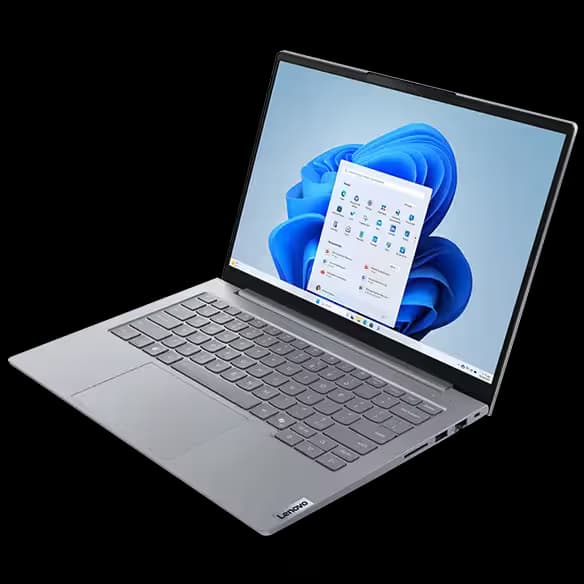
Engineering workflows in 2026 demand laptops that can handle modelling precision, numerical computation, and sustained simulation workloads without instability. Modern engineers no longer depend solely on desktop systems. Students move between labs and classrooms, while professionals work across hybrid offices, client locations, and remote environments. This shift has increased demand for portable mobile workstations capable of delivering reliable engineering performance.
The HP ZBook Firefly 14 G9 represents a major step forward in thin and light workstation design. Powered by 12th Gen Intel processors, optional NVIDIA professional graphics, fast NVMe storage, and enterprise level thermal engineering, it aims to provide balanced computational capability without sacrificing portability. This blog explores how the Firefly G9 performs in SolidWorks, MATLAB, and engineering simulation environments in 2026.
Engineering Laptop Requirements In 2026
Engineering applications depend on stability rather than peak benchmark numbers. CAD software prioritises CPU clock speed and certified graphics drivers, while simulation tools rely heavily on RAM capacity and sustained processor performance.
A capable engineering laptop in 2026 typically requires:
- Strong single core CPU performance
- Efficient multi core processing
- Professional GPU stability
- Minimum 16GB RAM with 32GB preferred
- High speed NVMe storage
The Firefly G9 aligns well with these requirements, making it suitable for both academic and professional engineering workflows.
Processor Architecture And Engineering Performance
The Firefly G9 introduces Intel 12th Gen hybrid processor architecture combining performance cores and efficiency cores. This architecture improves multitasking while maintaining strong responsiveness during demanding workloads.
Engineering software benefits in several ways. Modelling tasks such as sketch editing and assembly regeneration rely on performance cores with high boost frequencies. Background tasks such as compilation, data processing, or browser activity are handled efficiently by efficiency cores.
In real engineering usage, this results in:
- Faster CAD rebuild times
- Smooth multitasking between software tools
- Reduced lag during model manipulation
- Better responsiveness during long sessions
Although high wattage desktop workstations remain superior for extreme simulations, the Firefly G9 delivers impressive performance within its portable form factor.
SolidWorks Performance On Firefly G9
SolidWorks continues to be one of the most widely used mechanical engineering platforms. Performance depends heavily on CPU speed and GPU driver optimisation.
Firefly G9 configurations equipped with the NVIDIA T500 professional GPU provide certified driver support for CAD workloads. This ensures reliable viewport rendering and reduces graphical instability.
Engineers working with small to medium assemblies experience smooth navigation, stable shading, and consistent real time visualisation. Rotating complex models remains responsive, and editing parametric features occurs without noticeable delay.
While extremely large industrial assemblies containing thousands of components may benefit from higher tier workstation GPUs, the Firefly G9 performs comfortably for university projects, product design, and mid scale engineering workflows.
MATLAB Performance And Computational Workloads
MATLAB remains essential for electrical, mechanical, and research engineering disciplines. MATLAB relies primarily on processor efficiency and available memory.
The hybrid architecture of 12th Gen processors allows MATLAB computations to run efficiently while background processes remain active. Numerical simulations, matrix operations, algorithm development, and signal processing tasks execute smoothly when adequate RAM is available.
Parallel Computing Toolbox workloads benefit from multi core utilisation, improving execution time during simulations and data processing. Engineers working with datasets or control system models will find performance stable during extended computation sessions.
Simulation Software And Sustained Load Behaviour
Engineering simulations often represent the most demanding workload category. Applications such as ANSYS, COMSOL, and structural analysis tools maintain continuous CPU load for extended periods.
The Firefly G9 incorporates enterprise grade cooling designed for sustained professional usage rather than short consumer performance bursts. Under moderate simulation workloads, the system maintains consistent performance with controlled thermal behaviour.
Typical workloads handled effectively include:
- Finite element analysis
- Structural load simulations
- Thermal modelling
- Circuit simulation
- Academic research analysis
Although prolonged industrial simulations may run slower compared to larger workstation systems, the Firefly G9 performs reliably within student and mid level professional environments.
GPU Role In Engineering Applications
Professional GPUs prioritise accuracy and stability over gaming performance. The NVIDIA T500 available in many Firefly G9 configurations supports certified drivers for engineering software.
This provides advantages such as:
- Stable OpenGL performance
- Smooth 3D viewport interaction
- Reduced driver conflicts
- Reliable long duration operation
Integrated Intel Iris Xe graphics can manage 2D drafting and light modelling tasks, but engineers involved in frequent 3D workflows should prioritise dedicated GPU configurations.
RAM Requirements For Engineering Workflows
Memory capacity directly impacts performance when handling assemblies or simulation datasets. Insufficient RAM often causes slowdowns during model regeneration or computation.
Recommended configurations include:
- 16GB RAM for entry level engineering tasks
- 32GB RAM for CAD and simulation workloads
- Higher capacity for advanced research use
Some Firefly G9 configurations feature soldered memory, making it important to choose sufficient capacity at purchase.
Storage Performance And Project Handling
Engineering projects generate large files including assemblies, simulation outputs, datasets, and documentation. NVMe SSD storage significantly improves productivity by reducing loading and saving delays.
Benefits include faster software launches, rapid project access, and improved multitasking performance. A 1TB SSD configuration is ideal for engineers managing multiple applications simultaneously.
Multi Monitor Productivity For Engineers
Engineering workflows often require multiple displays. Designers analyse models on one screen while referencing documentation or simulation output on another.
The Firefly G9 supports external displays through Thunderbolt 4 and HDMI connectivity, enabling efficient multi monitor setups. Docking compatibility allows quick transition between mobile and desk environments.
This setup enhances productivity across design, coding, and analytical workflows.
Portability For Campus And Field Engineering
Weighing roughly 1.4 kilograms, the Firefly G9 offers strong mobility advantages compared to traditional workstation laptops. Engineers can easily carry it between classrooms, laboratories, and project sites.
Portable workstation capability enables:
- On site project demonstrations
- Remote collaboration
- Flexible hybrid work
- Continuous productivity during travel
Battery efficiency further supports light workload usage throughout the day.
Refurbished Firefly G9 For Engineering Students In India
Refurbished workstation laptops have become increasingly popular among engineering students seeking performance within budget constraints. A refurbished Firefly G9 delivers enterprise grade durability at significantly reduced cost.
Before purchase, verify GPU configuration, RAM capacity, SSD health, battery condition, and warranty coverage. Properly tested refurbished units often provide several years of dependable engineering performance.
Limitations Engineers Should Consider
Despite strong capability, the Firefly G9 remains a thin and light workstation rather than a high power desktop replacement.
Limitations include:
- Limited thermal headroom compared to larger ZBook models
- Entry to mid level professional GPU performance
- Non upgradeable RAM in some configurations
Understanding these boundaries ensures realistic performance expectations.
Ideal Engineering Users For Firefly G9
The Firefly G9 is well suited for mechanical engineering students, electrical engineers, civil engineering modelling workflows, MATLAB researchers, and professionals requiring portable CAD capability.
It balances mobility, reliability, and professional stability effectively for most engineering environments.
Long Term Engineering Value In 2026
Workstation laptops remain relevant longer than consumer systems due to ISV certification and enterprise build quality. The Firefly G9 supports professional software compatibility and long term reliability.
Modern connectivity standards such as Thunderbolt 4 further extend usability across evolving hardware ecosystems.
Conclusion
In 2026, the HP ZBook Firefly 14 G9 stands as a capable engineering workstation for SolidWorks modelling, MATLAB computation, and moderate simulation workloads. Its hybrid processor architecture, professional GPU options, efficient cooling, and enterprise durability allow engineers to work productively without carrying heavy workstation systems.
For students and professionals seeking a portable yet dependable engineering laptop, especially in the refurbished market, the Firefly G9 delivers a balanced combination of performance, stability, and long term value.
Frequently Asked Questions
1. Is the HP ZBook Firefly G9 suitable for SolidWorks in 2026?
Yes. The Firefly G9 performs well for small to medium SolidWorks assemblies, especially configurations equipped with the NVIDIA T500 professional GPU that provides certified driver stability.
2. How much RAM is ideal for engineering workloads on the Firefly G9?
16GB RAM works for basic CAD and MATLAB usage, but 32GB is recommended for simulations, larger assemblies, and smoother multitasking performance.
3. Can the Firefly G9 run MATLAB efficiently?
Yes. Its 12th Gen Intel processors handle numerical computation, signal processing, algorithm development, and parallel workloads efficiently when paired with sufficient RAM.
4. Is the NVIDIA T500 GPU necessary for engineers?
Integrated graphics are sufficient for 2D drafting and light tasks, but engineers working with 3D modelling or CAD applications benefit significantly from the NVIDIA T500 professional GPU.
5. Is a refurbished HP ZBook Firefly G9 good for engineering students?
Yes. A properly tested refurbished Firefly G9 offers workstation grade durability and performance at a lower price, making it a strong option for engineering education and early professional use.
Ready to upgrade your tech?
Browse our collection of quality refurbished products at unbeatable prices.






