
HP ZBook 15 G3 Performance In 2026: CAD, 3D, Rendering, And AI Workloads
HP ZBook 15 G3 remains reliable in 2026 for CAD, analytics, and moderate 3D workloads with strong refurbished value.

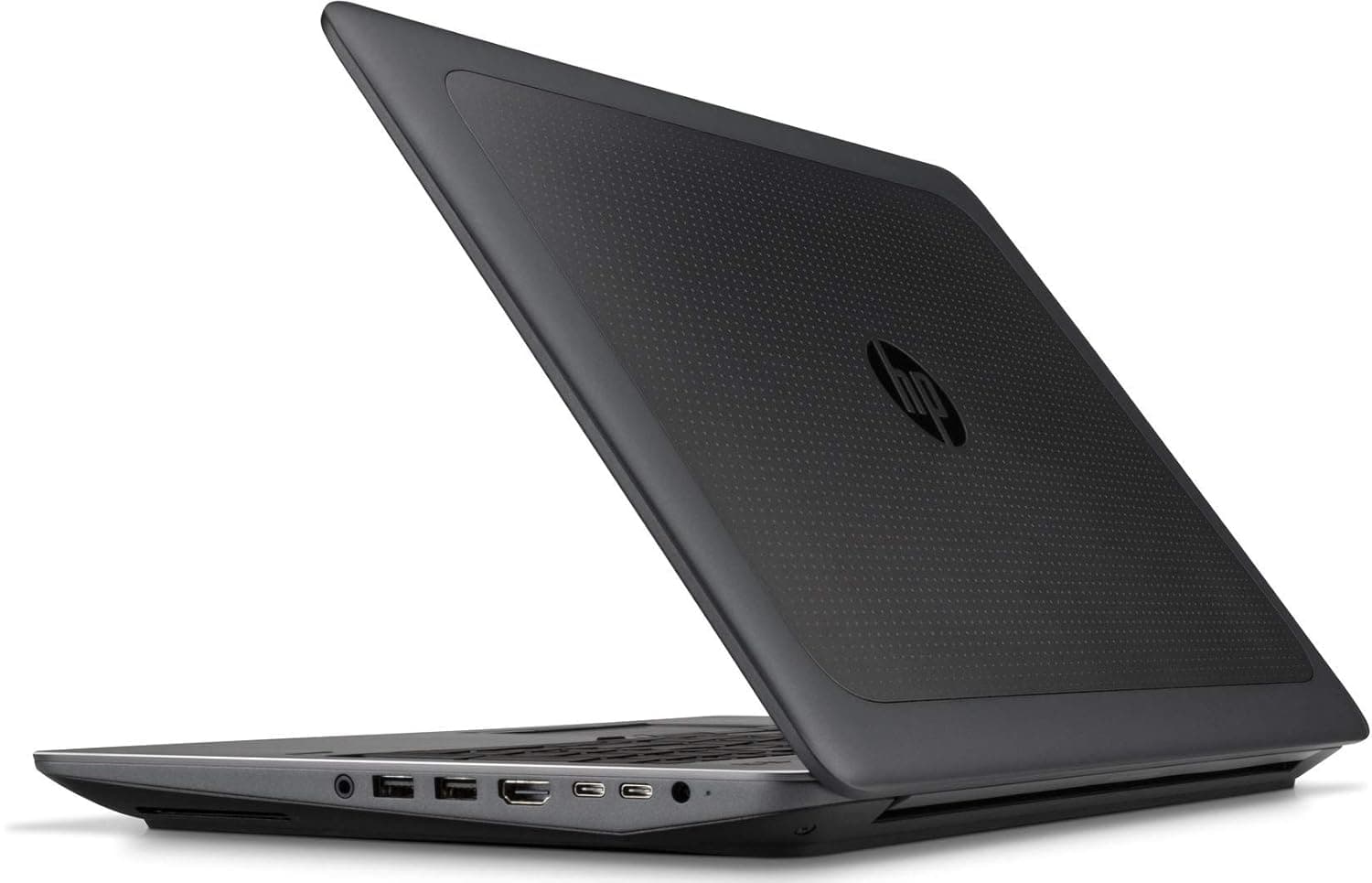
TL;DR In 2026, the HP ZBook 15 G3 remains a surprisingly capable mobile workstation for professionals and power users who seek reliability and expandability on a budget. Originally released with Intel 6th-Generation CPUs such as the Intel Core i7-6700HQ and Xeon E3-1505M v5 and paired with professional-oriented GPUs like NVIDIA Quadro M1000M or M2000M, this laptop continues to serve steady CAD, 3D modeling, rendering previews, and AI inference workflows in a refurbished context. Its large 15.6-inch display, rack of legacy ports, and support for up to 64 GB of DDR4 RAM make it a workhorse for technical applications, while multiple storage bays mean users can configure NVMe SSDs alongside high-capacity drives for fast project loading and archival. In 2026 India’s refurbished market, ZBook 15 G3 units deliver impressive workstation value, often at a fraction of the cost of newer models. This article evaluates how the ZBook 15 G3 performs across core professional workload categories and offers a structured decision framework and FAQs for 2026 buyers.
HP ZBook 15 G3 Workstation Overview in 2026
The HP ZBook 15 G3 Workstation Laptop was built as a mid-range enterprise mobile workstation with durability, expandability, and professional software support at its core. Even though its platform dates from the mid-2010s, in 2026 the machine still offers relevant performance for many CAD, technical, and productivity workflows when properly configured and refurbished. For Indian buyers seeking tried-and-tested workstation hardware without paying full retail for newer models, refurbished HP ZBook 15 G3 laptops present a compelling opportunity. You can explore available refurbished and used ZBook workstations, including G3 units, at the Refurbo inventory.
The legacy HP ZBook 15 G3 Specs include support for quad-core Intel processors such as the Core i7-6700HQ or Xeon E3-1505M v5 which provided strong multi-threaded performance for enterprise workflows at the time of release. The platform offers generous expandability, including support for up to 64 GB of DDR4 memory via multiple SO-DIMM slots and multiple storage bays that can house both SSDs and traditional HDDs. Professional Quadro graphics options such as the M1000M or M2000M were available on many SKUs, offering certified OpenGL acceleration for design and visualization applications. With these hardware foundations, refurbished ZBook 15 G3 units can still manage many common professional workloads from drafting and modeling to light visualization and AI inference experimentation.
Across this article, we assess how the HP ZBook 15 G3 performs in practical CAD, 3D modeling, rendering, and AI workloads in 2026. We also examine thermal and sustained performance, compare it with contemporary mobile workstations, and conclude with buyer guidance and FAQs tailored to refurbished purchases in India.
CAD Performance
In 2026, the HP ZBook 15 G3 continues to demonstrate practical utility for CAD professionals, particularly when sourced as a refurbished unit with upgraded RAM and SSD storage. Originally configured with Intel 6th-Generation processors such as the Core i7-6700HQ or Xeon E3-1505M v5 the ZBook 15 G3 delivers solid single-threaded performance, which remains important for most CAD tasks. Applications like AutoCAD, SolidWorks, and Fusion 360 heavily weight single-core responsiveness when executing sketch constraints, regenerations, dimension updates, and real-time viewports. Even though the CPU architecture is older, ZBook 15 G3 machines equipped with maximum supported RAM (typically 32-64 GB DDR4) exhibit fewer slowdowns when handling moderately complex assemblies, largely because large parts and references can be cached in memory without frequent paging to disk.
Storage also plays a crucial role in CAD performance. Many refurbished ZBook 15 G3 units allow dual-drive configurations, where a high-speed NVMe SSD accelerates project load times and caching, while a secondary HDD handles archival storage. In practice, this hybrid configuration minimizes delays when opening large drawing sets, importing external references, or saving revisions. This kind of storage optimization is a strong reason why refurbished workstations remain competitive with newer, less expandable thin laptops.
Graphics acceleration is another important factor. The ZBook 15 G3 shipped with professional-grade GPUs like the NVIDIA Quadro M1000M or M2000M, which remain relevant for CAD viewport rendering and OpenGL acceleration. These GPUs feature certified drivers that improve stability and compatibility with professional CAD applications when compared to consumer gaming GPUs a key consideration for engineers and architects who rely on consistent behavior under long sessions. These GPUs help with shading, hidden line views, and moderate assembly rotation without introducing instability or artifacts.
Where the ZBook 15 G3 shows its age is in extremely large assemblies or simulation tasks that leverage newer hardware threading and memory bandwidth available in 2026 systems. However, for the majority of 2D drafting, 3D model interaction, and parametric build workflows encountered in everyday engineering and design work, a properly spec’d refurbished ZBook 15 G3 remains a dependable choice. Its blend of legacy professional GPU support, expandable memory, and fast storage make it an excellent entry-to-mid–level CAD machine, particularly where cost is a prime consideration.
3D Modeling & Rendering Performance
In 2026, the HP ZBook 15 G3 remains a capable platform for moderate 3D modeling and rendering tasks especially within workflows that do not demand cutting-edge GPU throughput. Many ZBook 15 G3 units originally shipped with NVIDIA Quadro M1000M or M2000M graphics, both of which are professional GPUs designed for stability and compatibility rather than sheer pixel-pushing power. For modeling tasks in software like Autodesk Maya, Blender, or Fusion 360, these GPUs provide sufficient OpenGL acceleration for wireframe, shaded, and hidden-line rendering in scenes of small to moderate complexity. Users working with mesh editing, basic surface modeling, and low-to-medium polygon assemblies will find viewport interaction responsive when paired with a well-configured machine that includes at least 32 GB of RAM and an SSD for quick data access.
Rendering performance on the ZBook 15 G3 varies depending on whether the workload is CPU- or GPU-bound. CPU rendering as executed by engines like Blender’s Cycles in CPU mode benefits from the quad-core architecture and relatively high turbo frequencies of the 6th-Gen Intel Core i7 or Xeon processors, providing dependable results for projects that do not require massive sample counts or complex lighting models. Because CPU rendering relies on raw thread throughput and memory bandwidth, the presence of dual channels of DDR4 and fast PCIe NVMe SSDs in refurbished ZBook 15 G3 units helps maintain steady performance even during sustained batch exports or large texture loads.
GPU-accelerated rendering, however, is more constrained. The Quadro M1000M and M2000M belong to older GPU families with limited shader cores and memory bandwidth compared to modern RTX-class solutions. This results in slower render times when GPU acceleration features are enabled in newer engines. That said, for many professional users in architectural visualization or product design, preliminary render previews, clay renders, and client concept outputs are feasible without excessive delay. The professional GPU drivers ensure consistent behavior and fewer graphical anomalies, which is more important in many production workflows than sheer render speed.
Where the ZBook 15 G3 is less competitive particularly in a 2026 context is in physically based rendering (PBR), ray tracing acceleration, and high-resolution animation scenes. These workloads increasingly depend on advanced GPU compute features and larger VRAM budgets available only in more modern mobile workstations with discrete RTX-series GPUs. For those specific use cases, cloud rendering or hybrid workflows are more appropriate.
In summary, the ZBook 15 G3 delivers dependable modeling performance and acceptable rendering capability for moderate 3D scenes. Its professional GPU options, expandable memory, and robust thermal design continue to serve CAD, modeling, and visualization workflows efficiently especially when working predominantly in CPU or GPU-accelerated preview modes rather than full production ray tracing.
AI Workloads In 2026: CPU Inference, Discrete GPU Comparison, And Hybrid Trends
By 2026, artificial intelligence workflows have diversified beyond raw GPU crunching. Many real-world professional pipelines combine local inference, cloud-assisted training, and hybrid edge computing. The HP ZBook 15 G3, despite its older architecture, still holds relevance in this hybrid landscape when properly configured particularly in refurbished form with ample memory and professional GPU support.
At its core, the ZBook 15 G3 relies on Intel’s older quad-core CPU designs such as the Intel Core i7-6700HQ or workstation-class Xeon variants, which were never designed with next-generation neural accelerators in mind. Nevertheless, these CPUs can handle fundamental AI workloads such as data preprocessing, feature extraction, classical machine learning model training (like linear regression, random forests, or small decision trees), and lightweight inference. These tasks are frequently CPU-bound rather than GPU-bound, and with sufficient RAM (32 GB or more), the ZBook handles them reliably. Frameworks like scikit-learn, pandas, and NumPy, common in business analytics or academic settings, run capably on this hardware even when datasets approach practical limits.
When moving into deep learning territory particularly for frameworks that exploit GPU acceleration the ZBook 15 G3’s capabilities hinge on the presence of a discrete GPU. Many refurbished units include NVIDIA Quadro GPUs such as the M1000M or M2000M. These GPUs support CUDA and OpenCL, enabling accelerated inference and some training tasks. For example, small convolutional neural networks or pretrained models can be fine-tuned locally with measurable speed gains over CPU-only execution. However, these GPUs are entry-level by modern machine learning standards. They lack the tensor cores and abundant VRAM found in newer RTX-class mobile GPUs that power contemporary on-device AI tasks, such as real-time generative inference, transformer training loops, or large-batch computer vision pipelines.
A key 2026 trend is the rise of hybrid cloud AI workflows. Professionals increasingly train heavy models in cloud environments with specialized GPU clusters, then download distilled or quantized models for local inference, testing, and deployment. In this context, the ZBook 15 G3 excels at being a local inference workstation: it runs quantized ONNX models, supports Python-based rapid experimentation, and integrates seamlessly with cloud API workflows. Tools like TensorFlow Lite, ONNX Runtime, and PyTorch Mobile can push lightweight models efficiently through CPU + CUDA acceleration paths.
Another trend is edge-optimized AI execution. Edge models designed to run efficiently on limited hardware are less demanding of raw GPU throughput and instead rely on architectural optimizations within the CPU. While the ZBook 15 G3 lacks dedicated neural accelerators found in later Core Ultra and Apple Neural Engine architectures, its professional discrete GPUs still fill this role adequately for smaller models.
In summary, the ZBook 15 G3 is best positioned as a development and inference workstation in 2026. It excels at preprocessing, model evaluation, lightweight GPU-accelerated inference, and hybrid cloud workflows. For large-scale model training, transformer fitting, or production GPU loads, modern mobile workstations or cloud clusters remain the better choice. Still, as part of a distributed AI workflow, the ZBook 15 G3 continues to deliver practical value.
Thermal & Sustained Load Behavior
The HP ZBook 15 G3 was engineered as a true mobile workstation, and its thermal and sustained load behavior reflects that pedigree even in 2026. Unlike thin consumer laptops that emphasize peak burst performance and then throttle drastically to maintain surface coolness, the ZBook 15 G3 uses a more balanced thermal design intended to support lengthy professional workloads without dramatic performance collapse. This design approach stems from its thicker chassis, larger cooling assembly, copper heat pipes, and enterprise-oriented fan control logic all of which were tuned to handle multi-hour CAD sessions, data processing, and simulation runs when the unit was originally released.
Under continuous CPU-intensive operations such as large spreadsheet recalculations, prolonged code compilation, or multi-threaded CAD assembly manipulations the legacy Intel Core i7-6700HQ and Xeon E3 processors in refurbished ZBook 15 G3 units settle into steady sustainable power states rather than oscillating between high and low clocks. This leads to a predictable performance curve that professionals appreciate during marathon design sessions. The system’s thermal firmware prevents sudden spikes or steep drops, which minimizes the “thermal shock” behavior that plagues many consumer thin notebooks. As a result, long CAD drafting or structural analysis tasks can proceed without repeated abrupt slowdowns.
In configurations with discrete NVIDIA Quadro GPUs, such as the M1000M or M2000M, thermal management extends to the GPU domain as well. These professional GPUs were designed with workstation duty cycles in mind, meaning they can sustain moderate 3D and viewport workloads without overheating or heavy throttling. During extended 3D modeling or light rendering previews, GPU clocks may moderate over time to balance heat and power, but they do so in a controlled way that preserves stability rather than performance unpredictability.
Acoustically, the ZBook 15 G3’s fans are noticeable during heavy sustained loads, but not disruptive in professional environments. Fan noise increases gradually in response to thermal load rather than abruptly, which helps maintain concentration during long work sessions. Surface temperatures around the keyboard and palm rest typically remain within user-comfortable ranges, even when the internal thermals are actively shedding heat.
It’s important to note that heavy GPU rendering tasks or modern AI training loads will stress the cooling system more than typical CAD or data analytics tasks, and overall thermal performance is constrained by the hardware generation. However, for the majority of sustained professional workloads encountered in CAD, engineering, analytics, and visualization tasks, the ZBook 15 G3 delivers reliable, predictable performance with stable thermal behavior. This makes it particularly suitable as a refurbished workstation choice for professionals needing multi-hour productivity without erratic throttling or heat-induced interruptions.
Performance Comparison With Similar Workstations
Even in 2026, the HP ZBook 15 G3 holds its ground among legacy and refurbished workstation alternatives because of its durable build, professional GPU support, and expandability. When evaluating thin, mid-tier, or slightly older workstation hardware, buyers often consider options like the Dell Precision 5510/5520 series and the Lenovo ThinkPad P50/P51 series all of which share similar generation hardware and professional orientation. Although newer mobile workstations with modern CPUs and GPUs outperform these legacy platforms in absolute benchmark scores, the ZBook 15 G3 continues to offer competitive performance for real-world workflows in CAD, moderate 3D modeling, and hybrid AI inference tasks.
The ZBook 15 G3’s architecture centers around Intel Core i7-6700HQ or Xeon E3 processors, which were designed for high sustained multi-thread performance. This makes them well-suited to environments that demand long session stability, such as continuous CAM calculation loops, extended rendering previews, or simulation setups. Compared to Dell Precision 5510/5520 models with similar CPU generations, the ZBook 15 G3 often benefits from slightly better thermal headroom due to its thicker chassis and larger cooling systems. Consequently, the Firefly 15 G3 typically avoids abrupt throttling during prolonged interactive workloads, which translates to smoother long-session responsiveness.
Graphics is another key differentiator. The ZBook’s support for discrete NVIDIA Quadro GPUs such as the M1000M or M2000M sets it apart from many consumer-grade or entry mobile workstations that rely solely on integrated graphics. Professional GPUs come with certified drivers optimized for OpenGL and CAD workloads, reducing viewport glitches and driver instability during extended use. Meanwhile, competing platforms like the Lenovo ThinkPad P50/P51 also offer Quadro discrete options, but their overall system optimization, keyboard ergonomics, and expandability tend to align closely with HP’s offering.
Where these older workstation platforms diverge most clearly from modern 2026 mobile workstations is in GPU throughput and AI acceleration. Contemporary models with RTX-class GPUs and hybrid CPU+NPU architectures (such as Intel Core Ultra or NVIDIA RTX A2000+) deliver markedly faster performance in GPU-accelerated rendering, real-time ray tracing, and deep learning workflows. The ZBook 15 G3, by contrast, remains competitive for CPU-dominant tasks and structured GPU tasks like viewport rendering or basic GPU-assisted computations, but it can struggle with heavy ray tracing, massive scene complexity, or large neural network training.
Workstation Comparison Table
| Feature / Metric | HP ZBook 15 G3 | Dell Precision 5510/5520 | Lenovo ThinkPad P50/P51 |
|---|---|---|---|
| CPU Generation | Intel 6th Gen | Intel 6th Gen | Intel 6th Gen |
| Discrete GPU Options | NVIDIA Quadro M1000M, M2000M | NVIDIA Quadro M1000M, M2000M | NVIDIA Quadro M1000M, M2000M |
| Expandability | Strong (RAM and Storage upgrade support) | Moderate (Limited internal expansion) | Strong (RAM and Storage upgrade support) |
| Thermal Stability | Strong (Workstation-class cooling) | Moderate (Thinner chassis limits cooling) | Moderate (Good but slightly constrained) |
| GPU Rendering Capability | Limited (Suitable for preview and light rendering) | Limited (Similar GPU generation constraints) | Limited (Similar GPU generation constraints) |
| AI Workload Capability | Entry-level and Hybrid AI workflows | Entry-level and Hybrid AI workflows | Entry-level and Hybrid AI workflows |
| Refurbished Market Value (India 2026) | Excellent (High value for professional workloads) | Excellent (Strong refurbished market availability) | Excellent (Reliable and widely available) |
The common thread across these vintage workstation platforms is that they excel in reliability and professional software compatibility rather than bleeding-edge performance. In 2026, the ZBook 15 G3 remains a strong choice for refurbished workstation buyers who prioritize professional ecosystem stability, expandability, and real-world task predictability over native GPU power or the latest AI acceleration features.
Use Case Recommendation
In 2026, the HP ZBook 15 G3 is best understood not as a cutting-edge performance machine, but as a cost-efficient, stable, expandable professional workstation in the refurbished market. Its strengths lie in structured engineering workflows, long sustained productivity sessions, and hybrid cloud-assisted workloads rather than GPU-intensive modern rendering or large-scale AI training.
For CAD professionals, architects, and mechanical engineers working primarily in 2D drafting and moderate 3D assemblies, the ZBook 15 G3 remains a highly practical solution. The combination of quad-core Intel processors, up to 64 GB RAM support, and NVIDIA Quadro professional GPUs ensures stable viewport performance and certified driver reliability. In professional environments, stability is often more valuable than raw speed, and this is where the ZBook continues to justify its relevance.
For 3D modeling professionals, the machine performs well for asset creation, part modeling, prototyping, and moderate scene complexity. However, for photorealistic rendering or ray-traced animation, users may need to rely on cloud rendering services or remote GPU servers. This hybrid model is increasingly common in 2026 workflows, making the ZBook 15 G3 suitable as a local design + preview machine.
For AI practitioners and analysts, the ZBook 15 G3 is well suited to preprocessing, experimentation, classical machine learning, and lightweight GPU inference. It is not ideal for transformer training, generative AI model development, or large neural network backpropagation tasks.
For consultants, finance professionals, and data analysts, the system remains extremely strong. Spreadsheet modeling, simulations, dashboards, Python/R workloads, and client-side presentations run smoothly, particularly when upgraded with NVMe storage and 32 GB+ RAM.
Use Case Recommendation Table
| Use Case | Recommended Configuration | Suitability | Refurbo Option |
|---|---|---|---|
| General Productivity | 16–32 GB RAM, 512 GB SSD, FHD Display | Excellent Fit | Refurbished HP ZBook Workstations |
| CAD / Engineering | 32 GB RAM, 1 TB NVMe, Quadro GPU | Strong Fit | Refurbished HP ZBook 15 Series |
| 3D Modeling (Moderate) | 32–64 GB RAM, NVMe + Secondary Drive | Good (Preview + Hybrid Rendering) | Buy HP ZBook Online |
| AI Inference / Data Science | 32–64 GB RAM, Quadro GPU | Good for Lightweight Models | Used HP ZBook 15 G3 Laptop |
| Heavy GPU Training | RTX-class workstation required | Not Recommended | Consider newer ZBook RTX models |
Final Recommendation And Decision Framework
The HP ZBook 15 G3 in 2026 should be viewed as a strategic refurbished workstation purchase rather than a modern high-performance GPU machine. Its real strength lies in sustained CPU stability, professional-grade Quadro graphics drivers, expandability up to 64 GB RAM, and reliable thermal engineering. For CAD professionals, engineers, analysts, and consultants working in structured environments, it continues to deliver dependable performance without the unpredictable throttling often seen in thin consumer laptops. When upgraded with NVMe storage and sufficient memory, it remains highly capable for real-world production workflows.
From a value perspective, a Refurbished HP ZBook 15 G3 makes strong financial sense in India. Instead of investing in expensive RTX-class mobile workstations for workloads that may not require that level of GPU acceleration, professionals can allocate budget efficiently while still maintaining enterprise-grade build quality and certified driver stability. It performs especially well in 2D CAD, moderate 3D modeling, financial simulations, programming, analytics, and hybrid cloud AI workflows where heavy model training is offloaded to cloud infrastructure.
However, if your primary workload involves real-time ray tracing, large-scale AI model training, generative AI development, or GPU-intensive rendering pipelines, newer RTX-equipped workstations are more appropriate. In short, choose the ZBook 15 G3 if your priority is reliability, upgrade flexibility, and cost efficiency. Avoid it if your workflow is dominated by next-generation GPU acceleration demands.
Frequently Asked Questions (FAQs)
Q. Is HP ZBook 15 G3 still good in 2026?
A. Yes, it remains reliable for CAD, business analytics, programming, and moderate 3D modeling when upgraded with SSD and sufficient RAM.
Q. Can HP ZBook 15 G3 run AutoCAD and SolidWorks smoothly?
A. Yes, especially models equipped with NVIDIA Quadro M1000M or M2000M GPUs, which provide certified drivers and stable viewport performance.
Q. What is the maximum RAM supported by HP ZBook 15 G3?
A. The ZBook 15 G3 supports up to 64 GB DDR4 RAM, making it capable of handling large CAD files and analytics workloads.
Q. Is HP ZBook 15 G3 suitable for Blender and 3D rendering?
A. It performs well for modeling and preview rendering, but heavy GPU rendering and ray tracing require modern RTX-based workstations.
Q. Can HP ZBook 15 G3 handle AI and machine learning workloads?
A. Yes, it is suitable for AI inference, classical machine learning, and small model experimentation, but not large neural network training.
Q. Does HP ZBook 15 G3 overheat during heavy workloads?
A. No, its workstation-class cooling system provides stable thermals and sustained performance during long CAD, analytics, and development sessions.
Q. Is HP ZBook 15 G3 good for programming and data analysis?
A. Yes, it handles programming environments, simulations, Python workloads, and large spreadsheets efficiently when configured with NVMe SSD and sufficient RAM.
Q. What GPU options are available in HP ZBook 15 G3?
A. Most configurations include professional NVIDIA Quadro M1000M or M2000M GPUs optimized for CAD and engineering workloads.
Q. Is refurbished HP ZBook 15 G3 worth buying in India?
A. Yes, refurbished units offer excellent workstation value, enterprise durability, and strong performance at significantly lower cost.
Q. Who should avoid buying HP ZBook 15 G3 in 2026?
A. Users requiring RTX GPU rendering, generative AI workloads, or advanced real-time ray tracing should consider newer workstation models.






