
HP ZBook 15 G3 For Engineers In 2026: SolidWorks, MATLAB, And Simulation Loads
This detailed guide evaluates the HP ZBook 15 G3 for engineers in 2026, covering SolidWorks modelling, MATLAB processing, simulation workloads, upgrade potential and real world performance expectations.

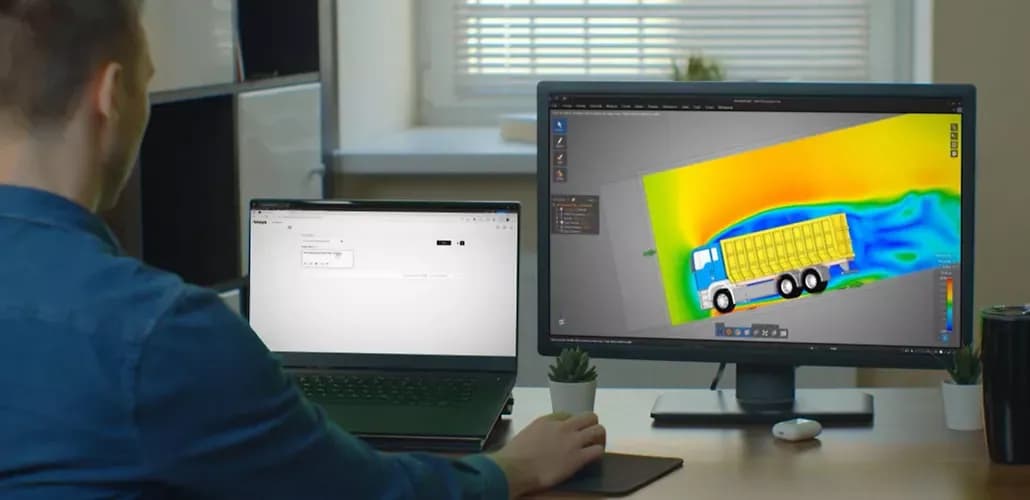
TL;DR The HP ZBook 15 G3 continues to remain a highly practical refurbished workstation choice in 2026 India for engineering students, early professionals, and small teams who need stable performance for SolidWorks, MATLAB, and moderate simulation workloads. When configured with at least 16GB to 32GB RAM and an NVMe SSD, it delivers reliable sustained performance, professional GPU stability, and long-session thermal consistency. While it cannot match modern multi-core systems for heavy simulations or AI workloads, it still offers one of the strongest value-for-money engineering workstation experiences heading into 2027.
Why the HP ZBook 15 G3 Still Makes Sense for Engineering Workflows in 2026
The engineering laptop decision in 2026 is no longer about chasing the newest processor or the highest benchmark score. It is about selecting a system that can handle real-world workloads consistently over long sessions without instability. Engineering software has evolved significantly, with larger CAD assemblies, heavier simulations, and more memory-intensive workflows. However, this does not mean every user requires the latest generation hardware.
What has changed is the importance of sustained performance and reliability. Many engineering tasks such as CAD modelling, MATLAB computation, and simulation workloads run for extended periods. Systems that deliver consistent performance without thermal throttling are often more valuable than devices that offer short bursts of peak power. The HP ZBook 15 G3 was originally designed with this exact philosophy. Its workstation-class architecture, larger cooling system, and professional GPU options allow it to maintain stable performance during long sessions.
Another major shift in 2026 is lifecycle thinking. Students and organisations are increasingly planning hardware usage over 5 to 7 years. This makes upgradeability and serviceability far more important than raw performance gains. The ZBook 15 G3 supports RAM and storage upgrades, which significantly extends its usable lifespan. In India’s refurbished market, this creates a strong value proposition, especially for users who want workstation-level stability without paying premium prices for new hardware.
Engineering Laptop Requirements in 2026 and Where ZBook 15 G3 Fits
Engineering workloads in 2026 demand a specific balance of CPU performance, memory capacity, GPU stability, and storage speed. The requirements have become more defined because software has become more complex and resource-intensive.
| Requirement | Why It Matters |
|---|---|
| Strong single-core CPU | CAD regeneration and modelling |
| Multi-core capability | Simulation and parallel tasks |
| Professional GPU drivers | Stable 3D viewport performance |
| 16GB to 32GB RAM | Handling large datasets |
| NVMe SSD storage | Faster load times |
| Reliable cooling | Sustained performance |
The ZBook 15 G3 aligns well with these requirements when properly configured. While its 6th Gen Intel processors are older, they still provide adequate performance for moderate workloads. The key advantage is not raw speed but stability. Unlike many thin laptops, it maintains consistent clock speeds during long sessions, which directly improves productivity.
The professional Quadro GPU variants further strengthen its position by offering certified drivers for engineering software. This reduces graphical glitches and improves compatibility, which is critical for CAD applications. When combined with sufficient RAM and SSD storage, the system becomes a reliable platform for most academic and mid-range professional tasks.
SolidWorks Performance in 2026
SolidWorks remains one of the most widely used CAD tools in engineering, and its performance depends heavily on CPU responsiveness and GPU driver stability. In 2026, the software continues to prioritise single-core performance for modelling tasks while relying on professional GPUs for viewport rendering.
The ZBook 15 G3 performs well in structured SolidWorks workflows when expectations are realistic. For small to medium assemblies, part modelling, and academic projects, the system remains responsive. Operations such as sketching, feature creation, and model rotation feel smooth, especially when paired with 16GB or 32GB RAM.
Where limitations appear is in large industrial assemblies and high-detail rendering. Complex projects with thousands of components can introduce lag, particularly during real-time rendering and visualisation. However, for most students and early professionals, these extreme scenarios are not part of daily usage.
The Quadro GPU plays a critical role here. Certified drivers ensure stable viewport performance and reduce graphical issues, which are common in consumer GPU setups. This makes the ZBook 15 G3 a safer choice for CAD work compared to similarly priced consumer laptops.
The practical takeaway is clear. For academic and moderate professional CAD workflows, the ZBook 15 G3 remains highly usable. For large-scale industrial design, newer systems are more suitable.
MATLAB and Computational Workloads in 2026
MATLAB performance in 2026 is increasingly influenced by memory capacity and storage speed rather than just CPU performance. Large datasets, matrix operations, and simulation models require significant RAM, making upgrades essential for smooth performance.
With 16GB RAM, the ZBook 15 G3 handles undergraduate-level MATLAB tasks comfortably. Scripts, algorithm development, and basic simulations run without issues. Upgrading to 32GB RAM significantly improves performance for larger datasets and parallel computing tasks.
The quad-core processor provides adequate parallel processing for moderate workloads. While it cannot match modern multi-core CPUs in heavy computation, it remains sufficient for most academic and early professional use cases. Stability during long computational sessions is another advantage, as the system avoids aggressive throttling.
For research-level work involving very large datasets or advanced machine learning models, the system may reach its limits. However, for control systems, signal processing, robotics, and general coursework, MATLAB remains fully functional.
The key insight is that memory upgrades deliver the biggest performance gains. In many cases, increasing RAM provides more noticeable improvements than upgrading the processor.
Simulation Workloads and Sustained Performance
Simulation workloads represent the most demanding use case for engineering laptops. Tools such as finite element analysis platforms place continuous load on CPU cores, often running for hours. In these scenarios, thermal stability becomes more important than peak performance.
The ZBook 15 G3 benefits from a larger chassis and robust cooling system, allowing it to sustain workloads without severe throttling. This makes it suitable for academic simulations, moderate structural analysis, and thermal modelling tasks.
| Simulation Type | Performance Level |
|---|---|
| Academic simulations | Strong |
| Moderate FEA workloads | Reliable |
| Thermal modelling | Good |
| Large mesh simulations | Limited |
| Enterprise simulations | Not suitable |
The limitations appear in highly parallel workloads and large-scale simulations that require modern multi-core processors. In such cases, newer systems or workstation servers are more appropriate.
For most students and small teams, however, the ZBook 15 G3 provides a reliable platform for simulation work without excessive cost.
RAM, Storage, and Upgrade Strategy in 2026
Upgradeability is one of the strongest advantages of the ZBook 15 G3. In 2026, this becomes a critical factor because it allows users to extend the system’s lifespan without replacing the entire machine.
| Component | Recommended Configuration |
|---|---|
| RAM | Minimum 16GB, ideally 32GB |
| Storage | NVMe SSD |
| GPU | Quadro variant preferred |
Upgrading from 8GB to 16GB or 32GB RAM significantly improves multitasking and simulation performance. NVMe SSDs reduce load times and improve responsiveness across applications.
The key strategy is simple. Invest in memory and storage upgrades first. These provide the most noticeable performance improvements and ensure the system remains usable for several years.
Why the HP ZBook 15 G3 Still Remains a Smart Engineering Workstation Investment in 2026
The strongest closing takeaway is simple. The HP ZBook 15 G3 remains relevant in 2026 because it delivers what engineering users actually need, stability, upgradeability, and consistent performance.
It is not designed to compete with modern high-end workstations in raw power. Instead, it focuses on delivering reliable performance for real-world engineering workflows such as CAD modelling, MATLAB computation, and moderate simulations. This makes it an excellent choice for students, startups, and professionals working within budget constraints.
In India’s refurbished market, the ZBook 15 G3 stands out because it offers workstation-grade reliability at a significantly lower cost. When upgraded correctly and maintained well, it can continue to serve effectively through 2027.
For users who understand its limitations and configure it properly, the ZBook 15 G3 remains one of the most practical and cost-efficient engineering workstation choices available today.
Frequently Asked Questions
Q. Is the HP ZBook 15 G3 good for engineering students in 2026?
Yes, it is well suited for coursework, CAD modelling, and moderate simulations when upgraded with sufficient RAM and SSD storage.
Q. Can the ZBook 15 G3 run SolidWorks smoothly?
Yes, it handles small to medium assemblies well, especially with a Quadro GPU and at least 16GB RAM.
Q. How much RAM is recommended for engineering use?
A minimum of 16GB is required, while 32GB is recommended for better performance in simulations and multitasking.
Q. Is it suitable for MATLAB workloads?
Yes, it performs well for most academic and moderate computational tasks, particularly with higher RAM configurations.
Q. Can it handle heavy simulations?
It can handle moderate simulations, but large-scale or enterprise-level workloads require newer hardware.
Q. Is a Quadro GPU necessary?
Yes, it is recommended for CAD and 3D workloads because of better driver stability and compatibility.
Q. Is it worth buying refurbished in 2026?
Yes, it offers strong value when properly upgraded and maintained, especially for budget-conscious users.
Q. How long can the ZBook 15 G3 last?
With upgrades and proper care, it can remain usable for 5 to 7 years in moderate workloads.
Ready to upgrade your tech?
Browse our collection of quality refurbished products at unbeatable prices.






