
Best Budget Design Laptops For Graphic Designers In India 2026
Budget laptops help beginner graphic designers learn essential tools, build foundational skills and start freelance work affordably in India in 2026.

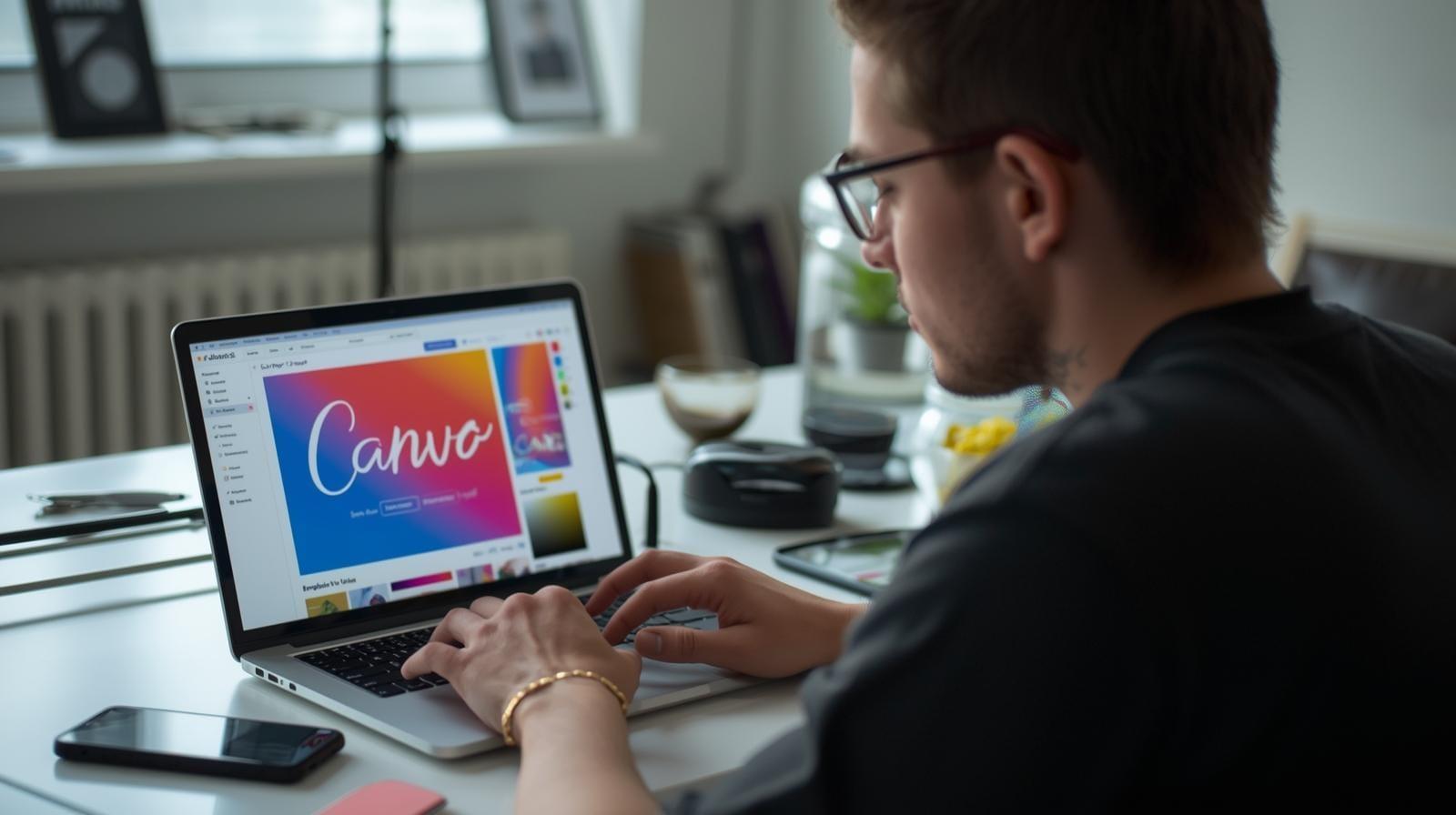
TL;DR Beginner graphic designers in India need budget laptops that support learning, early client work and lightweight creative tasks such as Canva, basic Photoshop and simple Illustrator or After Effects usage. Laptops in the ₹40,000 to ₹70,000 range offer sufficient performance for novices who are still building their skills and portfolio. Models such as ASUS Vivobook, Lenovo IdeaPad, HP Pavilion, Acer Aspire and Dell Inspiron provide stability and smooth workflow. Understanding internal components helps beginners choose wisely. Refurbished laptops offer excellent value by providing better specifications at lower cost, making them ideal for learners and early freelancers.
Introduction
Graphic design has become one of the fastest growing creative careers in India, with thousands of students, freelancers and fresh graduates entering the field each year. By 2026, design has evolved into an essential skill across digital marketing, branding, online content creation, video editing, illustration and user interface design. New designers who are starting their journey require a reliable laptop that can support the early stages of their creative practice without overwhelming them financially or technically. These beginner designers are often amateurs or novices who are still exploring tools, learning foundational techniques and building their first portfolio pieces.
At this stage of their career, most designers do not need highly specialised machines or advanced professional software used by agencies or senior designers. Their daily tasks involve experimenting with beginner friendly tools such as Canva, basic photo manipulation through light Photoshop usage, simple vector illustration in Adobe Illustrator and minimalistic motion graphics through entry level After Effects projects. These tools require stability and responsiveness but not overwhelming processing power. A well chosen budget laptop in the ₹40,000 to ₹70,000 range can therefore support their growth effectively by offering sufficient performance for skill building without stretching their budget.
Many beginner designers aim to become fully operational freelancers or junior designers within the first few years of learning. Their early income often comes from small branding projects, social media creatives, logo design assignments, basic promotional videos or digital illustration commissions. A budget laptop plays an important role here because it supports early career exploration, allows them to complete beginner level client projects and gives them a platform to grow their skills gradually until they can upgrade to mid range or flagship devices later. The laptop essentially becomes a stepping stone in their professional development.
This blog explores what budget designers truly need from a laptop, how internal components matter for early design work, which laptops from ₹40,000 to ₹70,000 offer the best value in 2026, and why refurbished devices are an excellent choice for this category. The goal is to help emerging designers choose a laptop that supports their creative potential and enables them to build a strong foundation for their future career.
Design Laptop Requirements For Beginners
Novice graphic designers use tools that are lighter compared to those used by professionals. Their workflow primarily includes image editing, simple vector creation, designing social media templates, preparing promotional graphics and attempting basic animation. While these tasks are not as resource intensive as advanced filmmaking or 3D design, they still demand a stable machine that can run several creative applications smoothly.
Beginner designers often rely on Canva for quick and intuitive design templates. Canva works well on most devices, but performance improves significantly when the laptop has sufficient RAM and a decent processor. Light Photoshop tasks include cropping, exposure adjustments, spot healing, layering simple compositions and exporting images for social media. Illustrator usage at this stage focuses on basic logo creation, vector shapes, line art and typography. After Effects tasks typically involve simple motion graphics such as text animations or transitions that do not require heavy computation.
Because beginner designers are still learning, their workflow often involves jumping between different tools, watching online tutorials, following along with practice exercises and rendering simple files. A laptop that lags or freezes frequently disrupts the learning process and affects motivation. To support a smooth introduction to design, the device must ensure responsive performance and ease of use.
Budget laptops in 2026 offer adequately powerful processors from Intel and AMD, along with integrated graphics that are capable of handling lightweight design tasks. In addition, an SSD is extremely important because it speeds up loading times, improves application response and reduces waiting periods that beginners may find discouraging. A comfortable keyboard and smooth trackpad help designers work efficiently, especially when practising illustrator tools or learning keyboard shortcuts.
A well chosen budget design laptop should therefore support a beginner’s learning curve by offering stability, reasonable speed and an overall fluid working environment. It should help designers build confidence, experiment freely and develop their foundational skills without technological obstacles.
Budget Design Laptops For Graphic Designers In India 2026
Budget laptops in the ₹40,000 to ₹70,000 range provide strong value for aspiring designers who are learning the basics of digital design. The following models are ideal for beginners who want performance, reliability and usability while building their creative portfolio.
ASUS Vivobook
The ASUS Vivobook is a popular starting point for amateur graphic designers due to its consistent performance and user friendly design. It offers processors that handle beginner level Photoshop, Canva and Illustrator tasks with ease. The display provides decent clarity for reviewing colours, shapes and compositions while learning design fundamentals. Beginners often work across multiple tabs while watching tutorials and practising concepts, and the Vivobook manages this multitasking smoothly with its responsive SSD and memory capacity. The lightweight build makes it comfortable for students and freelancers who travel between classes, cafés or client meetings. Battery life supports browsing, designing and editing sessions for several hours without constant charging. For designers exploring their creative identity, the Vivobook offers a balanced combination of affordability and capability.
Lenovo IdeaPad
The Lenovo IdeaPad series is well suited for beginner designers who want a smooth learning experience with dependable performance. Its processors handle light image editing, vector design and animation exercises without lag. The display quality is suitable for working on social media graphics, promotional banners and logo drafts. The IdeaPad’s fast SSD ensures quick software loading and file saving, which is essential for beginners who frequently test new layouts or experiment with design variations. The build remains sturdy despite being lightweight, making it convenient for daily travel and regular usage. The laptop maintains good thermal control during extended practice sessions, helping designers work longer without performance drops. As a starting device for graphic design learners, the IdeaPad offers excellent stability and ease of use.
HP Pavilion
The HP Pavilion delivers reliable performance that aligns well with the needs of novice designers learning entry level Adobe tools. Its display offers balanced brightness and colour clarity suitable for basic creative work such as editing photographs, shaping illustrations and designing promotional content. The Pavilion’s processor and memory configuration allow for smooth operation during multitasking, including running design software alongside reference videos. The lightweight design combined with strong battery performance provides flexibility for aspiring freelancers who might work from home, campus or co working spaces. The keyboard responsiveness assists with practising typography based designs, which are common in early graphic design exercises. For beginners building their first portfolio pieces, the HP Pavilion serves as a practical and efficient tool.
Acer Aspire
The Acer Aspire is a dependable choice for learners who require responsive performance while building their design foundation. Its internal components support running entry level versions of Photoshop, Illustrator and motion graphics exercises. The Aspire’s display helps designers observe small details and align elements accurately during layout work. Its SSD accelerates application launches and reduces time spent waiting for files to load, which keeps beginners more engaged as they practise. The laptop is comfortable to carry around and offers strong durability for long term usage, making it suitable for students attending design classes or freelance beginners meeting clients. With consistent performance and affordability, the Aspire helps designers grow their skills steadily.
Dell Inspiron
The Dell Inspiron series is appreciated for its robust build quality and stable performance, making it a reliable starting point for amateur designers. Its processing power handles light to moderate creative workloads, such as manipulating images, creating simple logos and designing digital posters. The Dell display is clear enough for early design tasks, allowing beginners to notice composition details and improve their artistic judgment. The laptop offers smooth software operation, even when beginners switch between tools or follow tutorial workflows involving multiple layers. The strong keyboard and trackpad response help with precise control during illustration or text alignment. As a dependable tool for new designers, the Inspiron simplifies the learning process and supports consistent skill development.
These laptops help beginners explore creative tools, practise design basics and complete small freelance assignments. Each device offers stability and performance suited to learning and early portfolio building, making them valuable choices for new designers entering the field.
Computer Internals That Beginners Must Understand
Beginner designers often focus on software tools without realising the importance of hardware performance. However, understanding basic computer internals helps them make smarter purchasing decisions and ensures their laptop supports their growth effectively.
The processor is the heart of a design laptop. For beginners, an Intel Core i3, Core i5 or an equivalent AMD processor is sufficient for running Canva, basic Adobe tools and simple animations. Although high end processors are not essential at this stage, a moderately strong processor ensures smoother workflows when handling multiple documents or layers.
RAM plays a critical role in maintaining application performance. Beginners often underestimate how demanding creative tools can be when multiple files or browser tabs are open. At least eight gigabytes of RAM is recommended, though laptops that offer upgradeable memory help future proof the device as the designer’s workload grows.
Storage type affects speed more than storage size. Solid state drives are essential because they allow software to open faster, reduce system lag and improve responsiveness during editing. Even a smaller SSD is preferable to a larger traditional hard drive because the speed difference greatly impacts user experience.
Integrated graphics are adequate for beginners. These graphics systems support basic rendering, effects, transitions and vector work. Dedicated GPUs are not necessary at the amateur stage because learners typically engage with simple motion graphics rather than full scale animation or visual effects.
The display is one of the most important components for design accuracy. Beginners should look for IPS panels with adequate brightness and natural colours. While budget displays cannot match professional colour accuracy, they still help learners judge composition and spacing effectively.
Understanding these internal components empowers beginner designers to choose laptops that support efficient learning and allow room for future progress.
Starting A Graphic Design Career With A Budget Laptop
Most amateur designers begin their journey without steady income from design work. They spend their initial one or two years learning software, completing assignments, practising typography, mimicking design styles and building a portfolio that demonstrates their understanding of layout, balance, colour and visual communication. This phase is crucial because it forms the foundation of their career.
A budget laptop provides a practical starting point because it enables designers to practise regularly without making a heavy financial commitment. Large investments are unnecessary at this stage because early design exercises do not demand advanced hardware. Most beginner level freelance jobs also involve small scope work that can be completed comfortably on budget machines.
During these early years, designers focus on creating social media posts, basic branding elements, simple illustrations, posters, thumbnails and marketing creatives. These projects require creativity more than computational power. A well performing budget laptop therefore allows designers to learn at their own pace, complete projects for friends or local clients and gradually earn enough to justify upgrading to a mid range or flagship laptop later.
As designers grow more confident, they begin experimenting with heavier tools such as advanced Photoshop compositions, multi layer Illustrator files or introductory After Effects animations. While budget laptops can still handle these tasks, designers will eventually feel the need for stronger hardware. This natural progression ensures that their investment in a better laptop happens only when they are financially and creatively ready.
By using a budget laptop as a stepping stone, designers reduce financial pressure and maintain motivation during the learning stage. This strategy aligns perfectly with the professional journey of beginners who are still shaping their creative identity.
Why Refurbished Laptops Are A No Brainer Choice For Beginners
Refurbished laptops have gained immense popularity among new designers because they offer excellent value while maintaining strong performance. For beginners, a refurbished laptop makes particular sense because it reduces cost without compromising the learning experience.
A certified refurbished laptop undergoes rigorous testing, internal cleaning, component replacement and performance validation. This ensures that it functions reliably, often matching the performance of new laptops in the same range. For aspiring designers who are financially cautious, refurbished laptops allow them to access higher specifications within a lower budget.
Beginners benefit from refurbished laptops because they can purchase models with better displays, improved SSD capacity or stronger processors while still staying within the ₹40,000 to ₹70,000 budget. This upgrade helps them practise more comfortably and experiment with more tools without worrying about slow performance.
Additionally, refurbished devices reduce the financial risk associated with early career decisions. A beginner who is unsure about pursuing design long term can invest less upfront while still acquiring a capable machine. If they eventually commit to design professionally, they can upgrade to a mid range or flagship model later, knowing they did not overspend at the novice stage.
Refurbished laptops also support sustainability by reducing electronic waste. Designers who value creativity often appreciate the environmental benefits of using a refurbished machine. With warranty support from certified refurbishers, these laptops provide both reliability and affordability.
For beginners, choosing a refurbished laptop is one of the smartest ways to start their journey without unnecessary financial burden.
Here Are Refurbo's Top Picks
Conclusion
Budget laptops for graphic designers in India in 2026 provide aspiring creatives with the foundation they need to build skills, practise regularly and establish their early career. Beginner designers typically work with lightweight tools and simple workflows, making it unnecessary to invest in high end machines immediately. Laptops in the ₹40,000 to ₹70,000 range offer smooth performance for Canva, basic Photoshop, introductory Illustrator and simple After Effects tasks.
Models such as the ASUS Vivobook, Lenovo IdeaPad, HP Pavilion, Acer Aspire and Dell Inspiron offer balanced performance and essential features required for early stage learning. Understanding internal components helps beginners make informed decisions about the laptop that best supports their creative growth. Using a budget laptop as a stepping stone enables designers to experiment freely, complete small projects and move towards a sustainable design career.
Refurbished laptops offer exceptional value for beginners by providing higher specifications at lower prices, making them an ideal choice for those still exploring the design field. This approach allows new designers to focus on creativity, practise consistently and save resources until they are ready for a more advanced machine.
Ready to upgrade your tech?
Browse our collection of quality refurbished products at unbeatable prices.






