
HP ZBook Firefly G9: Performance In 2026 :CAD, 3D, Rendering, And AI Workloads
HP ZBook Firefly G9 performance analyzed for CAD, rendering, AI workloads, and real thin workstation productivity reliability in 2026

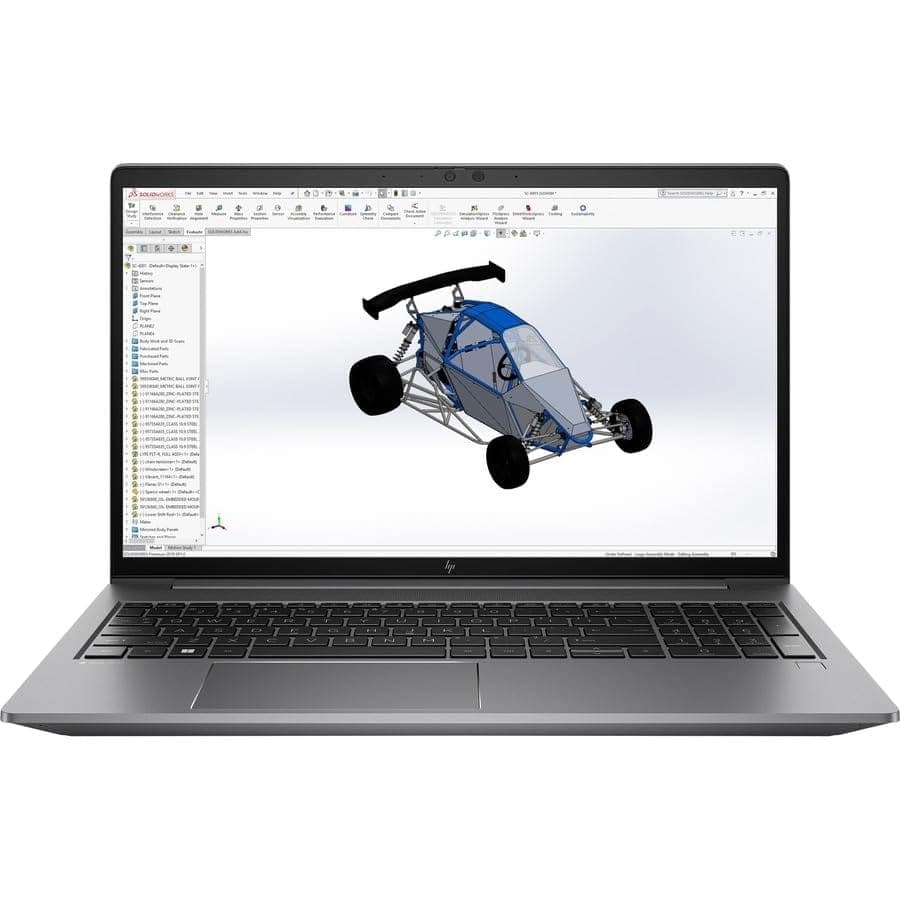
TL;DR In 2026, the HP ZBook Firefly G9 is a capable thin mobile workstation built for CPU-dominant professional workloads. It offers strong performance in 2D and moderate 3D CAD environments, dependable behavior in light modeling and visualization tasks, and solid results in CPU-based AI inference and lightweight machine learning. While its integrated Intel Iris Xe graphics provide adequate viewport interactions, complex 3D rendering and advanced AI model training benefit from either discrete GPU configurations such as NVIDIA T500 or higher-end workstations. Mobility, enterprise reliability, and sustained performance make it attractive for engineers, consultants, analysts, and creative professionals. Refurbished HP ZBook Firefly G9 units offer particularly compelling value in India with realistic pricing aligned to practical workflows. This article examines the machine’s performance across CAD, 3D modeling, rendering, AI workloads, and comparison with similar workstations, concluding with a decision framework and essential FAQs.
Introduction
The HP ZBook Firefly G9 Workstation Laptop continues to be a practical choice in 2026 for professionals requiring certification support, sustained performance, and predictable behavior under long workloads. As a member of HP’s Firefly lineup, the G9 balances portability with enterprise-grade reliability and professional software compatibility. It is designed to support industry applications such as CAD, modeling, data analysis, and AI workloads where consistent CPU performance and dependability are essential.
For buyers considering workstation options in India, refurbished enterprise units have become a key value proposition. Verified refurbished machines from trusted sellers retain professional build quality and deliver significant cost savings. You can explore available configurations in the Refurbo ZBook collection.
The HP ZBook Firefly G9 Specs typically include Intel 12th and 13th generation hybrid CPUs, integrated Intel Iris Xe graphics, and DDR5 memory with modern PCIe NVMe storage. These components create a capable platform for multitasking, sustained workloads, and moderate visualization tasks. In some configurations, discrete workstation GPUs such as the NVIDIA T500 are included, providing improved viewport responsiveness and modest acceleration in supported GPU workflows.
This article evaluates the Firefly G9’s real-world performance across professional categories in 2026. We begin with its behavior in CAD workflows, proceed through 3D modeling and rendering, analyze AI workload handling with both CPU and discrete GPU comparisons, review thermal and sustained load stability, and compare with peers in the thin workstation class. Throughout, practical context, realistic expectations, and actionable insights are emphasized, followed by a final recommendation and decision framework.
HP ZBook Firefly G9 CAD Performance In 2026
The HP ZBook Firefly G9 is built around Intel’s 12th and 13th Gen Core processors using hybrid architecture (Performance cores + Efficiency cores). This architecture significantly improves single-thread responsiveness compared to the G8 generation, which is important because most 2D CAD operations in software like AutoCAD remain primarily single-thread dependent. In practical drafting workflows such as architectural layouts, mechanical schematics, and civil drawings, the Firefly G9 feels noticeably faster than the previous generation during zoom, pan, redraw, and regeneration operations.
The system typically ships with Intel Iris Xe graphics in standard configurations, while select variants include NVIDIA T500 discrete workstation GPUs. For 2D drafting, Iris Xe is fully sufficient. Viewport smoothness remains consistent even with moderately complex drawings containing multiple layers and references. Where the discrete GPU becomes beneficial is in 3D view mode within CAD software, particularly when orbiting models with shading enabled.
Certified driver support is another important factor. HP maintains ISV certifications for major engineering software, meaning drivers are validated for stability. This reduces crash frequency and graphical glitches during professional workloads. In enterprise environments, reliability matters more than synthetic benchmark peaks.
Thermally, the Firefly G9 sustains CPU clocks better than many thin ultrabooks due to its workstation-class cooling design. Under long drafting sessions, performance remains consistent without aggressive throttling. This makes it ideal for engineers, consultants, and technical professionals working extended hours.
For purely CAD-focused users, the Firefly G9 represents a balanced combination of portability and reliable performance. It is not designed for massive simulation environments, but for drafting and moderate modeling, it performs confidently in 2026 professional standards.
HP ZBook Firefly G9 3D Modeling And Rendering Performance
In 3D modeling environments such as SolidWorks and Blender, the Firefly G9 delivers performance appropriate to its thin workstation category. The hybrid CPU architecture significantly improves multi-threaded workloads compared to the G8 generation, meaning background rendering and light simulations execute faster than before.
For modeling tasks involving small to medium assemblies, the integrated Iris Xe graphics manage viewport interaction smoothly when working in shaded or wireframe modes. However, when scenes increase in polygon complexity, textures, lighting effects, and real-time material previews, integrated graphics begin to show limitations. This is where NVIDIA T500 configurations offer measurable improvement in viewport fluidity.
CPU-based rendering remains viable on this system, particularly for preview renders or moderate workloads. However, heavy production rendering pipelines benefit from RTX-class GPUs, which are not standard in the Firefly G9 lineup. Therefore, the G9 is best described as a modeling-friendly machine rather than a high-end rendering powerhouse.
Thermal consistency again plays an important role. Unlike consumer thin laptops that throttle quickly, the Firefly G9 maintains sustained performance during extended modeling sessions. For freelancers, design consultants, or engineering students, this predictable behavior is more valuable than short bursts of high GPU output.
The Firefly G9 performs comfortably in light to moderate 3D workflows. It is not intended for cinematic rendering farms or extremely large assemblies, but within realistic workstation expectations, it delivers stable and professional results.
AI Workloads In 2026: CPU Inference, GPU Acceleration, And Future Trends
AI workflows in 2026 are far more distributed and hybrid than they were just a few years ago. On a system like the HP ZBook Firefly G9, the realistic use case is not full-scale transformer training, but development, preprocessing, experimentation, and inference. That distinction matters technically.
With Intel 12th and 13th Gen hybrid processors, the Firefly G9 benefits from Performance cores for latency-sensitive tasks and Efficiency cores for background operations. Many inference workloads, especially quantized ONNX models, scikit-learn pipelines, forecasting algorithms, and tabular ML models are CPU-bound rather than GPU-bound. Libraries optimized with AVX2/AVX-512 instructions (depending on SKU) accelerate matrix multiplications and tensor operations efficiently on CPU.
Data preprocessing is often more computationally intensive than inference itself. Cleaning large datasets, feature engineering, encoding categorical variables, and running pandas or NumPy transformations rely heavily on memory bandwidth and multi-threaded CPU scaling. DDR5 memory in the G9 improves bandwidth compared to the G8 generation, which helps during large dataset manipulation.
For developers running Jupyter notebooks, local API testing, model validation, and CPU-based inference benchmarks, the Firefly G9 performs reliably without thermal instability during extended sessions.
Integrated Intel Iris Xe graphics support OpenCL and certain accelerated compute tasks, but they lack CUDA support, which is critical for frameworks like PyTorch and TensorFlow when GPU acceleration is required.
Configurations equipped with NVIDIA T500 (4GB GDDR6) introduce CUDA compatibility. This allows small neural networks, lightweight CNN experimentation, and moderate GPU-accelerated inference tasks to run locally. However, the T500 is an entry-level professional GPU, not an RTX-class accelerator. Large transformer models, diffusion models, or computer vision training pipelines quickly exceed its VRAM capacity and compute throughput.
A defining trend in 2026 is the shift toward cloud-based training combined with local development. Professionals increasingly train large models on cloud GPUs while using local machines for preprocessing, API integration testing, quantized inference, and model validation. Optimized runtimes and INT8 quantization reduce dependence on powerful local GPUs. In this environment, the Firefly G9 remains relevant as a stable development workstation.
In summary, the Firefly G9 is not a deep learning training powerhouse, but it is technically well-positioned for AI development, CPU-based inference, hybrid cloud workflows, and professional experimentation without requiring heavy GPU infrastructure.
Thermal & Sustained Load Behavior
The HP ZBook Firefly G9 is engineered as a thin mobile workstation, not a consumer ultrabook, and that engineering intent becomes most visible under sustained computational stress. Thin consumer laptops typically prioritize short turbo bursts for benchmark scores, after which power limits drop aggressively to control heat. In contrast, the Firefly G9 is tuned with more balanced long-term power management, allowing the CPU to stabilize at sustainable PL1 power levels during extended workloads.
With Intel 12th and 13th Gen hybrid processors, the system distributes background tasks to Efficiency cores while reserving Performance cores for active foreground workloads. This architecture reduces thermal spikes compared to traditional all-performance-core CPUs. During extended CAD drafting, code compilation, or multi-sheet Excel recalculations, clock speeds settle into a consistent range rather than oscillating dramatically. This consistency reduces performance jitter something professionals notice during real project work more than during synthetic testing.
The cooling system uses dual fans and heat pipe routing optimized for both CPU and optional NVIDIA T500 GPU variants. Under sustained CPU-only load, thermal saturation occurs gradually, allowing performance to taper predictably instead of collapsing. Under combined CPU+GPU workloads such as viewport rendering in SolidWorks or Blender, GPU clocks may moderate after prolonged use, but the system avoids abrupt throttling behavior common in consumer-grade thin laptops.
Surface thermals remain controlled around palm rest areas, which is important for long drafting sessions. Acoustic output increases under heavy load but remains within professional office tolerances, avoiding the high-frequency noise often associated with gaming machines.
In practical deployment, this means the Firefly G9 favors sustained productivity. It does not chase extreme short-term peaks, but it delivers stable output over hours of professional usage a critical distinction for enterprise and engineering environments.
Performance Comparison With Similar Thin Workstations
Within the thin 14-inch workstation segment, the Firefly G9 competes directly with systems like the Dell Precision 3470 and the Lenovo ThinkPad P14s Gen 3. All three platforms aim to provide ISV-certified drivers, business durability, and portable workstation capability. However, their internal tuning philosophies differ subtly.
The Firefly G9 benefits from Intel’s hybrid Alder Lake and Raptor Lake CPU architecture. Compared to older 11th Gen designs still found in some Precision configurations, the hybrid layout improves thread scheduling efficiency. Multi-threaded workloads such as parallel code compilation, simulation pre-processing, and multi-tab data analysis demonstrate measurable responsiveness improvements.
Memory architecture also plays a role. DDR5 support in the G9 increases theoretical memory bandwidth, which benefits data-heavy workflows including large dataset manipulation and 3D assembly handling. While real-world gains vary by application, the architectural headroom favors the G9 in longer lifecycle scenarios.
GPU parity exists at the entry-workstation tier, as all three models commonly use NVIDIA T500 or similar-class GPUs. Therefore, GPU-bound tasks remain similarly limited across this category. Differences emerge more from thermal tuning and firmware power allocation than raw hardware differences.
Battery endurance during professional workflows often leans slightly in favor of the Firefly G9 due to efficient hybrid core scheduling and conservative power tuning. The ThinkPad P14s offers comparable stability, while the Precision 3470 may allow marginally stronger GPU configurations in select enterprise builds.
Thin Workstation Comparison Table
In practical daily use, differences are incremental rather than dramatic.
Use Case Recommendation
The Firefly G9 must be matched to workload type rather than marketing tier. It excels when the dominant performance bottleneck lies in CPU execution and memory throughput rather than GPU rendering throughput.
In 2D CAD and drafting environments, responsiveness depends heavily on single-thread speed and stable clock behavior. The hybrid architecture ensures active drafting tasks remain prioritized. Financial modeling and analytics workloads benefit from improved multi-core scaling when recalculating complex formulas or running Python-based analysis scripts.
Programming and development workflows particularly benefit from hybrid scheduling. Background compilation tasks utilize Efficiency cores, allowing IDE responsiveness to remain fluid on Performance cores. This separation improves perceived system smoothness during multitasking.
For light 3D modeling, the system performs reliably with moderate polygon counts. However, once scenes become texture-heavy or require real-time ray tracing, entry-level GPUs limit scaling. AI inference tasks, particularly CPU-bound inference or quantized models, run comfortably. Heavy neural network training remains outside the intended scope.
Professionals who travel frequently or work client-side benefit most from this model.
Final Recommendation And Decision Framework
The HP ZBook Firefly G9 should be evaluated through a workload-first framework. Rather than asking whether it is “powerful,” the more accurate question is where your computational bottleneck lies.
If your daily operations depend on CPU responsiveness, long drafting sessions, analytics modeling, development environments, consulting documentation, or moderate 3D modeling, the Firefly G9 delivers consistent, thermally stable performance within a highly portable form factor. Its hybrid architecture, DDR5 memory bandwidth, and workstation-level firmware tuning provide long-term usability advantages over older generation thin workstations.
However, if your workflow revolves around GPU-accelerated rendering, real-time ray tracing, simulation modeling, or deep learning training pipelines, the architectural ceiling of entry-level GPUs becomes a limiting factor. In such cases, stepping up to a larger mobile workstation with RTX-class graphics is technically justified.
The decision framework can be simplified into three steps:
First, identify whether your applications scale more with CPU threads or GPU cores. Second, determine whether sustained performance consistency matters more than peak bursts. Third, evaluate portability requirements relative to raw rendering power.
If your workflow is CPU-bound and mobility-sensitive, the Firefly G9 is a strategically sound choice. If GPU-bound performance defines your productivity, a higher-tier workstation is the more rational investment.
This model succeeds not by being extreme, but by being predictably competent across realistic professional workloads in 2026.
Frequently Asked Questions (FAQs)
Q. Is the HP ZBook Firefly G9 good for AutoCAD and CAD workflows in 2026?
A. Yes. The Firefly G9 performs very well in AutoCAD and similar CAD applications. Its 12th and 13th Gen Intel hybrid CPUs deliver strong single-thread responsiveness, ensuring smooth drafting, fast redraw operations, and stable viewport performance for professional workflows.
Q. Can the Firefly G9 handle SolidWorks and 3D modeling tasks?
A. Yes. It handles small to mid-size assemblies reliably, especially with 32 GB or more RAM. NVIDIA T500 configurations improve viewport performance, but very large assemblies and simulations require higher-tier GPUs.
Q. Is the HP ZBook Firefly G9 suitable for Blender, Maya, and rendering workflows?
A. It performs well for modeling, scene editing, and preview rendering. However, heavy GPU-accelerated rendering and cinematic production workloads are better suited to RTX-class mobile workstations.
Q. Does the Firefly G9 support GPU acceleration for AI and machine learning?
A. Yes, but with limitations. NVIDIA T500 configurations support CUDA acceleration for lightweight AI workloads and inference. However, large neural network training requires stronger GPUs or cloud infrastructure.
Q. How much RAM does the HP ZBook Firefly G9 support?
A. Certain configurations support up to 64 GB DDR5 RAM, which significantly improves multitasking, CAD stability, programming workflows, and AI development performance.
Q. Is the Firefly G9 good for programming and development work?
A. Yes. Its hybrid CPU architecture improves multitasking efficiency, making it excellent for programming, compiling code, running virtual environments, and handling analytics workflows.
Q. How does Firefly G9 compare to Dell Precision 3470 and ThinkPad P14s Gen 3?
A. The Firefly G9 offers newer hybrid CPU architecture, DDR5 memory support, and strong thermal stability. Performance differences are incremental, but G9 offers better long-term efficiency and responsiveness.
Q. Is the HP ZBook Firefly G9 suitable for AI development in 2026?
A. Yes. It is well suited for AI experimentation, preprocessing, CPU-based inference, and development workflows. Heavy model training should be performed on cloud GPUs or higher-end workstations.
Q. Is refurbished HP ZBook Firefly G9 worth buying in India?
A. Yes. Refurbished units offer excellent value due to enterprise-grade durability, workstation-class stability, and significantly lower pricing compared to new models.
Q. Who should avoid the HP ZBook Firefly G9?
A. Users requiring heavy GPU rendering, real-time ray tracing, or deep learning model training should consider RTX-class workstation laptops instead.
Ready to upgrade your tech?
Browse our collection of quality refurbished products at unbeatable prices.






