
HP ZBook Firefly G8: CAD, 3D, Rendering, And AI Workloads In 2026

HP ZBook Firefly G8 performance in 2026 explained for CAD, rendering, AI workloads, and thin workstation productivity reliability analysis

Srivatsav

Srivatsav

Feb 17, 2026 - 12 mins read

HP ZBook Firefly G8: CAD, 3D, Rendering, And AI Workloads In 2026

TL;DR The HP ZBook Firefly G8 remains a lightweight enterprise workstation suited for CPU-heavy professional workloads in 2026. It performs reliably in 2D CAD drafting and moderate 3D assembly handling due to strong single-core Intel 11th Gen performance and stable thermals. Integrated Intel Iris Xe graphics support light modeling and viewport navigation but are not designed for complex rendering or deep learning training. Configurations with NVIDIA T500 improve viewport fluidity but still fall short of RTX-class mobile workstations. The Firefly G8 is ideal for engineers, consultants, students, and analysts who prioritize portability, driver stability, and predictable performance over raw GPU acceleration. Refurbished options significantly improve its value proposition in India.


Introduction

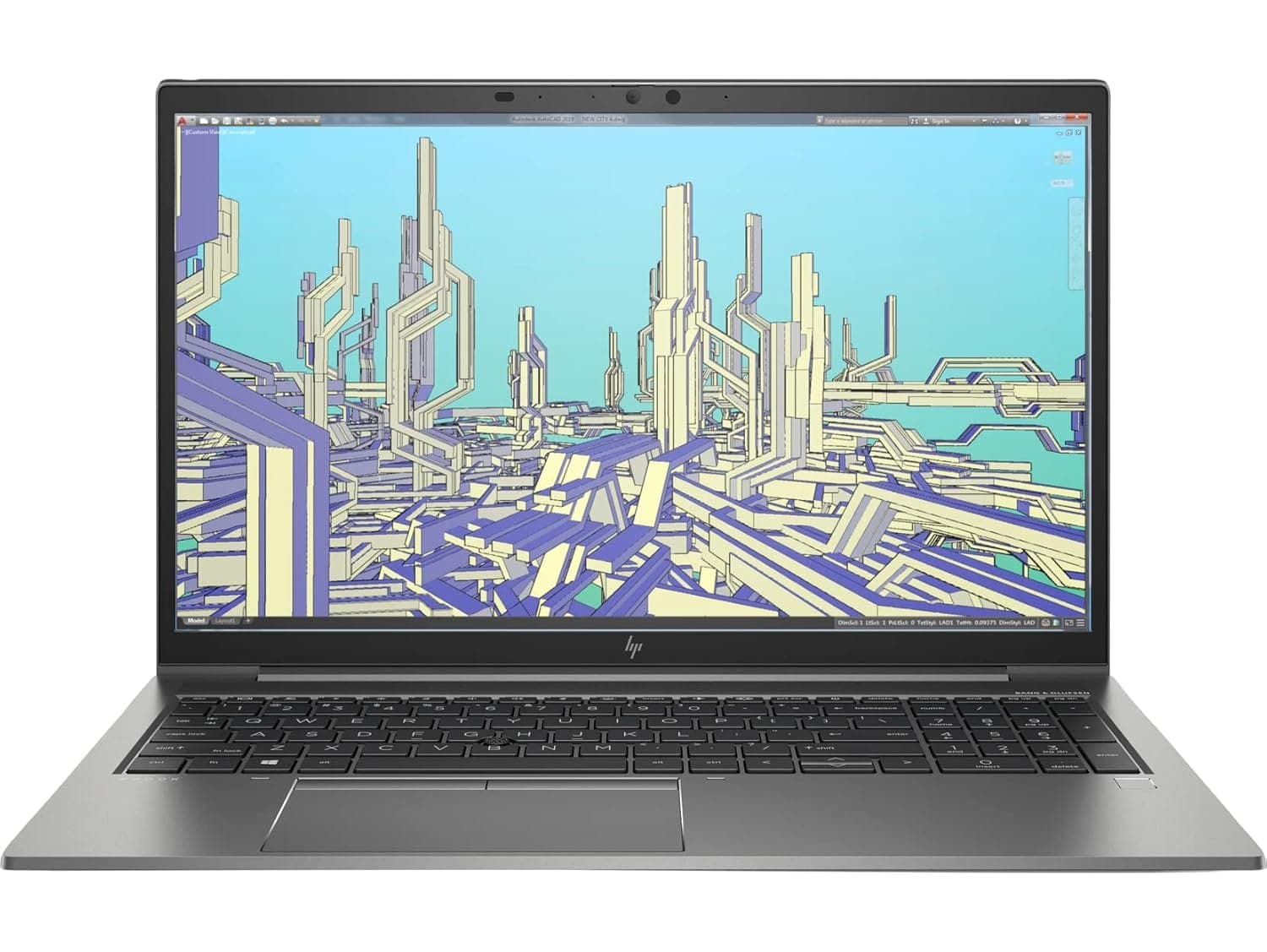
The HP ZBook Firefly G8 Workstation Laptop occupies a specific position in the mobile workstation ecosystem. Released with Intel 11th generation processors such as the Core i5-1135G7 and Core i7-1165G7, it was designed to deliver enterprise reliability in a thin 14-inch chassis weighing approximately 1.35 kg. Even in 2026, it continues to be relevant in professional workflows that emphasize CPU performance, certified drivers, and consistent thermal behavior over high-wattage GPU output.

For professionals evaluating workstation-class systems in India, both new and refurbished models are available through curated sellers. The broader ZBook lineup, including Firefly series models, can be explored on the website. Understanding HP ZBook Firefly G8 Specs is critical to evaluating its suitability. The system typically includes DDR4 memory up to 32 GB, PCIe NVMe storage, Intel Iris Xe graphics, and in some variants, NVIDIA T500 discrete GPU. These components define its real-world capability in CAD, 3D modeling, rendering, and AI workloads.

This article functions as a practical HP ZBook Firefly G8 Review from a performance perspective rather than a cosmetic overview. We will examine how the architecture behaves under sustained load, how it compares with thin workstation competitors, and whether the HP ZBook Firefly G8 Price in India makes sense relative to refurbished alternatives. The goal is not to overstate its capabilities but to position it accurately within modern professional requirements.


CAD Performance In 2026

In 2026, CAD performance on the HP ZBook Firefly G8 is primarily driven by its Intel 11th generation CPU architecture. Applications such as AutoCAD and SolidWorks rely heavily on strong single-core performance for sketch solving, rebuild operations, and parametric updates. The Core i7-1165G7, with boost frequencies exceeding 4.5 GHz, provides responsive drafting behavior in 2D workflows. Panning, zooming, and editing large drawings remain fluid when paired with NVMe storage and 16–32 GB of RAM.

For moderate 3D assemblies, performance remains acceptable provided the assembly size does not exceed several hundred components. DDR4 memory bandwidth is lower than modern DDR5 systems, but capacity matters more than raw bandwidth in many CAD contexts. Configurations with 32 GB RAM show noticeably better stability when working with complex parts and layered references.

Integrated Intel Iris Xe graphics handle shaded and wireframe views effectively in smaller assemblies. However, as complexity increases, viewport frame rates can drop due to shared memory constraints and limited execution units. Variants featuring NVIDIA T500 provide improved OpenGL performance and better viewport consistency, especially in shaded and hidden-line views. The T500 also benefits from professional driver optimizations not present in consumer GPUs.

The Firefly G8 is therefore well suited for engineering students, consultants, architects working primarily in 2D, and professionals managing small to mid-sized assemblies. It is not optimized for very large industrial assemblies or heavy simulation workloads.


3D Modeling And Rendering Performance In 2026

In 2026, the HP ZBook Firefly G8 remains a capable machine for moderate 3D modeling tasks but demonstrates clear performance boundaries when handling complex rendering workloads. Its architecture, typically built around Intel 11th generation Core i5 and Core i7 processors paired with integrated Intel Iris Xe graphics, emphasizes CPU stability and efficiency rather than high-wattage GPU power. For general modeling tasks in software such as Blender and Autodesk Maya, the Firefly G8 offers adequate viewport performance, especially when working with small to mid-level scenes. Users will find that mesh manipulation, object transformations, and basic material previews operate smoothly in most everyday professional workflows. This is particularly true in shaded or wireframe modes where the viewport is less taxing.

When it comes to rendering, however, the performance profile shifts. Rendering engines that lean heavily on GPU acceleration such as Blender’s Cycles GPU mode are constrained on systems without high-end discrete graphics. The integrated Iris Xe graphics can accelerate viewport previews and provide minor help in simple GPU-assisted tasks, but for full production rendering, the GPU bandwidth and computing units are simply insufficient for deeper, ray-traced workloads. CPU rendering in Blender or similar software is possible and produces correct results, but it is significantly slower compared to systems equipped with dedicated GPUs.

This is where the optional NVIDIA T500 discrete GPU configuration available in some Firefly G8 units becomes relevant. The T500, a professional entry-level mobile GPU, offers better viewport fluidity and some acceleration in GPU-assisted render engines due to its support for optimized drivers and shader pipelines. In practice, the NVIDIA T500 reduces render times relative to Iris Xe alone and improves interaction when manipulating textured or complex models. However, this improvement is moderate, and the Firefly G8 with T500 still trails systems equipped with more powerful mobile GPUs, such as the NVIDIA RTX A2000 or A3000 series, in both viewport performance and final render throughput.

Rendering Workload Table

Workload

Iris Xe

NVIDIA T500

High-End Mobile GPU

Small Scene Viewport

Smooth

Smooth

Very Smooth

Moderate Scene Viewport

Acceptable

Improved

Very Smooth

CPU Rendering (Small)

Slow to Moderate

Moderate

Fast

GPU Rendering (Complex)

Not Recommended

Moderate

Recommended

The Firefly G8 is therefore best positioned for modeling and light visualization rather than full-production rendering. Professionals working on high-resolution animation, multi-light global illumination, or cinematic scene generation will find that more powerful workstations deliver significantly better performance. For everyday architectural previews, product visualization, and client walkthroughs, however, configurations with T500 remain practical in 2026.


AI Workloads In 2026: CPU Inference, Discrete GPU Comparison, And External GPU Limitations

In 2026, artificial intelligence workflows have evolved to heavily favor GPU acceleration for training large neural networks, yet many professional environments still rely on CPU-based AI inference, lightweight machine learning, and data preprocessing. The HP ZBook Firefly G8 is not engineered as a high-end AI workstation but remains capable in select AI workload categories thanks to its efficient Intel 11th generation hybrid CPUs, sizeable memory capacity options, and robust storage subsystem. CPU-based tasks such as data cleansing, feature extraction, and lightweight inference with small models including traditional machine learning algorithms and modest neural networks run competently on this platform using frameworks such as TensorFlow Lite or scikit-learn. These tasks benefit from the Firefly G8’s strong single-thread performance and up to 32 GB of DDR4 system memory, which can hold moderate datasets without frequent page swapping.

For lightweight AI inference tasks, such as running regression models, classifying text or images with pre-trained small networks, or performing symbolic computation in Python notebooks, the Firefly G8 delivers responsive performance. Data scientists working with structured data, small classification pipelines, or rule-based tests find that CPU utilization remains efficient and predictably consistent over extended sessions. However, when workloads expand to include deep learning model training especially for convolutional neural networks, transformers, or generative models the system’s lack of a high-throughput GPU becomes a bottleneck.

This limitation becomes even more apparent when comparing the Firefly G8’s performance to systems equipped with discrete GPUs. For example, laptops featuring higher-tier mobile GPUs such as the NVIDIA RTX A2000 or desktop-class GPUs via external GPU enclosures offer significant acceleration for tensor operations and GPU-based training loops. Although the optional NVIDIA T500 configuration provides some improvement over integrated graphics mainly in viewport handling and minor acceleration in selected GPU-assisted libraries  it does not approach the AI training throughput of these higher-end GPUs. External GPU setups connected via Thunderbolt are technically feasible and can improve training performance, but the practical benefits are constrained by Thunderbolt’s bandwidth limitations compared to native PCIe lanes. This means that while an external GPU can alleviate some AI computational burdens, overall throughput remains throttled relative to purpose-built workstation platforms.

AI Workload Capability Table

AI Task Type

Core Suitability

Notes

Data Preprocessing

Strong

Efficient CPU and memory

Lightweight Inference

Reliable

Small models

Small Neural Training

Moderate

Slow without GPU

Large Deep Learning Training

Not Recommended

Requires stronger GPUs

eGPU Acceleration

Limited Improvement

Bandwidth constrained

For professionals handling AI development that spans beyond prototype inference into scalable model training or production pipelines, investing in platforms with dedicated AI-optimized GPUs remains the more effective route. The Firefly G8’s value in AI workloads lies in its predictability for CPU-centric tasks and its suitability for early-stage experimentation and analytics.


Thermal Stability And Sustained Load Behavior In 2026

Thermal design and sustained performance are integral to the HP ZBook Firefly G8 user experience in 2026 because this mobile workstation emphasizes prolonged efficiency and reliability over brief peaks of power. In professional environments where long sessions of drafting, data analysis, and modeling occur, predictable thermals contribute directly to productivity. The Firefly G8’s thin and light chassis is engineered to maintain steady CPU performance over extended periods rather than chase short, high-wattage bursts that would quickly elevate temperatures. When handling sustained CPU-heavy tasks such as large spreadsheet analytics, continuous compilation, or extensive 2D/3D CAD session work, the Firefly’s Intel 11th generation CPUs typically stabilize at moderately high clock speeds. This stability prevents dramatic throttling and preserves a comfortable keyboard deck temperature, which is critical during long periods of use in office, lab, or remote settings.

Unlike mobile workstations with broad thermal envelopes designed for class-leading GPUs, the Firefly 14’s thermal management system prioritizes consistent heat dissipation from the CPU and memory subsystems. The result is that while the system may not sustain peak power for demanding GPU-driven workloads, it excels in maintaining a predictable power state for CPU-bound operations. This design ethos pays dividends in workflows where throttling would otherwise interrupt or slow down progress, such as when processing high-resolution architectural plans or performing data filtering tasks in memory-intensive analytics. Users report that fan noise remains subdued and stable rather than oscillating wildly during extended sessions, which further enhances the professional user experience.

Performance under mixed workloads, where CPU and GPU tasks overlap, showcases the Firefly G8’s design limits. Integrated Intel Iris Xe graphics rely on shared memory and system power budgets, which means simultaneous heavy CPU and GPU usage can cause reduced clock rates in both domains. This effect becomes noticeable during prolonged 3D render previews or model simulations where graphical demand is significant. Even in configurations equipped with an optional NVIDIA T500 discrete GPU, the overall thermal headroom is constrained by the thin chassis design, which inherently limits high-wattage GPU sustainment compared to bulkier mobile workstations. As a result, while discrete GPU configurations yield better viewport performance and moderate render acceleration, they do not fundamentally transform the Firefly G8 into a high-end rendering machine.

The practical takeaway is that the Firefly G8’s thermal and sustained performance is well-tuned for steady productivity, making it ideal for professionals whose daily workflows involve extended modeling, drafting, and analysis rather than intermittent bursts of extensive GPU rendering or continuous AI model training. The design choice favors long-session comfort and component longevity, enhancing its appeal as a dependable business or academic tool.


Performance Comparison With Similar Thin Workstations In 2026

In 2026, the HP ZBook Firefly G8 competes in the lightweight mobile workstation segment against systems like the Dell Precision 3470 and the Lenovo ThinkPad P14s Gen 3. These machines share a common goal: to deliver professional-grade performance and enterprise reliability while maintaining a thin and portable design. The Firefly G8 distinguishes itself through its balance of sustained CPU performance, certified software support, and efficient thermal behavior under extended load. When compared with similarly sized workstations, it stands out for predictable performance in CPU-bound workloads such as drafting, data analysis, and lightweight 3D modeling. For example, in 2D CAD drafting with tools like AutoCAD or even mid-complexity mechanical modeling, the Firefly G8’s Intel 11th gen processors yield responsive viewport interaction and smooth editing, often matching or slightly exceeding comparable Precision and ThinkPad configurations equipped with the same class of CPUs.

However, distinctions become clearer when workflows shift towards GPU-intensive tasks. The Dell Precision 3470, in certain configurations, offers optional discrete GPUs that exceed the entry-level T500 found in some Firefly G8 variants. These GPUs grant better viewport performance in shaded or textured modes and provide moderate acceleration for tasks such as GPU-assisted rendering in Blender or real-time simulation previews. Similarly, the ThinkPad P14s Gen 3 may include slightly more powerful mobile GPU options in select enterprise configurations, yielding incremental improvements over the Firefly’s integrated graphics. These differences manifest clearly in scenes where complex lighting, shaders, or larger polygon counts challenge integrated solutions. The Firefly G8 still performs adequately but cannot match the viewport fluidity experienced on systems with higher-tier GPUs.

Another practical point of comparison is battery life under load. The ZBook Firefly G8’s thermal strategy favors consistent CPU clocks rather than peak GPU bursts, resulting in efficient power draw and predictable battery endurance. In contrast, systems with more powerful GPUs often experience significantly reduced battery duration during 3D visualization or rendering tasks due to higher power draw and thermal demands. For professionals who value mobility across client sites or between office and home, this sustained, efficient performance can outweigh marginal gains in heavy GPU throughput.

Thin Mobile Workstation Comparison Table (2026 Class)

Feature / Metric

HP ZBook Firefly G8

Dell Precision 3470

Lenovo ThinkPad P14s Gen 3

CPU Class

Intel 11th Gen Core

Intel 11th/12th Gen Core

Intel 11th/12th Gen Core

Integrated Graphics

Intel Iris Xe

Intel Iris Xe

Intel Iris Xe

Optional Discrete GPU

NVIDIA T500

Higher-tier options

Higher-tier options

RAM Up to

32 GB DDR4

32 GB DDR4/DDR5

32 GB DDR4/DDR5

Weight

Thin & Light

Thin & Light

Thin & Light

Best For

CPU-bound professional use

GPU-enhanced workloads

Balanced enterprise work

Battery Endurance (Mixed Load)

Strong

Moderate

Moderate

When evaluating the HP ZBook Firefly G8 against its peers, it becomes clear that its competitive edge lies in predictable CPU-centric performance, lightweight portability, enterprise stability, and consistent thermal behavior. Professionals whose work prioritizes sustained modeling, analytical computation, and long session reliability will find it a strong contender among thin workstation offerings.


Use Case Recommendation Table 

When choosing between thin mobile workstations in this segment, the decision should not revolve around brand preference alone but on workflow intensity, GPU dependency, portability needs, and long-term reliability expectations. The HP ZBook Firefly G8 positions itself as a CPU-focused, thermally stable professional machine rather than a GPU-heavy rendering powerhouse. That distinction is important.

For professionals working primarily in 2D CAD drafting, architectural documentation, financial modeling, large Excel datasets, coding environments, compliance analysis, or corporate enterprise workflows, the Firefly G8 delivers more than sufficient performance. Its Intel 11th Gen Core processors combined with Iris Xe graphics provide smooth UI interaction, stable multitasking, and efficient power consumption. It excels in sustained workloads where thermal throttling can disrupt performance consistency on thinner competitors.

However, if your workflow includes frequent real-time 3D visualization, GPU-accelerated rendering, BIM walkthroughs, or moderately complex Blender scenes, competitors like the Dell Precision 3470 or Lenovo ThinkPad P14s Gen 3 configured with stronger discrete GPUs may provide better viewport smoothness and faster render previews. These systems trade slightly higher power draw and potentially reduced battery endurance for improved GPU throughput.

Below is a simplified decision reference table:

Use Case

Best Choice

Why

2D CAD / Drafting

HP ZBook Firefly G8

Stable Intel CPU performance, lightweight chassis, certified drivers for drafting software

Financial Modeling / Corporate Work

HP ZBook Firefly G8 (16–32GB Configs)

Strong multitasking capability, efficient thermals, reliable battery for long spreadsheet sessions

Light 3D Modeling

HP ZBook Firefly G11 / G9 Series

Newer architecture, DDR5 support, optional NVIDIA T500 for viewport acceleration

GPU Rendering / Visualization

Dell Precision 3470 / Lenovo ThinkPad P14s Gen 3

Stronger discrete GPU configurations compared to base Firefly models

Frequent Travel / Client Meetings

HP ZBook Firefly G8 Thin Workstation

Excellent portability, enterprise-grade durability, consistent battery performance


Final Recommendation

If your workload is primarily CPU-intensive and mobility is critical, the HP ZBook Firefly G8 is the smarter long-term investment. It provides enterprise-grade build quality, consistent thermals, predictable performance under sustained load, and professional software certification stability. For consultants, analysts, engineers working in drafting environments, and corporate users who value reliability over peak GPU bursts, it represents a balanced and practical workstation choice.

On the other hand, if your daily workflow heavily depends on GPU acceleration  such as rendering previews, BIM walkthroughs, simulation modeling, or GPU-assisted creative applications  investing in a configuration of the Dell Precision 3470 or Lenovo ThinkPad P14s Gen 3 with a stronger discrete GPU may provide tangible productivity gains. The difference will not always appear in synthetic benchmarks but becomes noticeable in real-world viewport fluidity and rendering timelines.

Ultimately, the Firefly G8 is best described as a refined, CPU-dominant professional machine built for sustained reliability rather than graphical intensity. Your decision should be driven by whether your bottleneck is processor performance or graphics throughput.


Frequently Asked Questions (FAQs)

Q. Is the HP ZBook Firefly G8 good for AutoCAD and 2D drafting in 2026?
A. Yes. The Firefly G8 performs very well in AutoCAD and other 2D drafting environments because these tasks rely heavily on single-core CPU performance. The Intel Core i5-1135G7 and Core i7-1165G7 provide smooth zooming, fast editing responsiveness, and stable drafting performance even during extended work sessions.

Q. Can the HP ZBook Firefly G8 handle SolidWorks and moderate 3D assemblies?
A. Yes, it can handle small to mid-sized assemblies reliably, especially with 32 GB RAM and the NVIDIA T500 GPU variant. However, very large assemblies, heavy simulation workloads, and complex visualization projects require higher-tier mobile workstations.

Q. Is the Firefly G8 suitable for Blender, Maya, or 3D modeling software?
A. It performs well for modeling, mesh editing, and viewport navigation in moderate scenes. However, complex scenes with high polygon counts, advanced lighting, or cinematic rendering workflows will run significantly slower compared to RTX-equipped workstations.

Q. Does the HP ZBook Firefly G8 support GPU rendering?
A. GPU rendering is limited. The NVIDIA T500 improves rendering speed and viewport performance compared to Iris Xe graphics, but it is not designed for heavy production rendering or cinematic workflows.

Q. Is the Firefly G8 suitable for AI and machine learning workloads?
A. Yes, for CPU-based AI workflows such as data preprocessing, lightweight inference, and machine learning experimentation. However, it is not recommended for large neural network training or GPU-accelerated deep learning workloads.

Q. How much RAM does the HP ZBook Firefly G8 support?
A. It supports up to 32 GB DDR4 RAM, which is sufficient for CAD, programming, analytics, virtualization, and most professional multitasking workflows.

Q. Is the Firefly G8 good for programming and data science?
A. Yes. It performs reliably for compiling code, running development environments, managing databases, and handling analytics workflows using tools like Python, SQL, and Jupyter notebooks.

Q. How does the Firefly G8 compare to Dell Precision 3470 and ThinkPad P14s Gen 3?
A. The Firefly G8 offers comparable CPU performance and portability. However, some Precision and ThinkPad configurations include stronger discrete GPUs, which improve rendering and 3D visualization performance.

Q. Is the Firefly G8 suitable for engineering and professional students?
A. Yes. It is ideal for engineering, architecture, and analytics students working with CAD, programming, and professional productivity tools, especially refurbished configurations.

Q. Who should avoid buying the HP ZBook Firefly G8 in 2026?
A. Users requiring heavy GPU rendering, advanced simulation, deep learning training, or cinematic 3D production should choose RTX-class mobile workstations instead.

Share this article:

Shop with Categories

WhatsApp





