
MacBook Performance In 2026: Software Engineering, AI ML, And Data Science
Real-world 2026 review of MacBook Pro 13-inch A2251 for software engineering, AI ML, and data science with honest Intel-era insights.

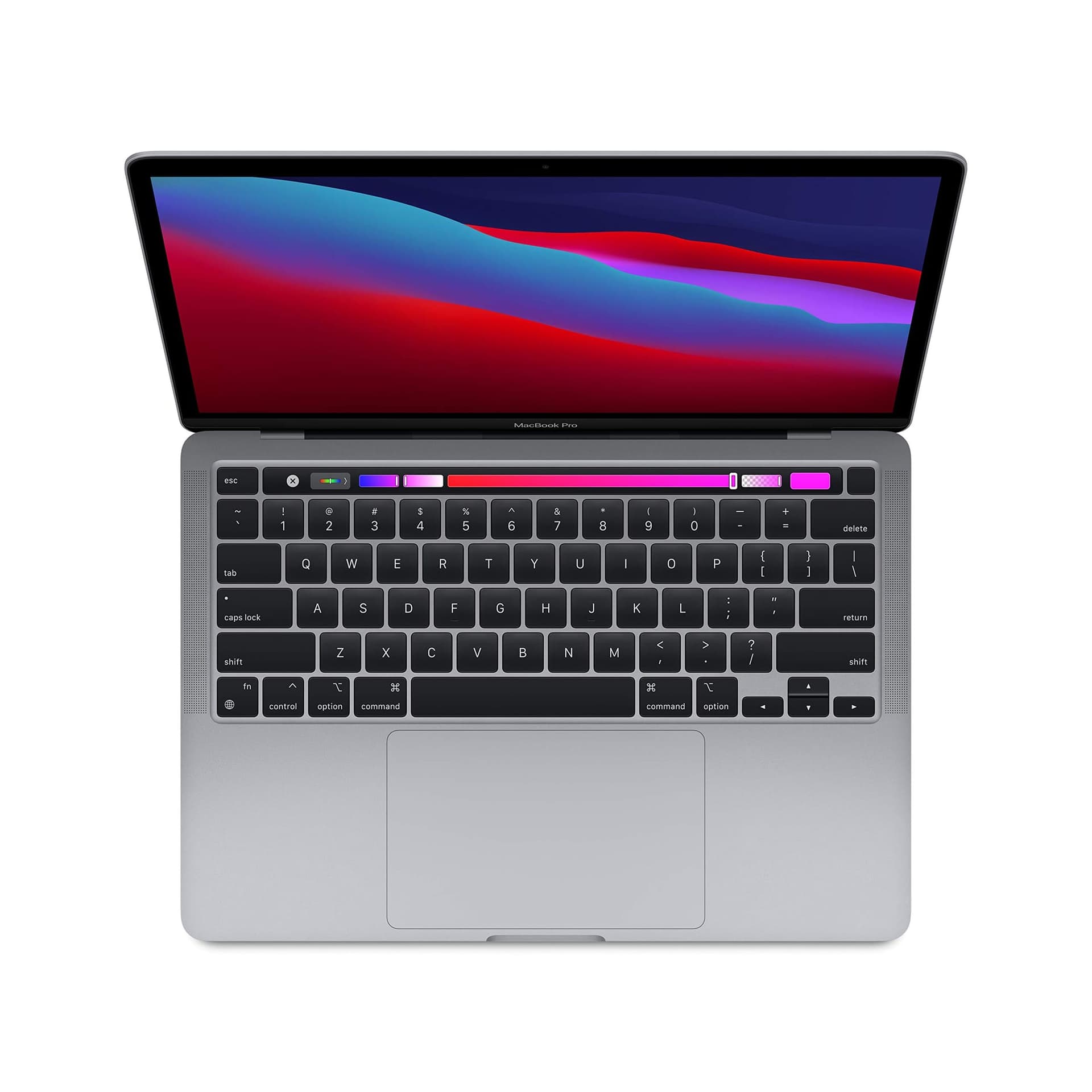
TL;DR In 2026, the Apple MacBook Pro 13-inch (Model A2251) sits firmly in the Intel-era category. As a MacBook for software engineering 2026, it is not a performance-forward machine, but it remains a practical option for developers who value macOS stability, compact form factor, and predictable coding performance. It handles Python, JavaScript, web development, light AI ML experimentation, and data science tasks reliably, but efficiency, thermals, and sustained workloads are clear limitations compared to Apple Silicon Macs.
Software Engineering, AI ML, And Data Science Performance Overview
The MacBook Pro 13-inch (A2251) represents one of Apple’s final compact Intel-powered professional laptops. In 2026, it appeals mainly to students, freelancers, and developers looking for an affordable entry into the macOS ecosystem.
As a MacBook for software engineering 2026, the A2251 is no longer about raw performance leadership. Instead, its relevance comes from predictability, broad software compatibility, and a refined macOS experience. It supports modern development tools without friction, even though it lacks the efficiency and thermal advantages of Apple Silicon.
To understand where it fits in 2026, it must be evaluated honestly across coding workloads, ML and AI limitations, data science usability, and its real-world comparison against Windows laptops.
Chip Used And Efficiency In 2026 Context
The A2251 uses 10th-generation Intel Core i5 and i7 processors. In 2026, these processors are clearly less efficient than Apple Silicon but remain functionally capable for most traditional development tasks.
Light workloads such as code editing, scripting, documentation, and debugging feel smooth. As workloads scale to larger builds, Docker usage, or continuous background services, the system generates more heat and consumes significantly more power.
That said, Intel architecture still offers benefits. Native x86 compatibility, excellent support for legacy tools, and strong stability with enterprise software make the A2251 predictable for many developers. There are no translation layers, and older workflows behave exactly as expected.
For a MacBook for software engineering 2026, the processor is functional rather than efficient. It is suitable for productivity, learning, and moderate workloads, but not ideal for sustained heavy computing.
Processor Reality Snapshot
| Aspect | A2251 Reality in 2026 |
|---|---|
| Architecture | Intel x86 |
| Power efficiency | Moderate |
| Thermal behaviour | Noticeable under load |
| Best use | Coding, light compute |
| Limitation | Sustained heavy workloads |
Coding Performance In 2026: Contextual Comparison
Although the A2251 is not an Apple Silicon device, it is often compared against newer Macs. Against M-series MacBooks, the A2251 is clearly slower in builds, less efficient, and more thermally constrained.
That said, it remains usable for everyday development. Python scripts execute reliably, frontend and backend JavaScript builds complete without instability, APIs respond smoothly, and SQL queries run without issue. IDEs such as VS Code, PyCharm, and IntelliJ remain responsive as long as background load is controlled.
As a MacBook for software engineering 2026, A2251 should be viewed as baseline-capable rather than performance-leading. It does not compete with M4 machines, but it still supports real development work when expectations are realistic.
Coding Performance Snapshot
| Task Type | A2251 Experience |
|---|---|
| Small builds | Smooth |
| Large builds | Slower, warmer |
| Multi-service dev | Acceptable |
| Long compiles | Thermal limits |
Python, JavaScript, And Full-Stack Development
Python, JavaScript, and full-stack development remain the most common workloads in 2026, and this is where the A2251 still performs reliably.
Python frameworks such as Django, Flask, and FastAPI run well for APIs, scripting, and backend logic. JavaScript development with Node.js, React, and Next.js is smooth for local development and testing, especially for small to mid-sized projects. Local servers, REST APIs, and debugging workflows behave predictably.
IDE performance remains solid as long as system load is managed. For learning, freelancing, and moderate production workloads, the A2251 is still a usable MacBook for software engineering 2026, particularly for web-focused developers.
Stack Suitability
| Stack | Suitability |
|---|---|
| Python backend | Good |
| JavaScript frontend | Good |
| Full-stack apps | Stable |
| Enterprise monoliths | Limited |
ML And AI Workflows: TensorFlow And PyTorch
By 2026, expectations around AI have changed significantly. Evaluating the A2251 as a MacBook for software engineering 2026 requires realism about its ML capabilities.
The A2251 handles traditional machine learning workflows, small neural networks, and preprocessing tasks reasonably well. It is suitable for learning, experimentation, and validating models using TensorFlow and PyTorch.
However, it struggles with larger deep learning workloads, long training sessions, and GPU-intensive tasks. The absence of modern GPU acceleration and Neural Engine support makes cloud infrastructure or newer Apple Silicon Macs necessary for serious AI work.
The A2251 works best as a local experimentation and learning machine rather than a production ML workstation.
ML Capability Snapshot
| ML Task | Performance |
|---|---|
| Data preprocessing | Smooth |
| Small models | Usable |
| Large models | Not ideal |
| Inference testing | Acceptable |
Data Science With Pandas, NumPy, And Jupyter
Data science remains one of the strongest use cases for the A2251 in 2026, especially for students and analysts.
Jupyter notebooks run smoothly, Pandas handles small to medium datasets well, and NumPy computations are stable. Data visualisation with Matplotlib or Seaborn is clear and responsive, helped significantly by the Retina display.
While not designed for large-scale pipelines, the A2251 is comfortable for exploratory analysis, learning, and iterative notebook-based workflows.
Data Science Experience
| Tool | Experience |
|---|---|
| Pandas | Smooth |
| NumPy | Fast enough |
| Jupyter | Stable |
| Large datasets | Memory-dependent |
MacBook Vs Windows For Developers In 2026
In 2026, comparing the A2251 with Windows laptops comes down to workflow comfort versus hardware value.
Windows laptops often provide newer CPUs, stronger GPUs, and better raw specifications at similar prices. This is beneficial for graphics-heavy workloads and CUDA-based development.
However, macOS continues to offer a clean Unix-based environment, predictable sleep behaviour, and fewer setup issues for development workflows. For many developers, this stability outweighs raw hardware advantages.
Platform Comparison
| Factor | MacBook A2251 | Windows Laptop |
|---|---|---|
| OS stability | High | Variable |
| Battery efficiency | Moderate | Variable |
| GPU access | Limited | Better |
| Dev environment | Excellent | Good |
Why the MacBook Pro 16-inch A2485 Still Feels Like a Long-Term Developer Machine in 2026
The MacBook Pro 16-inch (A2485) continues to remain one of the most dependable high-end laptops for software engineering, AI and ML experimentation, and data science in 2026 because it solves the exact problems modern developers care about most: sustained performance, predictable thermals, unified memory efficiency, battery stability, and a Unix-native workflow environment. The biggest strength is not just that the M4 Pro and M4 Max chips are fast, but that they remain consistently fast through long compile cycles, Docker-heavy backend sessions, multi-service local environments, and Jupyter-driven data workflows without the throttling behaviour that still affects many thin Windows alternatives.
What makes this machine feel especially future-ready is how naturally it aligns with the way developer workflows are evolving beyond traditional coding. In 2026, most software engineers are no longer just writing code in a single IDE. They are simultaneously running containers, local APIs, vector databases, AI copilots, notebook environments, frontend dev servers, terminal multiplexers, browser debugging tools, and cloud sync processes. The A2485 handles this kind of layered workflow exceptionally well because the unified memory architecture reduces latency between CPU, GPU, and Neural Engine tasks, while the 16-inch chassis ensures the cooling system can sustain performance over extended work sessions.
For developers thinking long term, this is where the A2485 continues to justify its premium value. It is not simply a fast MacBook for today’s Xcode, VS Code, PyTorch, Pandas, and Docker workflows. It is a machine with enough performance headroom, memory bandwidth, battery efficiency, and ecosystem stability to remain highly practical well into the late 2020s. For software engineers, AI and ML learners, backend developers, and data scientists who want a laptop that supports focused deep work without thermal anxiety or workflow interruptions, the MacBook Pro 16-inch A2485 still stands out as one of the smartest long-term investments in 2026.
Refurbo's Shop:
Here are all the MacBook laptops listed on that Refurbo's Apple page, with a direct link for each laptop:
- Apple Macbook A2442 - Refurbished
- Apple Macbook Pro A2485 - Refurbished
- MacBook Air 13" (2017) - Refurbished
- MacBook Pro 13" (2018) - Refurbished
- MacBook Pro 13" (2020) - Refurbished (Core i5)
- MacBook Pro 13" (2020) - Refurbished (Core i7)
- MacBook Pro 15" (2018–19) - Refurbished
- MacBook Pro 16" (2019) - Refurbished (Core i7)
- MacBook Pro 16" (2019) - Refurbished (Core i9)
- MacBook Air 13" M1 - Refurbished
- MacBook Pro 13" M1 - Refurbished
- MacBook Pro 14" M1 Pro - Refurbished
- MacBook Pro 16" M1 Pro - Refurbished
Frequently Asked Questions
Q. Is the MacBook Pro A2251 still good for software engineering in 2026?
Yes, the MacBook Pro A2251 remains a practical choice for software engineering in 2026 if your work primarily involves Python, JavaScript, web development, APIs, scripting, and moderate IDE usage. Its Intel processor is no longer performance-leading, but macOS stability, terminal reliability, and predictable workflow behaviour still make it highly usable for students, freelancers, and backend or full-stack developers.
Q. Can the A2251 handle Python, JavaScript, and full-stack development smoothly?
Yes, it handles Python frameworks such as Django, Flask, and FastAPI very well for learning, freelancing, and moderate production projects. JavaScript workflows with Node.js, React, Next.js, and REST APIs also remain smooth, especially for small to mid-sized applications. The laptop is best suited for controlled workloads rather than very large enterprise-scale builds.
Q. Is the MacBook Pro A2251 suitable for AI and machine learning in 2026?
It is suitable for AI and ML learning, data preprocessing, small TensorFlow or PyTorch models, inference testing, and experimentation. However, it is not ideal for large neural networks, GPU-heavy model training, or long deep learning sessions because it lacks the acceleration and efficiency advantages of Apple Silicon or dedicated GPU-based Windows laptops.
Q. How good is the A2251 for data science students and analysts?
The A2251 remains a strong option for data science students in 2026. Jupyter notebooks, Pandas, NumPy, SQL workflows, and visualisation libraries such as Matplotlib run reliably for small to medium datasets. It is especially comfortable for notebook-based learning, exploratory analysis, and academic projects, though very large datasets will depend heavily on RAM configuration.
Q. Does the MacBook Pro A2251 overheat during coding workloads?
Under light to moderate coding tasks, thermals remain manageable. However, during long compile cycles, Docker containers, multi-service development, or sustained ML experimentation, the Intel chip can run noticeably warmer than Apple Silicon Macs. This does not make it unusable, but it is a clear limitation for prolonged heavy workloads.
Q. How does it compare with Apple Silicon MacBooks for development?
Apple Silicon MacBooks are significantly better in efficiency, thermals, battery life, and sustained build performance. The A2251 still provides the classic macOS development workflow, but M-series MacBooks are far superior for heavier builds, larger Docker setups, AI tasks, and longer coding sessions. The A2251 should be viewed as a value-oriented Intel Mac rather than a future-proof performance machine.
Q. Is buying the MacBook Pro A2251 refurbished in 2026 a smart decision?
Yes, it can be a very sensible refurbished buy in 2026 if the battery health is strong and the unit has at least 16 GB RAM. At the right refurbished price, it offers a reliable entry into the macOS ecosystem for coding, data science learning, and freelance development without the premium cost of Apple Silicon.
Q. Is a Windows laptop better than the A2251 at the same price?
In raw hardware terms, Windows laptops at the same refurbished or used price often offer newer CPUs, better thermals, and sometimes dedicated GPUs. However, the A2251 still wins in macOS workflow quality, Unix-based development environment, sleep reliability, and software engineering comfort. The better choice depends on whether you value hardware specifications or development workflow consistency.
Q. Can the MacBook Pro A2251 last another two to three years for coding?
Yes, for students, freelancers, and developers focused on Python, JavaScript, APIs, SQL, and moderate notebook workflows, it can still remain relevant for another two to three years. The key is to keep expectations realistic and avoid buying it for highly demanding AI, GPU, or enterprise-scale development use cases.






