Content Creator Laptop Buying Guide 2026: Your Complete Creator Laptop Handbook
Find the best laptops for content creators in 2026 with expert guidance on CPU, GPU, RAM, display, storage, and battery life for video editing, design, streaming, and Gen Z creator workflows.

Content creation in 2026 has become more ambitious, more dynamic, and more demanding than ever before. Gen Z creators are producing short clips for social platforms, long form videos for global audiences, podcasts with complex audio layers, designs for print and digital, and live streamed sessions all from a single device. Choosing the right laptop is not simply about ticking boxes on a specification sheet, it is about matching your creative workflow, your mobility needs, your future aspirations, and your budget in a way that feels natural and empowering. This guide will help you understand what matters when selecting a content creator laptop that is capable, future proof, and comfortable for daily use.
What Modern Content Creation Entails
Understanding modern content creation means recognising that your laptop will not serve only one function. You could be editing video in the morning, working on graphic design in the afternoon, mixing audio for a podcast in the evening, and engaging with analytics late at night. This multifaceted workload requires hardware that can handle multitasking without slowing down or overheating. A strong laptop for content creation supports all parts of your creative journey rather than only one aspect.
Content creation often involves simultaneous applications. You might have a design programme open while running your digital audio workstation, multiple browser tabs with tutorials or references, cloud syncing services, messaging apps for collaboration, and your publishing platform ready to upload. This complexity means the right laptop must manage cycles of workloads without disruption. Buying a machine based only on one impressive specification will not deliver the consistent performance you need. Instead, you need a balance of power, responsiveness, durability, and comfort. Understanding this balance is crucial to choosing the best creator laptop 2026 for your workflow.
A good laptop does not just cope with daily tasks, it thrives under pressure. When deadlines loom or inspiration strikes unexpectedly, your machine should feel like an extension of your creativity rather than a hindrance. In the sections that follow, we will explore each key component that contributes to a great creative laptop, helping you make a confident and informed purchase.
Choosing the Right Processor
Why the CPU Is Central to Your Creative Workflow
The processor is the heart of your laptop, and for content creation it determines how quickly and smoothly your software responds. When working with editing suites, design tools, or rendering engines, the CPU manages complex instructions, multiple applications, and background processes. A capable CPU for content creation ensures that when you switch between tasks, apply effects, or export large files, your laptop keeps up without lag or hesitation.
Modern creative applications benefit from processors that offer both strong single core and multi core performance. Single core strength helps with responsiveness during everyday tasks and light editing, while multi core capability improves performance for rendering, exporting, and multitasking. In 2026, creators should prioritise processors that maintain performance over extended use rather than those that offer short bursts of speed but throttle quickly due to poor thermal design.
Gen Z creators often work on highly dynamic projects where the deadline could change without notice. Whether you are editing a video to post at peak engagement times or refining graphics just before release, a strong processor gives you confidence that your machine will not slow you down. Choosing the right creator CPU choice is not about buying the most expensive chip but selecting one that matches your workload and future needs.
A well matched CPU supports creative freedom by reducing the wait time between idea and execution. It also supports better thermal behaviour, which means your laptop stays cooler and quieter during long editing sessions. When evaluating laptops, consider both the raw performance figures and how that performance will translate into your everyday workflow. The right processor makes content creation feel seamless and effortless.
Graphics Performance for Visual Projects
The Role of GPU in Creative Software
While the processor manages the overall system performance, the graphics processing unit handles the visual and graphical elements of your creative work. Video editing, visual effects, 3D design, colour grading, and motion graphics all leverage the GPU to accelerate rendering and provide smooth previews. For many creators, a strong GPU for content creation can make a significant difference in both speed and quality of output.
Not all creative tasks depend equally on graphics performance. Basic design and 2D editing may work well on integrated graphics, but high resolution video, motion graphics, and advanced effects benefit greatly from a dedicated GPU. A capable graphics processor reduces preview lag, accelerates export times, and handles higher resolution workflows more efficiently. As creative tools evolve, more software features continue to leverage GPU acceleration, making it an important factor when choosing your next laptop.
Gen Z creators often experiment with multimedia formats that blend video, animation, and interactive design. Choosing a laptop with the right balance of CPU and GPU means you are prepared for diverse creative challenges. Instead of focusing solely on benchmark numbers, think about how your content creation style uses graphical processing power. A well chosen content creation GPU ensures that your visuals are rendered accurately and quickly, giving you more time to focus on storytelling and craft.
Graphics performance also impacts battery life and heat generation. A well balanced system prevents excessive drain and overheating during heavy graphical tasks. This makes your laptop more comfortable to use for long sessions without feeling like it is struggling. Ultimately, the right graphics solution enhances your creative capabilities and supports a smooth workflow.
Memory and Its Impact on Performance
How RAM Affects Creativity and Multitasking
RAM, or random access memory, plays a crucial role in how your laptop handles active tasks. When you launch your creative applications, open multiple files, and switch between several open windows, the system relies on RAM to keep those processes quick and smooth. In the context of content creation, enough RAM for content creation ensures that your machine does not slow down when handling large projects or complex timelines.
In 2026, a baseline of 16 gigabytes of RAM is sensible for moderate creative workflows. However, creators who work with 4K video, layered digital art, or large audio projects will benefit from 32 gigabytes or more. More memory allows your laptop to keep more of your project in active memory, reducing delays when you switch between tasks and improving responsiveness during editing and playback.
Gen Z creators often juggle multiple creative applications alongside communication tools, cloud services, and web browsers. Having adequate RAM prevents your system from resorting to slower storage during busy sessions, which can cause lag and interruptions. Sufficient memory also gives you the freedom to experiment with different tools without worrying about your laptop hitting performance limits.
When comparing laptops, look for devices that allow memory upgrades so you can future proof your investment. Creative demands tend to grow over time, and the ability to expand RAM can extend your laptop’s useful life. Choosing the right memory configuration for creators ensures that your laptop feels capable and responsive as your projects scale in complexity.
Storage Solutions for Large Creative Files
Why SSD Speed and Capacity Matter
Creative work involves files that are large and numerous. Video footage, layered designs, audio sessions, and raw images all take up space quickly. More importantly, your software needs to access these files repeatedly while you work. A fast solid state drive is essential to keep your laptop responsive during everyday tasks and intense creative sessions. A well chosen SSD for content creation makes a noticeable difference in load times, preview playback, and project opening speed.
While solid state drives have become standard, the size and speed of the SSD still vary widely between laptops. For most creators, 512 gigabytes is a sensible starting point, but 1 terabyte or larger is preferable if you handle high resolution video or extensive libraries of assets. Many creators also use external SSDs for archiving older projects, but your main drive should have enough space to comfortably house your current work without constant housekeeping.
In 2026, fast NVMe SSDs significantly outperform older SATA based storage by offering quicker read and write speeds. This translates into a smoother workflow, faster responsiveness, and less time waiting for files to load. The right storage solution can eliminate frustrating delays, especially when working with large files that bog down slower drives.
Gen Z creators often produce content on the go and expect their laptops to feel quick and reliable no matter where they are. A strong storage configuration enhances this experience by reducing wait times and keeping projects within easy reach. Investing in a fast storage solution for creatives ensures your laptop remains capable and enjoyable to use across many different types of creative tasks.
Display Quality and Visual Comfort
Why Your Screen Matters More Than You Think
Your laptop’s display is where all your creative judgement happens. Whether you are editing colours in a video, adjusting contrast in photography, placing graphic elements, or mixing audio with visual feedback, you need a screen that shows accurate colours, sufficient brightness, and clear details. A high quality display for content creators supports better creative decisions by showing you exactly what your audience will see when your work is published.
Resolution and colour accuracy are particularly important for creators who work with visual content. A higher resolution improves clarity and allows more of your workspace to be visible at once. Good colour reproduction ensures that what you see on your screen translates well to phones, tablets, and other devices used by your audience. Many creator focused laptops offer displays with wide colour gamut support, which makes your visuals look more vibrant and true to life.
Long creative sessions can strain your eyes if the display is not comfortable to look at. Features such as reduced blue light, anti glare coatings, and consistent brightness across the screen help reduce eye fatigue. For Gen Z creators who often work across multiple formats and lengthy timelines, a comfortable and accurate display enhances both productivity and enjoyment.
When reviewing laptops, consider not just the size but the quality of the panel. A large display is helpful, but if the colours are inaccurate or the brightness is inconsistent, your creative work may suffer. Choosing the right creator laptop display ensures that the time you spend refining your work pays off in the final output.
Battery Life and Portability
How Mobility Helps Creative Productivity
Many creators do not work from a single location. You might edit content in a café, work on scripts on the train, or manage comments while waiting between shoots. A portable laptop for content creation with strong battery life lets you create without always being tethered to a power outlet. In 2026, efficiency improvements in processors and system design mean laptops can be both powerful and mobile.
A laptop with long battery life makes it easier to sketch ideas, draft designs, or edit short projects while on the move. Even if heavy rendering tasks drain the battery faster, the ability to work on smaller creative jobs without interruption is valuable. Portability also reduces the physical burden of carrying a heavy device, making your creative practice more flexible and enjoyable.
Gen Z creators value freedom and versatility. A well balanced laptop allows you to engage with your audience, refine content, and manage creative tools wherever you happen to be. Choosing a battery efficient creator laptop supports a lifestyle where creativity is not confined to a desk, but can happen wherever inspiration strikes.
Thermals, Noise, and Reliability
Why Stable Performance Matters Over Time
Consistent performance in creative workloads depends not just on raw specifications, but on how well your laptop manages heat and power over long sessions. Poor thermal design can cause your laptop to slow down or make loud fan noise, which can be distracting or even disruptive during recordings. A stable performance laptop for creators maintains speed without excessive noise or heat, making extended sessions more comfortable.
Recording audio, live streaming, or working in quiet environments requires a machine that stays calm under load. Loud fans can bleed into audio tracks and degrade recording quality, while overheating can cause sudden performance drops or instability. Choosing a laptop with thoughtful thermal engineering ensures that your creative focus remains uninterrupted and your machine feels dependable during marathon sessions.
Longevity also matters. A device that runs hot consistently may wear out more quickly, reducing its usable lifespan. Selecting a laptop with good cooling and efficient power behaviour helps protect your investment and ensures that your creative setup remains reliable for years to come. A dependable laptop for creators reliability gives you peace of mind and supports creative consistency.
Connectivity and Creator Ecosystems
Supporting Your Accessories and Workflow
Content creators often rely on external gear such as cameras, microphones, external drives, MIDI devices, second monitors, and specialised controllers. Having the right ports and connectivity options simplifies your setup and reduces the need for multiple adapters. A laptop with practical ports for content creation improves your creative workflow by making gear connections straightforward.
Fast data transfer ports help when moving large video files from cameras or backing up project files to external SSDs. Stable wireless support for Bluetooth and Wi Fi ensures that peripherals such as headphones, controllers, or collaboration tools work smoothly without interruptions. Connectivity should not be an afterthought, because frequent adapter swaps or unreliable wireless performance can interrupt your creative focus.
When considering laptops, look for devices with a balanced selection of ports and strong wireless performance to match your gear and habits. This makes your creator workflow setup feel fluid and natural, allowing you to focus on content instead of managing cables and adapters.
Budget Planning for Smart Buying
Investing in What Truly Matters
Budget is often one of the most challenging considerations for Gen Z creators. The goal is to purchase a laptop that delivers excellent daily performance and room for growth without stretching your finances unnecessarily. A value driven content creator laptop strategy involves identifying which components matter most and prioritising those within your budget.
Performance components such as a strong processor, adequate RAM, fast storage, and a quality display yield tangible benefits in creative work, while features like gaming style lighting or oversized speakers may feel good but do not improve creative ability directly. Choosing wisely means focusing on components that enhance your core tasks. Entry level laptops can be acceptable for beginners but may feel limiting as workloads grow. Mid range laptops often provide the best balance of performance and cost, making them ideal for creators who want capability without premium pricing.
Spending smart today can delay the need for upgrades later, letting you invest in tools or software that further support your creative growth. A thoughtful budget content creator laptop choice sets you up for success without compromise.
Top 5 Laptops for Content Creators in 2026
Selecting a practical set of laptops helps narrow your choice. Below are five excellent options for content creators, each with distinct strengths that suit different types of creative workflows and budgets. These laptops represent a range of performance, portability, and price points, helping you find a model that aligns with your needs as a best creator laptop option.
Apple MacBook Pro 16
The Apple MacBook Pro 16 offers exceptional performance, a brilliant display, and strong battery life. It handles demanding creative tasks such as high resolution video editing, motion graphics, and large design projects with ease. Its thermal design keeps performance steady under heavy load, and the macOS ecosystem provides smooth workflow integration. This model is ideal for creators who value reliability and polished performance across multiple creative disciplines.
Dell XPS 15 Creator Edition
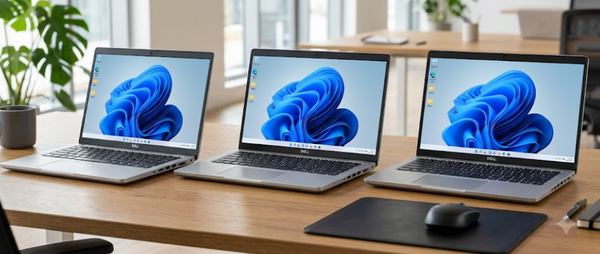
The Dell XPS 15 Creator Edition balances powerful hardware with a premium design. Its display offers excellent colour accuracy, making it suitable for detailed visual work. With strong CPU and GPU performance, it handles video editing, graphic design, and multitasking comfortably. Its build quality and keyboard comfort also make it a practical choice for creators who work for extended sessions and value a Windows based environment.
Lenovo ThinkPad X1 Extreme
The Lenovo ThinkPad X1 Extreme delivers a robust performance profile with a reliable keyboard and durable build. Its configurations often feature strong processors and dedicated graphics, capable of handling mixed creative workloads. Creators who value comfortable typing, dependable reliability, and professional aesthetics will find this laptop aligns well with daily content production and editing tasks.
ASUS ProArt StudioBook
The ASUS ProArt StudioBook is designed for creators with a focus on visual performance and precision. Its display supports wide colour gamut coverage, aiding accurate visual decisions. The performance is balanced for video editing, digital art, and design tasks, and its connectivity supports a range of external devices. This model suits creators who produce visually intensive content and need a reliable machine for complex projects.
Acer Swift X Pro
The Acer Swift X Pro provides strong creative performance in a more affordable and portable form factor. It offers capable processing and dedicated graphics, making it suitable for video editing, design work, and content publishing. Its lighter build and good battery life support mobility, while its performance fits mid range creator workloads without premium pricing.
| Laptop Model | CPU Strength | GPU Capability | Display Quality | RAM | Storage |
|---|---|---|---|---|---|
| Apple MacBook Pro 16 | High performance | Dedicated graphics available | Excellent colour accuracy and brightness | Up to 64 GB | Up to 4 TB SSD |
| Dell XPS 15 | Strong performance | Dedicated mid range GPU | High resolution with accurate colours | Up to 64 GB | Up to 2 TB SSD |
| Lenovo ThinkPad X1 Extreme | Balanced performance | Dedicated GPU choices | Professional quality display | Up to 64 GB | Up to 2 TB SSD |
| ASUS ProArt StudioBook | Creator optimised CPU | Professional GPU options | Wide colour gamut precision | Up to 64 GB | Up to 2 TB SSD |
| Acer Swift X Pro | Strong mid range CPU | Dedicated GPU | Good balance of quality and size | Up to 32 GB | Up to 1 TB SSD |
Building a Creator Setup That Still Feels Powerful in 2027 and Beyond
The best laptop for content creation in 2026 is not necessarily the one with the highest benchmark score or the most expensive branding. What matters more is how naturally it fits into your real workflow. A creator’s day rarely revolves around one task alone. You may start with video editing, move into thumbnail design, switch to audio cleanup, open analytics dashboards, respond to collaboration messages, and then prepare exports for multiple platforms. A great creator laptop should make this transition between tasks feel effortless rather than forcing you to constantly manage performance limits.
Long-term value also matters far more for creators than for casual users. As your audience grows, your creative output usually becomes heavier and more complex. Projects move from 1080p to 4K, audio layers become richer, design files become denser, and publishing schedules become tighter. This is why choosing strong CPU performance, enough RAM, fast SSD storage, and a high-quality display is less about today’s needs and more about ensuring your laptop still feels capable heading into 2027. A well-balanced creator laptop reduces upgrade pressure and lets you invest more into software, cameras, microphones, lighting, and your broader creative ecosystem.
The smartest buying decision is therefore not about buying the “best laptop” in absolute terms. It is about choosing the best machine for your style of content creation. If you are a video-first creator, GPU and display quality deserve more weight. If you focus on podcasting, scriptwriting, and design, thermals, keyboard comfort, and battery life may matter more. The right laptop should feel like an invisible extension of your creative flow, helping ideas move from concept to publish without technical friction.
Frequently Asked Questions
Q. What is the most important laptop specification for content creators in 2026?
The most important factor is balanced performance rather than one standout component. For most creators, the combination of a strong CPU, at least 16 GB RAM, fast NVMe SSD storage, and a colour-accurate display creates the best overall workflow. The priority changes slightly depending on whether your work focuses more on video, design, podcasting, or live streaming.
Q. Is 16 GB RAM enough for content creation, or should creators start with 32 GB?
For moderate creative workloads such as photo editing, thumbnail design, social media videos, and short-form editing, 16 GB is still a strong starting point in 2026. However, creators working with 4K timelines, motion graphics, multiple Adobe apps, or complex audio sessions will feel much more comfortable with 32 GB. If your laptop supports RAM upgrades, starting at 16 GB and scaling later can be a smart budget decision.
Q. Do content creators really need a dedicated GPU in 2026?
Not always. A dedicated GPU becomes highly valuable for video editing, motion graphics, 3D design, animation, and advanced visual effects. However, creators focused on writing, podcasting, design, branding, light photo editing, and social media management can still work very comfortably on strong integrated graphics systems, especially on newer creator-focused laptops.
Q. Which laptop category gives the best value for Gen Z creators?
Mid-range creator laptops and premium ultrabooks often offer the best balance of price, portability, display quality, and creative performance. Models like the Acer Swift X Pro and Dell XPS 15 give strong real-world value, while MacBook Pro and ProArt systems are better for creators with heavier production needs and long-term professional goals.
Q. How much SSD storage should a content creator choose today?
A 512 GB NVMe SSD is the practical minimum, but 1 TB is the safer long-term choice for creators working with large media libraries, raw footage, layered designs, or audio archives. Fast storage directly improves load times, export responsiveness, and the smoothness of switching between large active projects.
Q. Are MacBooks still the best choice for creators in 2026?
MacBooks remain among the best creator laptops because of their display quality, strong battery life, thermal efficiency, and long software support. They are especially strong for video editors, photographers, music creators, and multi-platform creators who want stability. However, Windows creator laptops now offer equally strong alternatives for users who need more flexibility, ports, or GPU-heavy workflows.
Q. How important is display quality for creators compared to CPU or GPU?
Display quality is one of the most underestimated creator laptop features. A high-resolution panel with strong colour accuracy directly improves design judgement, video grading, and editing confidence. Even a powerful CPU and GPU can feel limiting if the display does not show colours accurately or causes eye fatigue during long sessions.
Q. Should creators prioritise battery life or performance?
The best choice depends on workflow style. Mobile creators who edit on the move, script in cafés, or work during travel should strongly value battery life and portability. Studio-based creators who work near charging points may benefit more from prioritising sustained performance and thermal stability.
Q. Which laptop in this list is best for video editing and YouTube growth?
The Apple MacBook Pro 16, Dell XPS 15 Creator Edition, and ASUS ProArt StudioBook are the strongest choices for long-form video editing, motion graphics, and YouTube-focused production. They provide the right balance of CPU, GPU, display accuracy, and thermal consistency for demanding creative timelines.
Q. How long should a content creator laptop last before needing replacement?
A well-chosen creator laptop should remain highly capable for at least four to five years. Systems with strong CPU headroom, 16 to 32 GB RAM, fast SSD storage, and good thermals often remain useful even longer, especially if your workflow scales gradually rather than jumping immediately into ultra-heavy production.